80S-2080F480F4-680F5 User’s Manual.pdf - 第338页
SIPLACE 80S-20/F4/F4-6/F5 User’s Manual 5 Vision Functi on s Edition 03/98 from S oftware Version SR.404.xx 5.6 Test Component Line engi neer 5 - 117 Angle measurement For single -row co mponents, the angle o f rotatio n…
5 Vision Functions SIPLACE 80S-20/F4/F4-6/F5 User’s Manual
5.6 Test Component Edition 03/98 from Software Version SR.404.xx
5 - 116 Line engineer
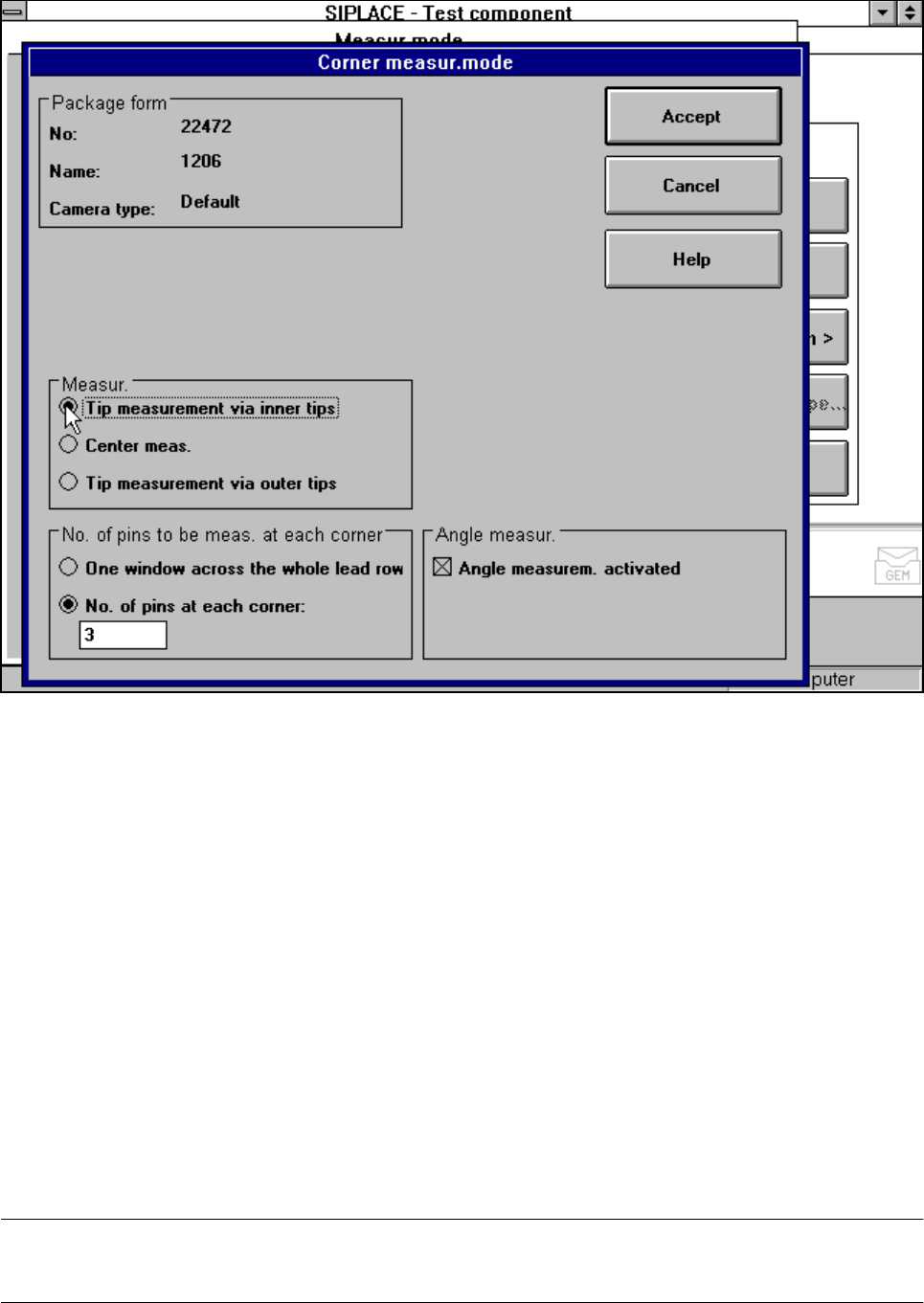
Fig. 5.6.30 Measuring mode option, Corner measuring mode menu
This menu is used to
– specify the lead measuring method.
– select the number of leads to be measured at each corner.
– switch the angle measurement on or off.
Measurement
If the inner lead tips are mapped better that the outer tips, for example if a shiny lead is bent upwards slightly,
you can select one of the following options:
– measuring the tips via the inner tips of the leads, for bases, for example
– centre of the lead, center measurement, for PLCC, SOI, for example
– measuring the tips via the outer tips of the leads, for QFP, SOT, SO, for example
Number of leads to be measured at each corner
If the lead no longer stands out well from the background, in the case of white plugs, for example, use this
option to specify the number of leads to be measured. However, to do this, the component must be fully
described in the line computer (FDC). In this case, there are no further lead measuring steps.
NOTE
This value should only be modified for special components and plugs.
SIPLACE 80S-20/F4/F4-6/F5 User’s Manual 5 Vision Functions
Edition 03/98 from Software Version SR.404.xx 5.6 Test Component
Line engineer 5 - 117
Angle measurement
For single-row components, the angle of rotation is not calculated correctly. Consequently it is better to
access calculation of the angle of rotation in Row measuring mode. Switch off the angle measurement in this
option.
5.6.4.19 ‘Lead’ measuring mode
Click on the ‘Setting’ field in the ‘Lead’ measuring mode to call up the Lead measuring mode menu.
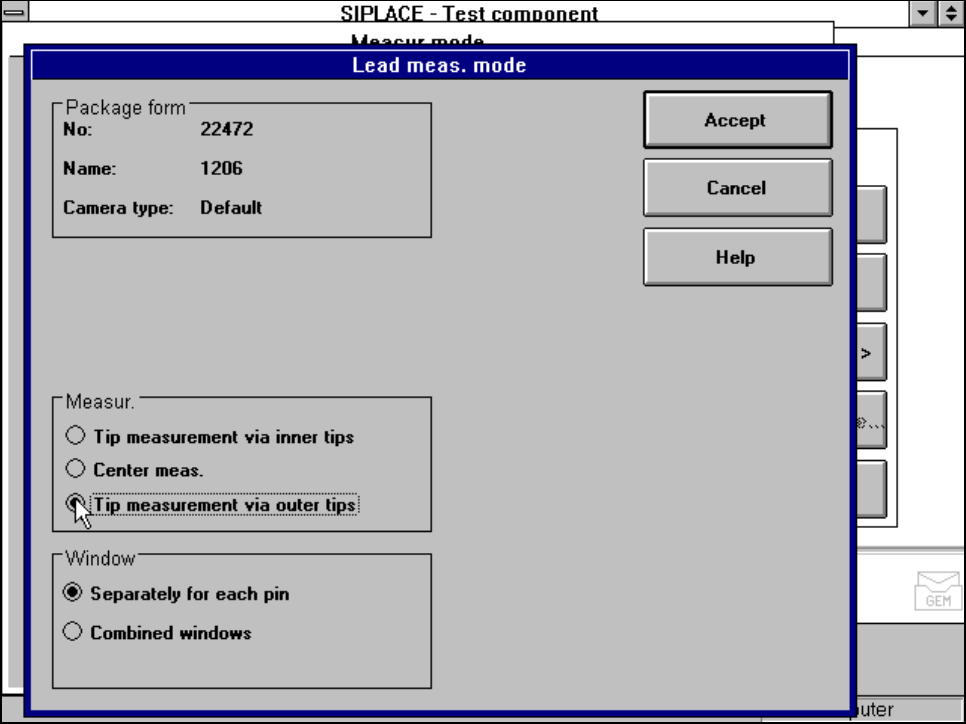
Fig. 5.6.31 Measuring mode option, Lead measuring mode menu
This menu is used to
– specify the lead measuring method.
– to select the windows separately for each lead or a combined window for every lead to be measured.
Measurement
If the inner lead tips are mapped better than the outer tips, for example if a shiny lead is bent upwards slightly,
you can select one of the following options:
– measuring the tips via the inner tips of the leads, for bases, for example
– center of the lead, center measurement, for PLCC, SOJ, for example
– measuring the tips via the outer tips of the leads, for QFP, SOT, SO, for example
5 Vision Functions SIPLACE 80S-20/F4/F4-6/F5 User’s Manual
5.6 Test Component Edition 03/98 from Software Version SR.404.xx
5 - 118 Line engineer
Windows
–
Separately for each lead
Here you define the window in the primary direction (dark blue) and secondary direction (light blue) for
measuring each lead for irregular components and special components.
–
Combined window
Used to define a common window for all the leads.
5.6.4.20 ‘Grid’ measuring mode
Click on the ‘Setting’ field in the ‘Grid’ measuring mode to call up the Grid measuring mode menu.
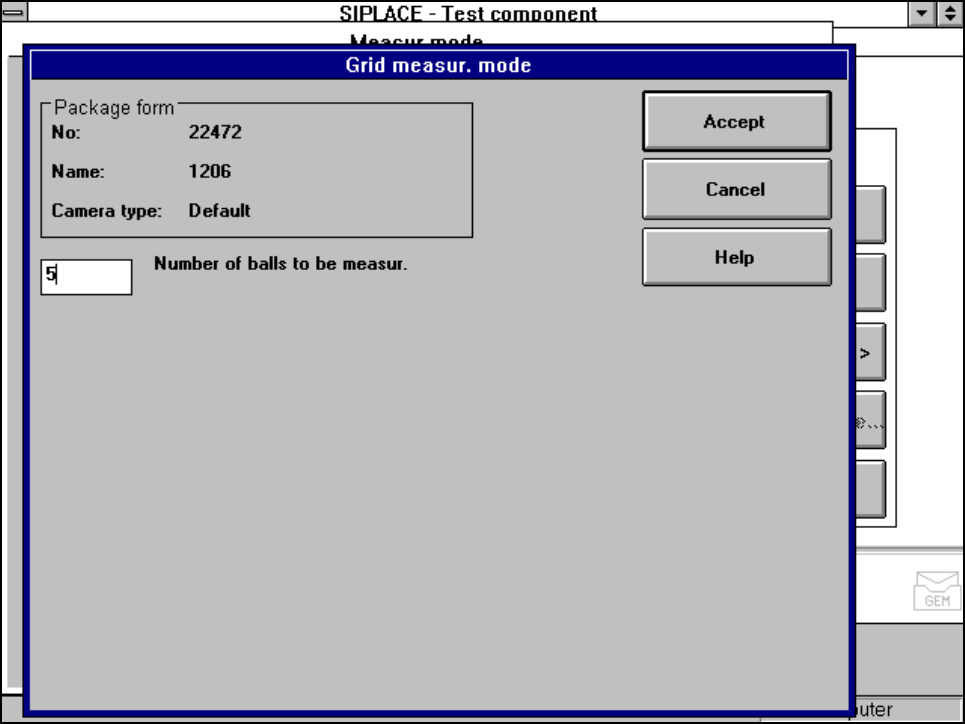
Fig. 5.6.32 Measuring mode option, Grid measuring mode menu
In this menu, enter the number of balls to be measured at each corner.