80S-2080F480F4-680F5 User’s Manual.pdf - 第359页
5 Vision Functions SIPLACE 80S-20/F4/F4-6/F5 User’s Manual 5.7 Guidelines for D escribing Package Form s Edition 03/98 from Software Vers ion SR.404.xx 5 - 138 Line engine er Fig. 5.7.10 Illumination parameters for other…
SIPLACE 80S-20/F4/F4-6/F5 User’s Manual 5 Vision Functions
Edition 03/98 from Software Version SR.404.xx 5.7 Guidelines for Describing Package Forms
Line engineer 5 - 137
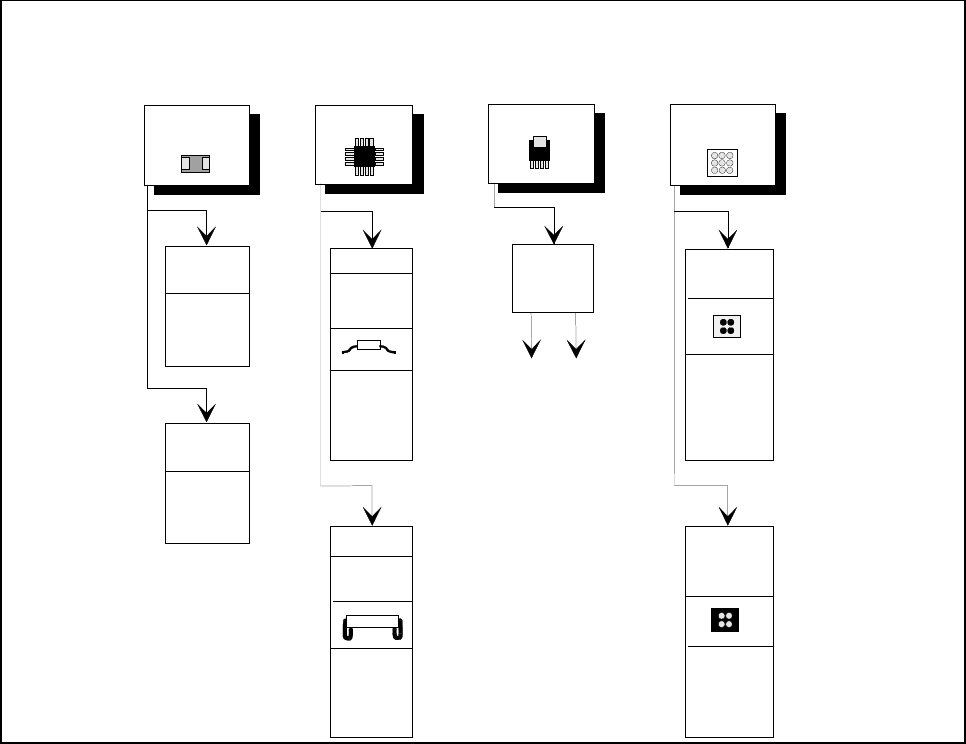
Fig. 5.7.9 Illumination parameters for standard components at the IC head camera.
5.7.7.4 Settings for Illuminating Other Components
Fig. 5.7.10 presents a list of the illumination settings for other components.
Diagram for adjusting the illumination of standard components
IC Power IC
BGA
Tantalum
capacitor
BGA
General
flat: 120
middle: 60
steep: 10
Reflective
body
Gullwing
SO, SOT,
TSOP
QFP,
flat: 90
middle: 40
steep: 10
flat: 255
middle: 90
steep: 0
flat: 120
middle: 50
steep: 10
J-Lead
PLCC
flat: 200
middle: 30
steep: 5
Ceramic
BGA
flat: 0
middle: 0-10
steep:80-100
flat: 255
middle: 30
steep: 0
Illumination
level
Brightness
5 Vision Functions SIPLACE 80S-20/F4/F4-6/F5 User’s Manual
5.7 Guidelines for Describing Package Forms Edition 03/98 from Software Version SR.404.xx
5 - 138 Line engineer
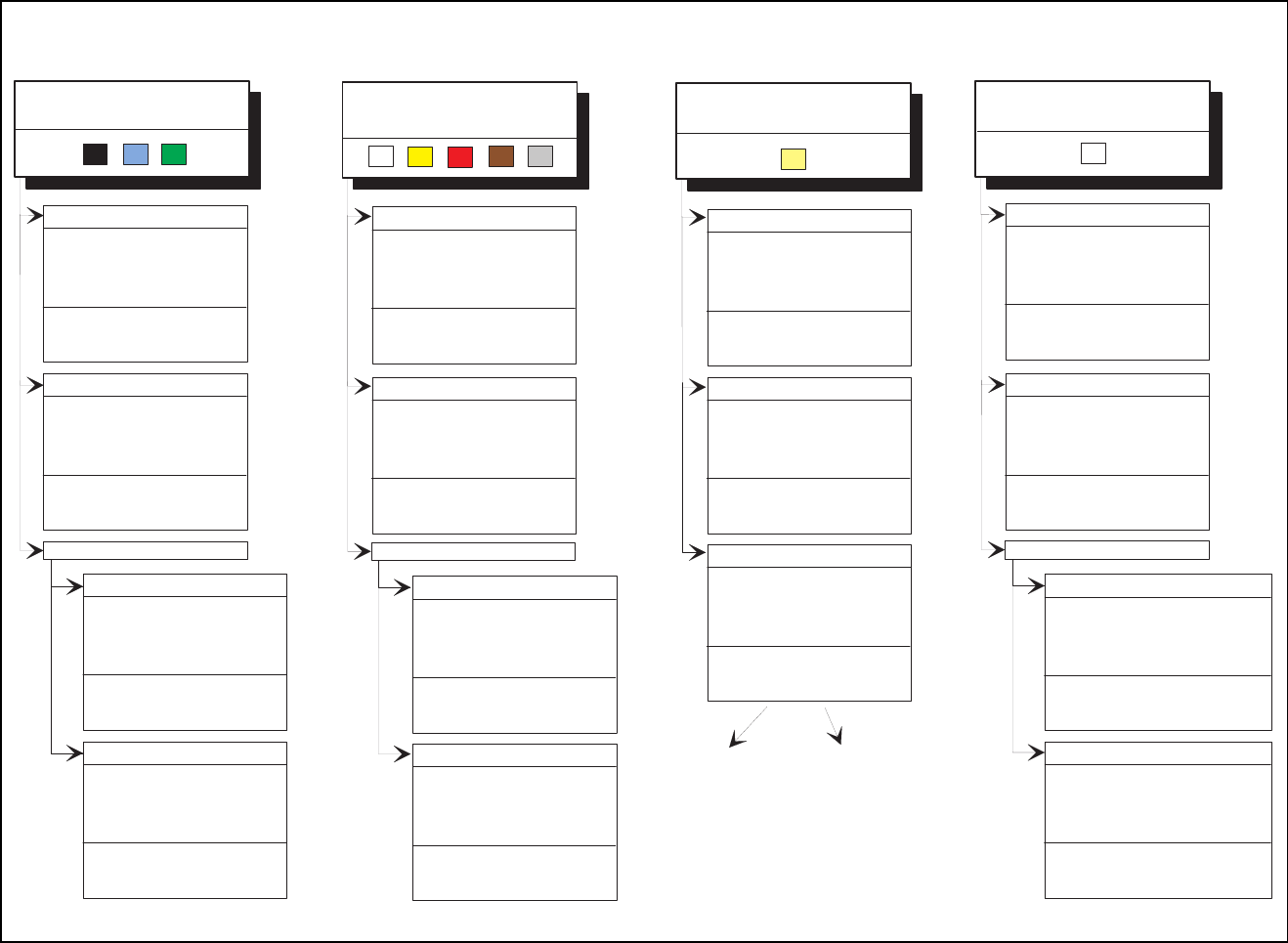
Fig. 5.7.10 Illumination parameters for other components at the IC head camera
Adjusting the illum ination of other com ponents
Light and dull body
( w hite, yellow , red, brow n, grey,
m e ta llic d u ll )
Ceram ic body
Dark and dull body
( black, blue, green )
R e fle c tiv e b o d y
(independently of color and m aterial)
D u ll le a d s
fla t: 1 0 0
middle: 30
steep: 40
Visual separation betw een leads
and body is not possible.
Illum inate body and leads equally.
M easure outline.
S h in y le a d s
C lear separation
betw een leads
and body.
D u ll le a d s
fla t: 2 5 5
m iddle: 90
steep: 0
S h in y le a d s
1. Illum inate body and leads equally.
M easure outline.
2. Trick: U se flat and m iddle levels to
bring leads im age to saturation.
M easure.
C lear separation
betw een leads
and body.
for variant 2:
fla t: 1 6 0
m iddle: 60
steep: 0
C lear separation
betw een leads
and body.
C lear separation
betw een leads
and body.
J-Lead ( PLC C ), convex-type leads
G u llw in g le a d s ( S O , Q F P )
D u ll le a d s
S h in y le a d s
C lear separation
betw een leads
and body.
C lear separation
betw een leads
and body.
J-Lead ( PLC C ), convex-type leads
G u llw in g le a d s ( S O , Q F P )
fla t: 9 0
middle: 40
steep: 10
fla t: 2 0 0
middle: 30
steep: 5
C lear separation
betw een leads
and body.
C lear separation
betw een leads
and body.
O ther lead shapes
D u ll le a d s
Visual separation betw een leads
and body is not generally possible.
S h in y le a d s
Leads:
O u tlin e :
M easuring m ethod:
Visual separation betw een leads
and body is not possible.
Illum inate body and leads equally.
M easure outline.
Visual separation betw een leads
and body is not possible. M easure
outline or lead tips. Leads are
outside the body.
J-Lead ( PLC C ), convex-type leads
G u llw in g le a d s ( S O , Q F P )
O ther lead shapes
C onvex-type leads
O ther lead shapes
Visual separation betw een leads
and body is not generally possible.
Illum inate body and leads equally.
M easure outline.
Illum ination level B rightness
fla t: 1 2 0 - 1 4 0
m iddle: 40 - 60
steep: 0 - 10
fla t: 9 0
m iddle: 90
steep: 5 - 10
fla t: 9 0
middle: 40
steep: 10
fla t: 2 0 0
middle: 30
steep: 5
Visual separation betw een leads
and body is not generally possible.
Leads:
O u tlin e :
M easuring m ethod:
fla t: 1 2 0
m id d le : 4 0
steep: 10 - 20
fla t: 1 2 0
m id d le : 4 0
steep: 0 - 10
fla t: 0
m id d le : 0
steep: 10 - 20
fla t: 0
m id d le : 0
steep: 20 - 40
fla t: 0
middle: 0
steep: 25
fla t: 1 0 0
middle: 30
steep: 40
fla t: 1 6 0
m iddle: 60
steep: 0
flat: 150 - 255
m iddle: 60 - 120
steep: 0

SIPLACE 80S-20/F4/F4-6/F5 User’s Manual 5 Vision Functions
Edition 03/98 from Software Version SR.404.xx 5.7 Guidelines for Describing Package Forms
Line engineer 5 - 139
5.7.7.5 Testing Illumination Settings
You can set the illumination parameters by calling the ’Illumination’ option (see Section 5.6.4.8, Page 5 - 101).
Using the 'Measure Component Option' you can then measure the component and check your settings with
the aid of the measurement results.
Proceed as follows to test your illumination setting:
Using the illumination values suggested in Figures 5.7.9 or 5.7.10 carry out measurement. Measurement
should run through successfully.
For each level reduce the set brightness level by 50 %.
Measurement should run through successfully.
For each level raise the set brightness level by 50 %.
Measurement should run through successfully.
If you are not successful with the above procedure, proceed as follows:
Starting with the suggested illumination value, increase the brightness of each individual illumination level
for as long as measurement is still successful.
Find this upper limit value for each individual illumination level in turn.
Starting with the suggested illumination value, decrease the brightness of each individual illumination level
for as long as measurement is still successful. Find this lower limit value for each individual illumination
level in turn.
Determine the average value of the upper and lower limit values. This will be the optimum illumination
value.
Example of an illumination test:
– Settings from the diagram:
flat: 170
middle: 60
steep: 5
– Measure the component. Measurement is successful.
– Reduce setting values by 50%.
flat: 85
middle: 30
steep: 2
– Increase setting values by 50%.
flat: 255
middle: 90
steep: 8
– Measure the component. Measurement is successful.
– Reset the settings to the suggested values:
flat: 170
middle: 60
steep: 5
¬ optimum setting