80S-2080F480F4-680F5 User’s Manual.pdf - 第385页
5 Vision Functions SIPLACE 80S-20/F4/F4-6/F5 User’s Manual 5.11 Coplanarity Laser Module (SIPLACE 80F4, 80F4 -6 or 80F 5 only) Edition 03/98 from Software Version SR.404.xx 5 - 164 Line engine er DANGER In the event o f …
SIPLACE 80S-20/F4/F4-6/F5 User’s Manual 5 Vision Functions
Edition 03/98 from Software Version SR.404.xx 5.11 Coplanarity Laser Module (SIPLACE 80F4, 80F4 -6 or 80F5 only)
Line engineer 5 - 163
5.11.3 Safety Instructions
DANGER
You must not make any modifications whatsoever to or tamper with the safety features or coplanarity laser
module.
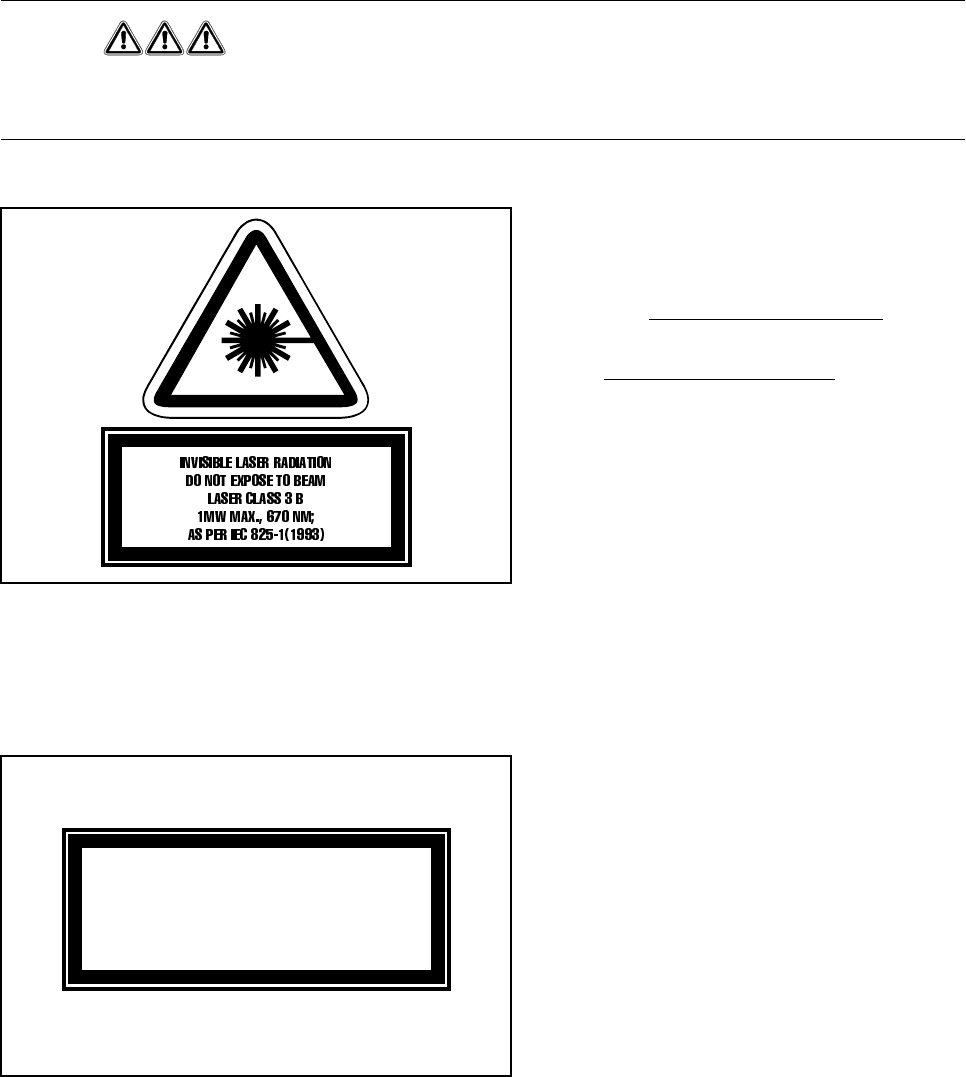
The coplanarity laser module - without safety
features - corresponds to Laser class 3B (see
Fig. 5.11.2)
This means danger to eyes and skin!
For this reason the safety features
should under no circumstances
be
circumvented.
Fig. 5.11.2 Identification label for Laser class 3B
To enable the laser module in Laser class 1 to be operated with no danger to eyes and skin the following
safety features have been installed in the machine:
The interlock line is connected in series with the
switches for the protective cover. Even if the
key-operated switch is used to circumvent the
protective devices this particular protective fea-
ture will not be disabled. This means that the
laser module can be operated only within the
closed machine.
Fig. 5.11.3 Identification label for Laser class 1
s
5 Vision Functions SIPLACE 80S-20/F4/F4-6/F5 User’s Manual
5.11 Coplanarity Laser Module (SIPLACE 80F4, 80F4 -6 or 80F5 only) Edition 03/98 from Software Version SR.404.xx
5 - 164 Line engineer
DANGER
In the event of any modifications or tampering with the module the factory safety warranty will be rendered null
and void. In addition, the user shall be obliged to comply with the guidelines of the Union of Employers’ Liabil-
ity Insurance Associations [Hauptverband der Berufsgenossenschaften] -VBG 93. In other words:
- Registration with the liability insurance association
- Appointment of a laser safety officer
- Drawing up guidelines for the use of the module
5.11.4 Overview
5.11.4.1 Analysis unit
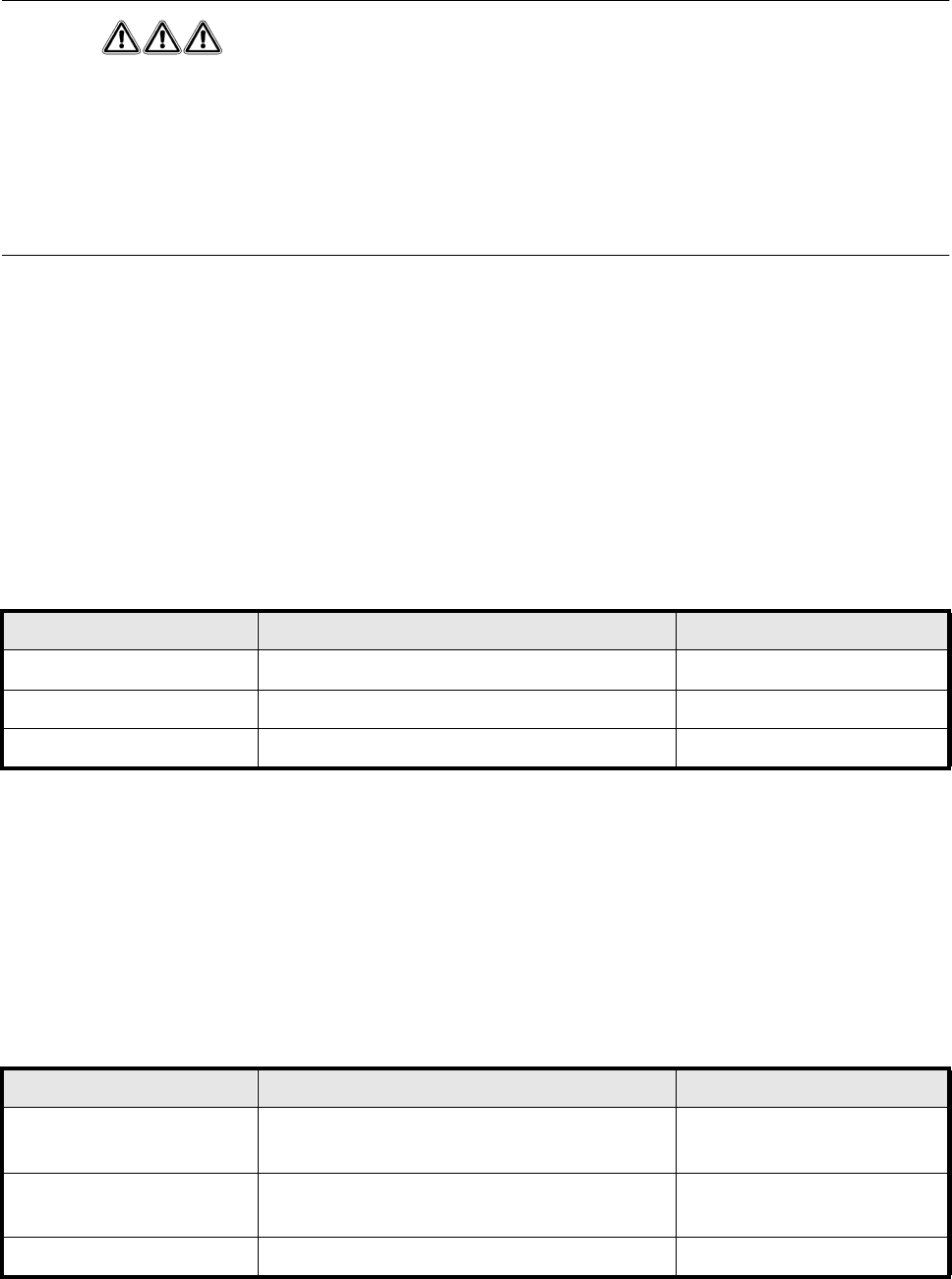
The coplanarity module consists of two components: the analysis unit and control section and the laser
module. The analysis unit is located in the control unit (see Fig. 5.11.4). Three green LEDs on the front panel
of the analysis unit indicate the operating status:
Press the RESET key to initialize the coplanarity module.
5.11.4.2 Laser module
The laser module is fixed to a supporting frame on the right side of the machine (see Fig. 5.11.5).
Two red LEDs and one green LED signal the operating statuses of the laser module:
LED (see Fig. 5.11.4) On Off
1 green Operating voltage 5V No voltage
2 green Operating voltage 12V No voltage
3 green Laser module in service Laser module switched off
LED (see Fig. 5.11.5) On Off
4 red OUT OF RANGE
(outside the measuring range)
–
5 red POOR TARGET
(components have poor reflection properties)
–
6 green Laser module in service Laser module switched off
SIPLACE 80S-20/F4/F4-6/F5 User’s Manual 5 Vision Functions
Edition 03/98 from Software Version SR.404.xx 5.11 Coplanarity Laser Module (SIPLACE 80F4, 80F4 -6 or 80F5 only)
Line engineer 5 - 165
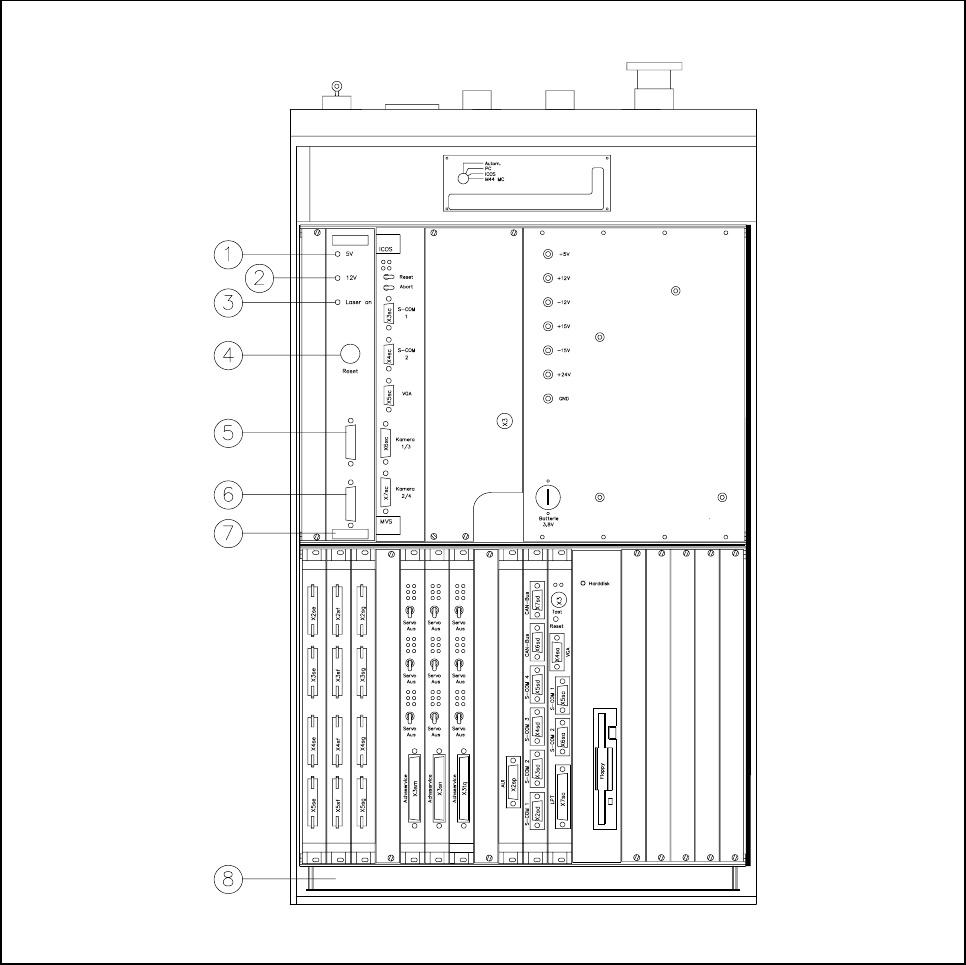
Fig. 5.11.4 Overview of the coplanarity laser module
- Key to Fig. 5.11.4
1 Green LED: Operating voltage 5V
2 Green LED: Operating voltage 12V
3 Green LED: Laser module switched on
4 RESET key
5 SUB-D plug, 9-pin, COM2: to the machine controller
6 SUB-D plug, 15-pin: to the laser module
7 Analysis unit with control section
8 Control unit 80F
4
/80F
4
-6