80S-2080F480F4-680F5 User’s Manual.pdf - 第419页
7 Error Information & Diagnostics SIPLACE 80S-20/F4/F4-6 User’s Manual 7.1 Error Information Edit ion 03/98 f rom Software Version SR.403.xx 7 - 4 Fig. 7.1. 2 Ex ample of the corresponding error information - Key to …
SIPLACE 80S-20/F4/F4-6 User’s Manual 7 Error Information & Diagnostics
Edition 03/98 from Software Version SR.403.xx 7.1 Error Information
7 - 3
7.1 Error Information
If errors occur while the board is being processed you will be able to access information on the errors in ques-
tion. The relevant error information can be accessed from both the Main view menu and from Display errors.
7.1.1 Procedure
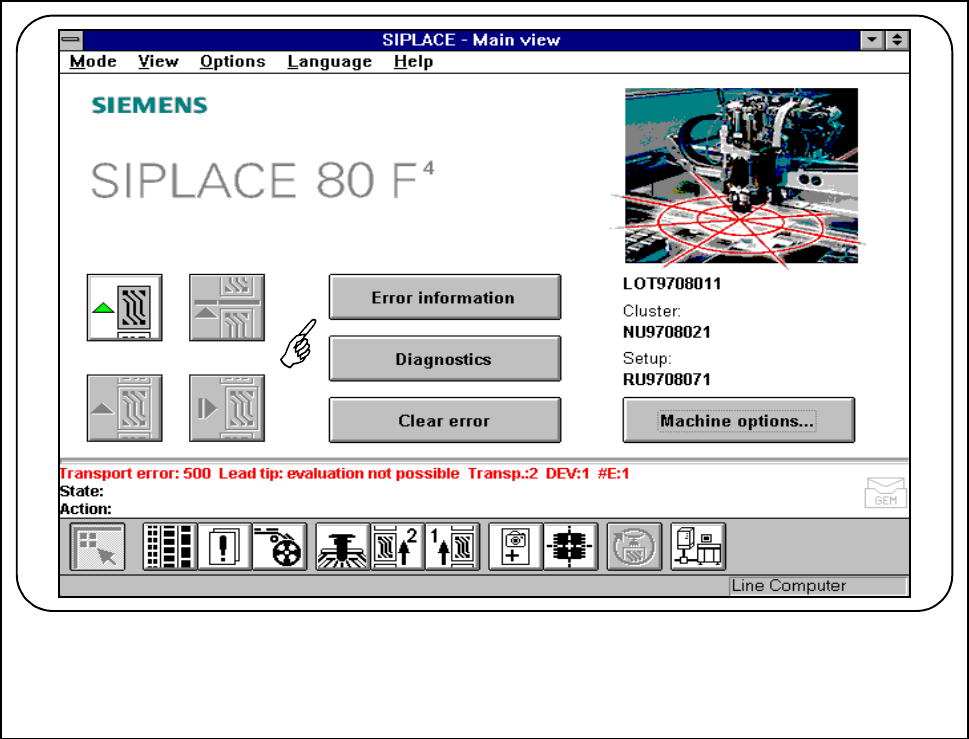
If an error occurs while the board is being processed and is shown in the status window.
● Click on the Error information button.
Fig. 7.1.1 Example of an error message
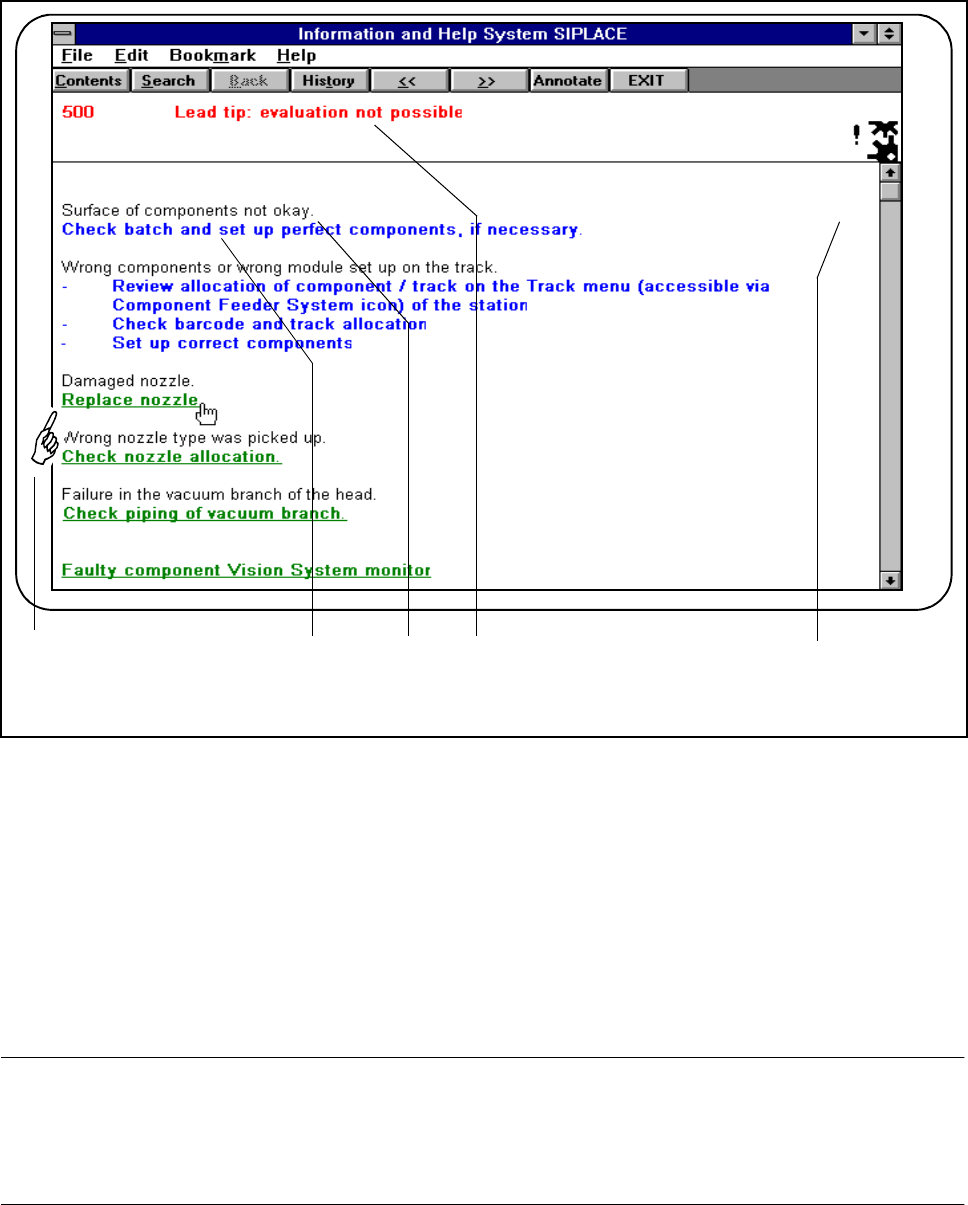
● The following window will be displayed:
7 Error Information & Diagnostics SIPLACE 80S-20/F4/F4-6 User’s Manual
7.1 Error Information Edition 03/98 from Software Version SR.403.xx
7 - 4
Fig. 7.1.2 Example of the corresponding error information
- Key to Fig. 7.1.2
1 Remedy with additional information on the cause of the error (text in green) .
Click here to obtain further information.
2 Remedy without additional information (text in blue).
3 Possible cause of the error in question (text in black).
4 The error which has occurred, with error number (text in red).
5 Symbol of the error type (machine error, track error, and so on).
NOTE
Different colors are used for differentiating the significance of the texts (cause, remedy).
The black text indicates possible causes of the fault which has occurred. The corresponding remedy is shown
beneath this, as blue or green text.
● Click on the green text. Additional information on correcting the cause of the error will also be displayed.
F
54321
SIPLACE 80S-20/F4/F4-6 User’s Manual 7 Error Information & Diagnostics
Edition 03/98 from Software Version SR.403.xx 7.1 Error Information
7 - 5
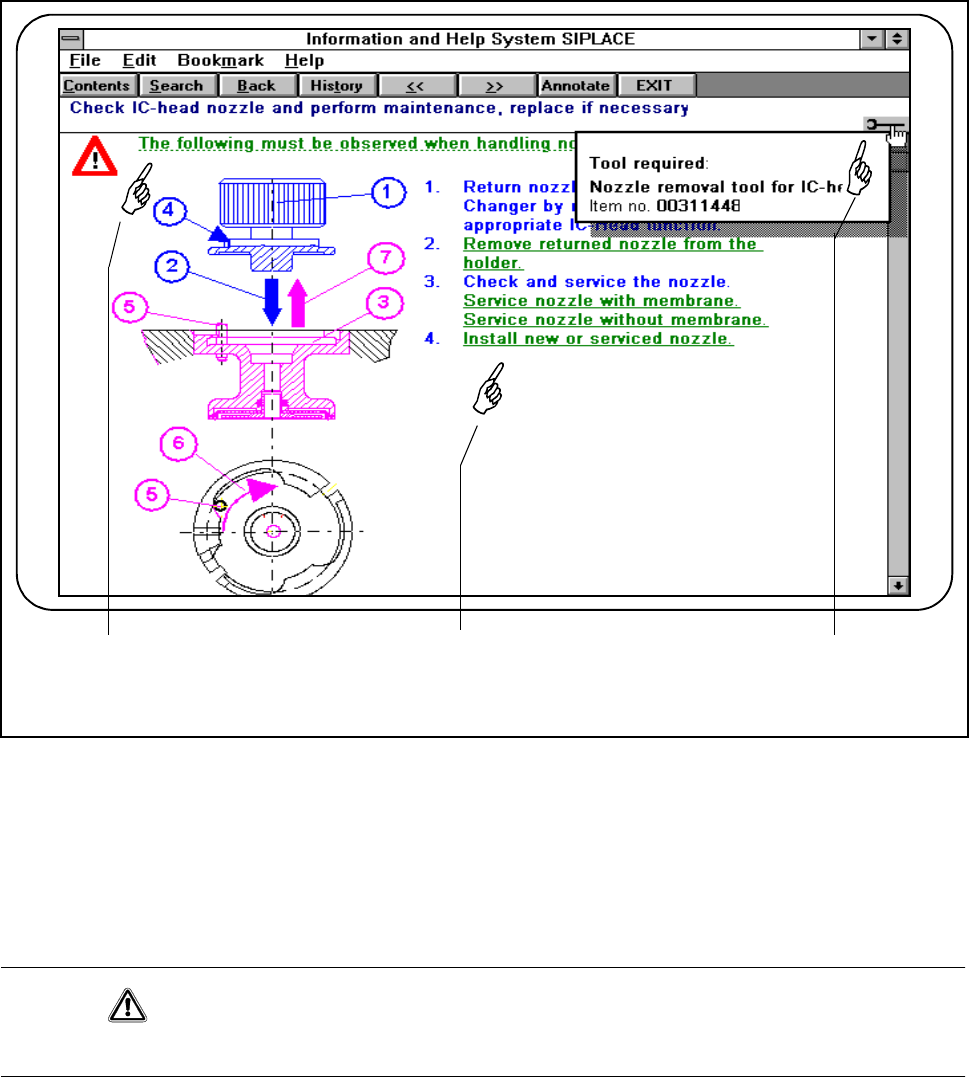
Fig. 7.1.3 Example of additional information on fault correction
- Key to Fig. 7.1.3
1 Instructions text accessible by clicking. Do not fail to observe these instructions. (Red triangle with the text
underlined with green).
2 Additional information accessible by clicking (text in green).
3 By clicking on this symbol, help on the corresponding topic will be displayed.
CAUTION
Do not fail to observe these instructions which are identified by red triangles.
● Click on the symbol for help in order to obtain information on the corresponding aid (see Fig. 7.1.3).
● Click on the text beside the red triangle and carry out the instructions provided (see Fig. 7.1.4).
321