80S-2080F480F4-680F5 User’s Manual.pdf - 第422页
SIPLACE 80S- 20/F4/F4-6 User’s Manual 7 E rror Information & Diagn ostics Edition 03/98 from Software Version SR.403.xx 7.1 Error Information 7 - 7 7.1.1.1 Leaving and Editing Within a ny view y ou can lea ve or edi …
7 Error Information & Diagnostics SIPLACE 80S-20/F4/F4-6 User’s Manual
7.1 Error Information Edition 03/98 from Software Version SR.403.xx
7 - 6
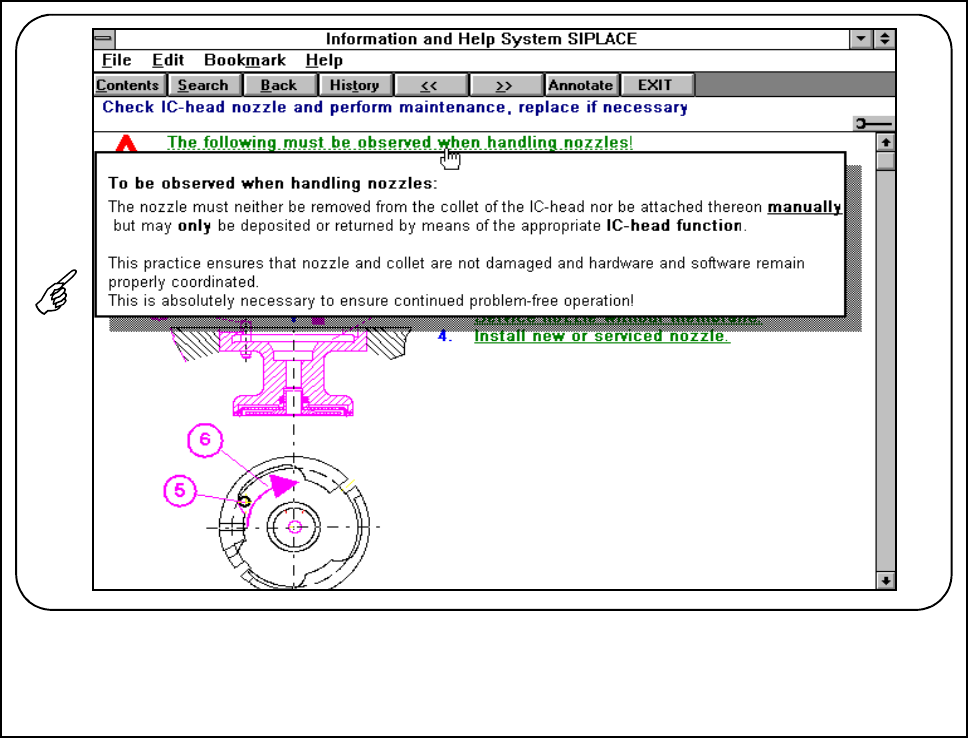
Fig. 7.1.4 Instructions text
SIPLACE 80S-20/F4/F4-6 User’s Manual 7 Error Information & Diagnostics
Edition 03/98 from Software Version SR.403.xx 7.1 Error Information
7 - 7
7.1.1.1 Leaving and Editing
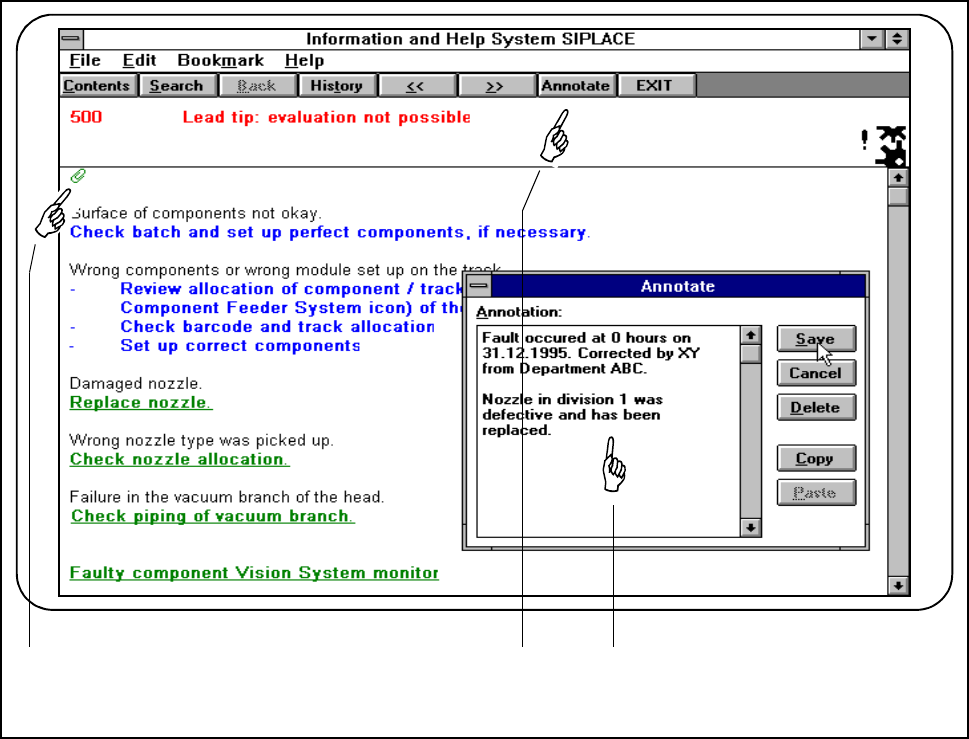
Within any view you can leave or edit comments. In this way you can make a record of work you have carried
out, instructions and so on. If a comment has been added to a view this will be indicated by a paper clip.
● Click on the Annotate button. An input window will be displayed. In this window you can enter and edit
your comments.
Fig. 7.1.5 Adding comments
- Key to Fig. 7.1.5
1 Indicates whether a comment on this information has been added (paper-clip symbol)
2 Annotate button
3 Input window
● The paperclip indicates that a comment has been added. Click on the symbol and the corresponding com-
ment will be displayed.
1 2 3
7 Error Information & Diagnostics SIPLACE 80S-20/F4/F4-6 User’s Manual
7.1 Error Information Edition 03/98 from Software Version SR.403.xx
7 - 8