80S-2080F480F4-680F5 User’s Manual.pdf - 第502页
SIPLACE 80S-20/F4/F4-6/F5 User’s Manual 9 Maintenance Edition 03/98 from S oftware Version S R.404.xx 9.5 12x R evolver Head 10000 9 - 53 9.5.3 Changin g the Nozz le Manu ally Materials and Equipment: white laboratory gl…
9 Maintenance SIPLACE 80S-20/F4/F4-6/F5 User’s Manual
9.5 12x Revolver Head 10000 Edition 03/98 from Software Version SR.404.xx
9 - 52
9.5.2.5 Replacing the Snap O-Ring in the Sleeve
Materials and Equipment
A clean and lint-free cloth
Unisilkon L250L, from item no. 00310259-01
White laboratory gloves
Pointed tweezers or smallest watchmaker’s screwdriver
Spare Part
Snap o-ring sleeve, from item no. 00323535-02
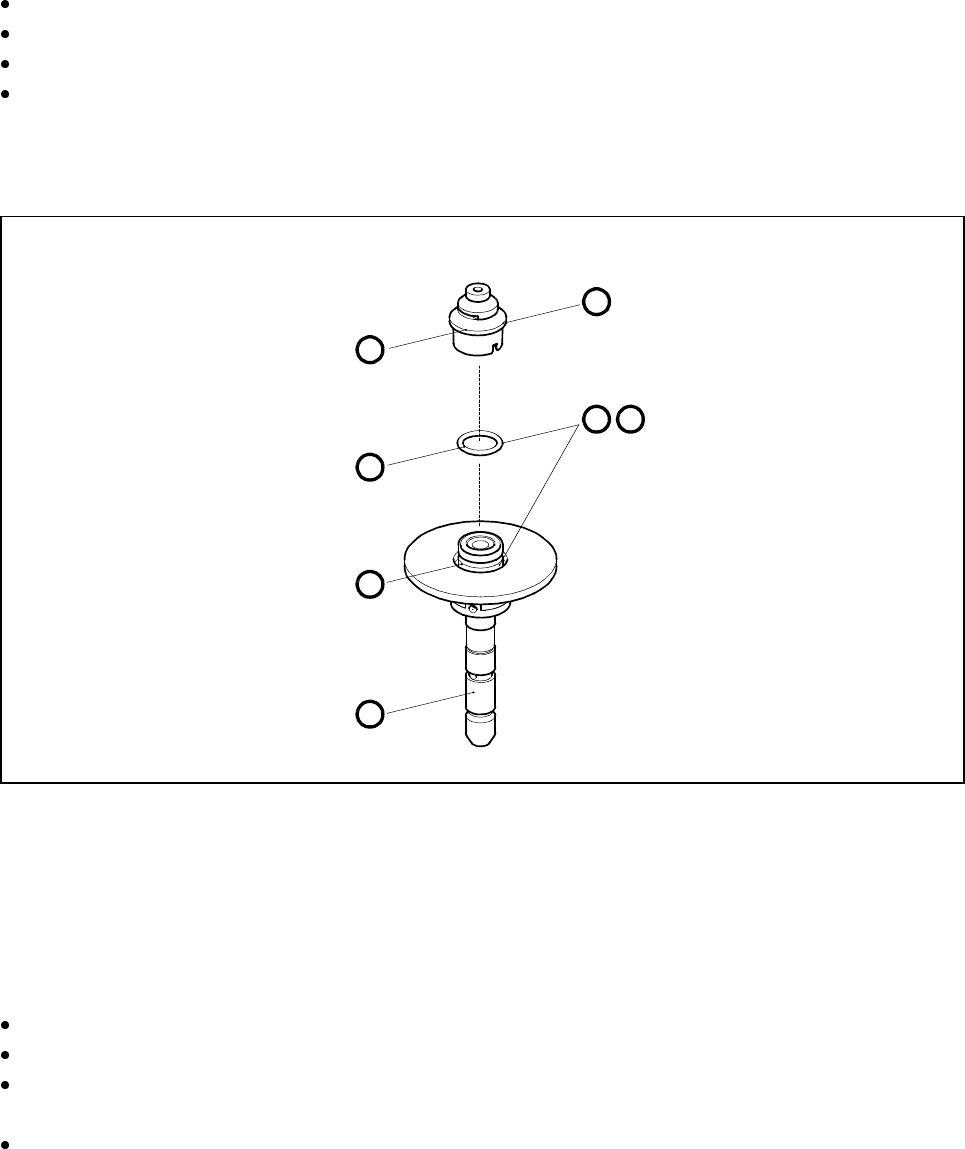
Fig. 9.5.4 Replacing the snap o-ring in the sleeve
- Key to Fig. 9.5.4
1Sleeve
2 Annular groove
3 O-ring
4Nozzle
Remove the sleeve as described in Section 9.5.2.1 on page 9 - 49.
Pull the nozzle off the sleeve (A).
Insert pointed tweezers or a watchmaker’s screwdriver between the o-ring and the annular groove and
lever off the o-ring (B).
Grease the new o-ring with Unisilkon and insert it into the annular groove (C).
,
C
B
A
4
3
2
1
SIPLACE 80S-20/F4/F4-6/F5 User’s Manual 9 Maintenance
Edition 03/98 from Software Version SR.404.xx 9.5 12x Revolver Head 10000
9 - 53
9.5.3 Changing the Nozzle Manually
Materials and Equipment: white laboratory gloves
PLEASE NOTE
This is not a standard nozzle change. It is intended only for use in emergencies when no nozzle changer is
installed on the automatic placement system or if the nozzle changer is out of service. If you turn a nozzle sev-
eral times until it latches in place, the color coding on the nozzle seating may be damaged and the vacuum
channels may be contaminated. Consequently, you must ensure that the nozzle is seated correctly when it is
replaced.
ATTENTION
Do not remove the sleeve from the segment every time you change the nozzle by hand. If the nozzle is
changed frequently this would lead to excessive wear on the sleeve.
Leave the sleeve in the segment.
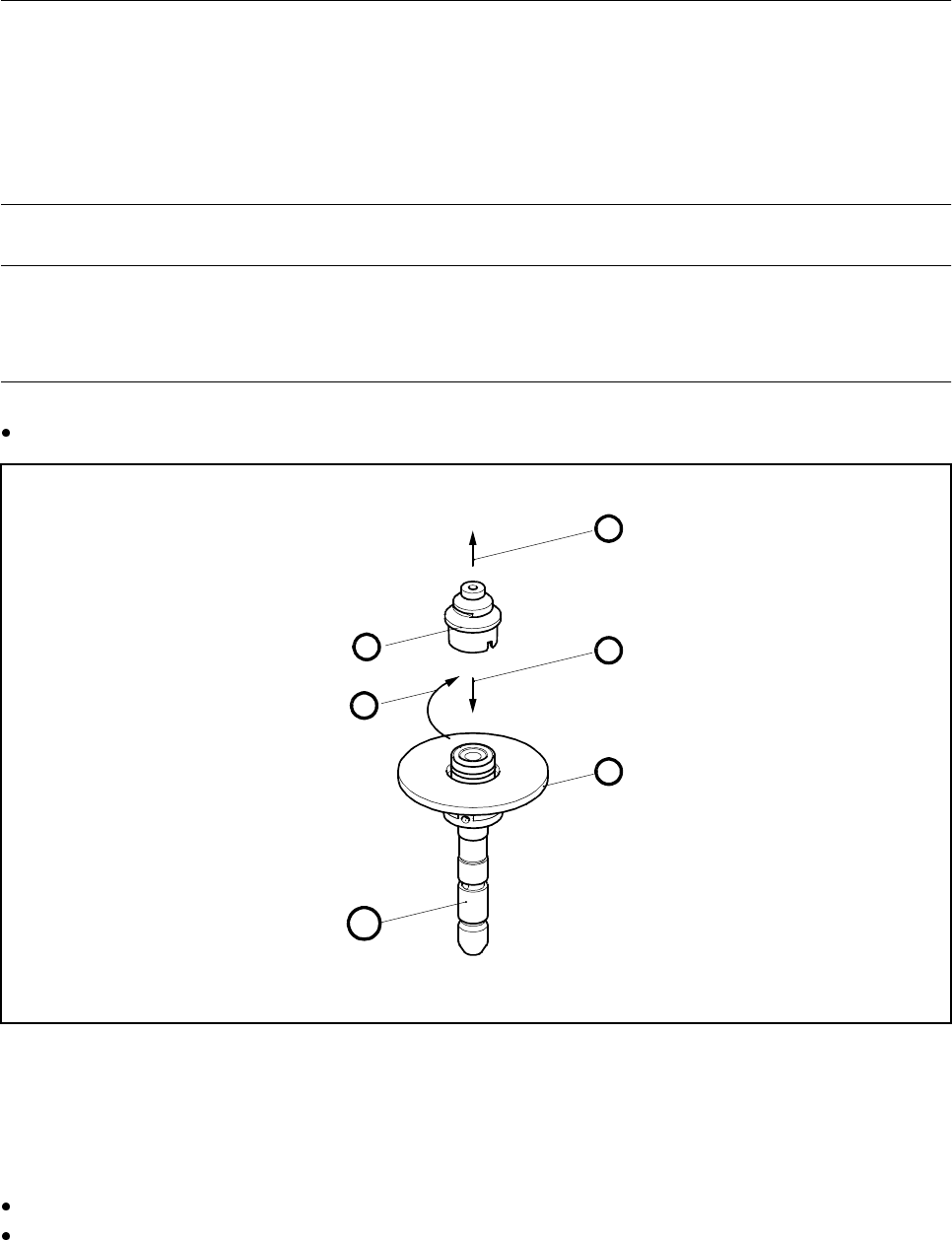
Fig. 9.5.5 Changing the nozzle manually
- Key to Fig. 9.5.5
Hold the nozzle by its tip and pull it off the sleeve (A).
With one hand prevent the sleeve from rotating. You can do this by holding it at the drive surface with your
fingers (B).
1 Sleeve 3 Latching groove
2 Nozzle 4 Latching pin
A
1
B
2
C
D
9 Maintenance SIPLACE 80S-20/F4/F4-6/F5 User’s Manual
9.5 12x Revolver Head 10000 Edition 03/98 from Software Version SR.404.xx
9 - 54
Push the new nozzle onto the sleeve as far as the stop (C).
If the nozzle cannot be turned further against the sleeve, then the latching pin (see point 4) is already
engaged in the latching groove (3) of the nozzle.
If the nozzle is not yet engaged, turn it clockwise until you can feel that it has latched in place.
PLEASE NOTE
Do not use too much force when you turn the nozzle against the sleeve since this could cause the color
coding on the nozzle to be damaged by the latching pin (4).
9.5.4 Replacing the Silencer
Spare Part
Silencer, from item no. 00320964-01
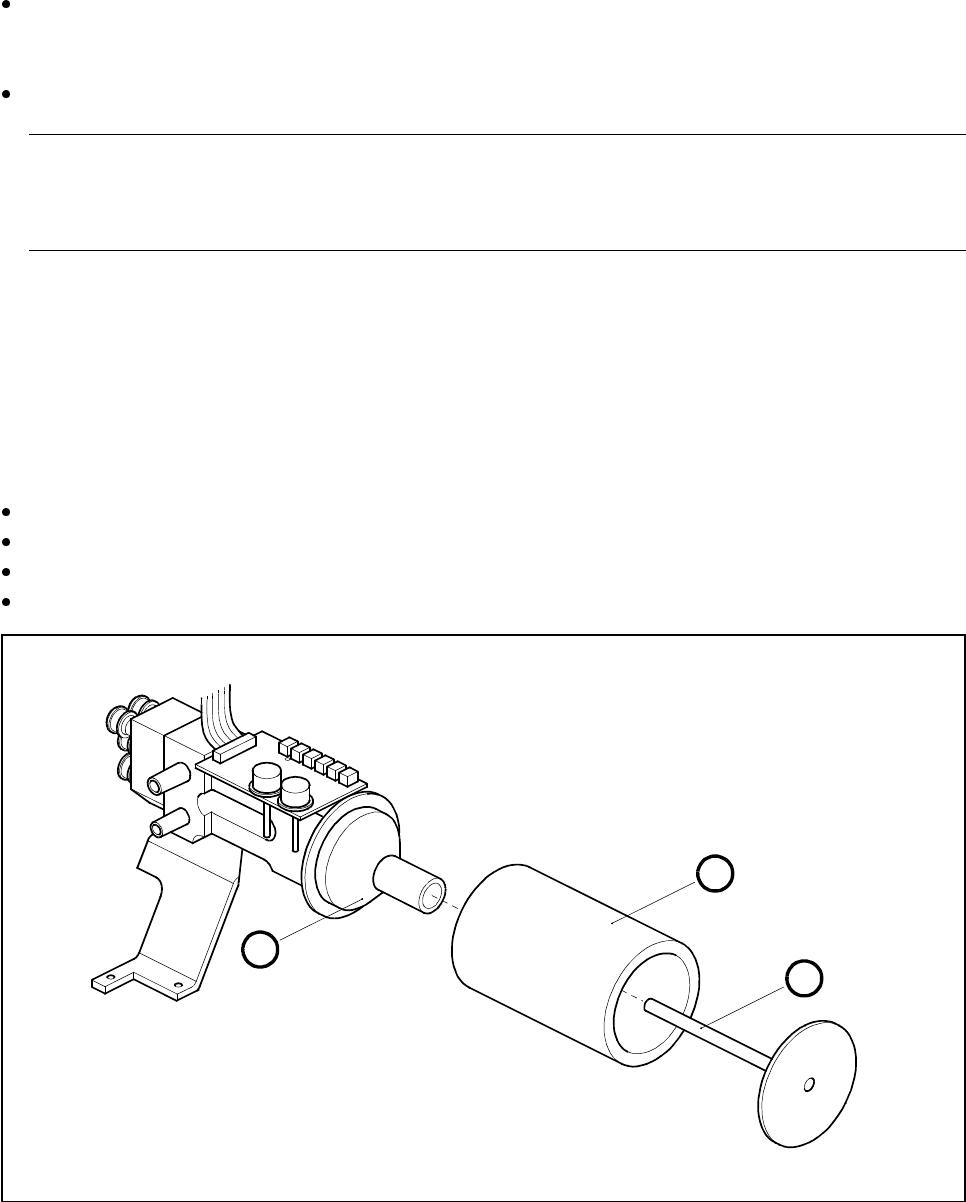
Remove the silencer by hand by rotating it clockwise.
Pull out the threaded rod and remove the funnel from the silencer.
Replace the silencer.
To fit the new silencer proceed in the reverse sequence of operations.
Fig. 9.5.6 Replacing the silencer
- Key to Fig. 9.5.6
1 Threaded rod
2Silencer
3 Funnel
3
1
2