80S-2080F480F4-680F5 User’s Manual.pdf - 第614页
SIPLACE 80S-20/F4/F4-6/F5 User’s Manual 11 Station Extensions/Options Edition 03/98 from Software Version SR.404.xx 11.3 PCB Barc ode 11 - 17 11.3.5 Limitations 11.3.5.1 Barcode reading from above Restricti ons will app …
11 Station Extensions/Options SIPLACE 80S-20/F4/F4-6/F5 User’s Manual
11.3 PCB Barcode Edition 03/98 from Software Version SR.404.xx
11 - 16
11.3.4.1 Adjusting the Reading Beam
Place the board onto the input board.
The SR_CONF_LPBC.100.001 diskette must still be loaded and the control system be switched on.
Adjust the reading head so that the laser beam can scan the entire bar code when the board is moved by.
At this point note the reading orientation of the bar code.
Switch the read beam ON using the + key on the keyboard.
Move the board over the barcode reader. The bar code which has been read will be displayed on the
screen.
Switch the read beam OFF using the – key on the keyboard.
NOTE
For further details on operating and programming, please refer to the UNIX line computer user's manual.
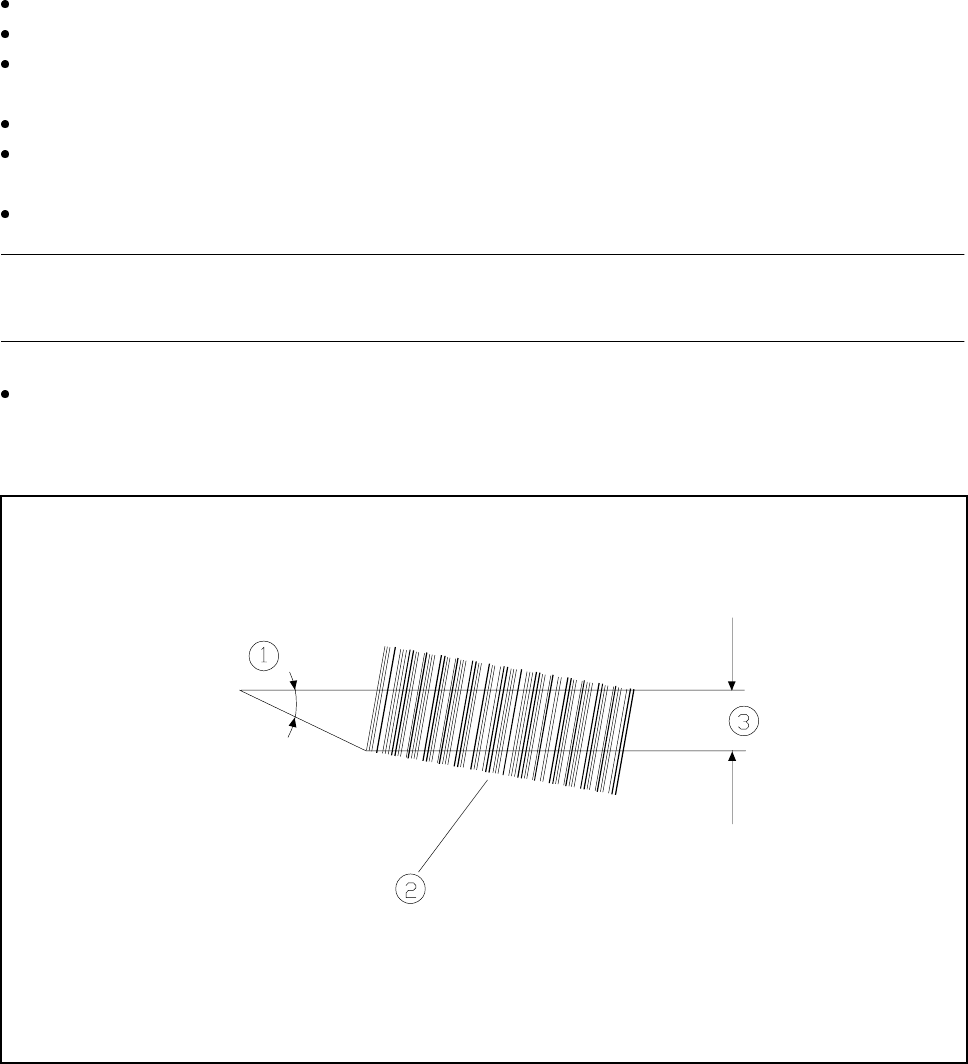
Please note,
the smaller the reading angle the larger the effective reading length, and the larger this effective line length
is, the more certain reading of the bar code will be.
Fig. 11.3.2 Barcode reading
- Key to Fig. 11.3.2
1 Reading angle 2 Barcode
3 Effective line length
SIPLACE 80S-20/F4/F4-6/F5 User’s Manual 11 Station Extensions/Options
Edition 03/98 from Software Version SR.404.xx 11.3 PCB Barcode
11 - 17
11.3.5 Limitations
11.3.5.1 Barcode reading from above
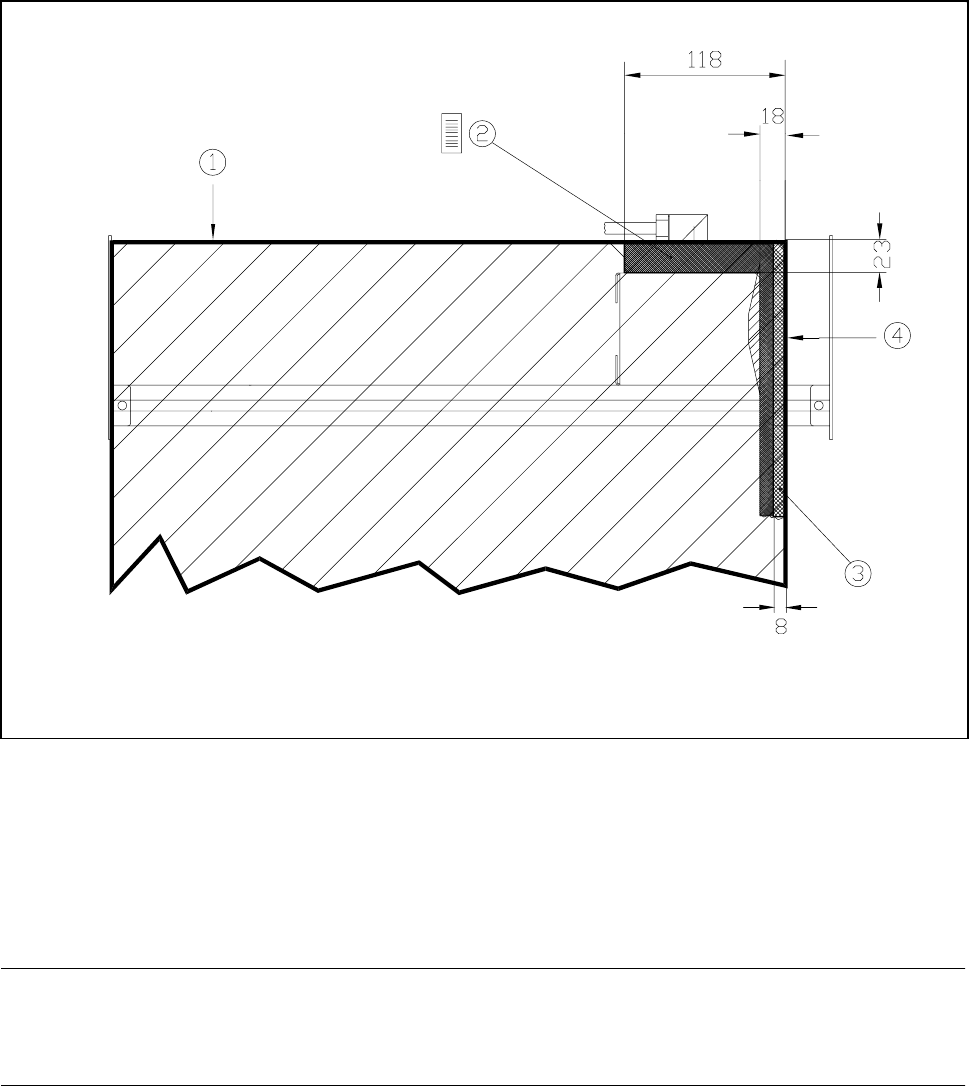
Restrictions will apply to barcode reading from above in the case of boards longer than 460 mm (see Fig.
11.3.3).
Fig. 11.3.3 Restrictions to barcode reading from above
- Key to see Fig. 11.3.3
1 Trailing edge of the board at a length of 460 mm
2 In this area a vertical positioning of the barcode is not permissible.
3 In this area it is not possible to read the barcode over the entire board length.
4 Outer edge of boards
NOTE
No barcodes should be located in the vicinity of the board clamping device as the barcode could then be
scraped and rendered illegible.
11 Station Extensions/Options SIPLACE 80S-20/F4/F4-6/F5 User’s Manual
11.3 PCB Barcode Edition 03/98 from Software Version SR.404.xx
11 - 18
11.3.6 Fitting Instructions
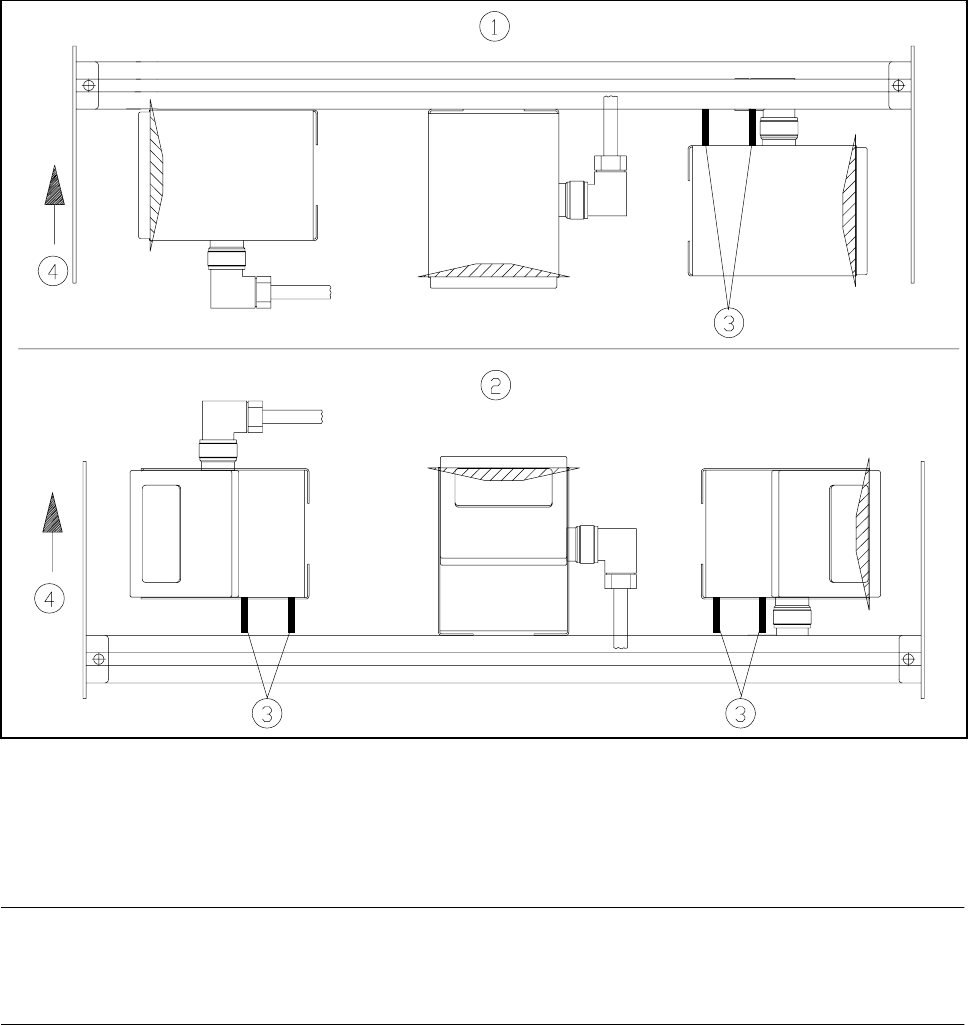
In order to allow various arrangements of the barcodes to be read (such as vertical or horizontal) the barcode
reader can be fitted accordingly. For this purpose use the two spacer tubes supplied.
Fig. 11.3.4 Installation of different reading devices
- Key to Fig. 11.3.4
1 Board barcode at top 2 Board barcode at bottom
3 Spacer tubes
NOTE
Make sure that the connecting cable has a loop long enough to allow the reading head to be moved over the
full width of the profile rail.