80S-2080F480F4-680F5 User’s Manual.pdf - 第616页
SIPLACE 80S-20/F4/F4-6/F5 User’s Manual 11 Station Extensions/Options Edition 03/98 from Software Version SR.404.xx 11.3 PCB Barc ode 11 - 19 11.3.7 Display PCB bar code This menu is used to display the last barcode that…
11 Station Extensions/Options SIPLACE 80S-20/F4/F4-6/F5 User’s Manual
11.3 PCB Barcode Edition 03/98 from Software Version SR.404.xx
11 - 18
11.3.6 Fitting Instructions
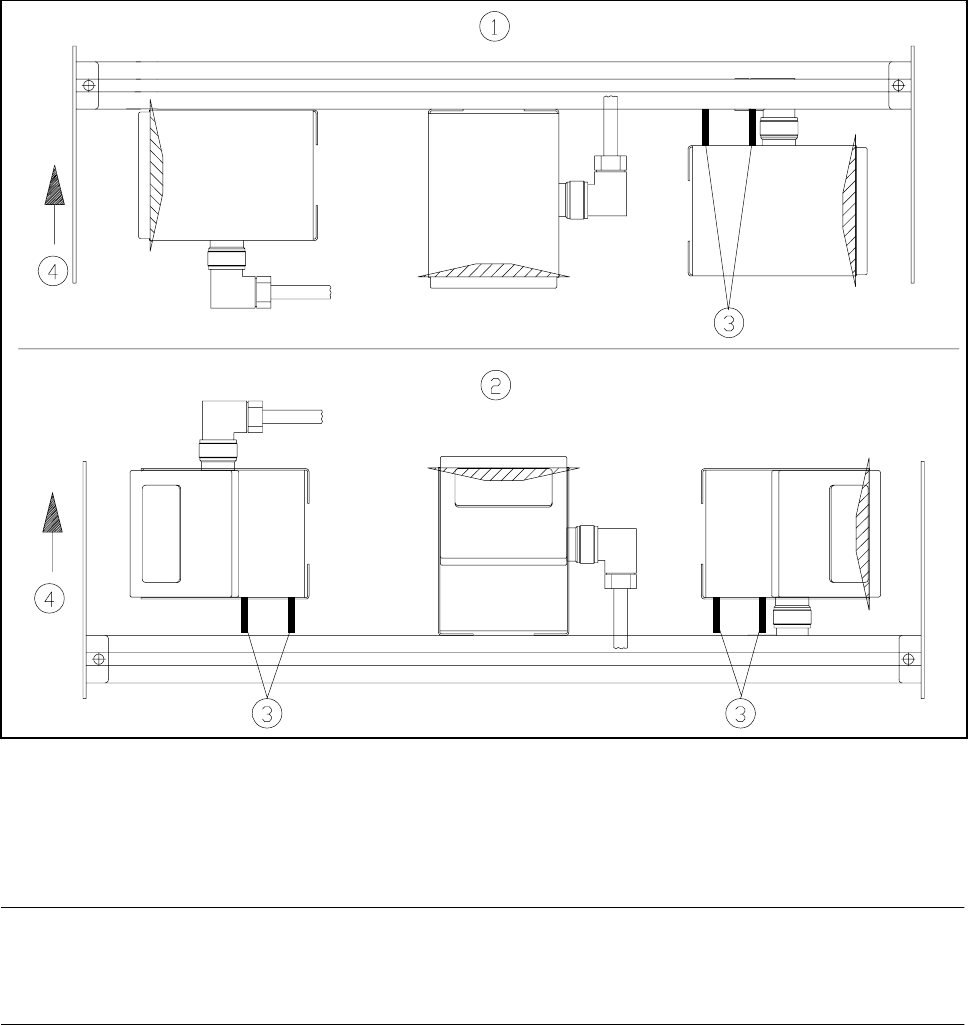
In order to allow various arrangements of the barcodes to be read (such as vertical or horizontal) the barcode
reader can be fitted accordingly. For this purpose use the two spacer tubes supplied.
Fig. 11.3.4 Installation of different reading devices
- Key to Fig. 11.3.4
1 Board barcode at top 2 Board barcode at bottom
3 Spacer tubes
NOTE
Make sure that the connecting cable has a loop long enough to allow the reading head to be moved over the
full width of the profile rail.
SIPLACE 80S-20/F4/F4-6/F5 User’s Manual 11 Station Extensions/Options
Edition 03/98 from Software Version SR.404.xx 11.3 PCB Barcode
11 - 19
11.3.7 Display PCB bar code
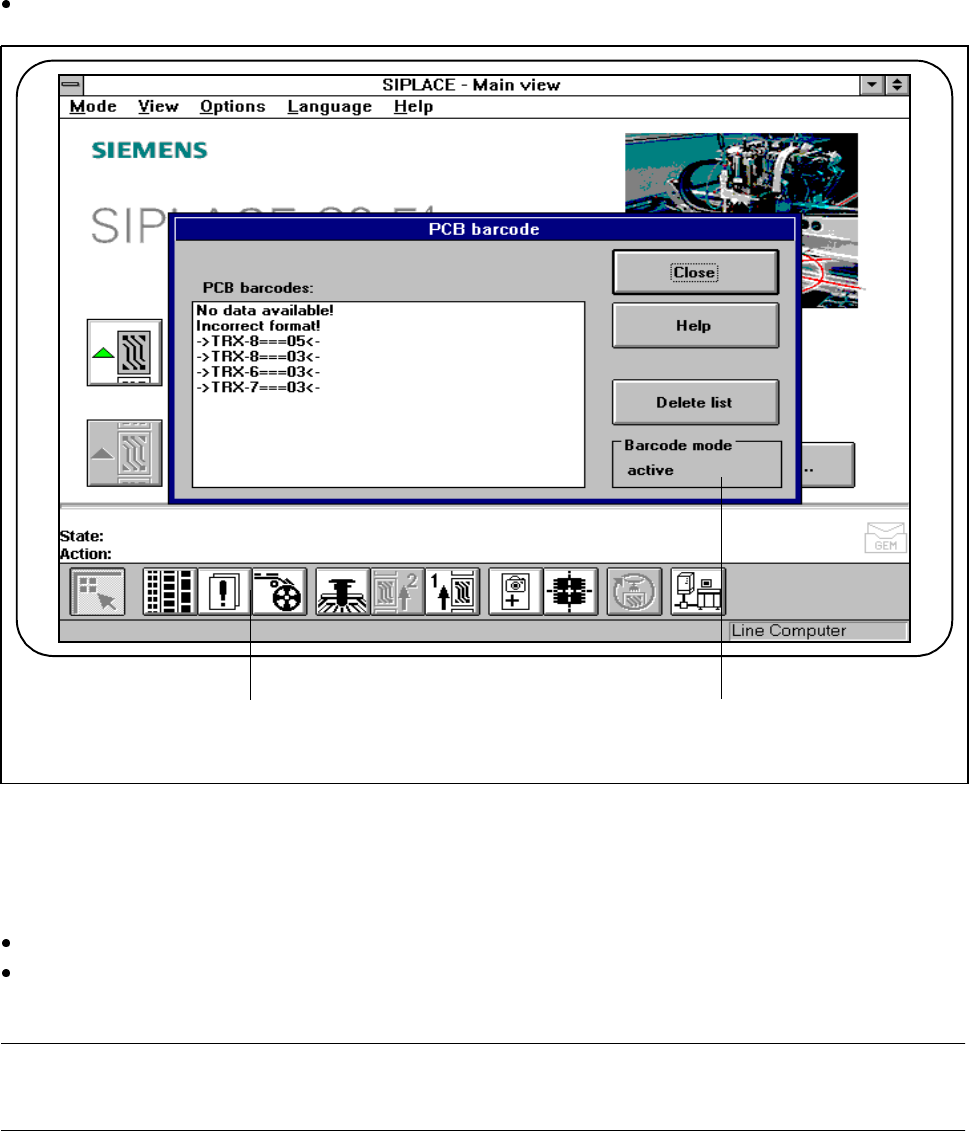
This menu is used to display the last barcode that was read by the PCB barcode reader in a list box.
It also indicates whether the barcode was read incorrectly or a start signal or the wrong signal occurred, or
whether no data was available.
On the menu bar, select the PCB barcode submenu from the Options menu.
Fig. 11.3.5 11.3.5 Display PCB barcode
- Key to Fig. 11.3.5
1 List box 2 Status display
Click on the Delete list button to delete the list.
The status display in the menu window shows the operating status of the barcode mode. This operating
status is activated and deactivated by the line computer.
PLEASE NOTE
This menu is only active if the PCB bar code option has been installed and activated in the machine options.
2 1
F
11 Station Extensions/Options SIPLACE 80S-20/F4/F4-6/F5 User’s Manual
11.3 PCB Barcode Edition 03/98 from Software Version SR.404.xx
11 - 20
11.3.8 Technical Data
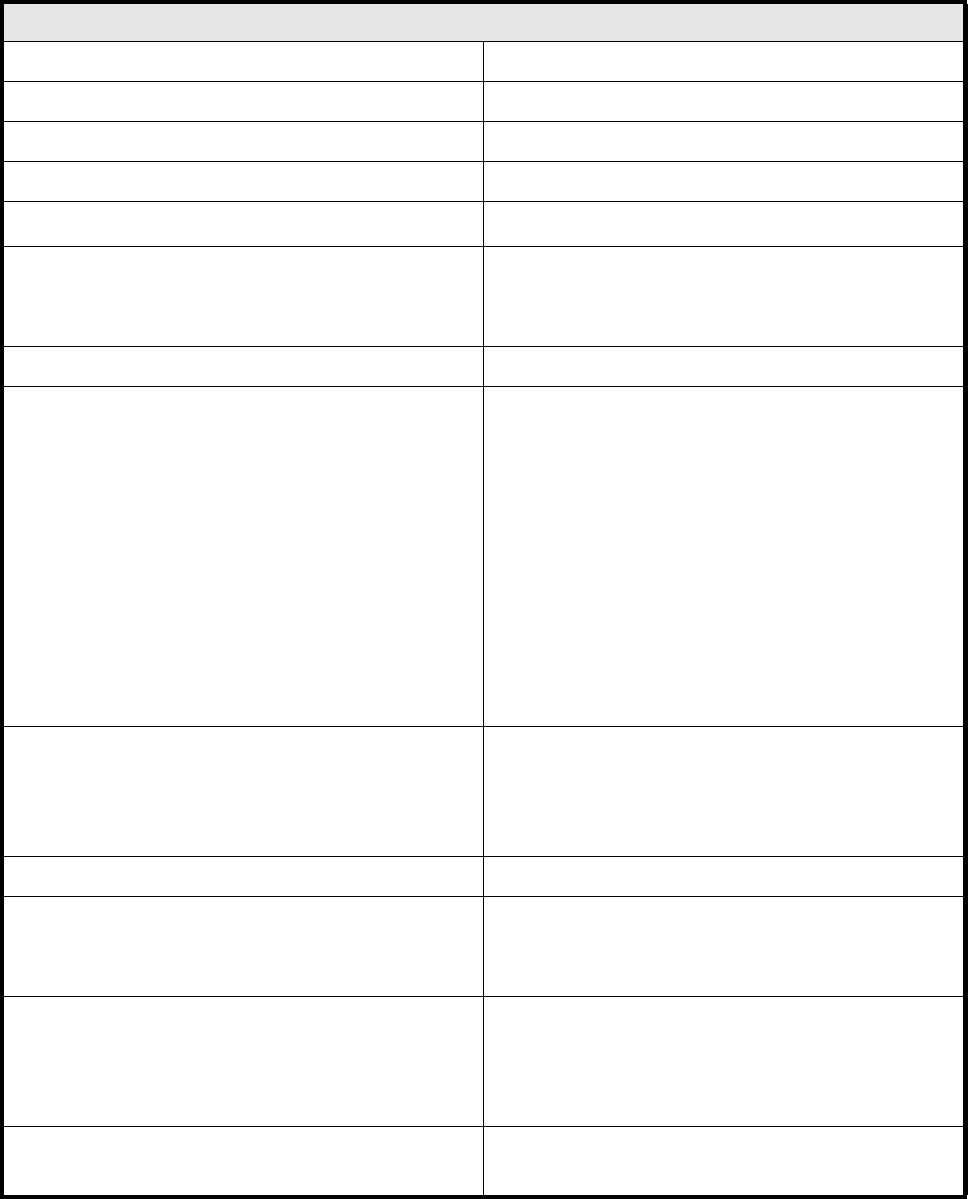
PCB barcode
Resolution Finest line thickness 0.19....0.3 mm
Reading speed 600 scans/sec.
Reading distance 60...90 mm
Reading window 90 mm (max. barcode length permitted)
Angle of reading head to the barcode
5....10
o
Light source Laser diode red 670 nm
1 mW
Laser class 2
Type of protection IP 65
Readable barcode types Code 39
Code 128 / EAN 128
Code 2/5 interleaved
Codabar
2/5 IATA
2/5 INDUSTRIAL
UPC
EAN
Pharma Code
EAN Addendum
(others available on request)
Line length ≥ 4 mm
This is a precondition for 3 readings being possible
at board speeds of 300 mm/sec and a scanning
rate of 600 scans/sec.
Contrast ratio as per DIN 66236 ≥ 70 %
Permitted color of lines black
dark green
dark blue
Permitted background colors white
beige
yellow
orange
Barcode length
(including the two end areas)
≤ 90 mm