80S-2080F480F4-680F5 User’s Manual.pdf - 第620页
SIPLACE 80S-20/F4/F4-6/F5 User’s Manual 11 Station Extensions/Options Edition 03/98 from Software Version SR.404.xx 11.4 Component Barcode 11 - 23 11.4.2 Notes on Operating - The barcode reade r has to be connected to th…

11 Station Extensions/Options SIPLACE 80S-20/F4/F4-6/F5 User’s Manual
11.4 Component Barcode Edition 03/98 from Software Version SR.404.xx
11 - 22
l Track occupancy
For track occupancy, black sheet steel plates with four-place barcode strips are fitted on the lateral protec-
tive panels. The first place is used for identifying the component table (1 or 2) while the remaining three
places specify the track numbers. Return barcodes are provided at each end of the label. These have the
same function as the Return key on the keyboard. These barcode strips are numbered consecutively in
increments of two (1, 3, 5, 7 and so on) and apply in each case to 2 tracks (for example, bar code 1 =
tracks 1 and 2).
l Components
In order to compare, for example, the stock of components with the numbers required by the set-up file
(refill check), data can be read off the component reels.
You will hear an acoustic signal each time a data record is read in successfully.
NOTE
The Components barcode reader option must be configured in the line computer.
NOTE
Bar codes which begin with the number 1 or 2 and are 4 characters long are interpreted as track barcodes. All
other bar codes which begin with the number 1 or 2 are interpreted as component barcodes.
SIPLACE 80S-20/F4/F4-6/F5 User’s Manual 11 Station Extensions/Options
Edition 03/98 from Software Version SR.404.xx 11.4 Component Barcode
11 - 23
11.4.2 Notes on Operating
- The barcode reader has to be connected to the station computer.
- The bar code must be keyed in at the line computer for the component in question.
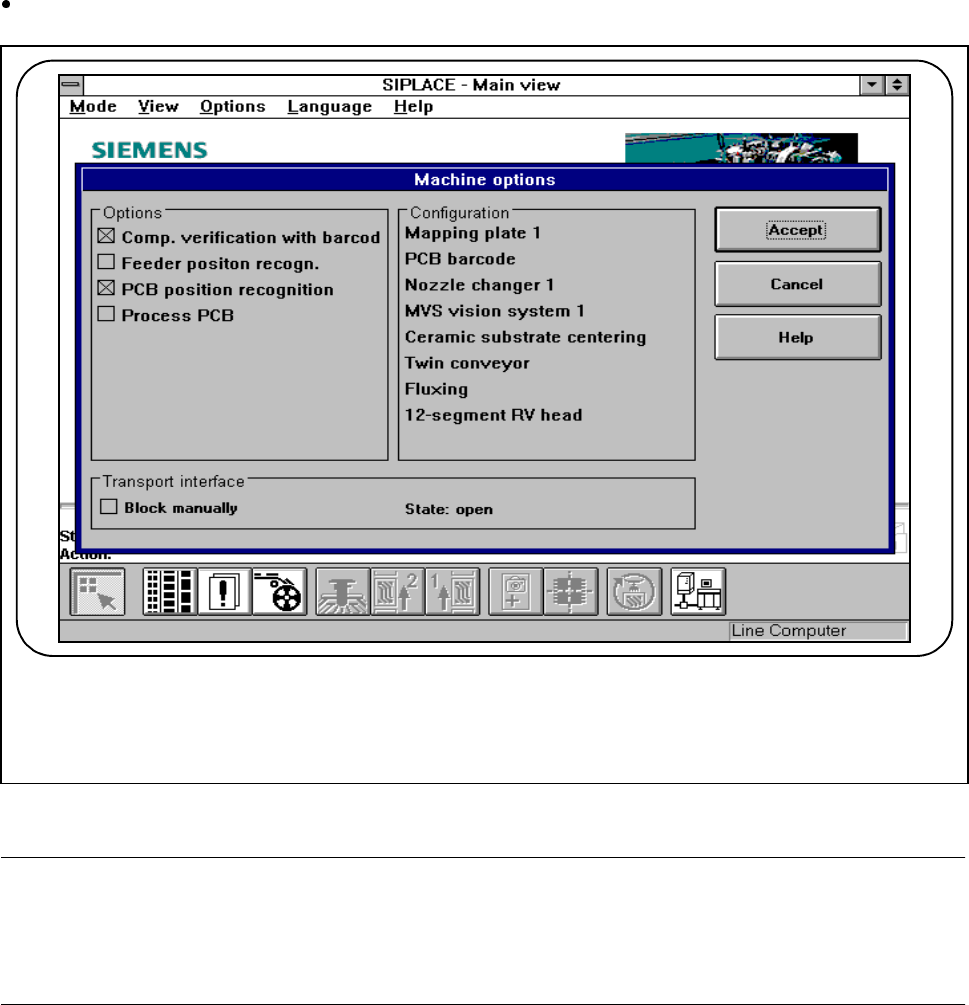
Activate the "Set-up check with barcode“ function from the Machine options menu.
Fig. 11.4.2 Set-up check with barcode
NOTE
If a place in the bar code is occupied by a filter (using an asterisk *) this place will not be evaluated. This facil-
ity can be used for filtering out unwanted data contained in the bar code (such as date, company name, and
so on).
- If the component barcode is set at the line computer and in the station the „Component verification with
barcode“ has been switched in via the machine options:
it will not be possible to manually „Refill location“ or „Refill track with barcode“.
- In the case of tracks with a component without barcode, it will be possible to „Refill“ manually despite the
refill check having been activated.
F
11 Station Extensions/Options SIPLACE 80S-20/F4/F4-6/F5 User’s Manual
11.4 Component Barcode Edition 03/98 from Software Version SR.404.xx
11 - 24
l Alternative if barcode cannot be read-in:
- Switch out refill check in the machine options.
- Enter bar code by hand.
11.4.3 Operating
NOTE
In this connection see also Section 3.2, ’Set-Up’ and 3.4, ’Feeders’ in this user's manual.
In the Set-up menu select the view Empty tracks.
Use the bar code reader to read the track bar code in question.
If the track is included in the set-up and the component has a bar code, the Set-up check with bar code
dialog will appear, showing the corresponding track.
NOTE
You can open this dialog by clicking on the track in question and then on the Set-up check with bar code
button.
Following a successful check and subsequent reading-in of the return barcode, the track can be refilled.
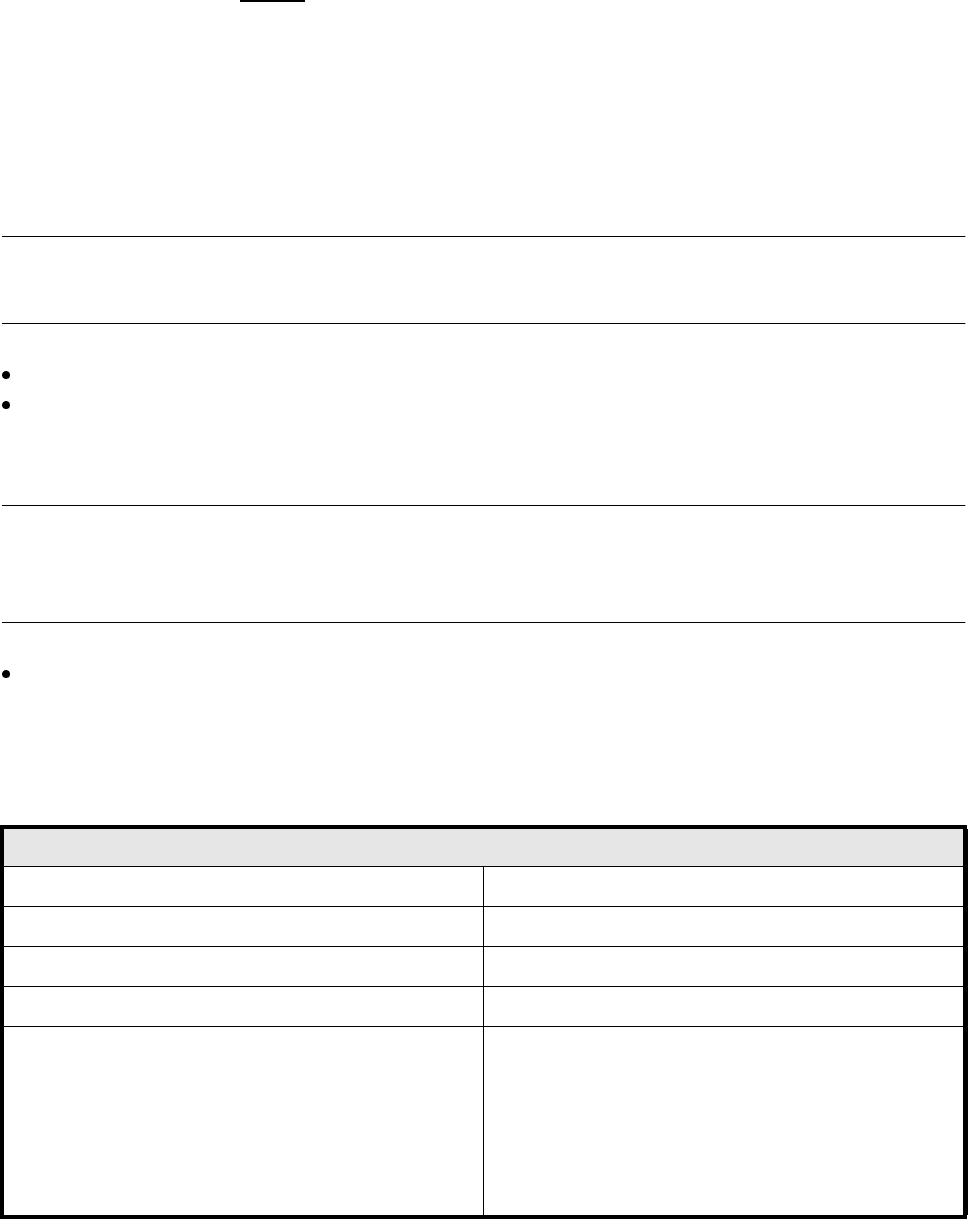
11.4.4 Technical Data
Component barcode
Max. resolution 0.13 mm
Reading speed 36 scans/sec
Laser class IEC Class 2
Degree of protection IP 64
Readable barcode types Code 39 (normal / FULL ASCII)
EAN/UPC (family with/without ADD ON
CODABAR
INTERLEAVED 2/5
NORMAL 2/5 (5 bars)
(other types available upon request)