80S-2080F480F4-680F5 User’s Manual.pdf - 第645页
11 Station Extensions/Options SIPLACE 80S-20/F4/F4-6/F5 User’s M anual 11.7 Dispenser Flux Application Unit for S IPLACE 80F4/F4-6/F5 Edition 03/98 from S oftware Version SR.404.xx 11 - 48 Automatic brushing aft e r - Y …
SIPLACE 80S-20/F4/F4-6/F5 User’s Manual 11 Station Extensions/Options
Edition 03/98 from Software Version SR.404.xx 11.7 Dispenser Flux Application Unit for SIPLACE 80F4/F4-6/F5
11 - 47
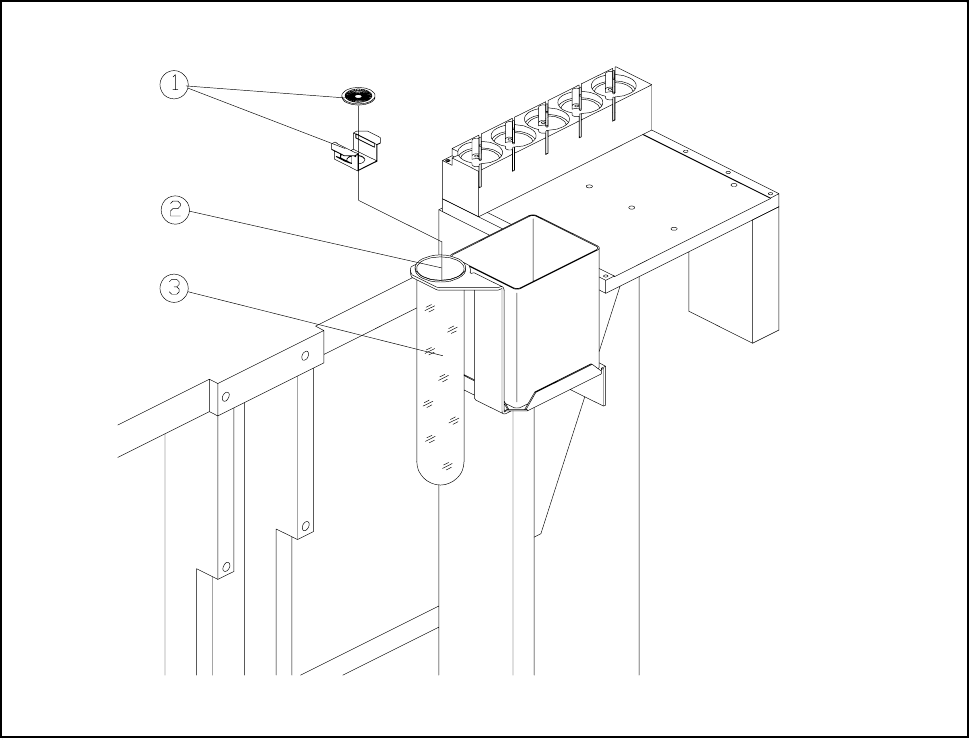
Fig. 11.7.10 Rinsing / brushing position with rinsing container
- Key to Fig. 11.7.10
1 Brush with holder 2 Rinsing / brushing position
3 Brushing / rinsing container
Automatic rinsing after:
- To ensure that the centering nozzle and dispensing needle do not crystallize when the flux application
unit is stopped for long periods, you can set a time, after which the unit will be rinsed. The preset rins-
ing process will be carried out after the placement sequence has ended, immediately before the next
flip-chip is inserted.
- When the machine is switched on, rinsing will take place irrespective of this rinsing period.
- Rinsing is carried out above the rinsing position using the container provided for that purpose (see Fig.
11.7.10).
- You can specify a time between 0 and 600 minutes.
No. of rinsing cycles:
- If you have specified a time for automatic rinsing you can enter here the number of rinsing cycles
required.
- You can specify between 1 and 10 rinsing cycles.

11 Station Extensions/Options SIPLACE 80S-20/F4/F4-6/F5 User’s Manual
11.7 Dispenser Flux Application Unit for SIPLACE 80F4/F4-6/F5 Edition 03/98 from Software Version SR.404.xx
11 - 48
Automatic brushing after
- You can set a time, after which the brushing operation takes place, in order to clean the centering noz-
zle and the dispensing needle. The flux applicator head will then travel over the rinsing container, to
which a brush is attached.
- An automatic brushing operation is always carried out when the machine is switched on, regardless of
this brushing time.
- The brushing operation is carried out over the rinsing position in the rinsing container provided for this
purpose. (see Fig. 11.7.10).
- You can set the time from 0 to 120 minutes.
Number of brushing cycles
- If you have set a time for automatic brushing, you can then use this function to set the number of
brushing operations.
- You can specify from 1 to 10 brushing operations.
Apply flux during run without components: (Only to be carried out by trained personnel!)
- It is possible for flux spots to be placed on a board without components actually being inserted. This
feature allows you to check the flux spots and find the best settings.
Activate the item Processing off in the Software options menu.
Toggle the check box Fluxing to be performed during run without components to [X].
Flux spots will be placed but not a component.
- It is also possible to run continuously without placement of either flux spots or of components.
Activate the item Processing off in the Software options menu.
Toggle the check box Fluxing to be performed during run without components to [ ].
SIPLACE 80S-20/F4/F4-6/F5 User’s Manual 11 Station Extensions/Options
Edition 03/98 from Software Version SR.404.xx 11.7 Dispenser Flux Application Unit for SIPLACE 80F4/F4-6/F5
11 - 49
11.7.6.4 Single Functions
Various single functions are available which will allow you to operate the fluxer head independently of the
placement program.
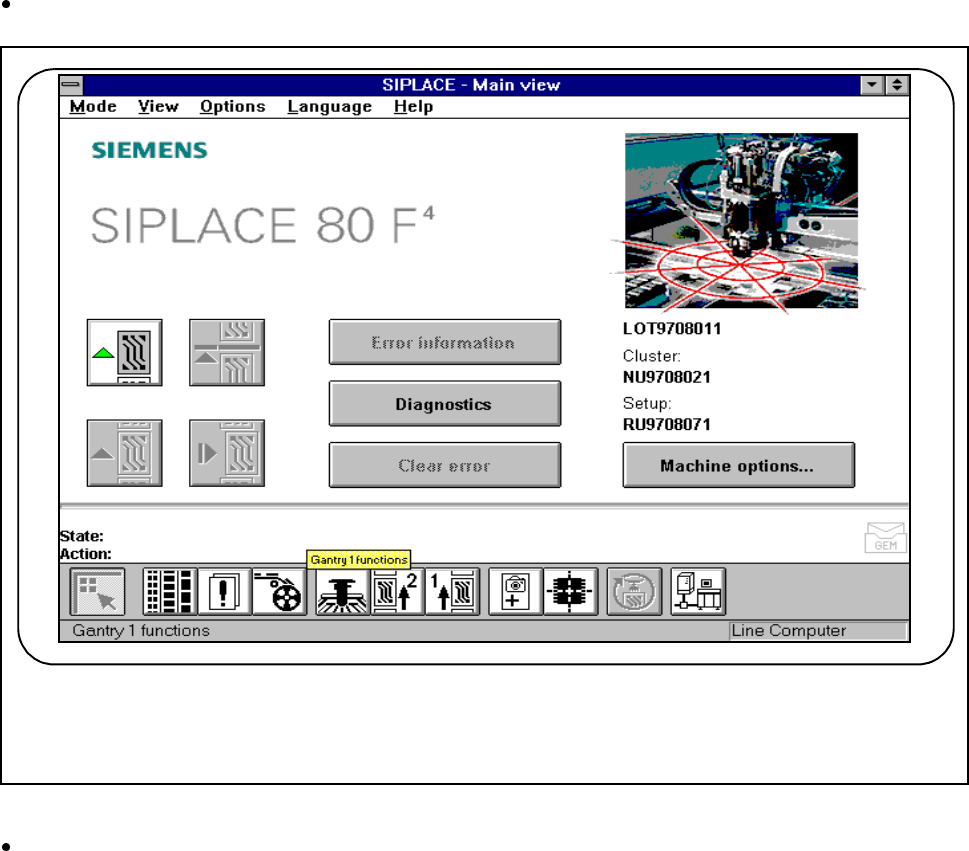
Click on the icon for Gantry functions in the main view.
Fig. 11.7.11 Single functions, gantry
Click on the Gantry functions icon in the Gantry functions view.
(See Fig. 11.7.12)
F