80S-2080F480F4-680F5 User’s Manual.pdf - 第647页
11 Station Extensions/Options SIPLACE 80S-20/F4/F4-6/F5 User’s M anual 11.7 Dispenser Flux Application Unit for S IPLACE 80F4/F4-6/F5 Edition 03/98 from S oftware Version SR.404.xx 11 - 50 Fig. 11.7.12 Gantry functions -…
SIPLACE 80S-20/F4/F4-6/F5 User’s Manual 11 Station Extensions/Options
Edition 03/98 from Software Version SR.404.xx 11.7 Dispenser Flux Application Unit for SIPLACE 80F4/F4-6/F5
11 - 49
11.7.6.4 Single Functions
Various single functions are available which will allow you to operate the fluxer head independently of the
placement program.
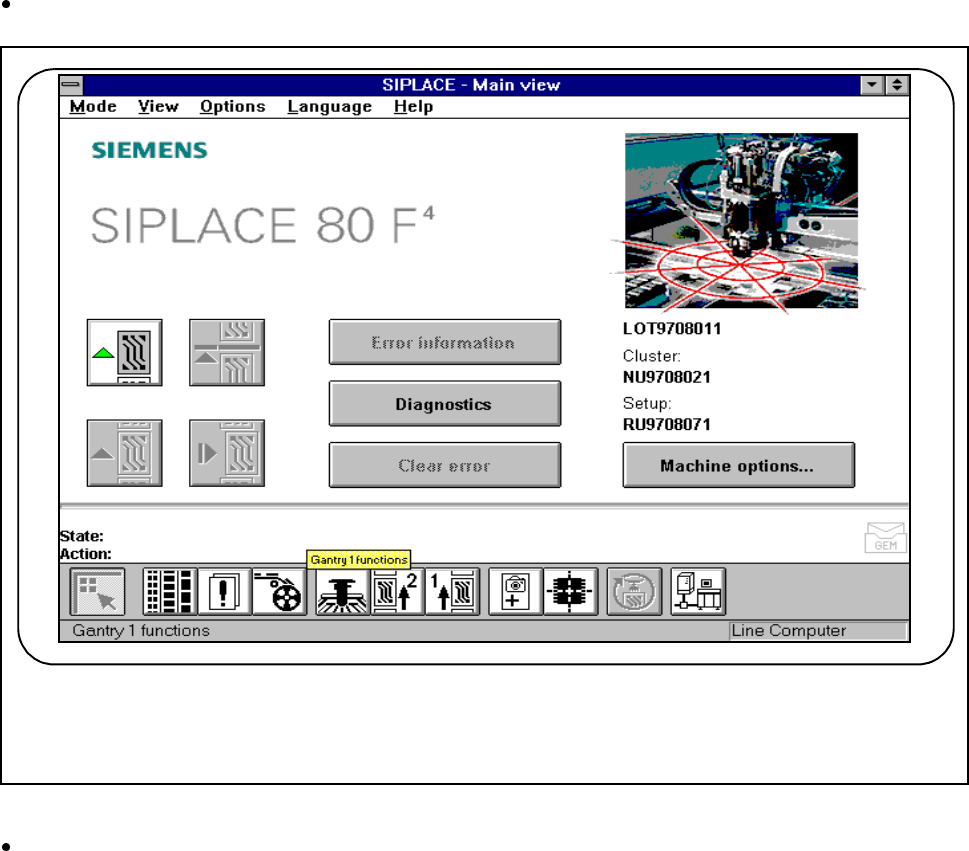
Click on the icon for Gantry functions in the main view.
Fig. 11.7.11 Single functions, gantry
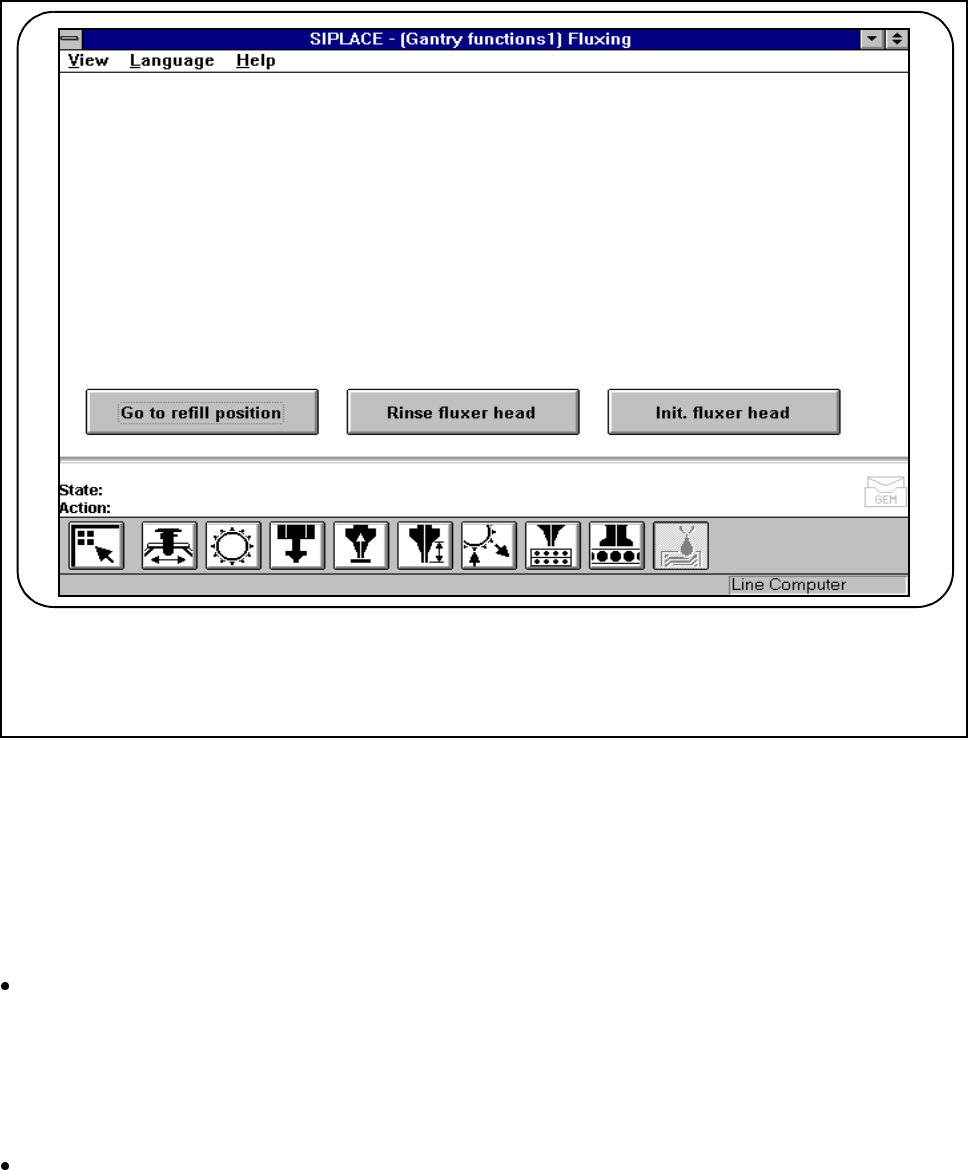
Click on the Gantry functions icon in the Gantry functions view.
(See Fig. 11.7.12)
F
11 Station Extensions/Options SIPLACE 80S-20/F4/F4-6/F5 User’s Manual
11.7 Dispenser Flux Application Unit for SIPLACE 80F4/F4-6/F5 Edition 03/98 from Software Version SR.404.xx
11 - 50
Fig. 11.7.12 Gantry functions
- Key to Fig. 11.7.12
1 Buttons for single functions, fluxing
l Go to refill position:
To allow you to change the syringe, the dosing plunger must be lowered to its bottom position and then
moved into a suitable position in the machine (refill position).
Click on the Go to refill position button. The fluxer head travels to the refill position and the dosing
plunger moves to its bottom position. The syringe can now be changed. See Section 11.7.4 "Changing the
Syringe".
If you wish to work on the fluxer head itself, move the head to the refill position. Refilling with flux must be
done with the fluxer head in this position.
Click on the Go to refill position button and press the start button. The fluxer head will now travel to the
refill position.
F

SIPLACE 80S-20/F4/F4-6/F5 User’s Manual 11 Station Extensions/Options
Edition 03/98 from Software Version SR.404.xx 11.7 Dispenser Flux Application Unit for SIPLACE 80F4/F4-6/F5
11 - 51
l Rinse fluxer head:
You can also rinse the flux applicator head in order to rinse any flux residues or bubbles of air from the appli-
cator hose, for example. This will prevent the dispensing hose and the centering nozzle hardening and will
prevent air bubbles causing errors during application of the flux.
Click on the Rinse fluxer head button and press the start button. The rinsing head moves above the rins-
ing container and dispenses the contents of the syringe into the rinsing container.
The rinsinging container is located next to the ejected components container (see Fig. 11.7.10, Page 11 -
47).
l Initialize fluxer head:
It is possible to make a reference run with the fluxer head.
Click on the Initialize fluxer head button and press the start button. The fluxer head will carry out a refer-
ence run.