80S-2080F480F4-680F5 User’s Manual.pdf - 第708页
SIPLACE 80S-20/F4/F4-6/F5 User’s Manual 17 Nozz le Overview Edition 03/98 from Software Version SR.404.xx 17.1 Nozzle Contour Diagrams 17 - 7 Fig. 17.1.5 Correlation between components height difference a nd placement sh…
17 Nozzle Overview SIPLACE 80S-20/F4/F4-6/F5 User’s Manual
17.1 Nozzle Contour Diagrams Edition 03/98 from Software Version SR.404.xx
17 - 6
17.1.2 Representation of a Nozzle Contour Diagram
You can obtain the following information from a nozzle contour diagram:
- Placement shadow in [mm]
- Components height difference in [mm]
NOTE
The placement shadow is defined as the distance required between two components when they are
inserted and taking the height difference into account.
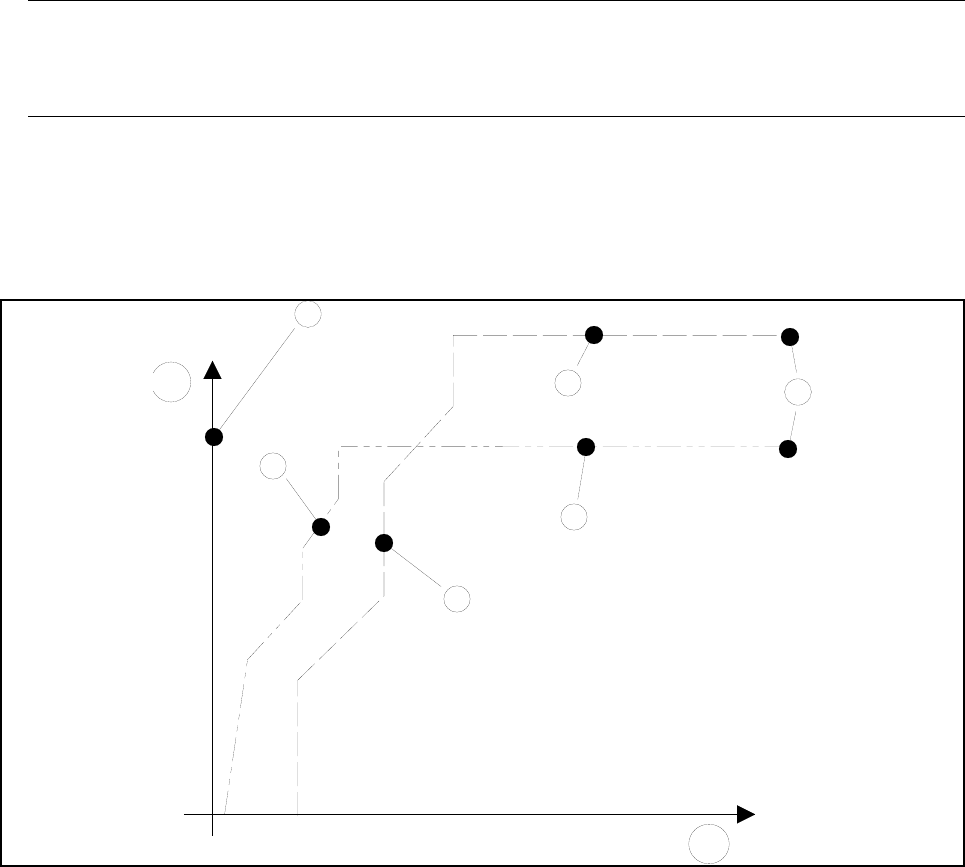
A nozzle contour diagram depicts all of the nozzle contours of a nozzle type.
As an example, Fig. 17.1.4 ’Representation of multiple nozzle contour diagrams’ shows two nozzle contours in
one diagram.
Fig. 17.1.4 Representation of multiple nozzle contour diagrams
- Key to Fig. 17.1.4
1 Components height difference in [mm] 2 Placement shadow in [mm]
3 Center of nozzle 4 Nozzle contour of nozzle B
5 Nozzle contour of nozzle A 6 Encoder disk of nozzle B
7 Encoder disk of nozzle A 8 Outside edge of encoder disk
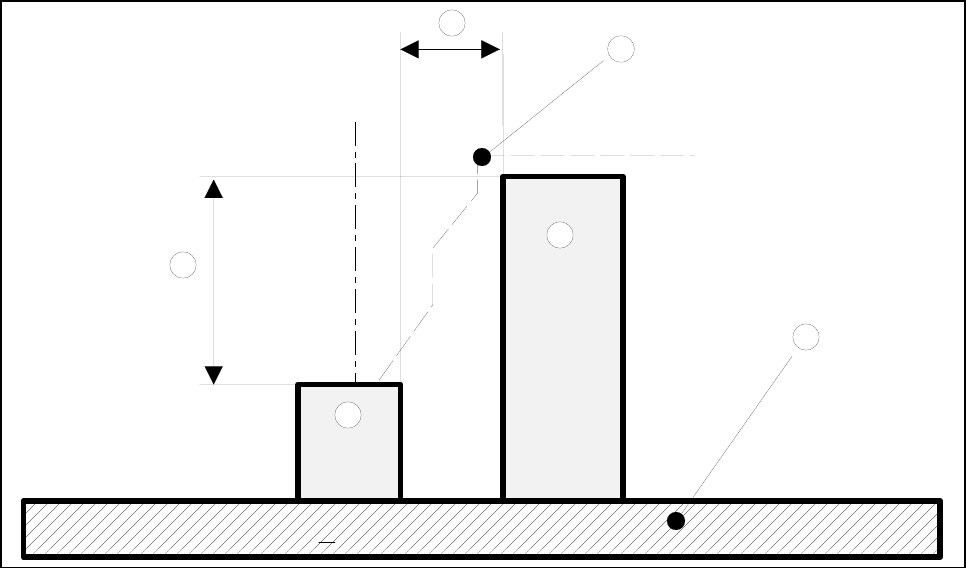
A correlation between the components height difference and the placement shadow can be derived from
these values (see Fig. 17.1.5 ’Correlation between components height difference and placement shadow’).
4
1
3
7
6
8
5
2
SIPLACE 80S-20/F4/F4-6/F5 User’s Manual 17 Nozzle Overview
Edition 03/98 from Software Version SR.404.xx 17.1 Nozzle Contour Diagrams
17 - 7
Fig. 17.1.5 Correlation between components height difference and placement shadow
- Key to Fig. 17.1.5
1 Components height difference 2 Placement shadow
3 Nozzle contour from diagram 4 PCB
5 Component 1 6 Component 2
Component 1 can now be inserted with the selected nozzle as close to component 2 as the height difference
of the two components permits.
1
2
3
4
6
5
17 Nozzle Overview SIPLACE 80S-20/F4/F4-6/F5 User’s Manual
17.1 Nozzle Contour Diagrams Edition 03/98 from Software Version SR.404.xx
17 - 8
17.1.3 Nozzle Contour Diagrams
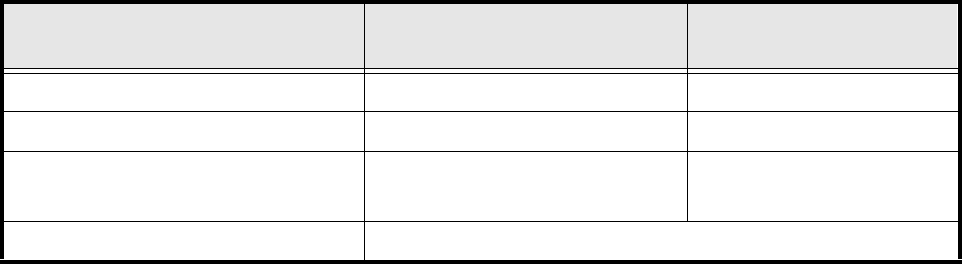
Diagrams 17.1.6 to 17.1.12 contain the nozzle contour diagrams for the narrow and wide sides of each nozzle
type.
Nozzle type Contour diagram
narrow side
Contour diagram
long side
70x Vectra / ceramic Fig. 17.1.6 Fig. 17.1.7
71x, 72x Vectra C130 Fig. 17.1.8 Fig. 17.1.9
75x Vectra / polyurethane,
ESD-conductive
Fig. 17.1.10 Fig. 17.1.11
8xx Vectra C130 / Evoprene Fig. 17.1.12