80S-2080F480F4-680F5 User’s Manual.pdf - 第85页
SIPLACE 80S-20/F4/F4-6/F5 User’s Manual 2 Introduction and Basic Concepts Edition 03/98 from Software Version SR.404.xx 2.1 Display and Controls on the Machine 2 - 7 2.1.4 Station Com puter The statio n compu ter of the …
2 Introduction and Basic Concepts SIPLACE 80S-20/F4/F4-6/F5 User’s Manual
2.1 Display and Controls on the Machine Edition 03/98 from Software Version SR.404.xx
2 - 6
2.1.3 Monitor (Touch-Screen)
The touch-screen monitor is used as an input medium for the user interface of the SIPLACE 80S-20/F
4
/F
4
-6/
F
5
running under the MS Windows operating system. Actions can be selected and executed simply by touch-
ing the corresponding function on the screen itself. The finger guides the mouse cursor over the screen.
CAUTION
Protect the monitor from humidity and excessive heat (sunlight, radiators, etc. ).
Do not block the ventilation slits.
Never attempt to remove the casing.
Do not spill liquids onto the monitor. Do not allow any objects to drop down through the openings in the cas-
ing.
Make sure the correct operating voltage has been selected.
CAUTION
The monitor is supplied with a separate User Manual. Follow the operating / warning and safety instructions in
this manual.
SIPLACE 80S-20/F4/F4-6/F5 User’s Manual 2 Introduction and Basic Concepts
Edition 03/98 from Software Version SR.404.xx 2.1 Display and Controls on the Machine
2 - 7
2.1.4 Station Computer
The station computer of the SIPLACE 80S-20/F
4
/F
4
-6/F
5
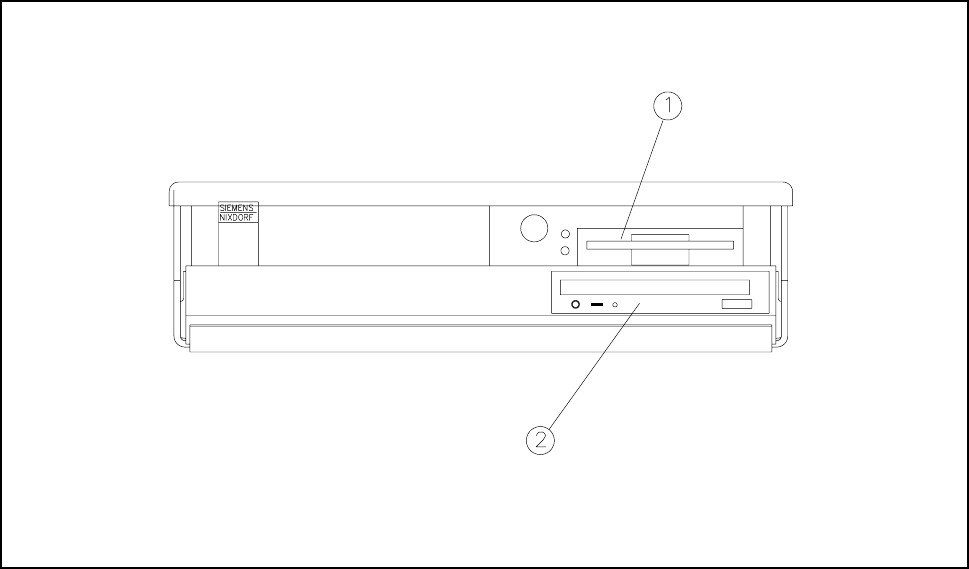
is an IBM-compatible PC. A small desktop model is
used as the housing.
Fig. 2.1.3 Desktop computer
- Key to Fig. 2.1.3
1 3,5" floppy drive 2 CD-ROM drive
2 Introduction and Basic Concepts SIPLACE 80S-20/F4/F4-6/F5 User’s Manual
2.1 Display and Controls on the Machine Edition 03/98 from Software Version SR.404.xx
2 - 8
2.1.5 BAR CODE Reader (Option)
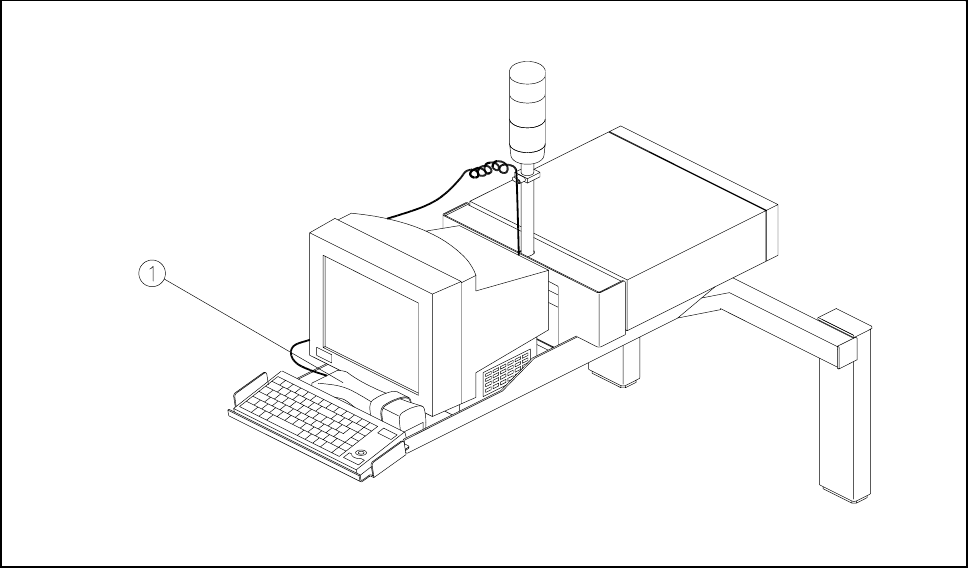
The bar code reader will help you, particularly under production conditions, to read quickly and reliably com-
ponent bar codes from component reels and track bar codes from the bar code strip on the machine. As each
data record is successfully read in, this is acknowledged by an acoustic signal.
Fig. 2.1.4 Bar code reader
- Key to Fig. 2.1.4
1 Bar code reader