SussPA300UserGuide.pdf - 第28页
SUSS / PA300 / User Manual / M10-121841-00 / February 2002 27 6.3 Mechanical Transport Locks All movable components of the prober mechanics are secured by transport locks. These locks must be removed prior to operating t…
26
SUSS / PA300 / User Manual / M10-121841-00 / February 2002
6.1.2 Packaging
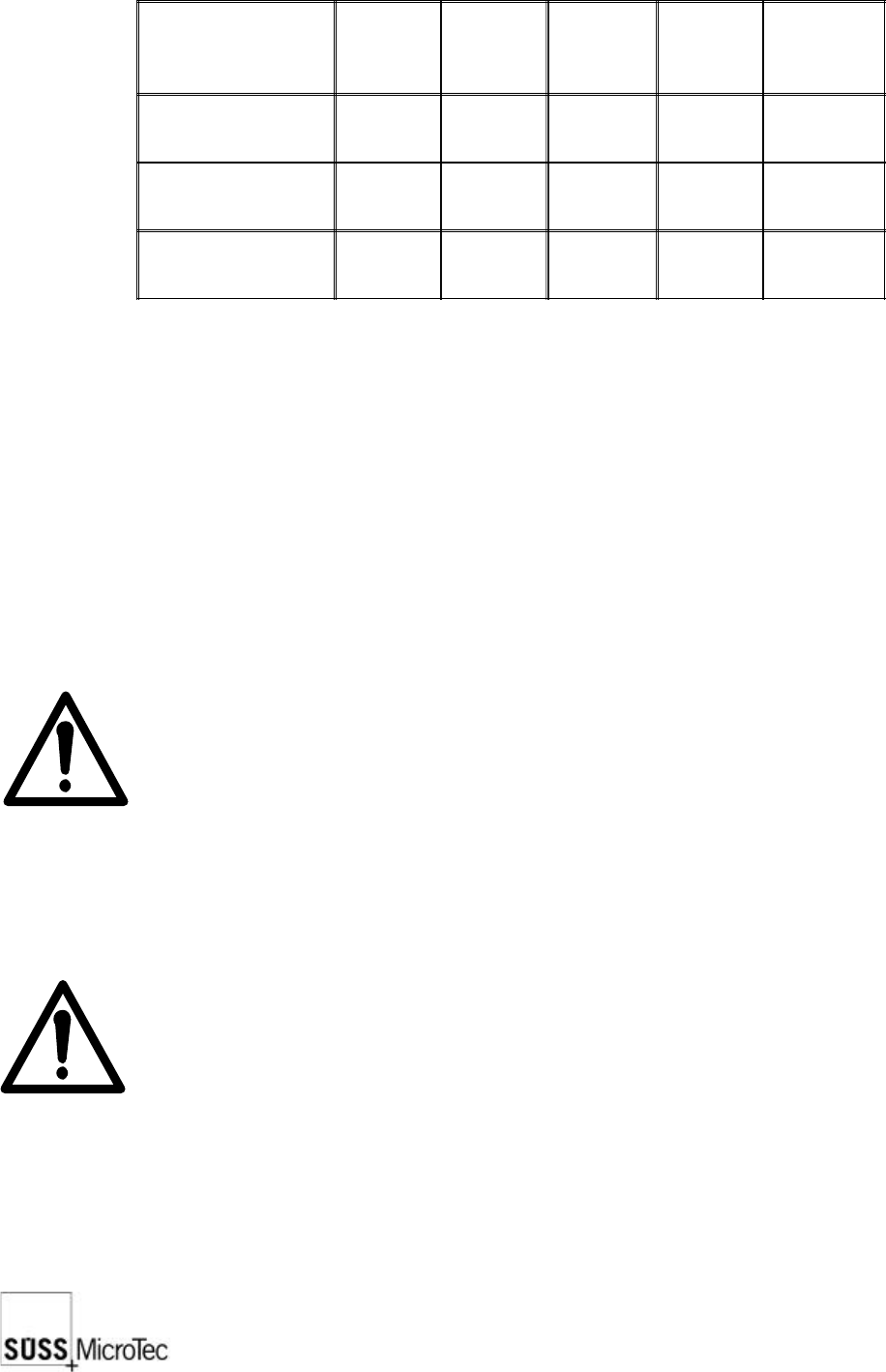
The complete PA300 will be delivered in 3 boxes:
Length
(mm)
Width
(mm)
Height
(mm)
Net
Weight
(kg)
Gross
Weight
(kg)
System box
1230 1200 1120 498 607
Table with palette 1050 1000 850 97 102
Accessories 800 1200 800 - approx. 80
The weight of the accessories box is dependent on what has been ordered and will
change accordingly.
It should be noted that all packaging materials are recyclable so it is possible to re-use
them or return them to the supplier.
6.2 Unpacking
The probe system is typically shipped in a crate containing the prober mechanics and
one or more cartons containing the electronics, computer, monitor and accessories.
The prober mechanic is secured on the pallet at four points with the aid of a transportation
frame. After removing the brackets mount the transport rings and ropes, and use a
stabile fork lift (600 kg load min.) to move the mechanics.
Note: To avoid damaging the prober, use the transport frame provided to
move the prober; do not lift the system by the platen or the micro
scope bridge.
Unpack the remaining components.
Delicate components, such as microscope objectives and probeheads, should remain
in individual boxes until ready to install on the prober.
Note: After installing the prober, save all transport locks, handles, screws,
etc. for use in the event that the system must be moved. The return of
a not secured system invalidates all claims on the guarantee.
Before beginning the installation, place the system in its final location unless the limited
accessibility of a light-tight enclosure or clean room prevents assembly there.
SUSS / PA300 / User Manual / M10-121841-00 / February 2002
27
6.3 Mechanical Transport Locks
All movable components of the prober mechanics are secured by transport locks.
These locks must be removed prior to operating the prober.
Note: If the transport locks are not removed prior to operation, this could
result in severe damage.
6.3.1 Platen
The platen is locked in place by four DIN 912 cap screws located at the four corners of
the platen. There are two screws at each corner. One is centered above the column
and secures the platen to the prober; do not remove this screw. The second is offset
from the center of the column and is the transport lock which needs to be removed.
6.3.2 Microscope Movement
The microscope movement transport lock is a bracket located on the right side of
motorized movements. Remove this bracket. A manual movement has 2 brackets, 1
on the front right hand side and 1 on the left front side. They are all clearly marked with
a yellow label.
6.3.3 Chuck Stage
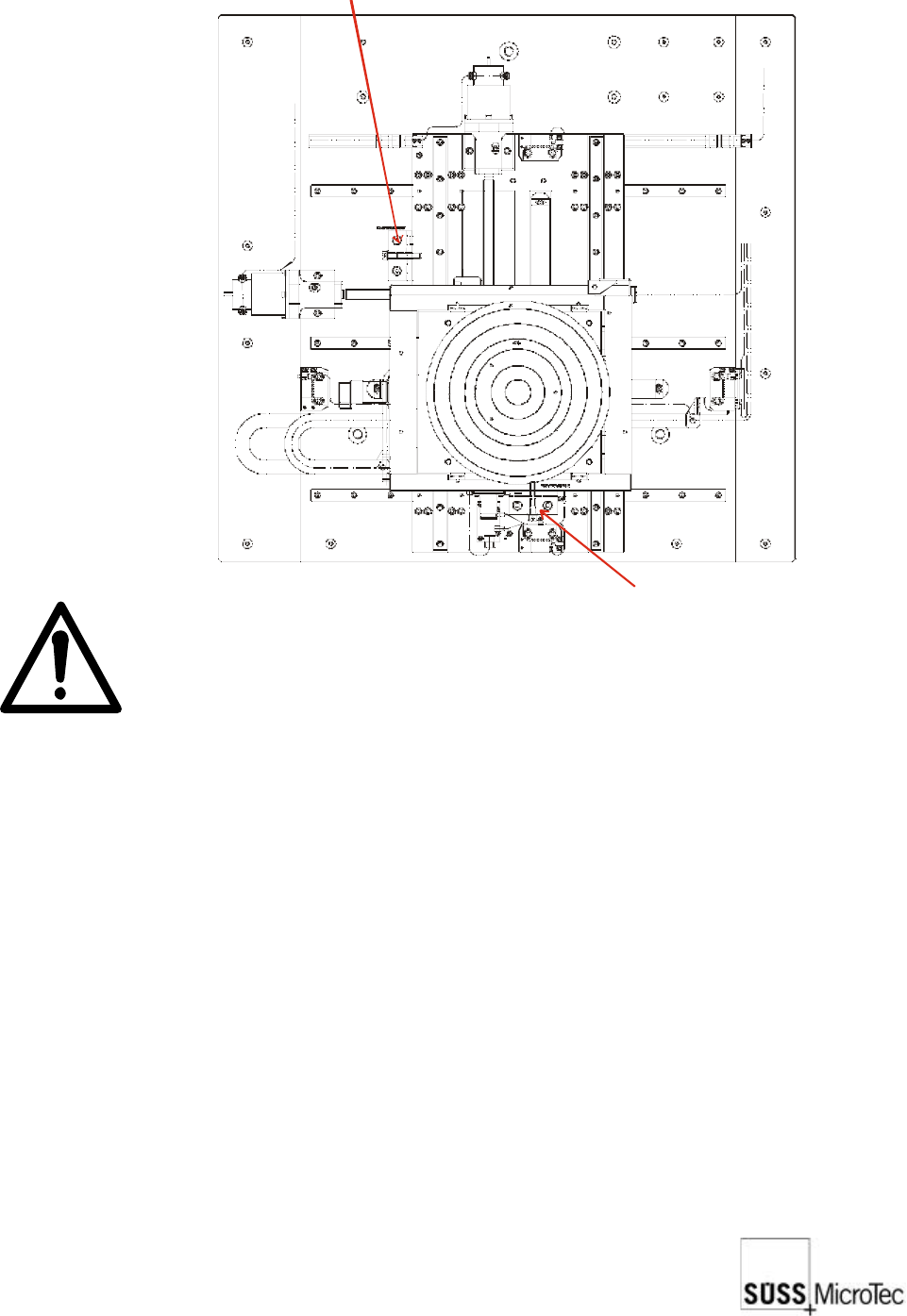
The chuck stage is locked by two brackets as illustrated. Remove these brackets. The
stage should now be free to move.
Transport lock for X direction
Transport lock for Y direction

28
SUSS / PA300 / User Manual / M10-121841-00 / February 2002
6.4 Assembly
6.4.1 Chuck Stage
1. The chuck is secured by a bayonet-type mount that locks and unlocks with a rotating
movement. To install, position the four chuck mount pins in the mating holes of the
Z-axis, grasp the chuck at the outer edge and turn clockwise about 20 degrees.
2. Connect the vacuum hose and ground/bias lead to the chuck.
3. Install the stage covers after the system is powered up and the chuck planarity is
checked or adjusted.
6.4.2 Microscope and Movement
1. Mount the microscope (with adapter) to the microscope movement stage using the
four DIN 912 screws provided.
2. If equipped with a motorized focus, the connectors are plugged into the PC-board
under the sheet metal cover at the rear of the movement.
3. Install the objectives, eyepieces, camera adapter and camera on the microscope.
Note that the turret objective port covers are labelled to indicate the correct objective
location. Connect the fiber optic bundle from the microscope illuminator.
6.4.3 Platen
1. Raise the platen approximately 12 mm and push down firmly on all four corners of
the platen to ensure they are properly seated.
2. Lower the platen until it is approximately 2 mm above the full down position.
3. Install the platen height dial indicator on the bracket located on the rear of the
microscope bridge. Secure with the set screw.
4. Operate the contact/separation lever and ensure platen movement of 0.4 mm on
the indicator. If not, reposition the indicator as required.
6.4.4 Non-Electrical Utilities
Connect vacuum and air or nitrogen at the right rear corner of the mechanics.
6.4.5 Open Connections
In order to make safe connections the device must not be connected to the mains.
The probe system can be equipped with a wide range of accessories and options,
each with its own electrical interconnects. All plugs and connectors of SUSS
manufactured equipment are designed to prevent incorrect connections. Exercise extra
care when connecting other components. Generally all plugs and jacks will have number
or function labels to match up. The strapping wires should be mounted properly and
laid so that accidents can be ruled out.
Unused jump cables must not be used for anything else.