00196851-02 OG SIPLACE Operation of X and SX-Series with SSC (SW70x) - 第115页
SW 703 Option WPC - WP C fill completed. : 115 WPC fill complete d. 1. Fill Quantity. 2. Level of the tray that has been filled (here the lowest tray). 3. Select ‘Refill position’ – ‘Stop refilling position’. The WPC wil…
SW 703 Option WPC - Filling the WPC. :
114
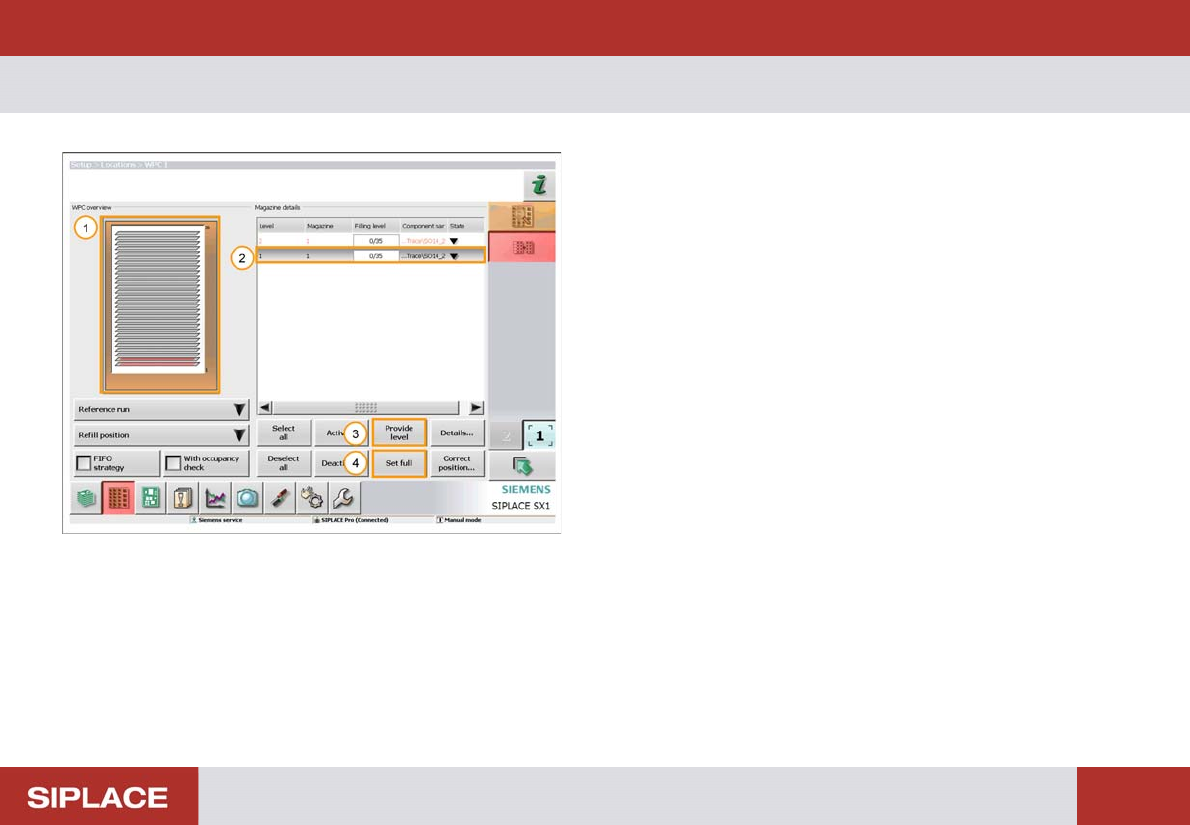
Filling the WPC.
1. The Orange color indicates that the WPC is at the
refill position.
2. Highlight the WPC level to be filled.
3. If the tray is part full then click ‘Provide Level’.
Another window will open where you can enter the
number of components in the tray.
4. If the tray is full then click ‘Set full’.
SW 703 Option WPC - WPC fill completed. :
115
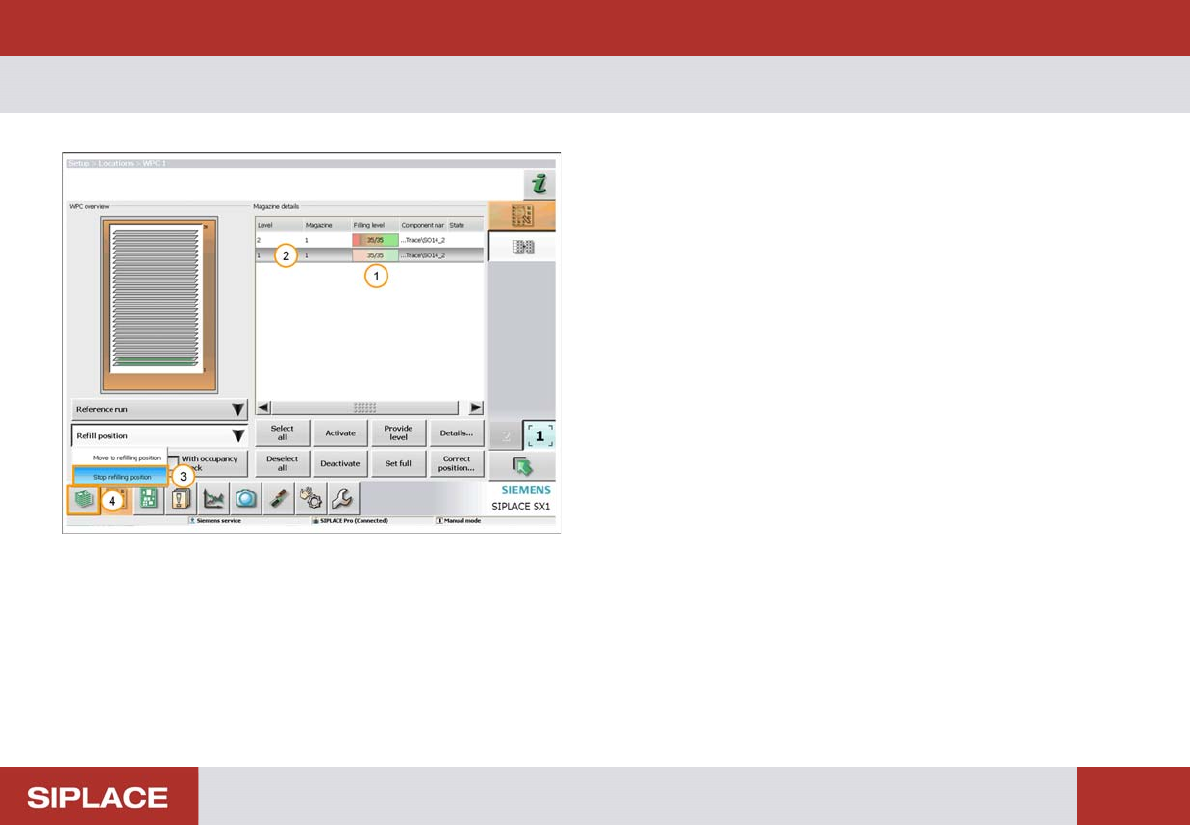
WPC fill completed.
1. Fill Quantity.
2. Level of the tray that has been filled (here the lowest
tray).
3. Select ‘Refill position’ – ‘Stop refilling position’.
The WPC will now move back to the operational position.
4. Click on the return to the Main Menu icon.
SW 703 Option WPC - WPC fill completed. :
116
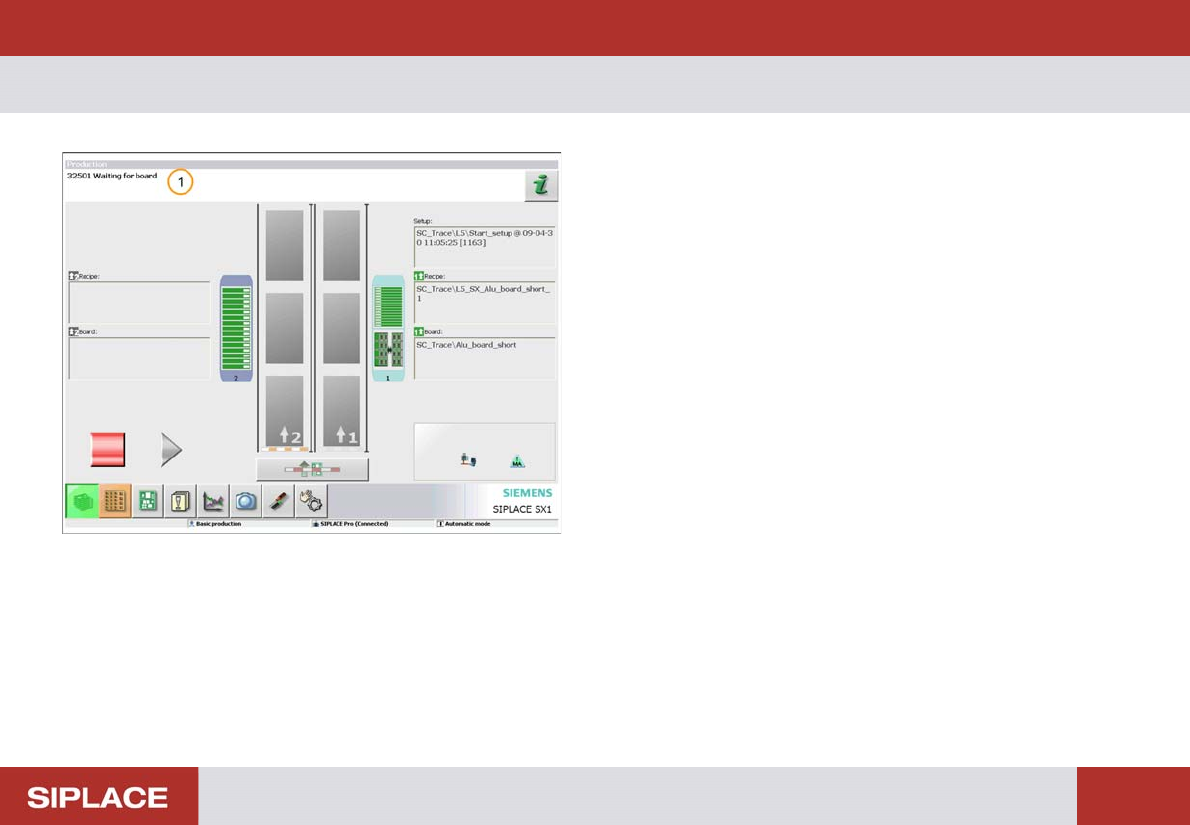
WPC fill completed.
The set up is now completed
1. The status messages shows that the machine is
ready to start production and is waiting for a PCB.