00196851-02 OG SIPLACE Operation of X and SX-Series with SSC (SW70x) - 第123页
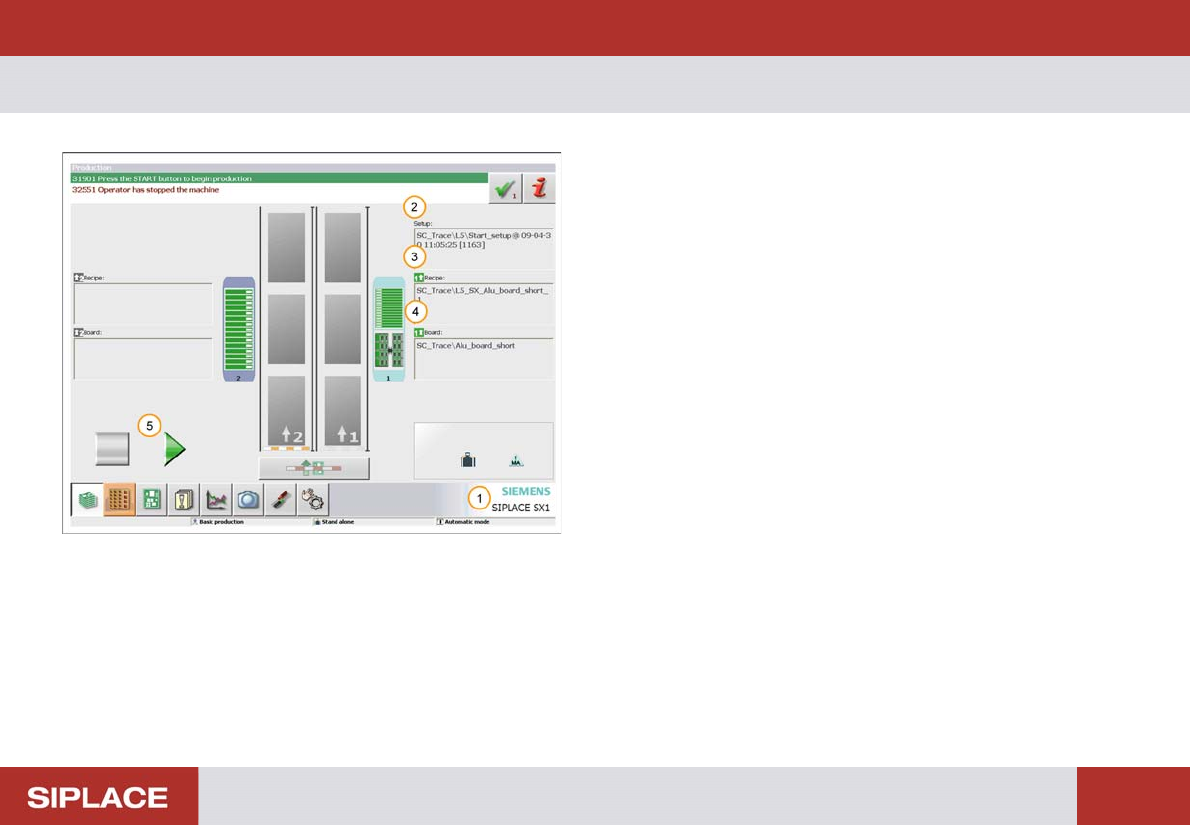
703-GUI Overview - PCB Information : 123 703-GUI O verview 1. Machine Model 2. Setup - Production Li ne & Resourc es needed 3. Recipe – the product that has been downloaded and will run on the line. 4. Board – the PC…
SW 703 Prepare the line – Important Factors - Reject Rate :
122
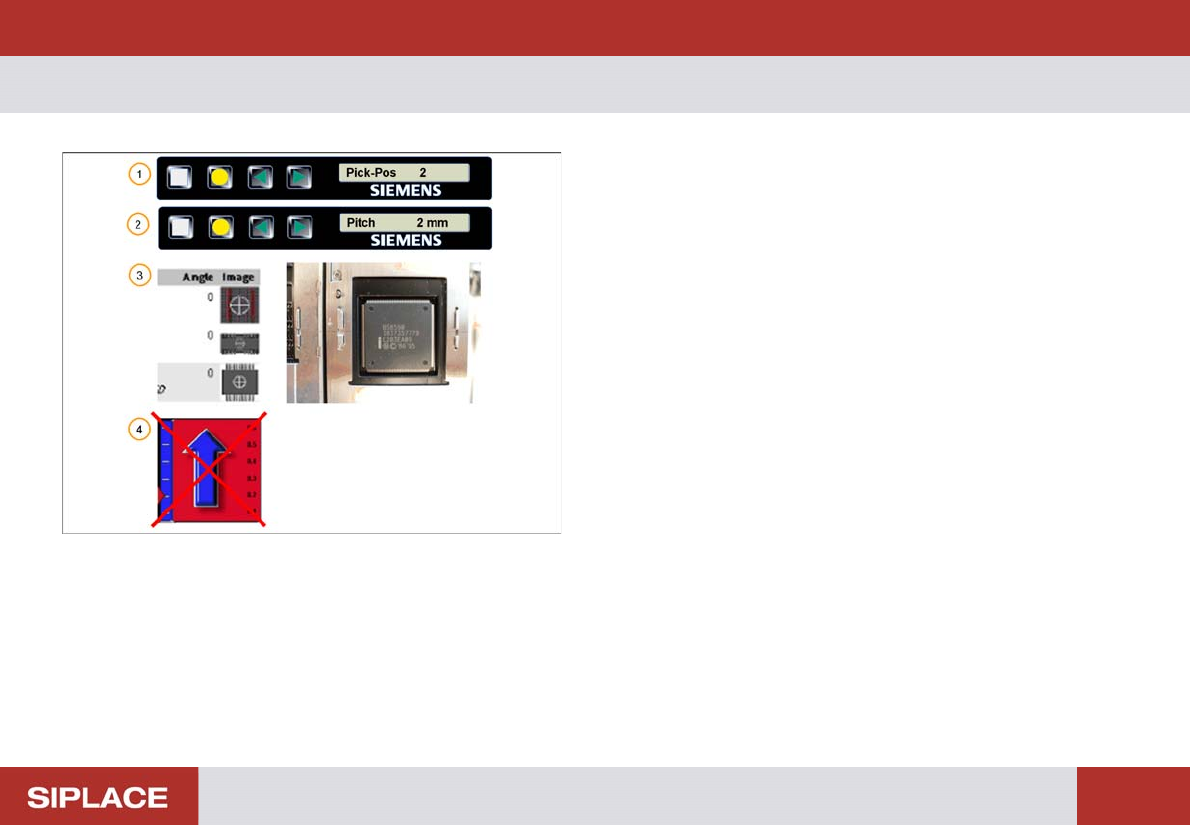
Reject Rate
1. Set the correct pick up position at the feeder!
2. Set the correct pitch!
3. Use the set up report sheet to check that the pick up
angle at the feeder is correct!
4. The reject rate should not increase!
703-GUI Overview - PCB Information :
123
703-GUI O verview
1. Machine Model
2. Setup - Production Line & Resources needed
3. Recipe – the product that has been downloaded and
will run on the line.
4. Board – the PCB for the product that will be produced
on the line.
5. GUI Start/Stop Process Icon / Button – click here to
start the machine.
703-GUI Overview - PCB being Processed - Running Mode :
124
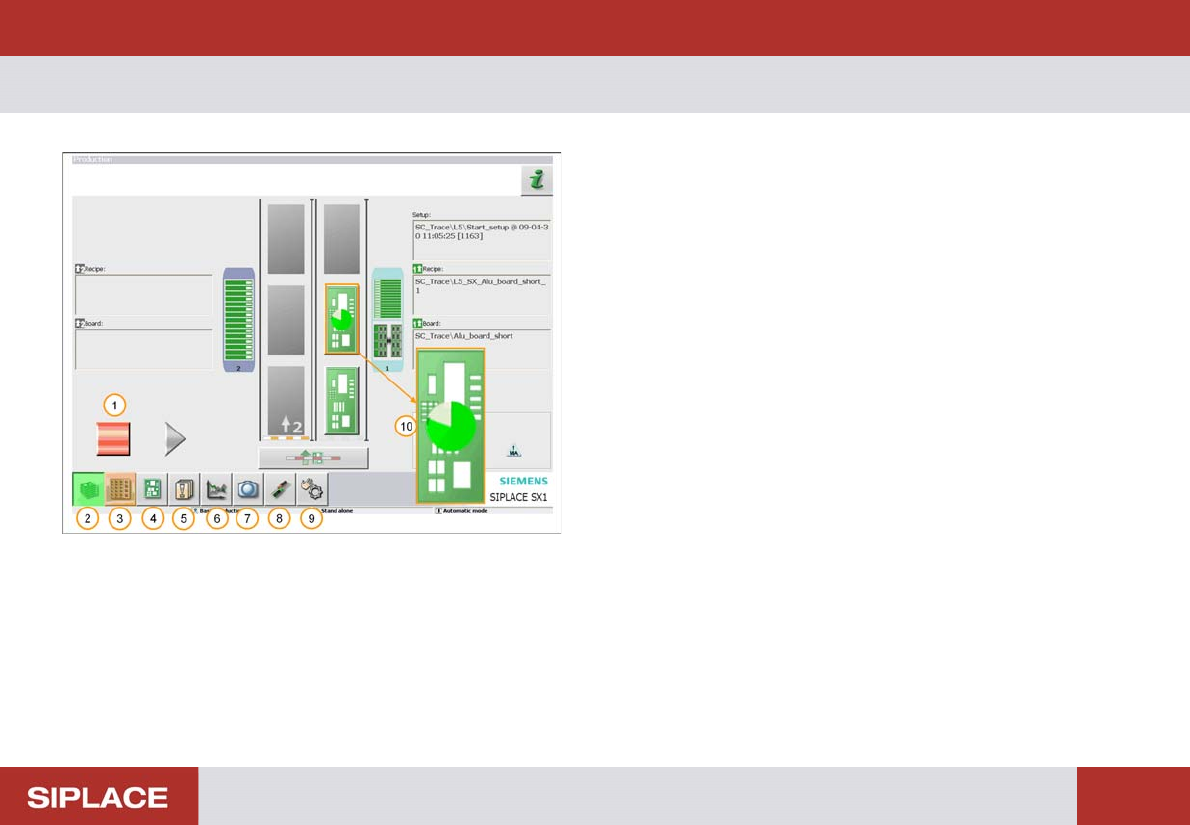
PCB being Processed - Running Mode
1. Process Start/Stop icon / button – here showing red –
press to stop the machine.
2. Main menu icon / button.
3. Locations menu.
4. Set Up Menu.
5. Messages Menu.
6. Machine Performance Menu.
7. Live image of component camera.
8. Settings and options menu.
9. Manual Operations menu.
10. Pie chart indicating progress with placement of the
PCB.
Note: To stop production, click 1
If all things are OK, PCBs will continue to be placed.