00196851-02 OG SIPLACE Operation of X and SX-Series with SSC (SW70x) - 第126页
703-GUI Overview - Light Towers : 126
703-GUI Overview - Light Towers :
125
Light Towe rs
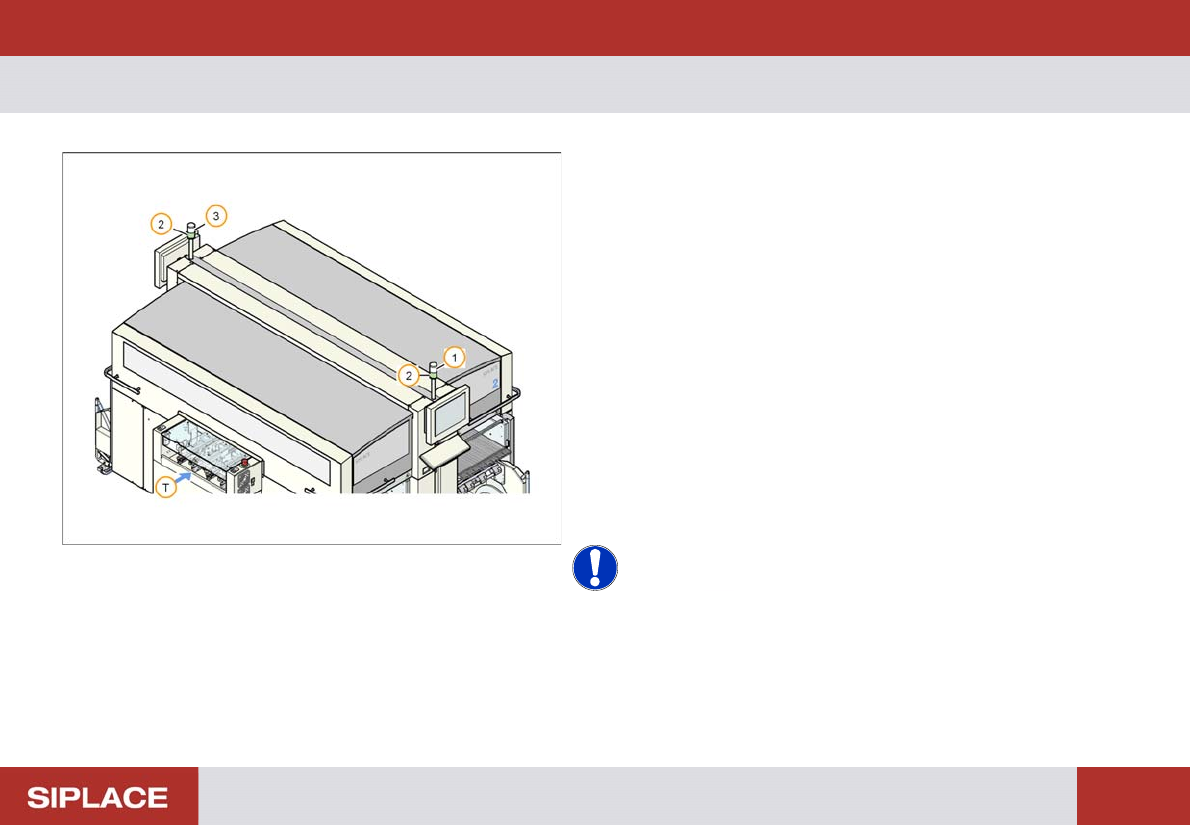
Use the light towers on the station to check the machine
status.
1. White fault indicator for the right side of the machine.
2. Green Operating status indicators.
3. White fault indicator for the left side of the machine.
T. Transport Direction.
Steady Green Lights = machine is placing components.
Flashing Green Lights = the machine is ready to start but
it is not placing components.
Steady White Light = the machine has stopped due to a
fault on that side of the machine.
Flashing White Light = one or more feeders have run
empty on that side of the machine.
NOTICE! Target:
Steady Green Lights on all machines = The line is
running well!

703-GUI Overview - Light Towers :
126
Refilling Component Reels - Refill a track :
127
Refilling Component Reels
Continuously check the component reels to see if they
are running out – if there is around 1m of tape remaining
then it is time to splice a new reel!
Obtain the new reel of components from the storage
location.
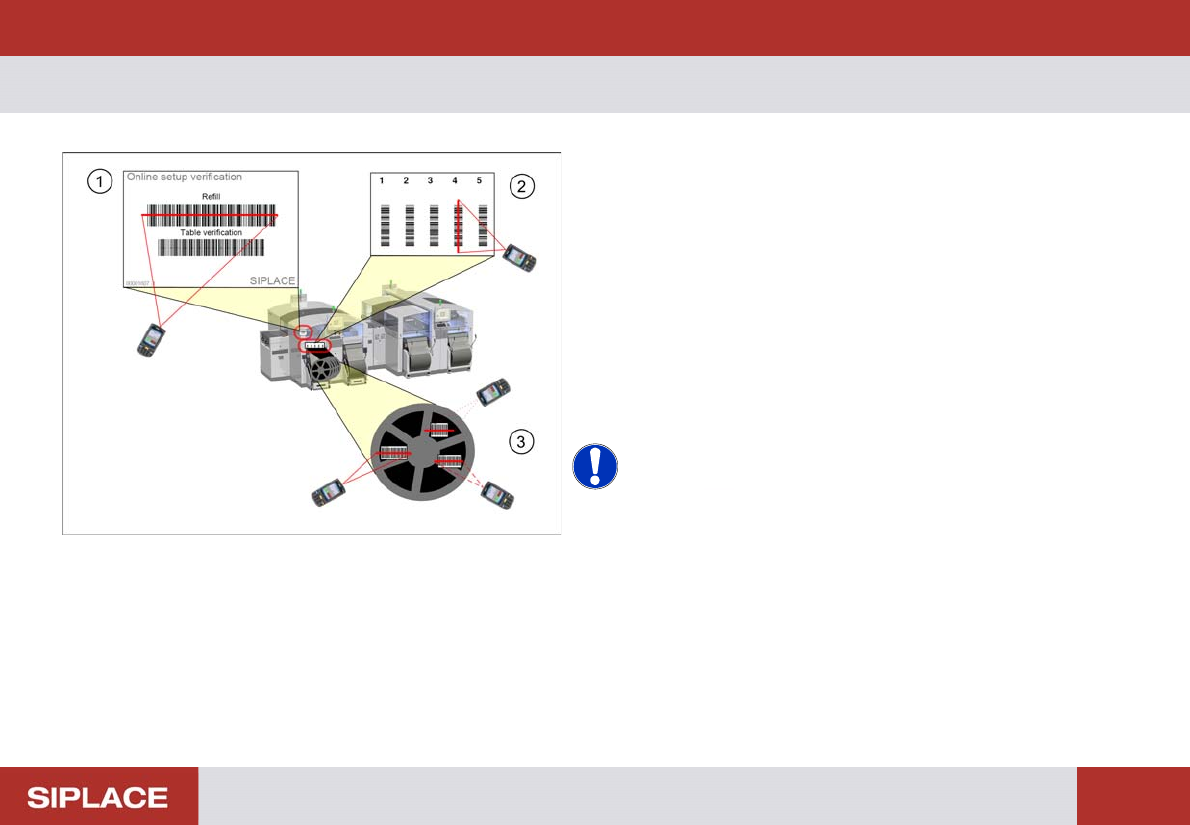
1. Scan the control barcode Refill of the location to be
verified.
2. Scan the Track barcode of the packaging unit be
refilled.
3. Scan all configured barcodes of the packaging unit.
NOTICE! Depending on the configuration of
Setup Center further steps can be necessary during refill.
Therefore always watch the display of the barcode
reader.
e.g. scanning of user or reordering a packaging unit.