00196851-02 OG SIPLACE Operation of X and SX-Series with SSC (SW70x) - 第142页
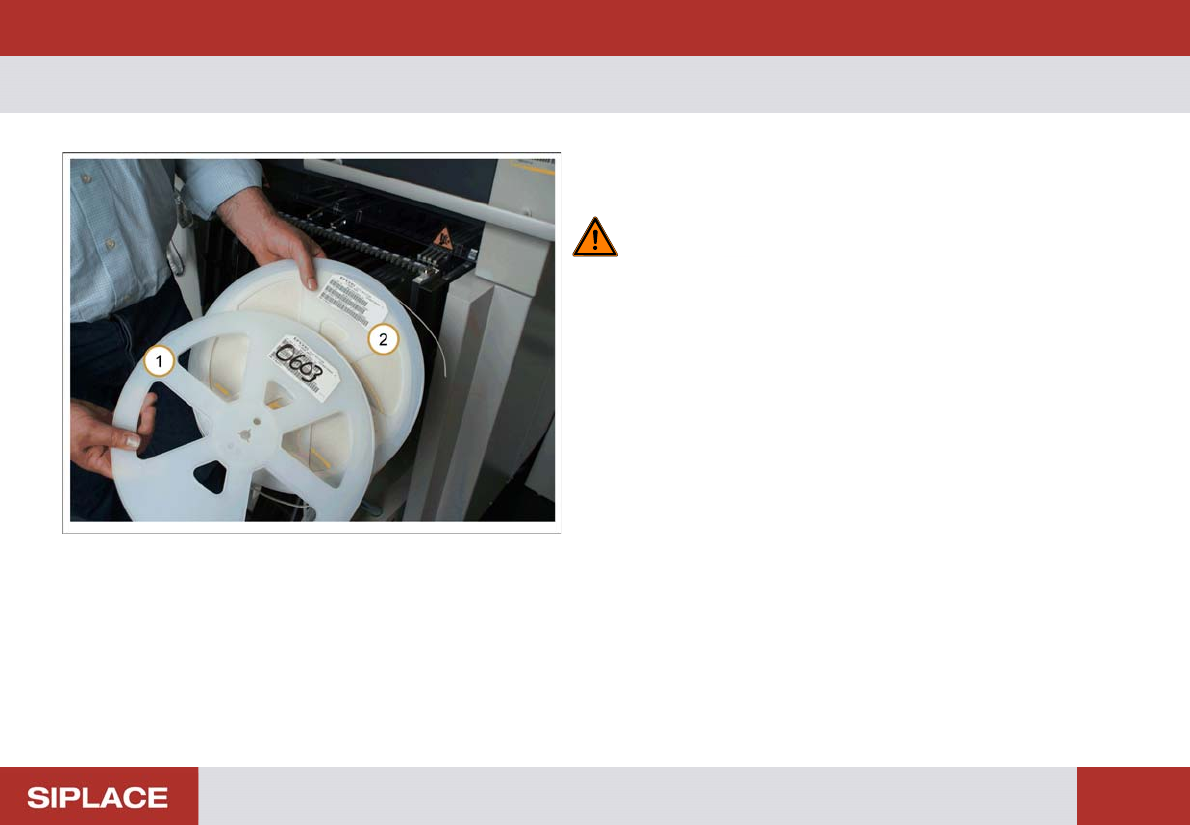
703-Refilling Feeders - Refilling Feeder : 142 Refilling F eeder 1. Old em pty reel of co mponents. 2. Replacement new reel of com ponents. WARNING! Ensure that the part numbers of the old and new reels are th e same!
703-Refilling Feeders - Refilling Feeders :
141
703-Refilli ng Feeders
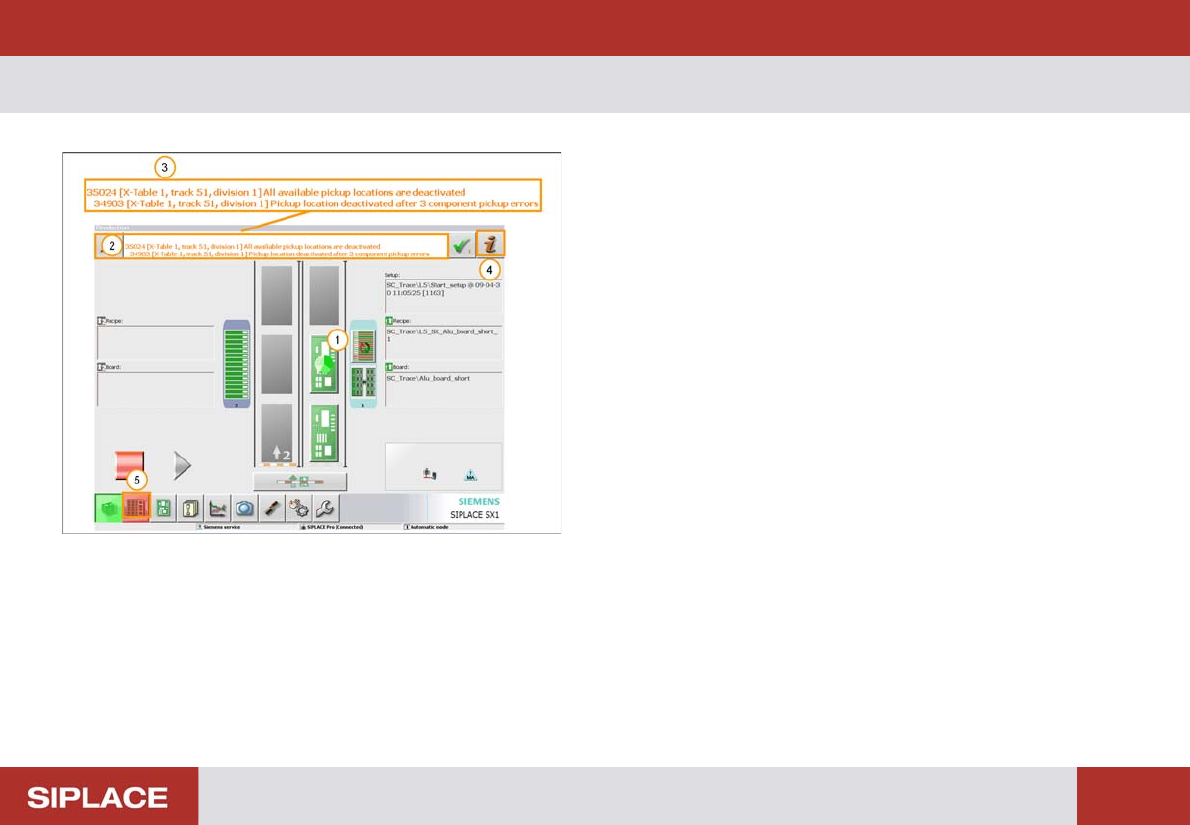
1. Indicators on the table turn red to show that there is
an empty track.
2. Detailed information about the error.
3. Location of error = table number. Track = feeder
position
4. Error information icon- click to show error causes and
possible solutions
5. Feeder menu button – click here to enter feeder menu
703-Refilling Feeders - Refilling Feeder :
142
Refilling F eeder
1. Old empty reel of components.
2. Replacement new reel of components.
WARNING! Ensure that the part numbers of the
old and new reels are the same!
703-Refilling Feeders - Online Track Verification :
143
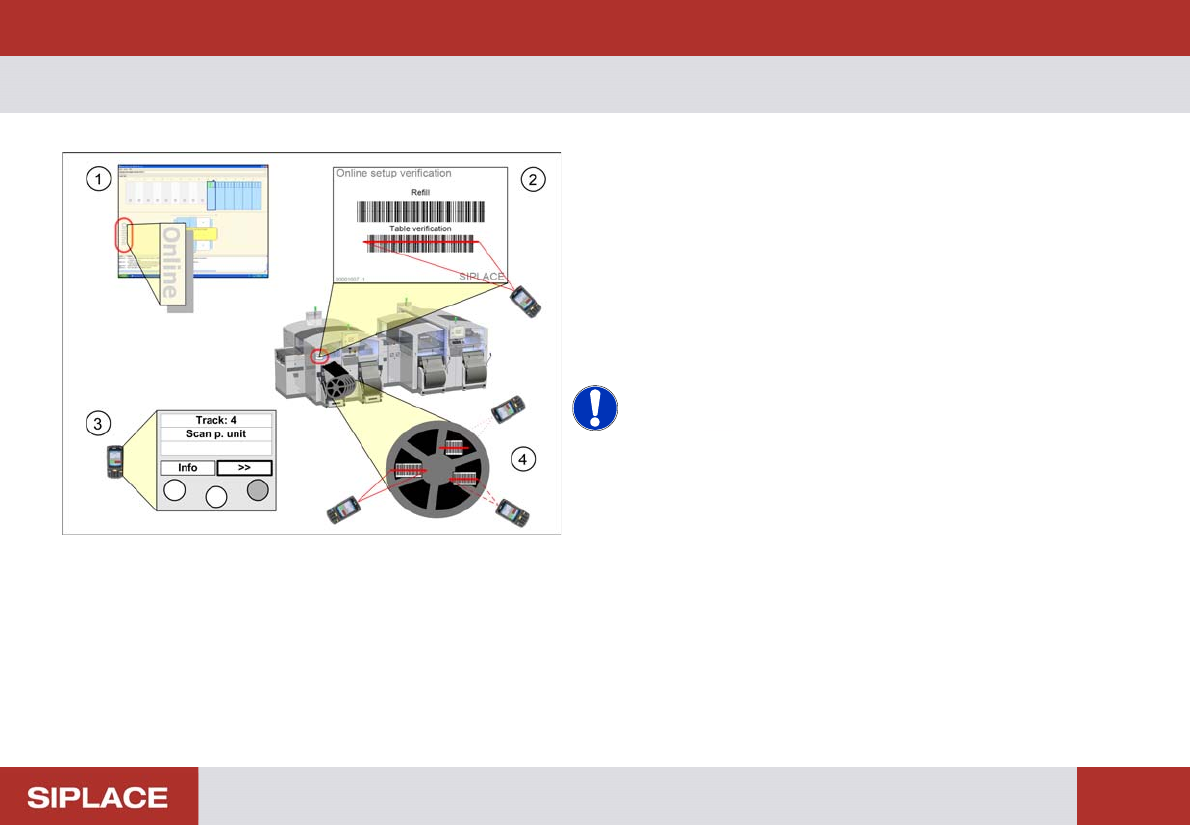
Online Trac k Verificatio n
1. Check and see if the setup is displayed as online
setup in Setup Center.
2. Scan the control barcode Table verification of the
location to be verified.
3. Move with “>>” buttom to the current track.
4. Scan all configured barcodes of the packaging unit.
Repeat step 4 until all the necessary tracks for the
current job are verified.
NOTICE! Depending on the configuration of
Setup Center further steps can be necessary during
online setup verification. Therefore always watch the
display of the barcode reader.
e.g. scanning of user or reordering a packaging unit.