00196851-02 OG SIPLACE Operation of X and SX-Series with SSC (SW70x) - 第144页
703-Refilling Feeders - Refill Completed : 144 Refill Comple ted 1. Click on the feeder t able to complete the refill – all the indicators sh ould now go gr een 2. Click on the Processing Start / Stop icon or press the m…
703-Refilling Feeders - Online Track Verification :
143
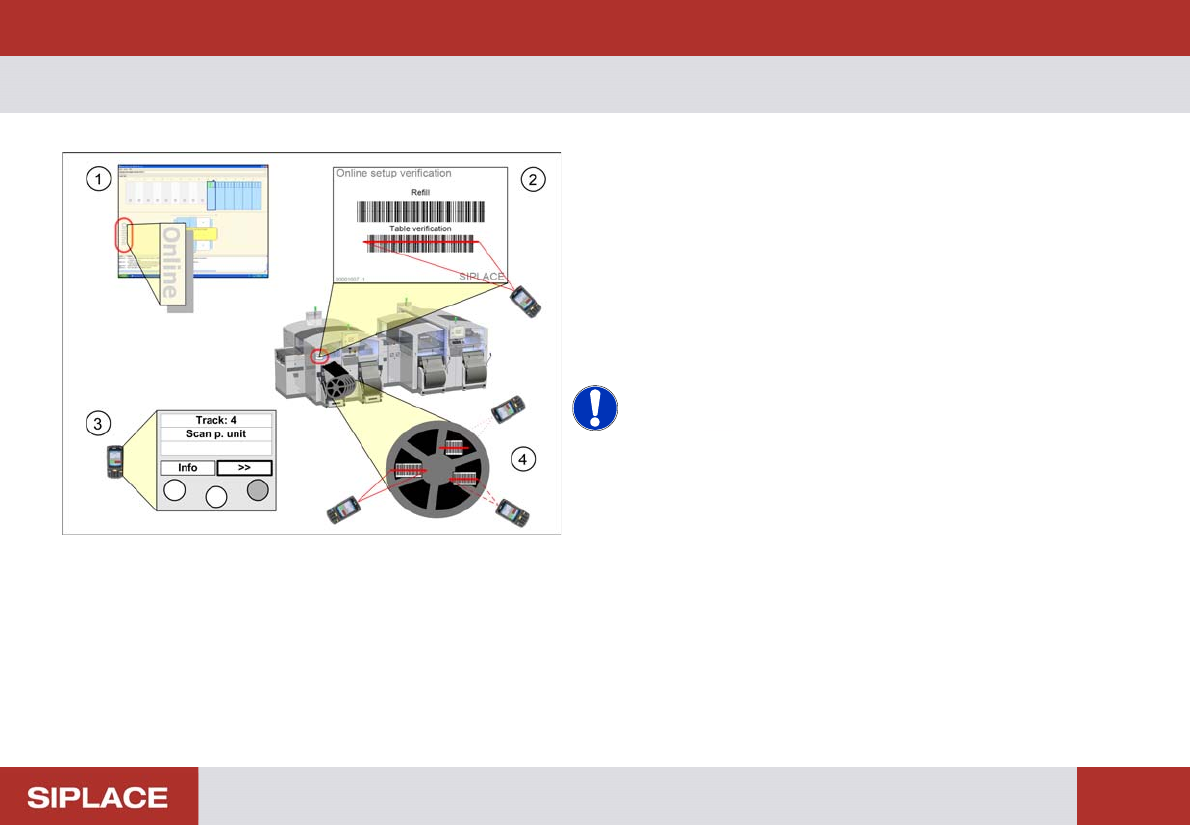
Online Trac k Verificatio n
1. Check and see if the setup is displayed as online
setup in Setup Center.
2. Scan the control barcode Table verification of the
location to be verified.
3. Move with “>>” buttom to the current track.
4. Scan all configured barcodes of the packaging unit.
Repeat step 4 until all the necessary tracks for the
current job are verified.
NOTICE! Depending on the configuration of
Setup Center further steps can be necessary during
online setup verification. Therefore always watch the
display of the barcode reader.
e.g. scanning of user or reordering a packaging unit.
703-Refilling Feeders - Refill Completed :
144
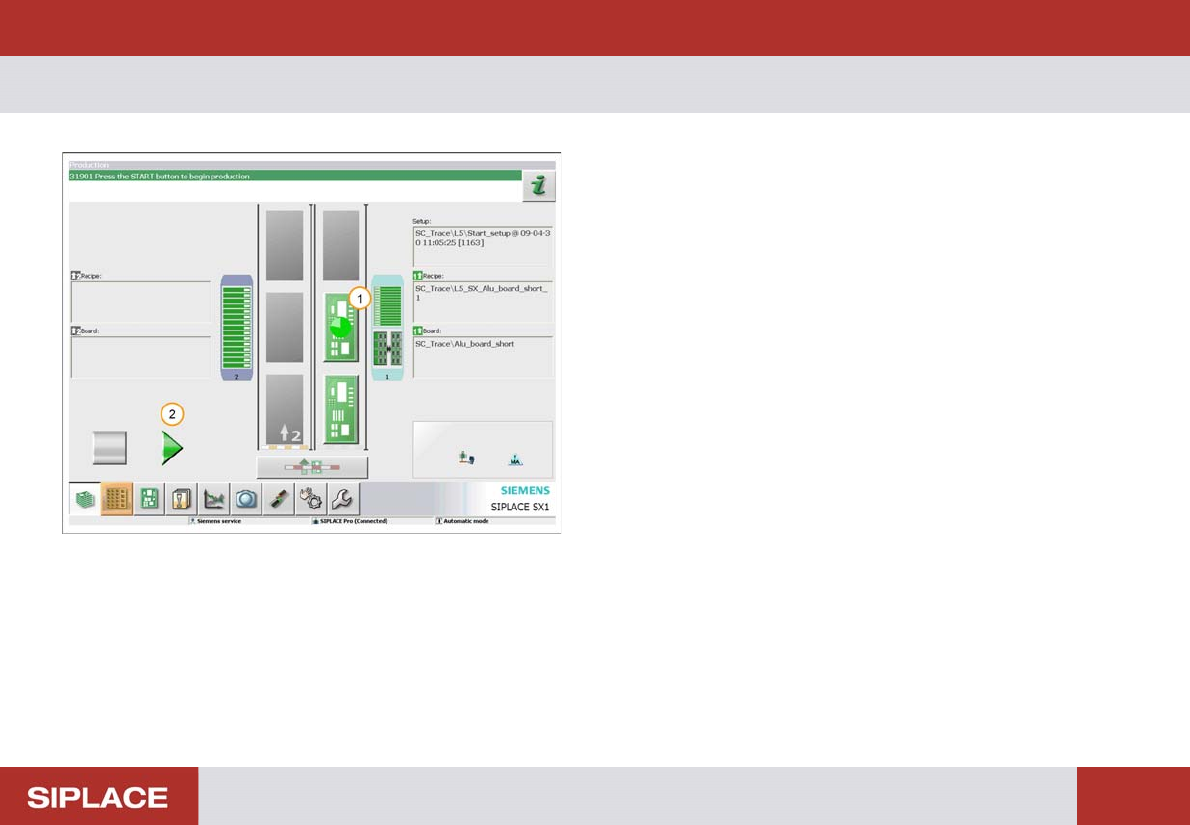
Refill Comple ted
1. Click on the feeder table to complete the refill – all the
indicators should now go green
2. Click on the Processing Start / Stop icon or press the
machine start key to start production again.
Option 703 MTC Refill - Refilling MTC :
145
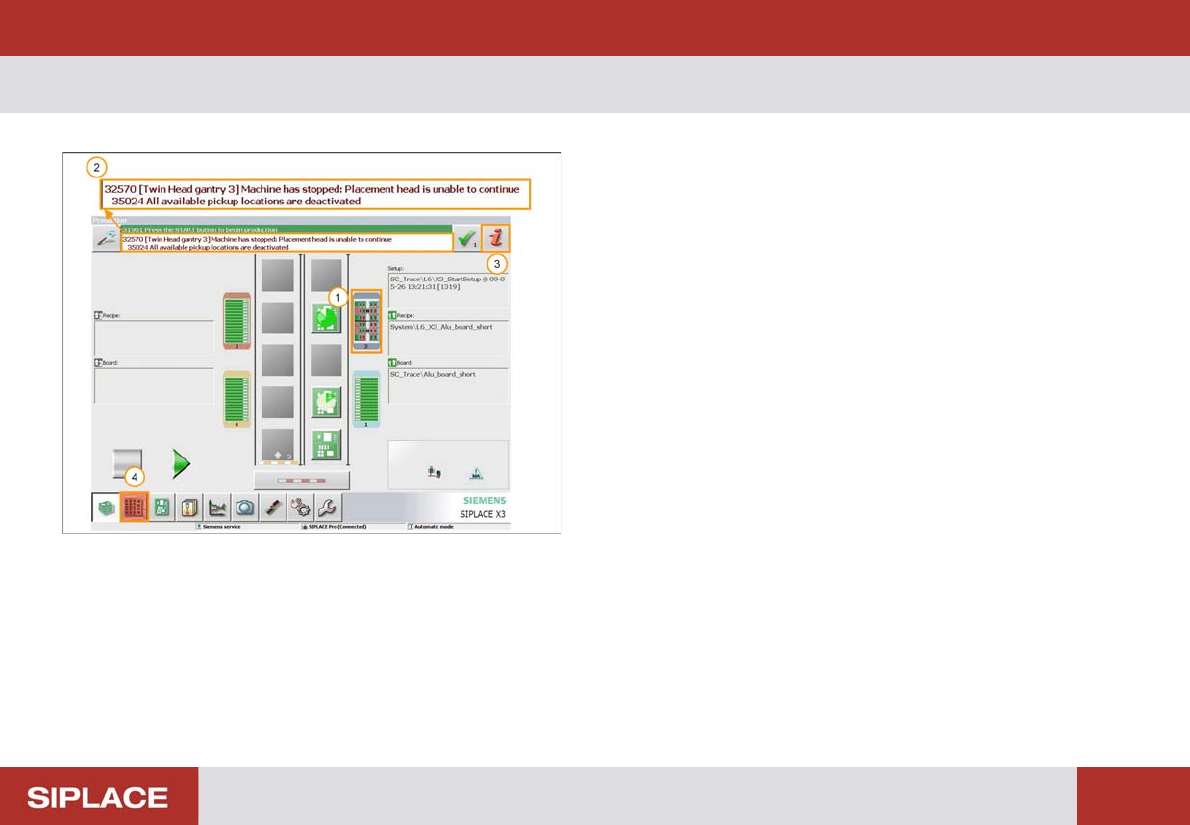
Option 703 MTC Refill
1. The indicators on the table turn red to show that there
is an empty track in Loc 2 (MTC -Matrix Tray
Changer).
2. Detailed error message.
3. Error Information icon (Click for more details).
4. Locations menu icon – click here to enter the
locations menu.