00196851-02 OG SIPLACE Operation of X and SX-Series with SSC (SW70x) - 第147页
Option 703 MTC Refill - Loading the new tray. : 147 Loading t he new tray. 1. Remov e the empty t ray. 2. Load the new tray of com ponents. NOTICE! Ensure t hat the new tray of components is loaded in the correct orienta…
Option 703 MTC Refill - Refill the MTC :
146
Refill the MT C
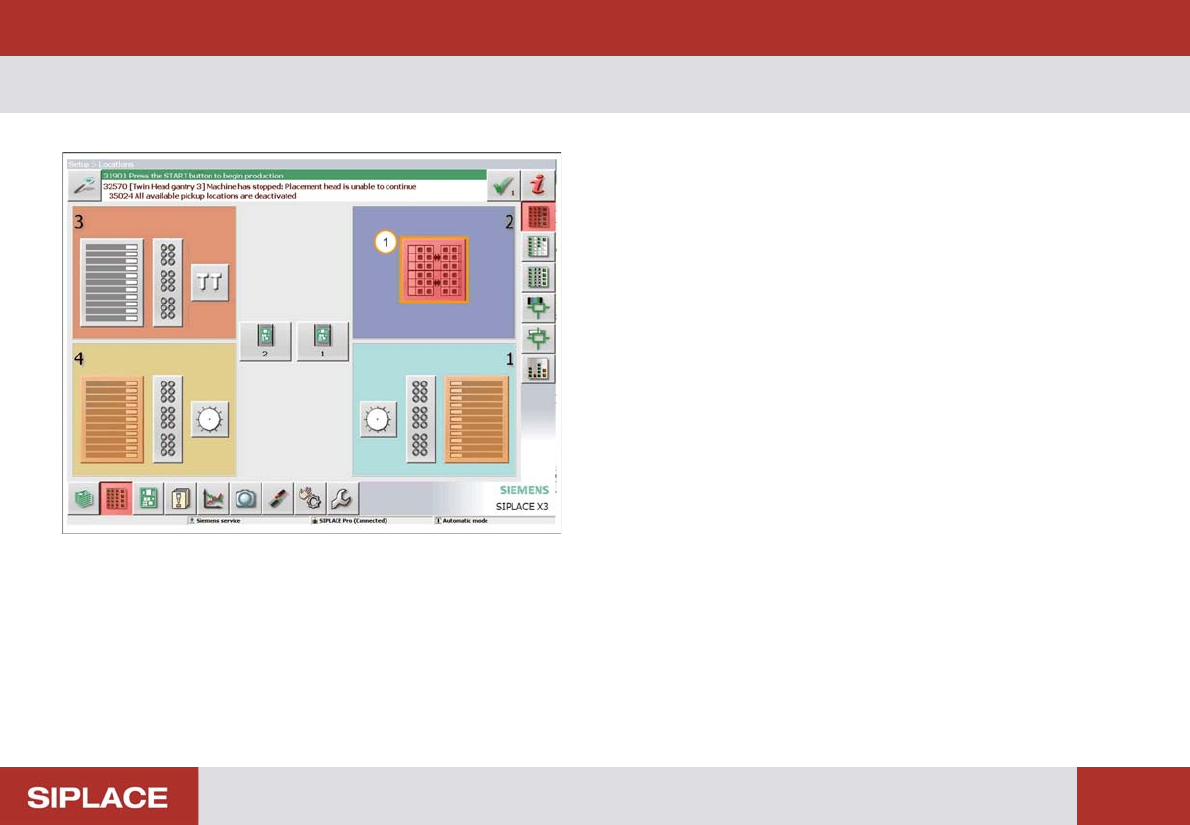
The locations menu opens
1. The Red color of the MTC icon indicates it needs
refilling – click here to enter the MTC menu.
Option 703 MTC Refill - Loading the new tray. :
147
Loading t he new tray.
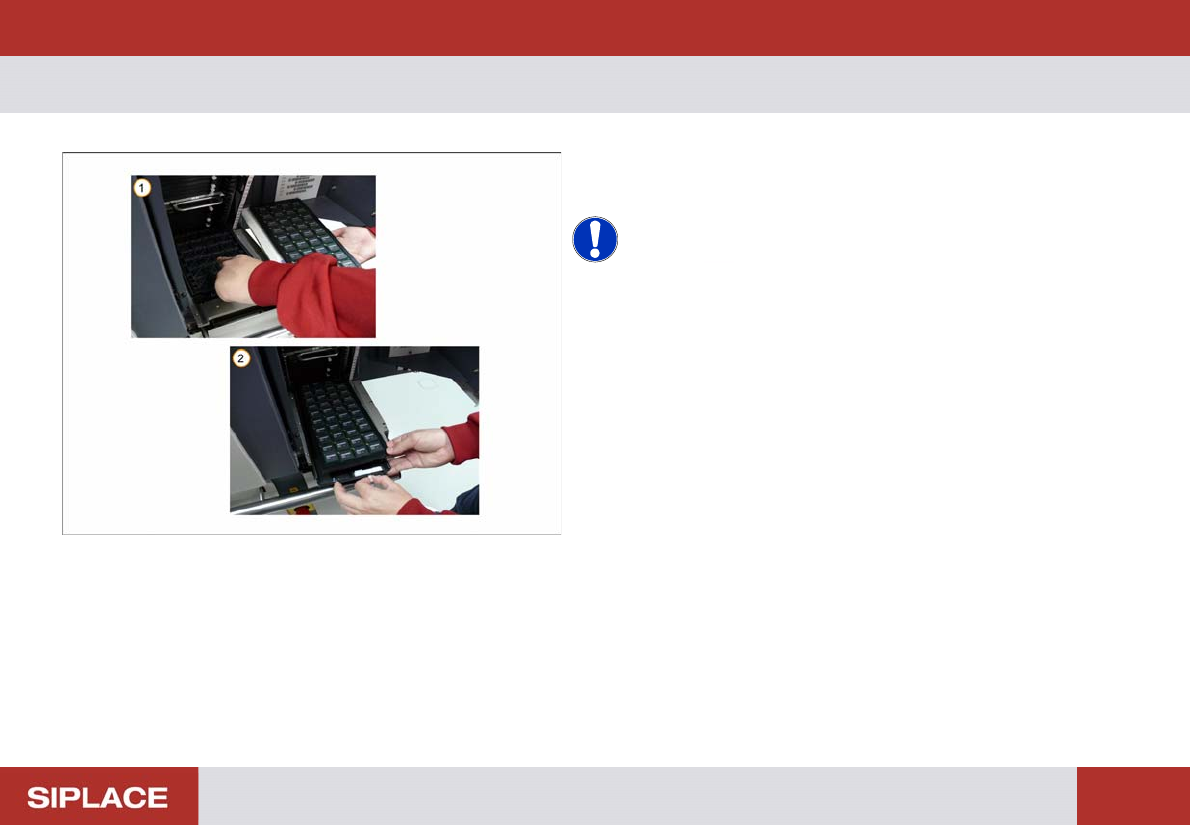
1. Remove the empty tray.
2. Load the new tray of components.
NOTICE! Ensure that the new tray of
components is loaded in the correct orientation and fixed
in place in the correct position.
Option 703 MTC Refill - Refill the Trays :
148
Refill the Tray s
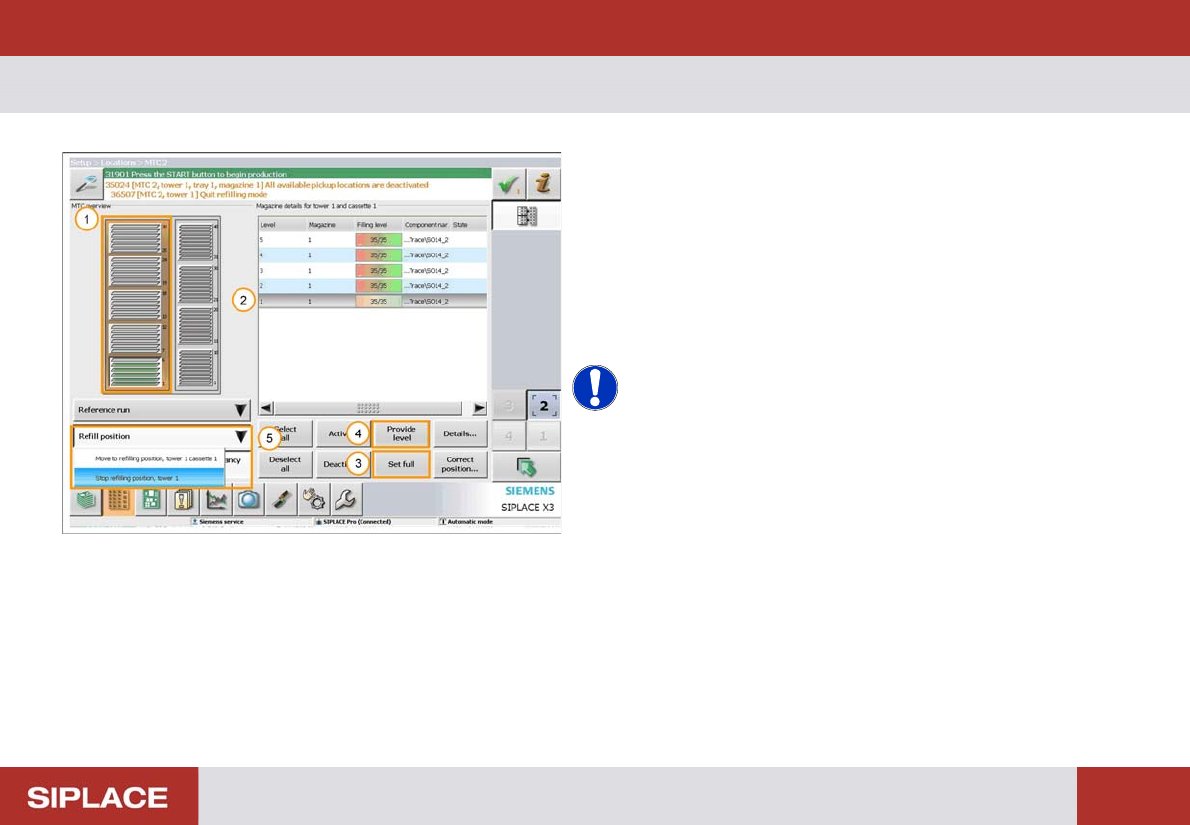
1. The orange bar indicates that the Tower is at the
Refillposition.
2. Click on the tray that requires refilling
3. Select ‘Set full’ for a fully loaded tray.
4. Select ‘Provide level’ for a partially filled tray.
5. Once complete select ‘Refill position’ and then ‘Stop
refilling position’.
NOTICE! The MTC tower will now move back to
the feeding position and it will be ready to start production
again.