00196851-02 OG SIPLACE Operation of X and SX-Series with SSC (SW70x) - 第148页
Option 703 MTC Refill - Refill the Trays : 148 Refill the Tray s 1. The orange bar indicates that the Tower is at the Refillposition. 2. Click on the tray th at requires refilling 3. Select ‘Set full’ for a f ully loaded…
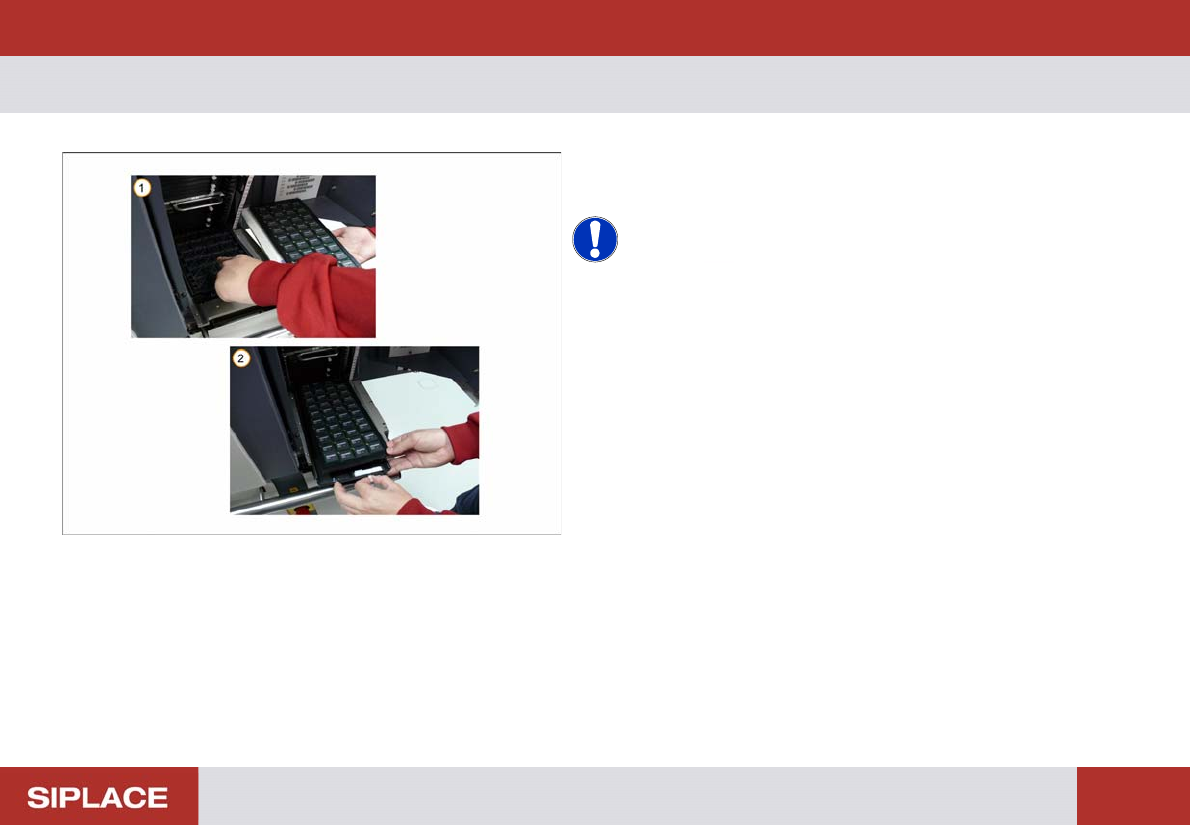
Option 703 MTC Refill - Loading the new tray. :
147
Loading t he new tray.
1. Remove the empty tray.
2. Load the new tray of components.
NOTICE! Ensure that the new tray of
components is loaded in the correct orientation and fixed
in place in the correct position.
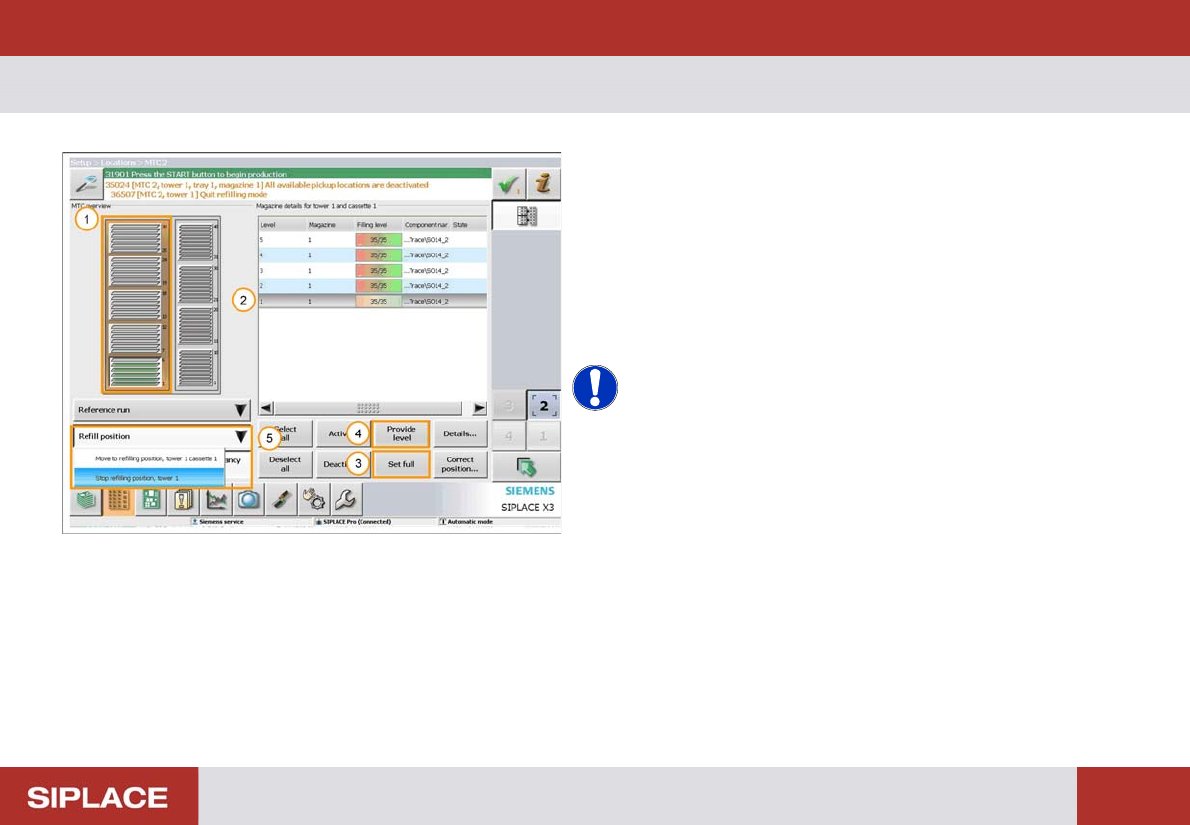
Option 703 MTC Refill - Refill the Trays :
148
Refill the Tray s
1. The orange bar indicates that the Tower is at the
Refillposition.
2. Click on the tray that requires refilling
3. Select ‘Set full’ for a fully loaded tray.
4. Select ‘Provide level’ for a partially filled tray.
5. Once complete select ‘Refill position’ and then ‘Stop
refilling position’.
NOTICE! The MTC tower will now move back to
the feeding position and it will be ready to start production
again.
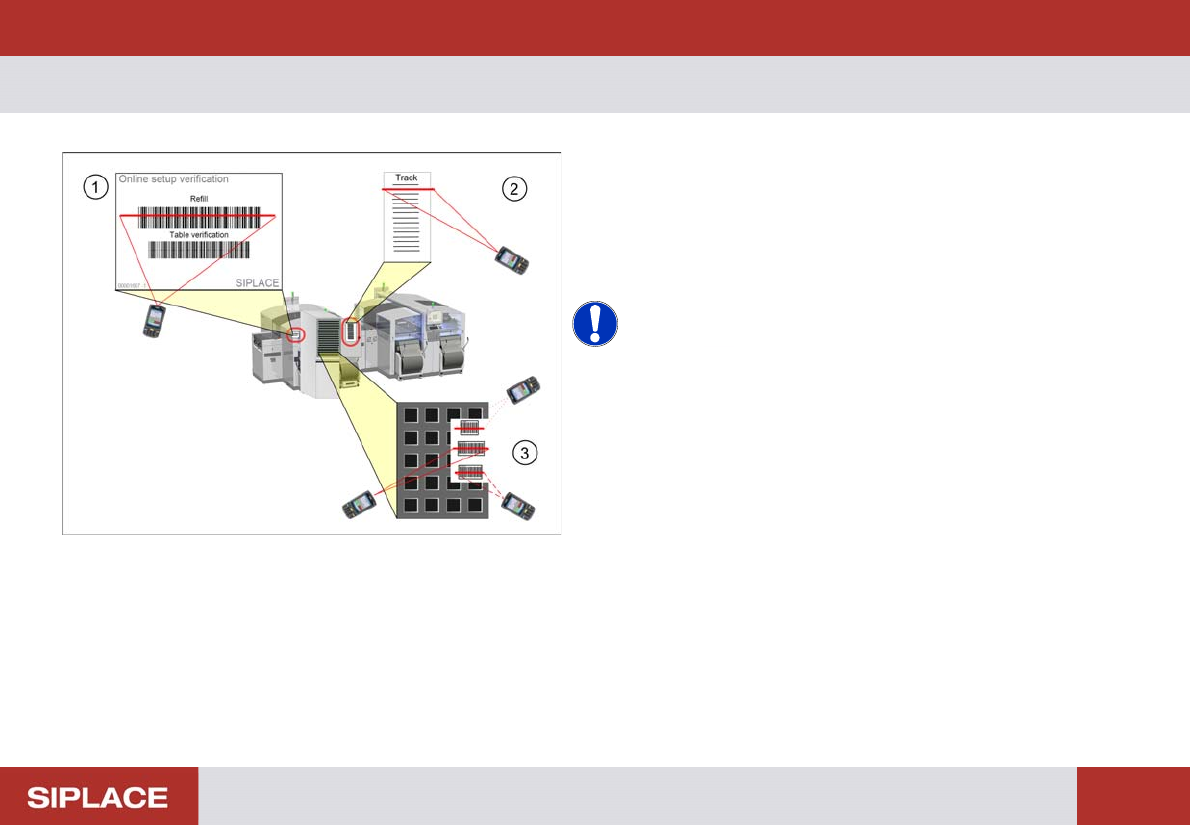
Option 703 MTC Refill - Refill a MTC tray :
149
Refill a MTC tr ay
1. Scan the control barcode Refill of the location to be
verified.
2. Scan the Track barcode of the MTC tray be refilled.
You find the track barcode inside the MTC door.
3. Scan all configured barcodes of the packaging unit.
NOTICE! Depending on the configuration of
Setup Center further steps can be necessary during refill.
Therefore always watch the display of the barcode
reader.
e.g. scanning of user or reordering a packaging unit.