00196851-02 OG SIPLACE Operation of X and SX-Series with SSC (SW70x) - 第152页
Option 703 WPC refill - Refilling the WPC : 152 Refilling t he WPC 1. The red color indicates tr ays that are completely empty an need to be refilled. 2. Click ‘Refill position’ then ‘ Move to refilling position’. The WP…
Option 703 WPC refill - Refilling the WPC :
151
Option 703 WP C refill
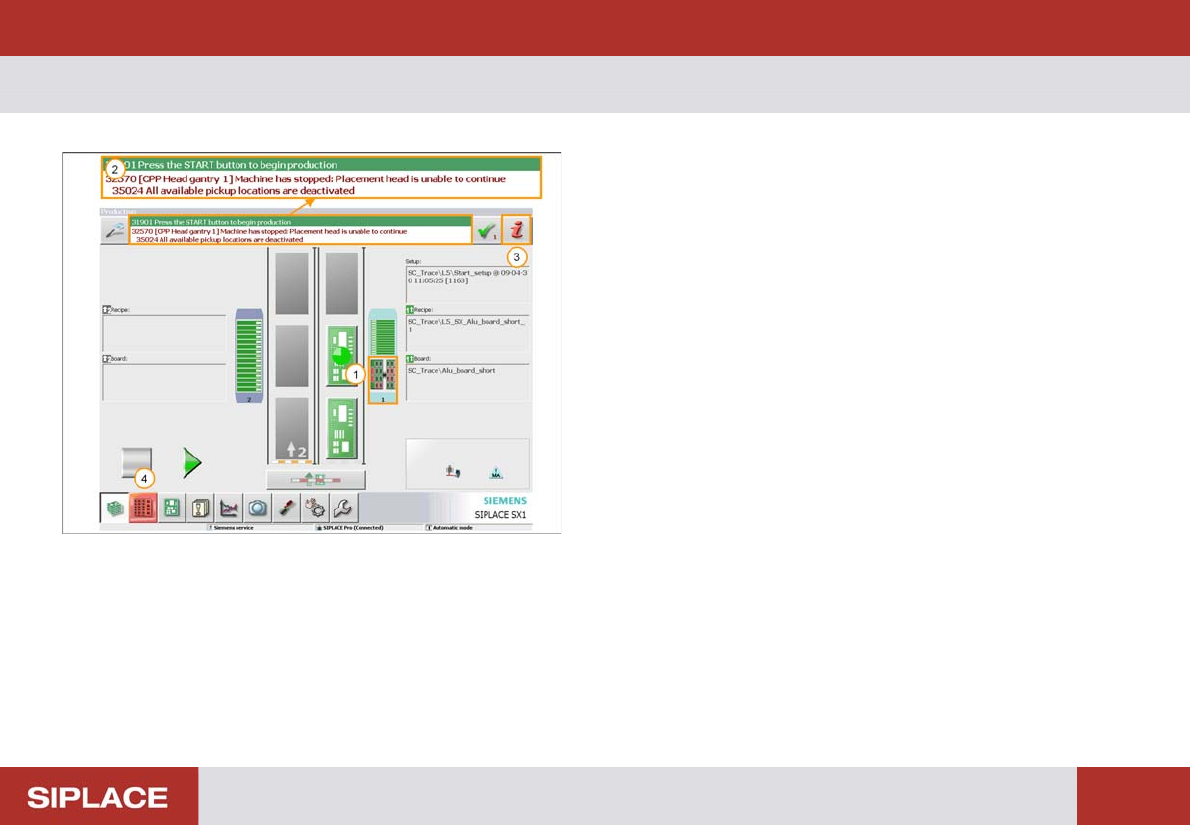
1. Empty track at WPC - indicators on the table go red.
2. Error message.
3. Error information icon (click for more details).
4. Locations menu icon – click here to enter the WPC
menu directly.
Option 703 WPC refill - Refilling the WPC :
152
Refilling t he WPC
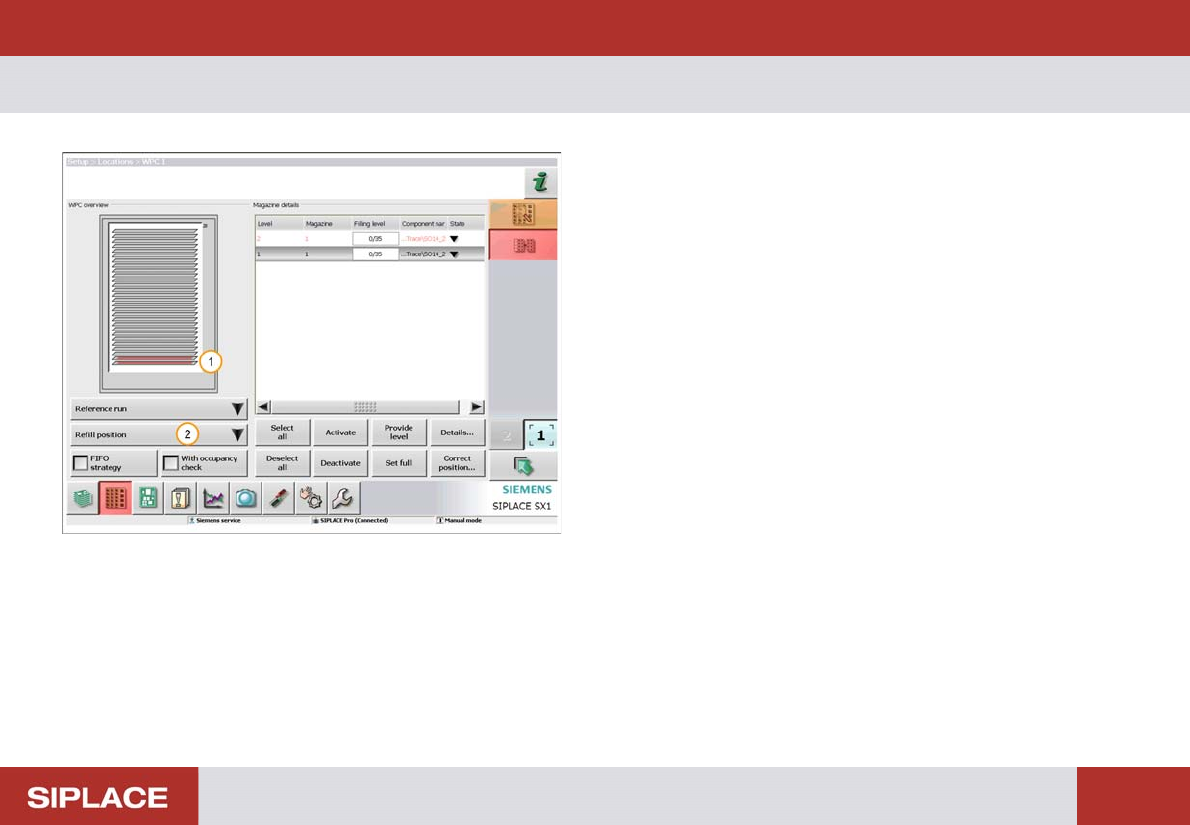
1. The red color indicates trays that are completely
empty an need to be refilled.
2. Click ‘Refill position’ then ‘Move to refilling position’.
The WPC will now move so that all trays can be
accessed.

Option 703 WPC refill - Refilling the WPC :
153
Refilling t he WPC
1. Remove Empty Tray
2. Refill with new tray of components – secure the tray
in place using magnets.