00196851-02 OG SIPLACE Operation of X and SX-Series with SSC (SW70x) - 第153页
Option 703 WPC refill - Refilling the WPC : 153 Refilling t he WPC 1. Remove Empty Tray 2. Refill with new tray of com ponents – secure the tray in place using magnets.
Option 703 WPC refill - Refilling the WPC :
152
Refilling t he WPC
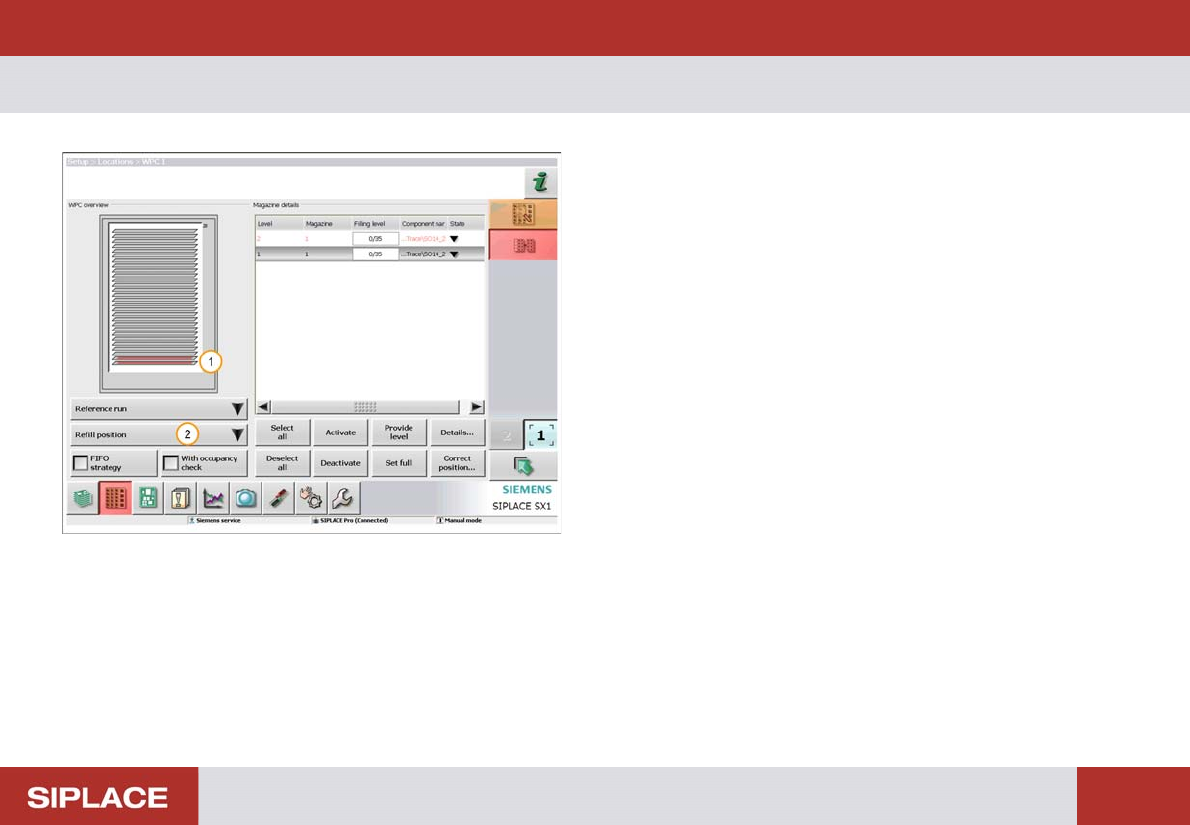
1. The red color indicates trays that are completely
empty an need to be refilled.
2. Click ‘Refill position’ then ‘Move to refilling position’.
The WPC will now move so that all trays can be
accessed.

Option 703 WPC refill - Refilling the WPC :
153
Refilling t he WPC
1. Remove Empty Tray
2. Refill with new tray of components – secure the tray
in place using magnets.
Option 703 WPC refill - Refilling the WPC. :
154
Refilling t he WPC.
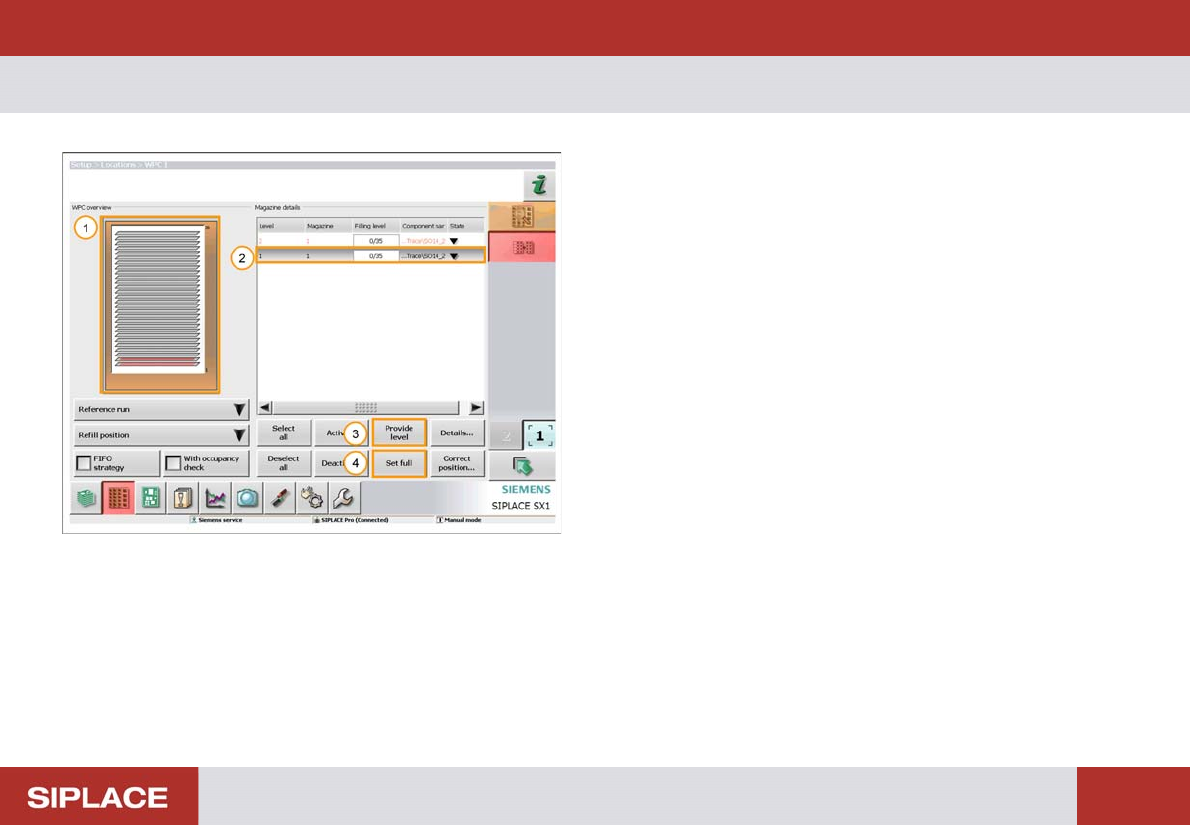
1. The Orange color indicates that the WPC is at the
refill position.
2. Highlight the WPC level to be filled.
3. If the tray is part full then click ‘Provide Level’.
Another window will open where you can enter the
number of components in the tray.
4. If the tray is full then click ‘Set full’.