00196851-02 OG SIPLACE Operation of X and SX-Series with SSC (SW70x) - 第156页
Option 703 WPC refill - Refill a WPC tray : 156 Refill a WPC tr ay 1. Scan the control barcode Refill of the location to be verified. 2. Scan the Track barcode of the WPC tray be refilled. You find the track barcod e ins…
Option 703 WPC refill - WPC fill completed. :
155
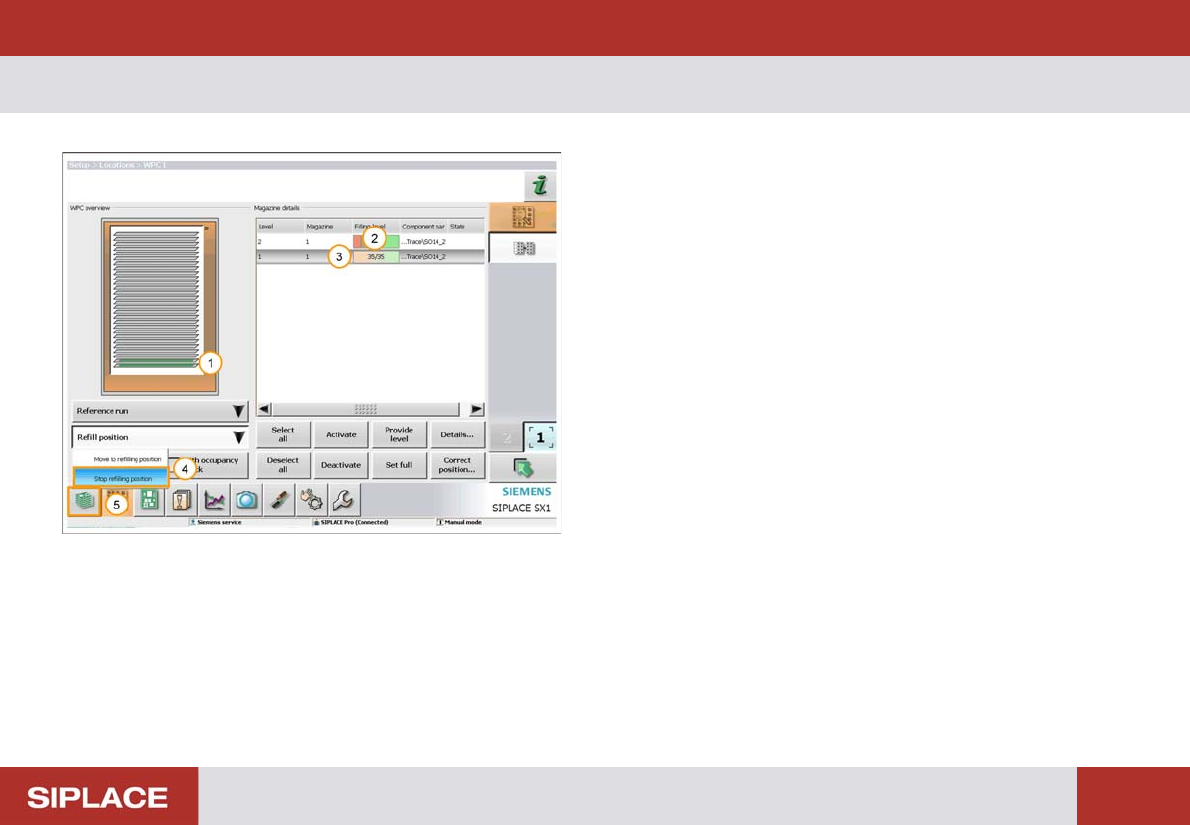
WPC fill completed.
1. The status bar now turns green – the tray is refilled.
2. Refilled Quantity.
3. Level of the tray that has been filled (here the lowest
tray).
4. Select ‘Refill position’ – ‘Stop refilling position’.
The WPC will now move back to the operational position.
5. Click on the return to the Main Menu icon.
Option 703 WPC refill - Refill a WPC tray :
156
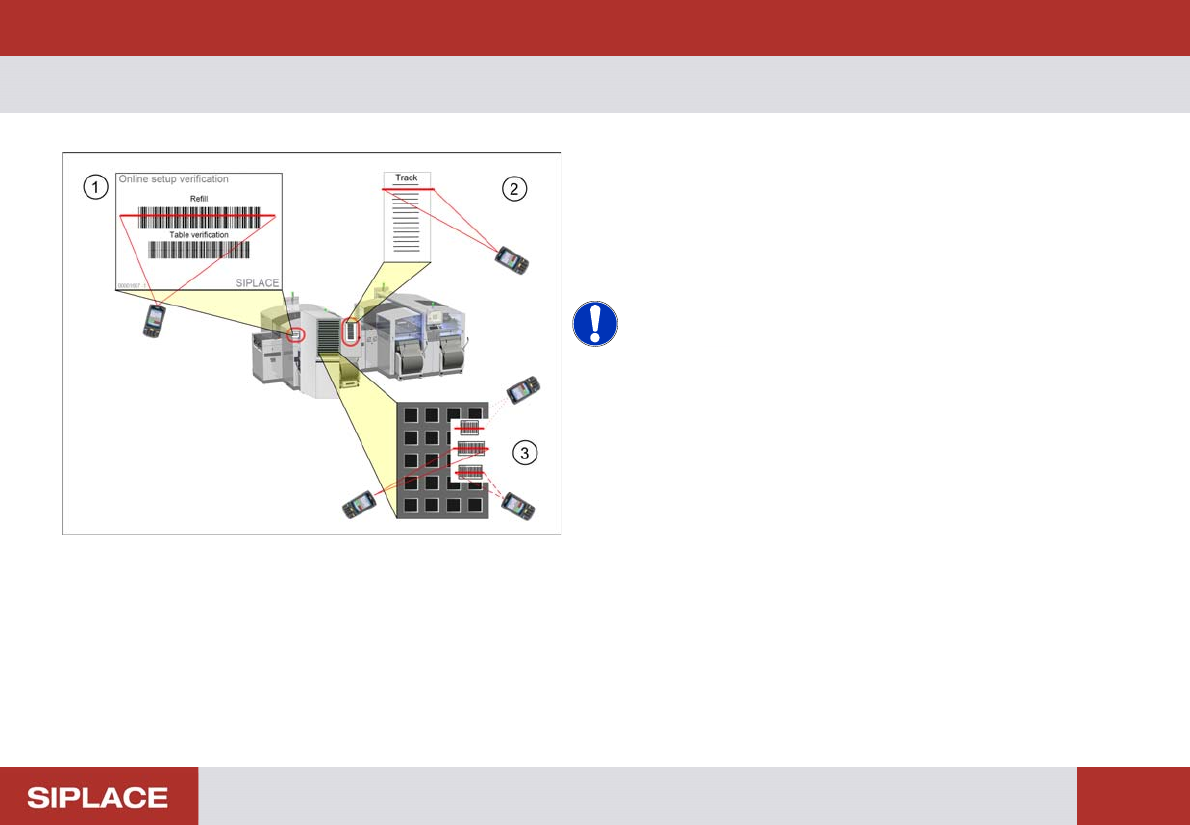
Refill a WPC tr ay
1. Scan the control barcode Refill of the location to be
verified.
2. Scan the Track barcode of the WPC tray be refilled.
You find the track barcode inside the WPC door.
3. Scan all configured barcodes of the packaging unit.
NOTICE! Depending on the configuration of
Setup Center further steps can be necessary during refill.
Therefore always watch the display of the barcode
reader.
e.g. scanning of user or reordering a packaging unit.
Option 703 WPC refill - WPC fill completed. :
157
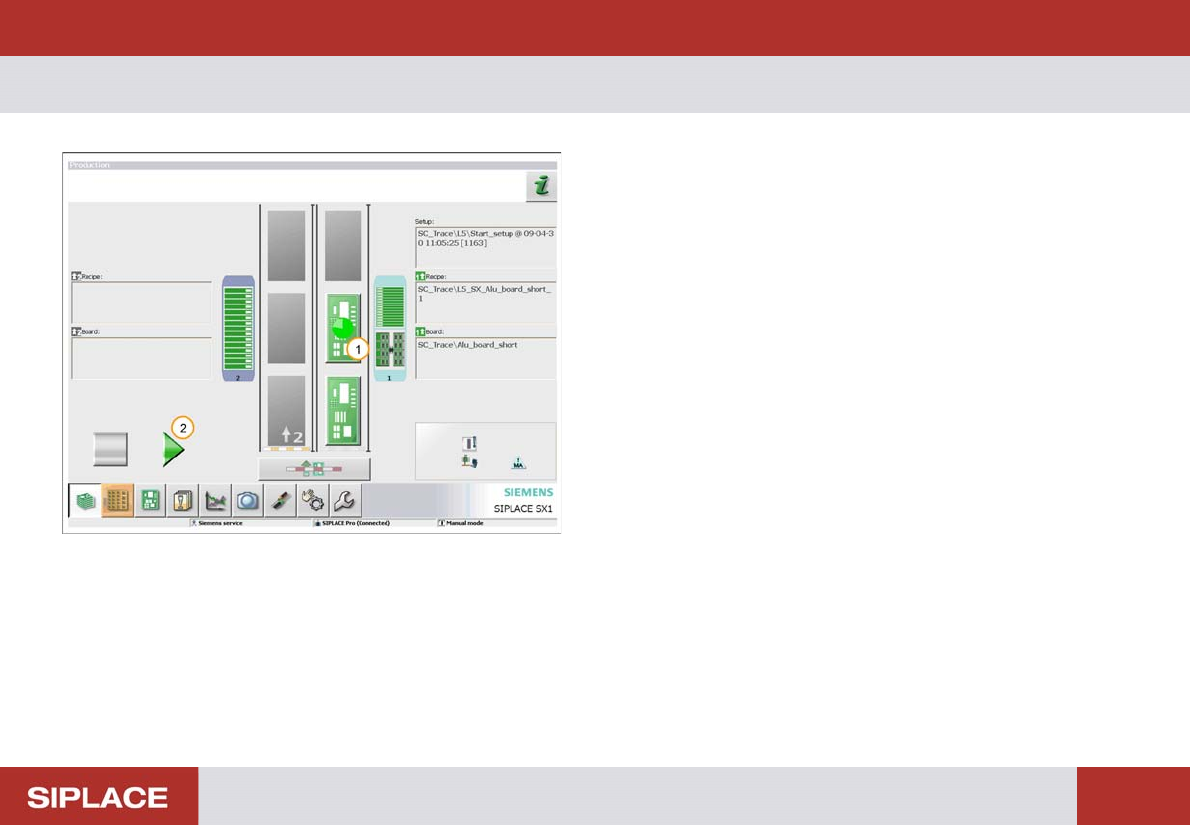
WPC fill completed.
1. Double click on the WPC table to complete the refill –
the indicators on the table should now all go green.
2. Click on the Start / Stop icon or press the machine
start key to start production again.