00196851-02 OG SIPLACE Operation of X and SX-Series with SSC (SW70x) - 第159页
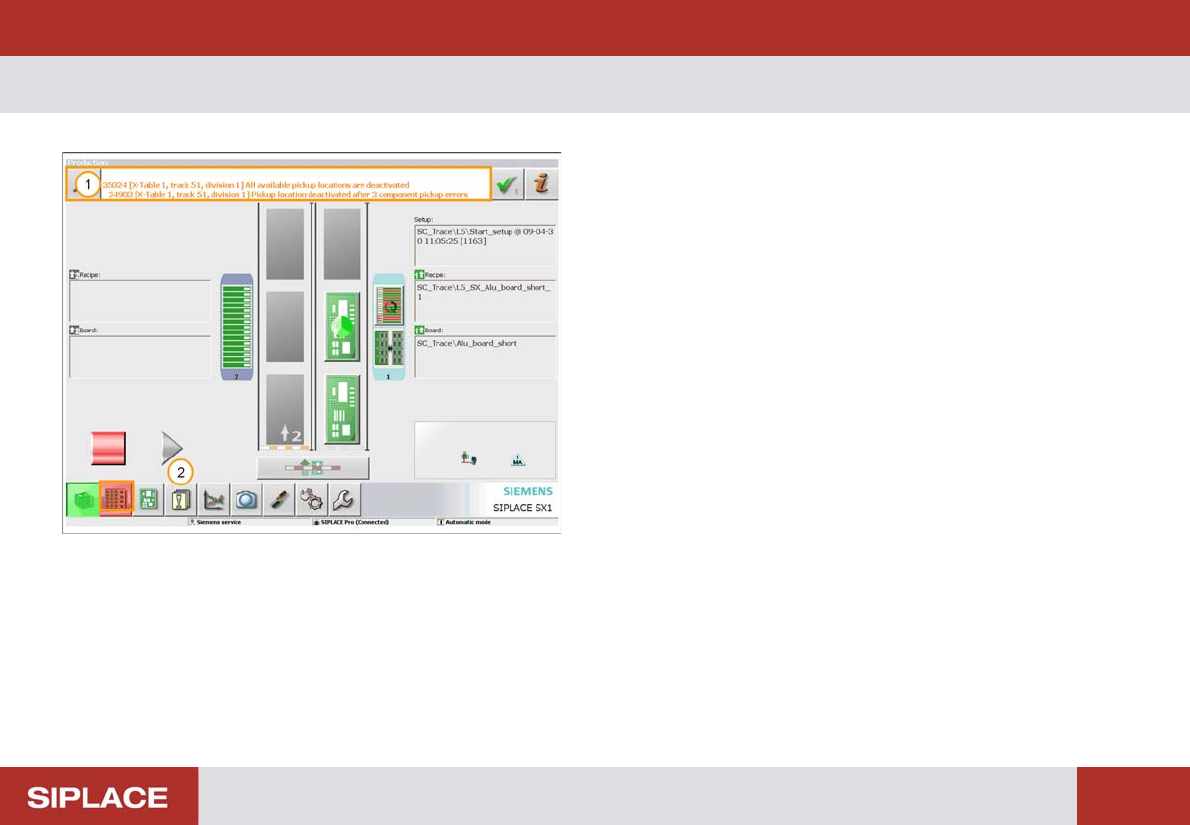
703-Handling Message s - GUI Messages : 159 703-Handli ng Messages 1. Message Display. 2. Click on the Messages Ic on to see the lis t of errors.

Option 703 WPC refill - WPC fill completed. :
158
703-Handling Messages - GUI Messages :
159
703-Handli ng Messages
1. Message Display.
2. Click on the Messages Icon to see the list of errors.
703-Handling Messages - Messages - Current :
160
Messages - Current
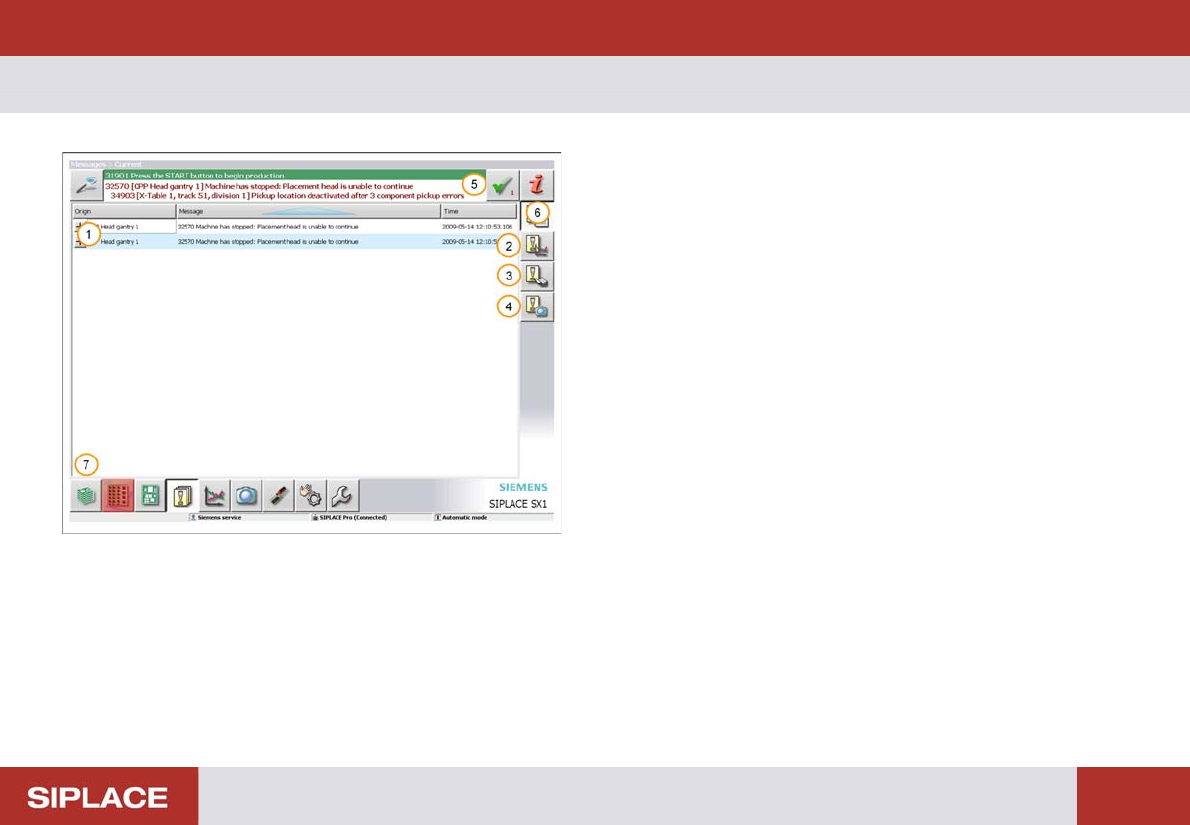
Error Menu:
1. List of current messages.
2. Statistics screen.
3. Message history screen.
4. Vision dump files screen.
5. To clear the current message clear the green tick.
6. To view more detailed message information –
highlight the message and click the red i icon
7. Return to main menu.