00196851-02 OG SIPLACE Operation of X and SX-Series with SSC (SW70x) - 第167页
Weekly PM (70x) - Preparat ions f or Maintenance – stop productio n. : 167 Preparat ions for Maintenan ce – stop productio n. 1. Select the ‘Manual Operations’ window. 2. Click – ‘Do not change production status’. This w…
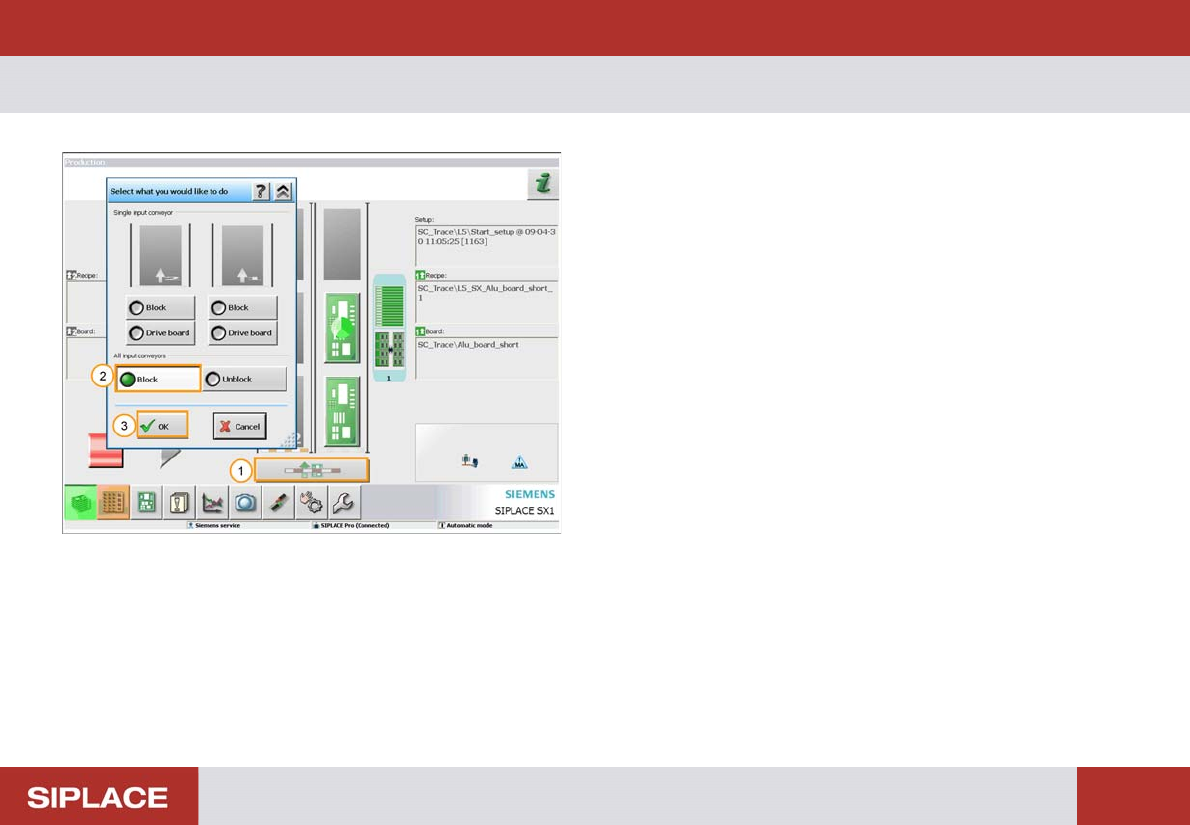
Weekly PM (70x) - Preparations for Maintenance – block the Line :
166
Preparations for Maintenance – block the Line
Before starting maintenance work you should stop
production and prevent PCBs from entering the line.
1. Click on the conveyor input icon.
2. Select - ‘All input conveyors’ - ‘Block’.
3. Confirm by clicking - ‘OK’.
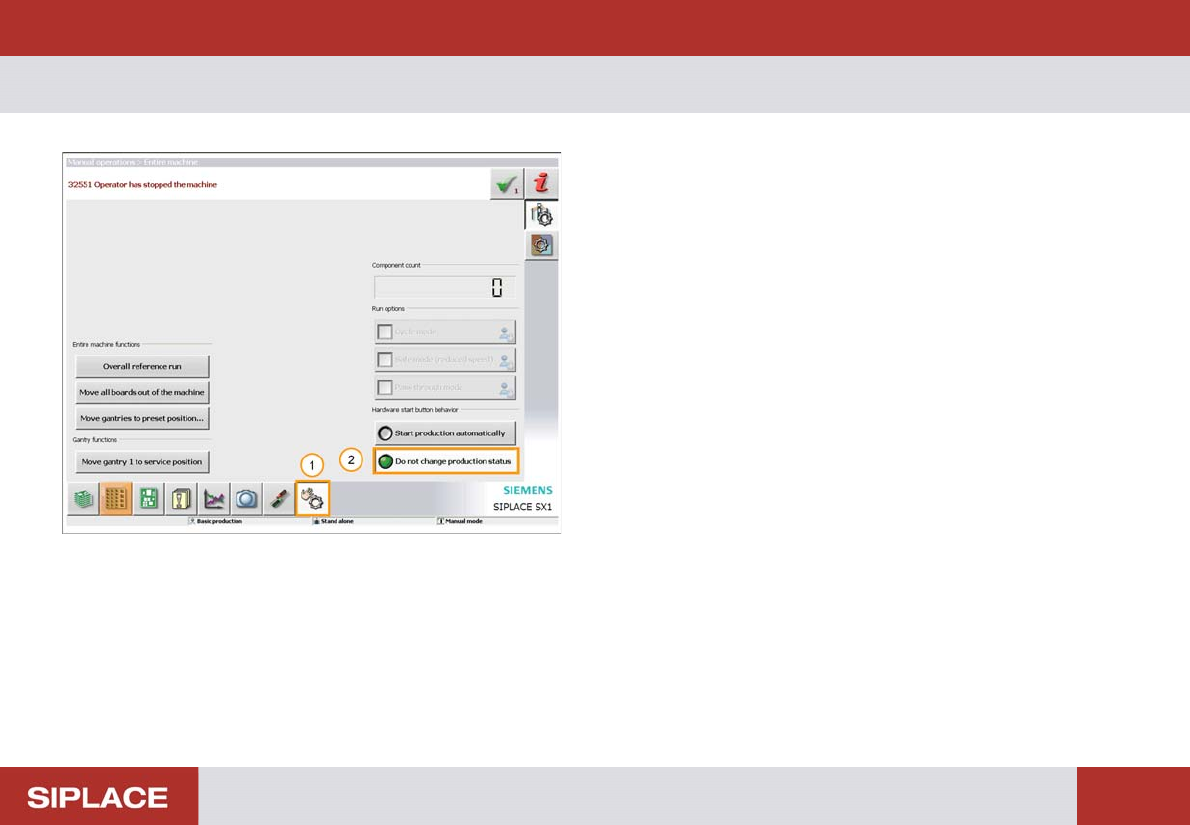
Weekly PM (70x) - Preparations for Maintenance – stop production. :
167
Preparations for Maintenance – stop production.
1. Select the ‘Manual Operations’ window.
2. Click – ‘Do not change production status’.
This will prevent production from starting again until you
want it to.
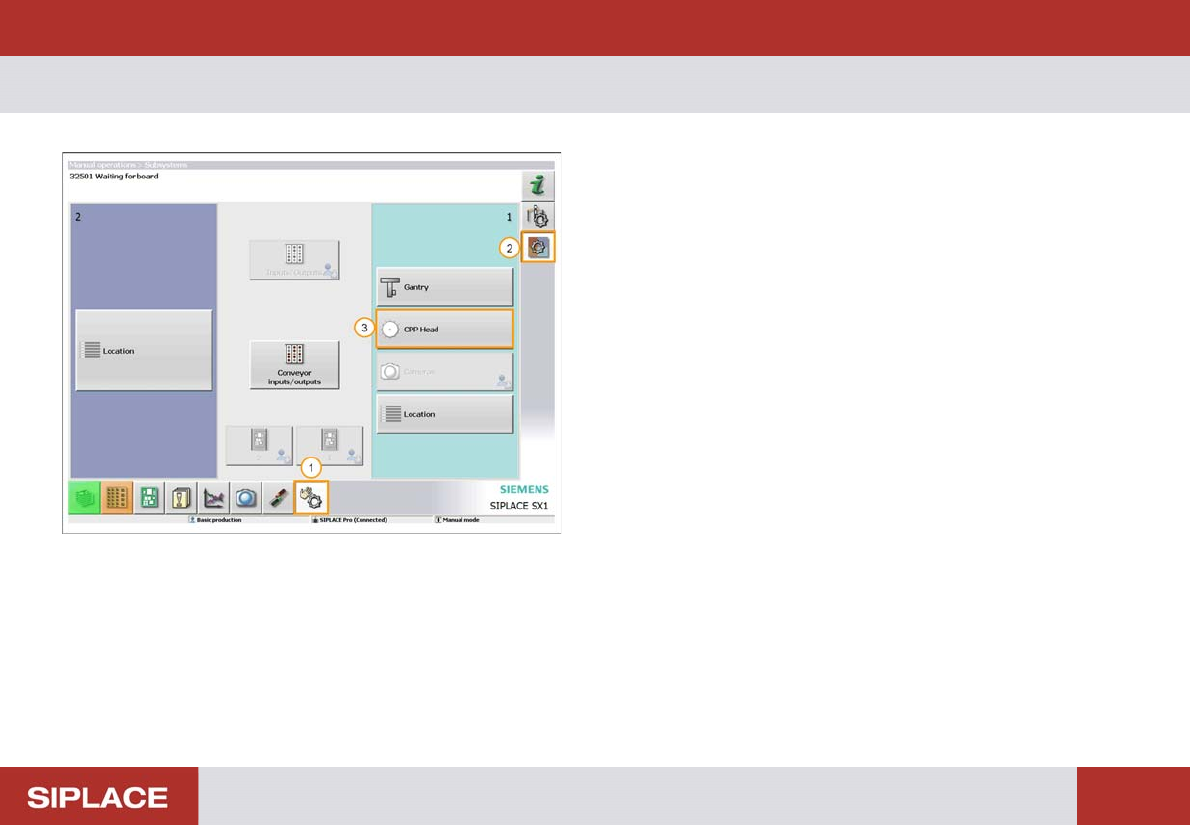
Weekly PM (70x) - Preparations for Maintenance – vacuum test :
168
Preparations for Maintenance – vacuum test
The vacuum test is used to check the condition of the
nozzles and segments.
1. Select ‘Manual Operations’ menu.
2. Select – ‘Check sensors and functions of specific
components’.
3. Select - ‘CPP head’ – or any other head fitted to the
machine.