00196851-02 OG SIPLACE Operation of X and SX-Series with SSC (SW70x) - 第169页
Weekly PM (70x) - Preparat ions f or Maintenance – vacuum test : 169 Preparat ions for M aintenan ce – vacuum test CPP head functions menu. 1. Select – ‘Check vacuum, height and scan values’ icon.
Weekly PM (70x) - Preparations for Maintenance – vacuum test :
168
Preparations for Maintenance – vacuum test
The vacuum test is used to check the condition of the
nozzles and segments.
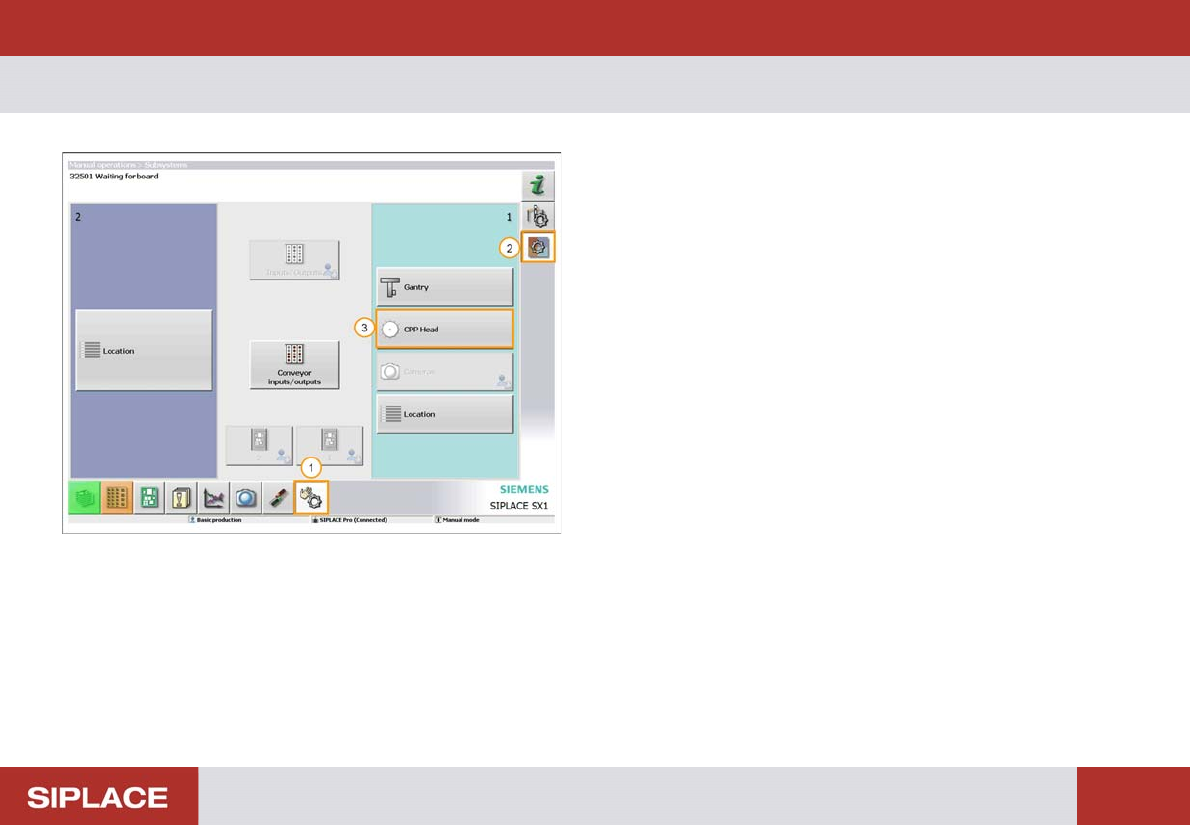
1. Select ‘Manual Operations’ menu.
2. Select – ‘Check sensors and functions of specific
components’.
3. Select - ‘CPP head’ – or any other head fitted to the
machine.
Weekly PM (70x) - Preparations for Maintenance – vacuum test :
169
Preparations for Maintenance – vacuum test
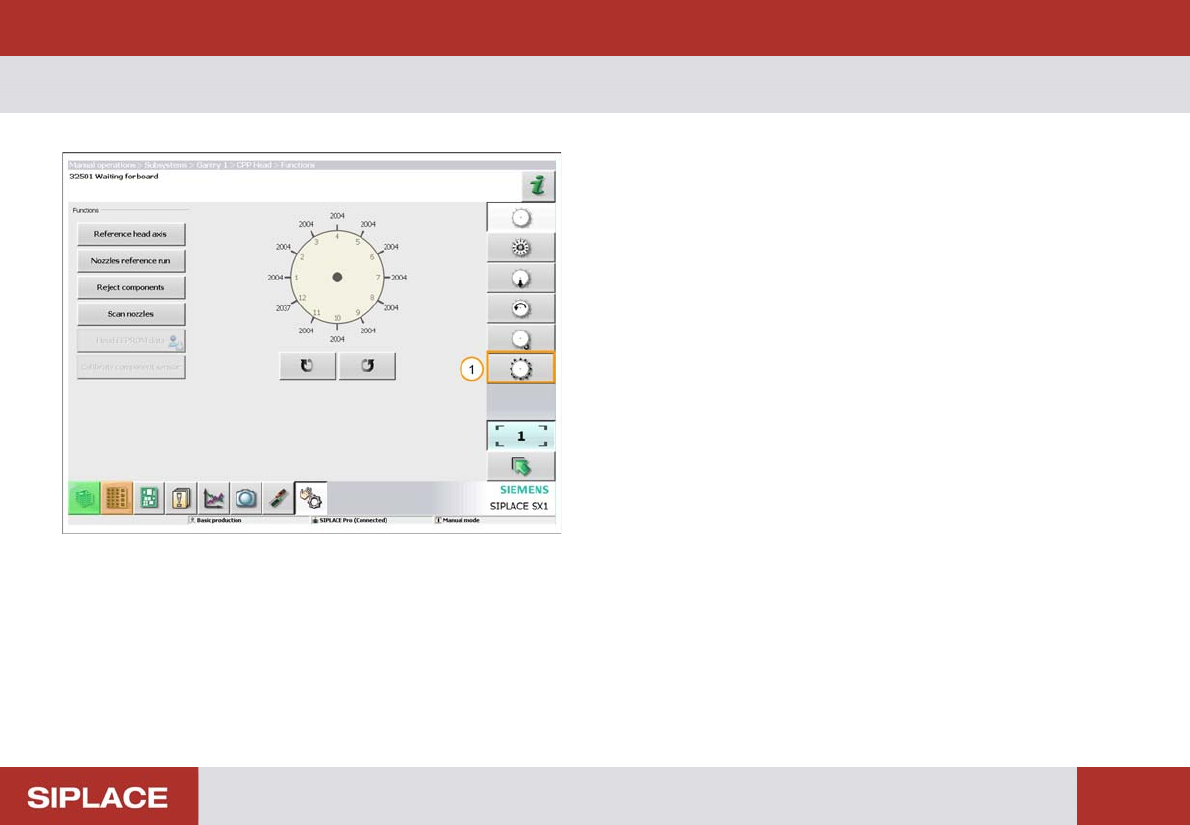
CPP head functions menu.
1. Select – ‘Check vacuum, height and scan values’
icon.
Weekly PM (70x) - Head vacuum test :
170
Head vacuum test
The vacuum test is used to check the condition of the
nozzles and segments.
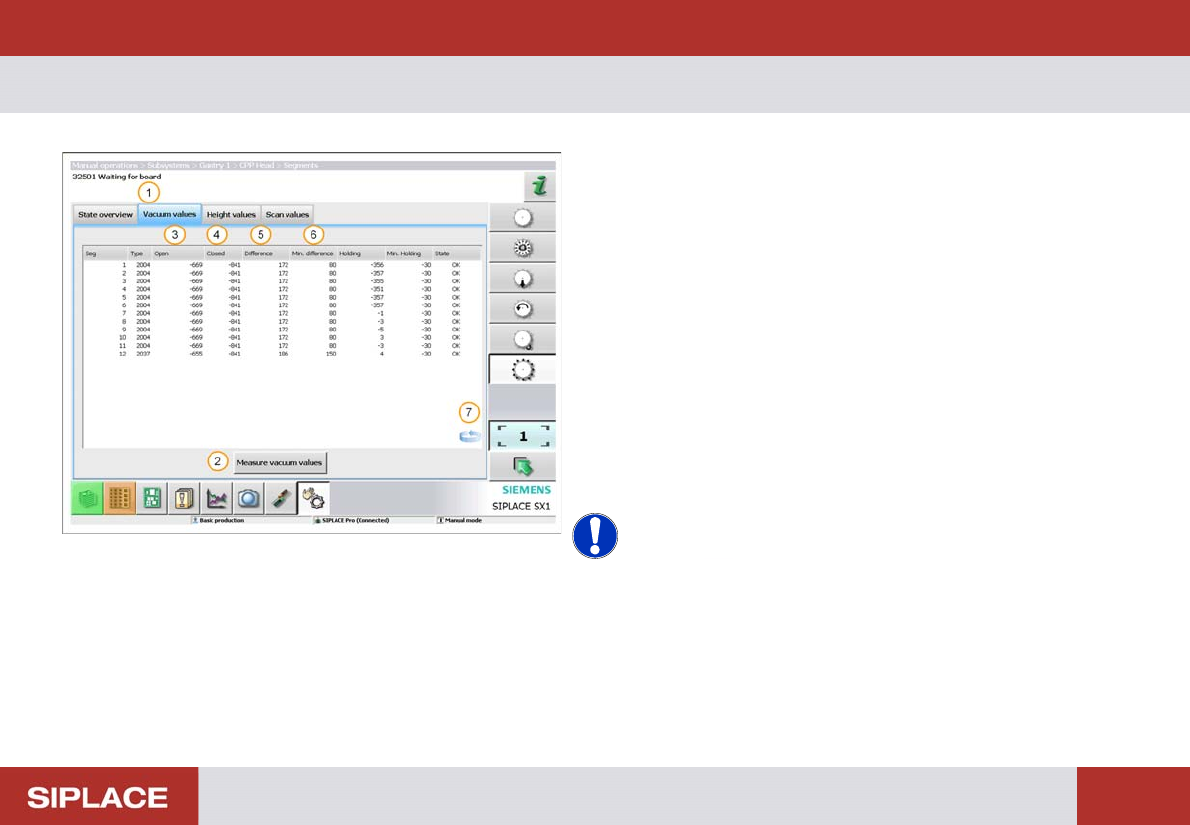
1. Click ‘Vacuum values’ tab.
2. Click ‘Measure vacuum values’ tab.
3. The ‘Open’ results will vary depending on nozzle size.
4. All ‘Closed’ results should be about the same.
5. Difference = difference between ‘Open’ & ‘Closed’
results
6. Min difference = minimum required difference
between ’Open’ and ‘Closed’ results.
7. Click on the ‘Switch Screens’ icon to view a graph of
the results.
NOTICE! If the 'Difference' value for a segment
is not between the 'Min difference' values then an error
will occur. In this event – Contact your Supervisor!