00196851-02 OG SIPLACE Operation of X and SX-Series with SSC (SW70x) - 第177页
Weekly PM (70x) - Re move Feeder Tables : 177 Remove Fee der Tables 4. Lift up the table handles and lock them in pla ce. 5. Carefully pull ou t the feeder table. 6. Store the feeder tab le i n the designated offline loc…
Weekly PM (70x) - SIPLACE X - Remove Feeder Tables :
176
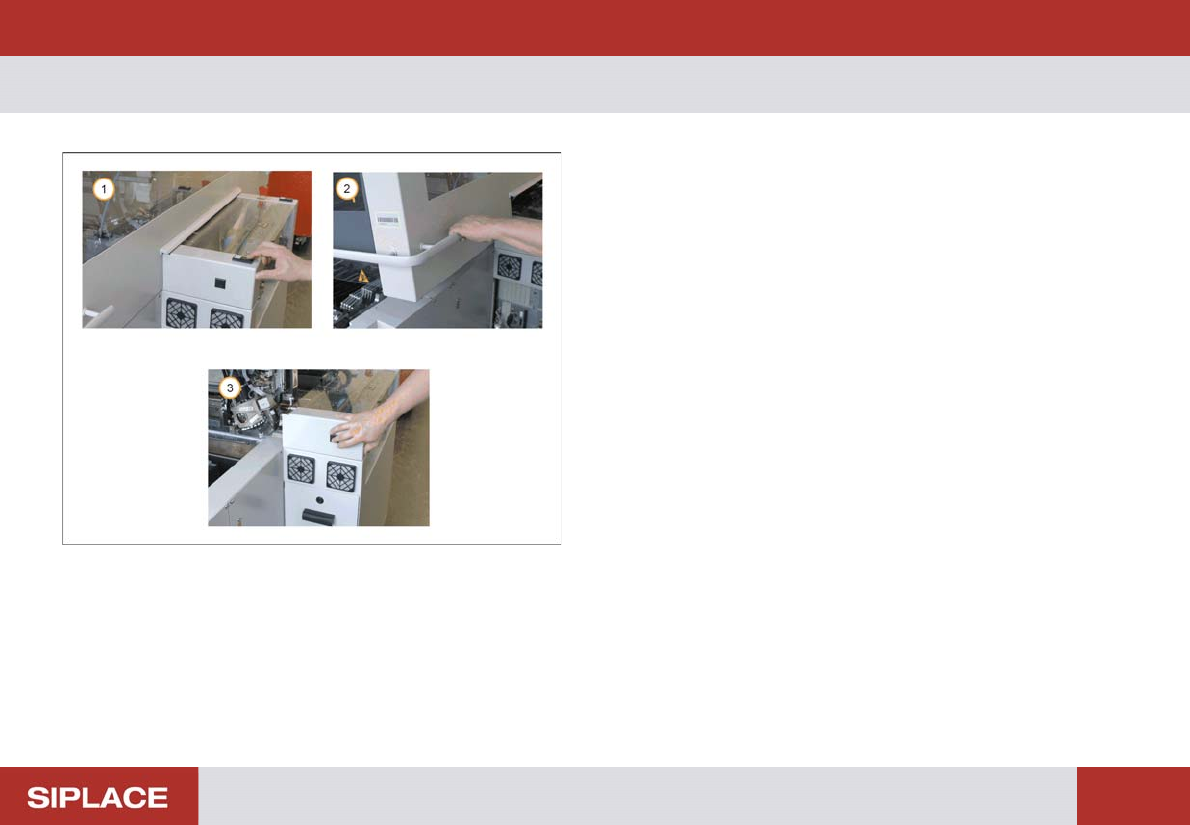
SIPLACE X - Remove Fe eder Tables
1. Press the Stop button.
2. Open the Safety Cover.
3. Press the black button until the table is fully
undocked.
Weekly PM (70x) - Remove Feeder Tables :
177
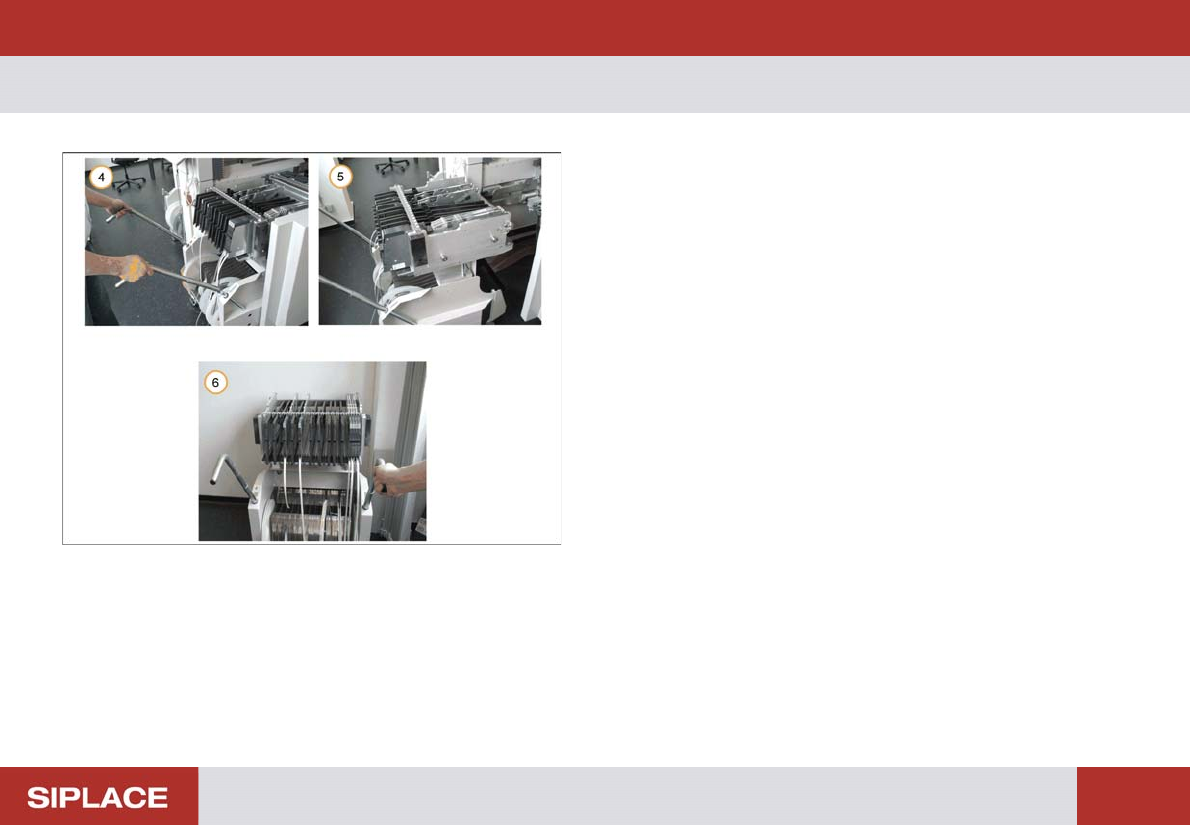
Remove Feeder Tables
4. Lift up the table handles and lock them in place.
5. Carefully pull out the feeder table.
6. Store the feeder table in the designated offline
location.
Repeat this operation for all tables on the line.
Weekly PM (70x) - Shut down the Machine. :
178
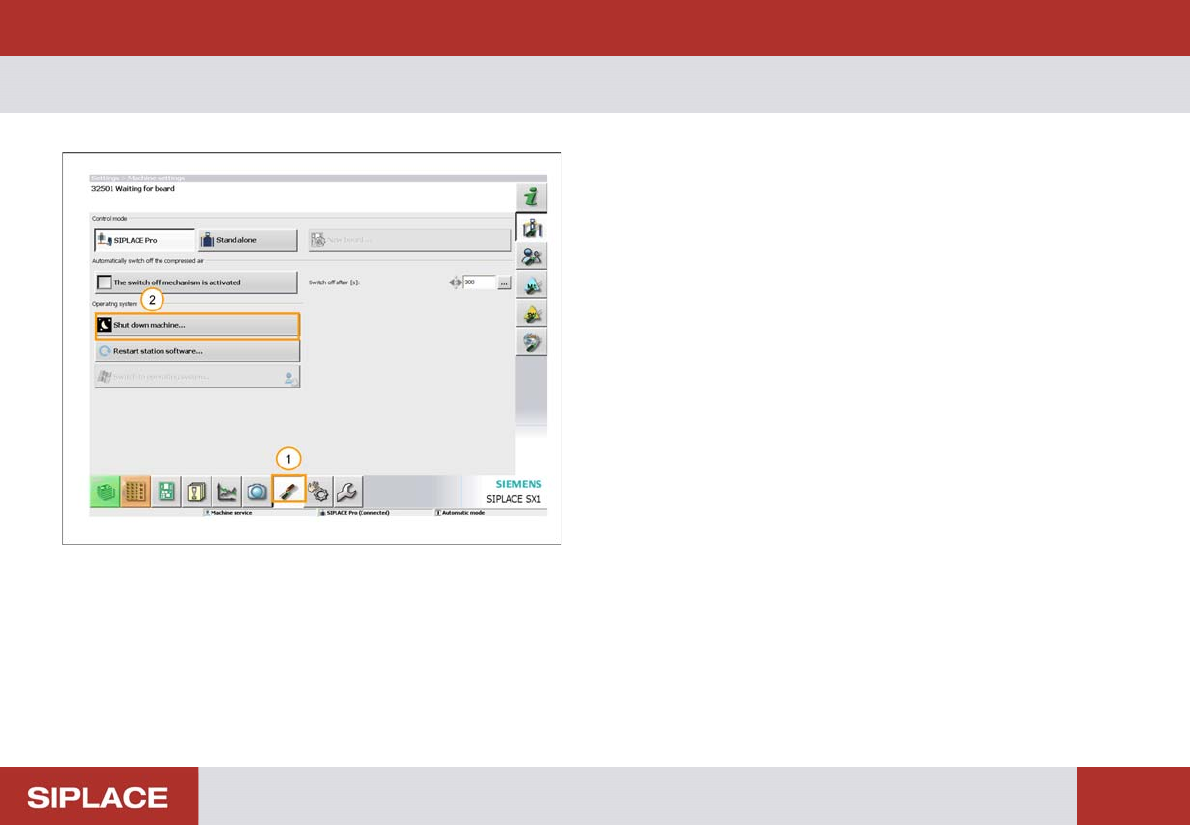
Shut down the Machine.
1. Select the ‘Settings and Options’ menu.
2. Select ‘Shut down machine’.
The machine will now shut down, this process takes
around 1 minute.
Wait until you get the message on the screen ‘Safe to
switch off the computer’ before you turn of the main
power switch of the machine.