00196851-02 OG SIPLACE Operation of X and SX-Series with SSC (SW70x) - 第46页
Setting Up X-Feeders - Inse rting the Feeder Module : 46 Inserting the Fe eder Modu le 1. Place the front slider guide into the lower alignment guide. 2. Slide the feeder along the lower alignment guide until the front c…
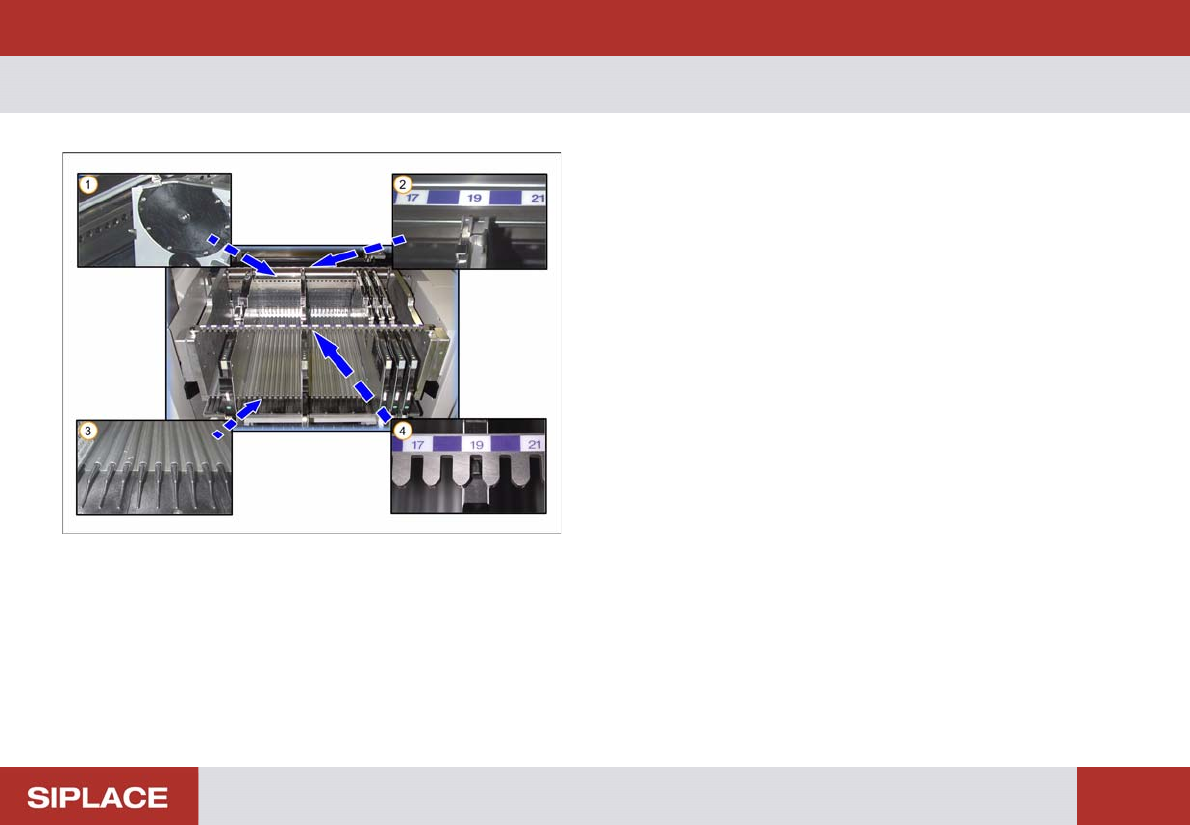
Setting Up X-Feeders - Overview - Component Table :
45
Setting Up X-Feeders
1. Centering holes – front
2. Centering – front
3. Omega profile = Lower feeder alignment guide
4. Centering bar – rear
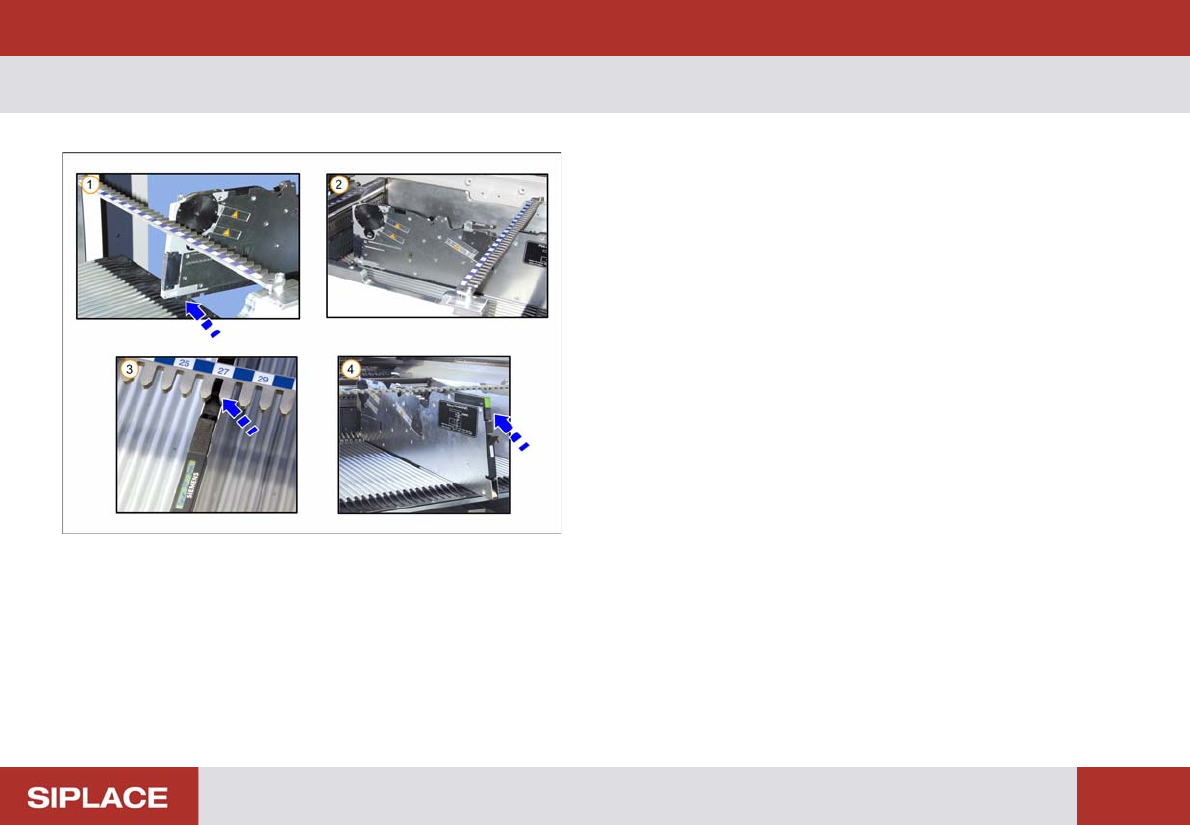
Setting Up X-Feeders - Inserting the Feeder Module :
46
Inserting the Feeder Module
1. Place the front slider guide into the lower alignment
guide.
2. Slide the feeder along the lower alignment guide until
the front centering pin locks.
3. The back centering pin must be in the correct bar.
4. The feeder registers and the status display
illuminates.
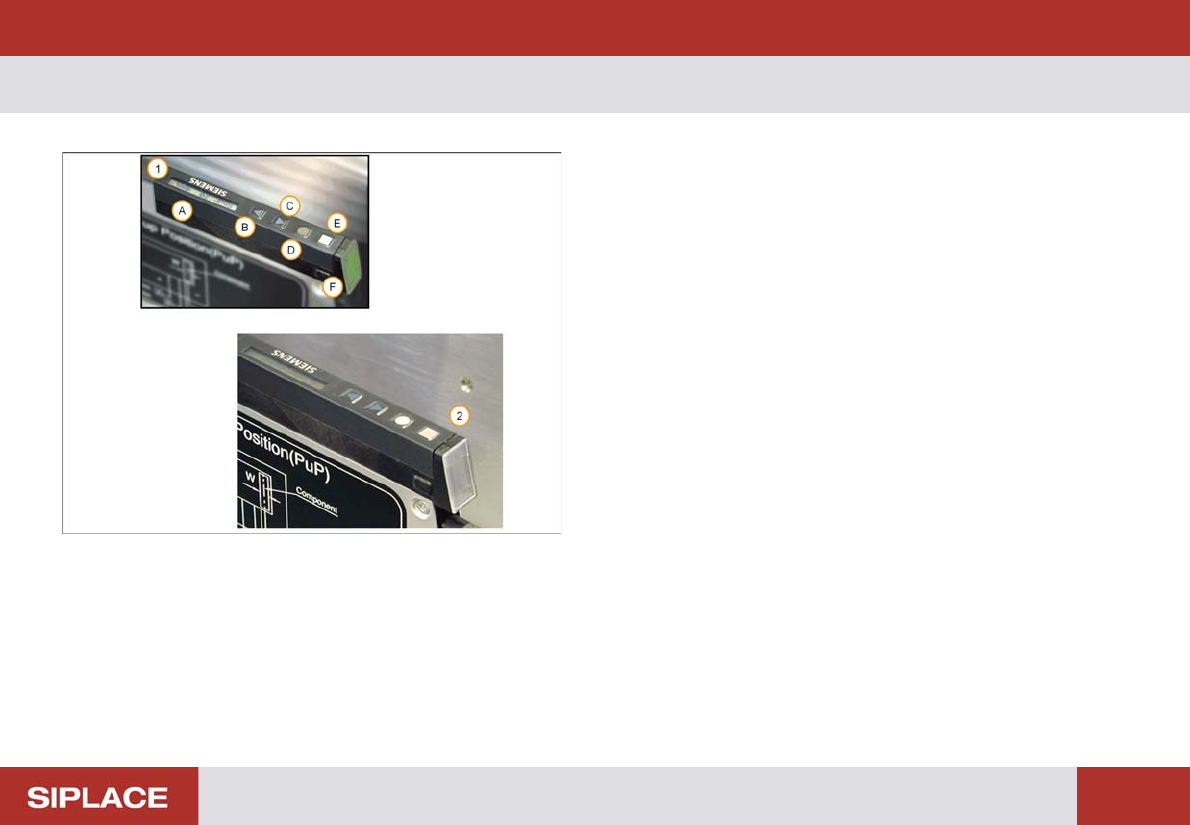
Setting Up X-Feeders - Overview - Features and Controls :
47
Overview - Features and C ontrols
1. Control Panel and status display
(A) Display
(B) Forwards button
(C) Backwards button
(D) Foil button
(E) Set button
(F) Status display
2. The status display panel color indicates the current
status
No light – feeder not in use
Green – feeder in use and loaded with correct
component.
Red – feeder deactivated by the machine
Orange – feeder requires a refill soon
Note – the orange display is only used when SIPLACE
verification software is installed at the line.