00196851-02 OG SIPLACE Operation of X and SX-Series with SSC (SW70x) - 第47页
Setting Up X-Feeders - O verview - Features and Cont rols : 47 Overview - Features and C ontrols 1. Control Panel and status display (A) Display (B) Forwards button (C) Backwards button (D) Foil button (E) Set button (F)…
Setting Up X-Feeders - Inserting the Feeder Module :
46
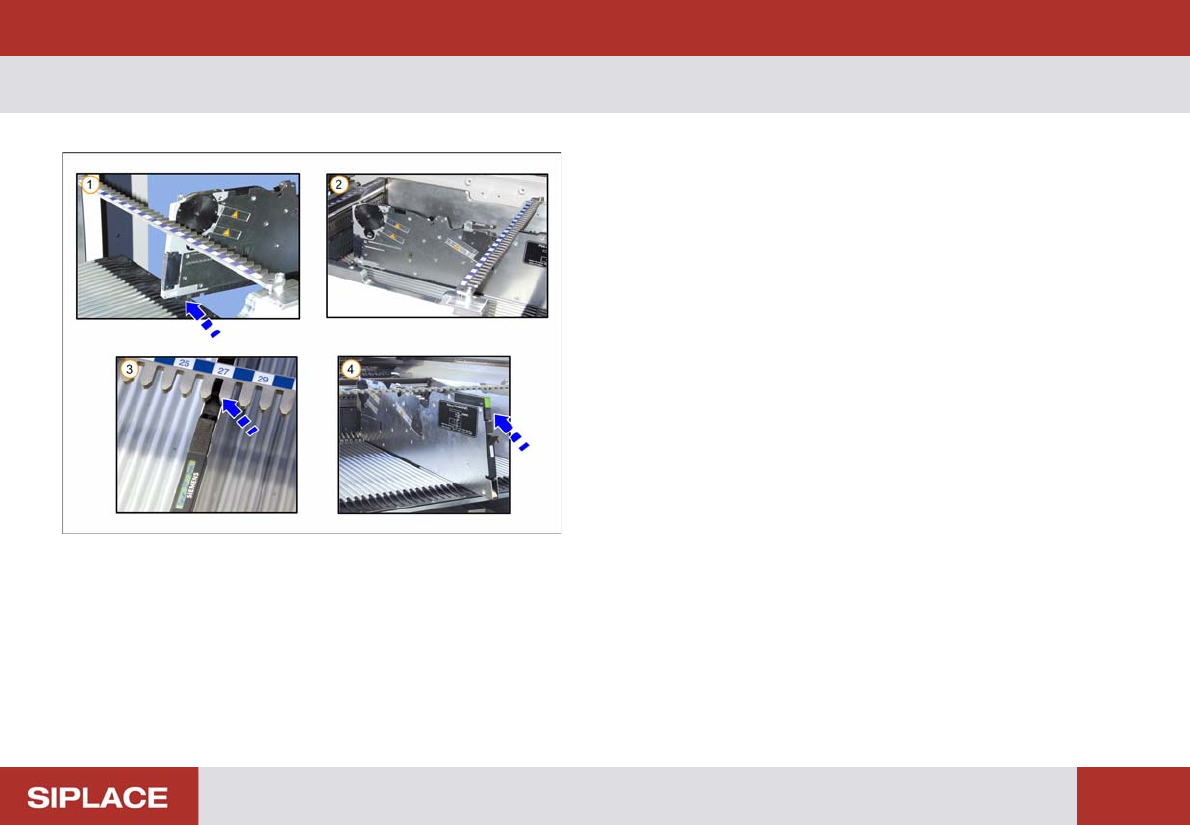
Inserting the Feeder Module
1. Place the front slider guide into the lower alignment
guide.
2. Slide the feeder along the lower alignment guide until
the front centering pin locks.
3. The back centering pin must be in the correct bar.
4. The feeder registers and the status display
illuminates.
Setting Up X-Feeders - Overview - Features and Controls :
47
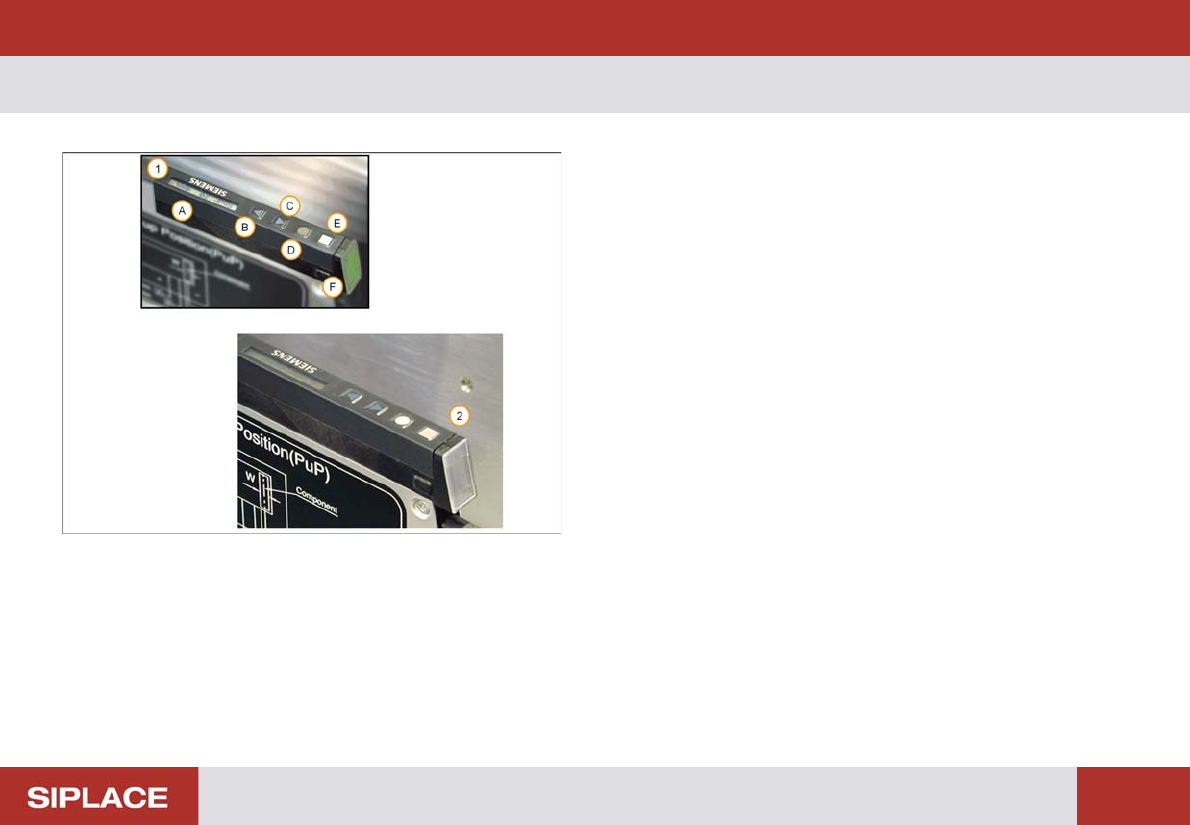
Overview - Features and C ontrols
1. Control Panel and status display
(A) Display
(B) Forwards button
(C) Backwards button
(D) Foil button
(E) Set button
(F) Status display
2. The status display panel color indicates the current
status
No light – feeder not in use
Green – feeder in use and loaded with correct
component.
Red – feeder deactivated by the machine
Orange – feeder requires a refill soon
Note – the orange display is only used when SIPLACE
verification software is installed at the line.
Setting Up X-Feeders - Preparing the Feeder - Inserting the spacer (Tape Support) :
48
Preparin g the Feeder - Inserti ng the spac er (Tape Suppor t)
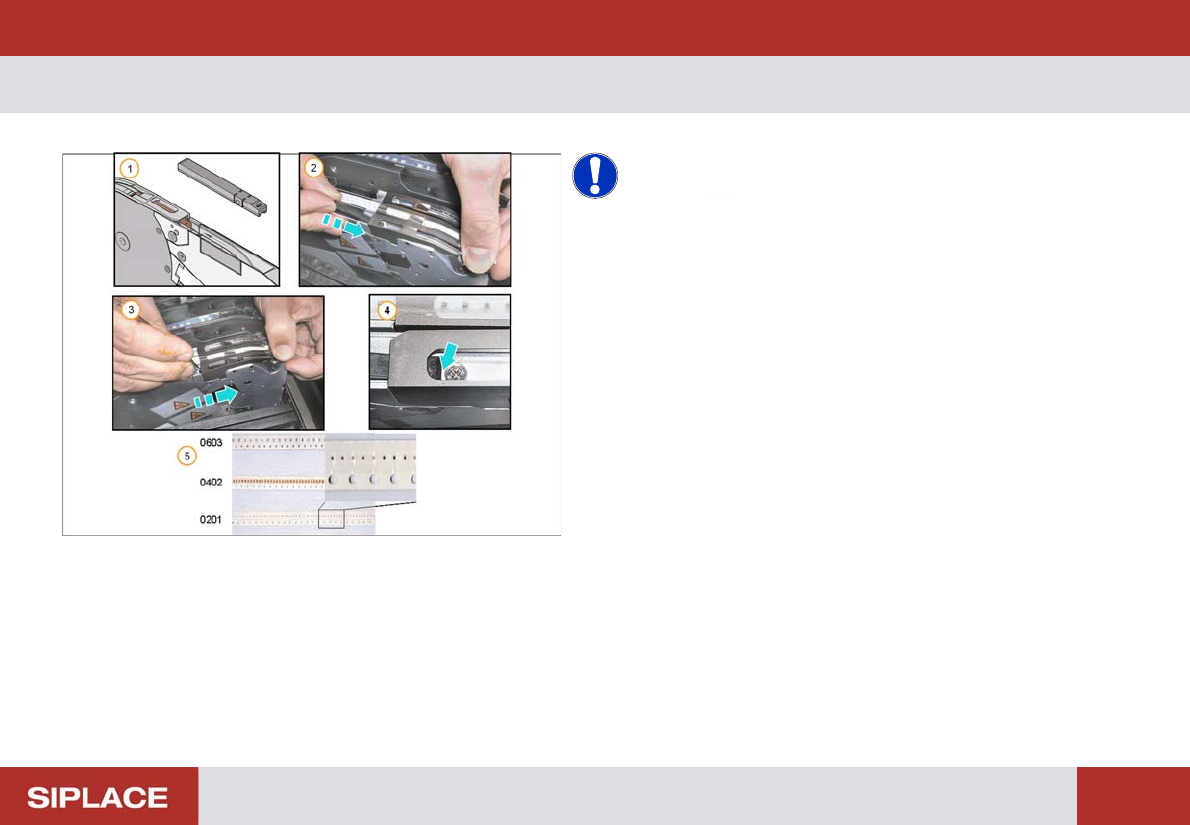
NOTICE! A spacer (tape support only for paper
tapes) should be installed below the pick-up position if
components of size 0402, or smaller, are processed. The
spacer should also be used if the components in a paper
tape are programmed to use non-contact pick-up.
1. X feeder spacer
2. Open the pick-up window and place the spacer in the
track
3. Push the spacer forward under the pick-up window
4. Ensure the locating pin on the bottom of the spacer
slots into the hole in the tape channel
5. Small Components –
0603 – no spacer needed.
0402 – spacer needed.
0201 – spacer needed.