00196851-02 OG SIPLACE Operation of X and SX-Series with SSC (SW70x) - 第49页
Setting Up X-Feeders - Preparin g the Feeder - Re moving the spac er (Tape Support) : 49 Preparing the Fee der - Rem oving the spacer ( Tape Suppor t) NOTICE! The lock mec hanism prevents the spacer from moving. 1. Open …
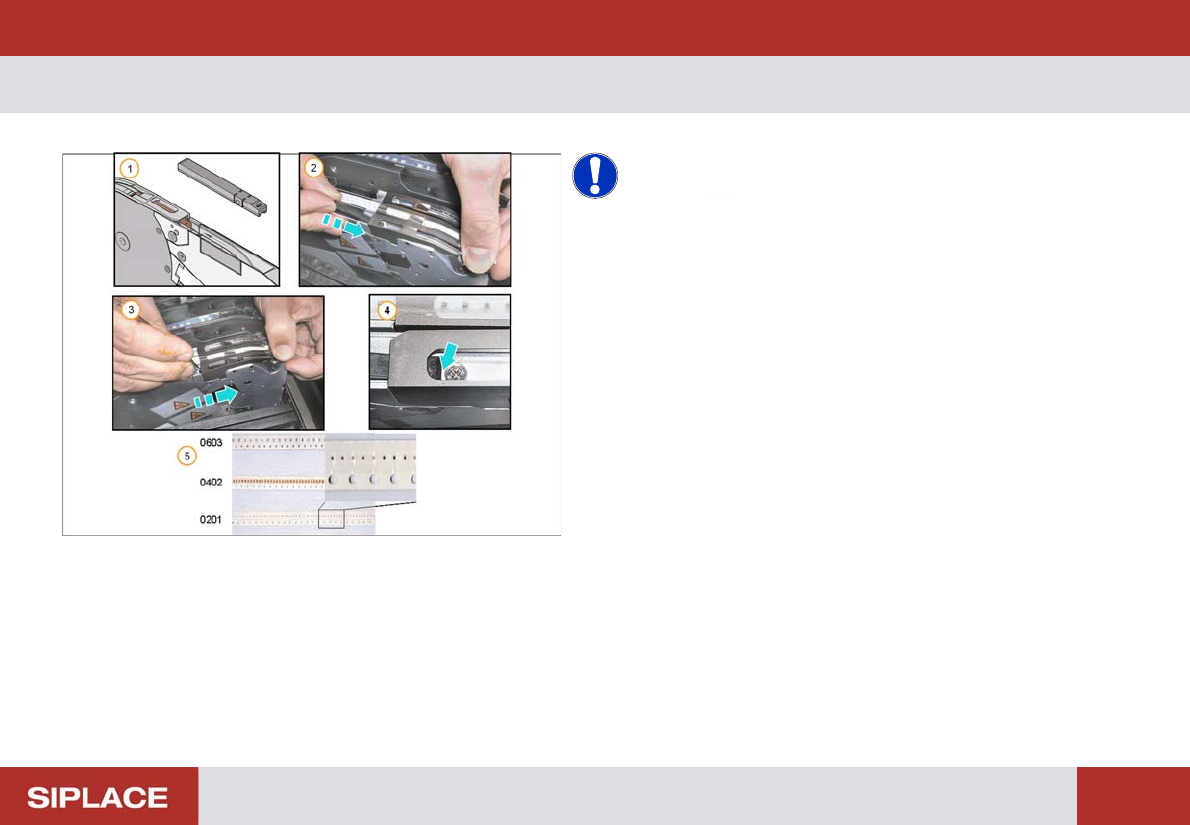
Setting Up X-Feeders - Preparing the Feeder - Inserting the spacer (Tape Support) :
48
Preparin g the Feeder - Inserti ng the spac er (Tape Suppor t)
NOTICE! A spacer (tape support only for paper
tapes) should be installed below the pick-up position if
components of size 0402, or smaller, are processed. The
spacer should also be used if the components in a paper
tape are programmed to use non-contact pick-up.
1. X feeder spacer
2. Open the pick-up window and place the spacer in the
track
3. Push the spacer forward under the pick-up window
4. Ensure the locating pin on the bottom of the spacer
slots into the hole in the tape channel
5. Small Components –
0603 – no spacer needed.
0402 – spacer needed.
0201 – spacer needed.
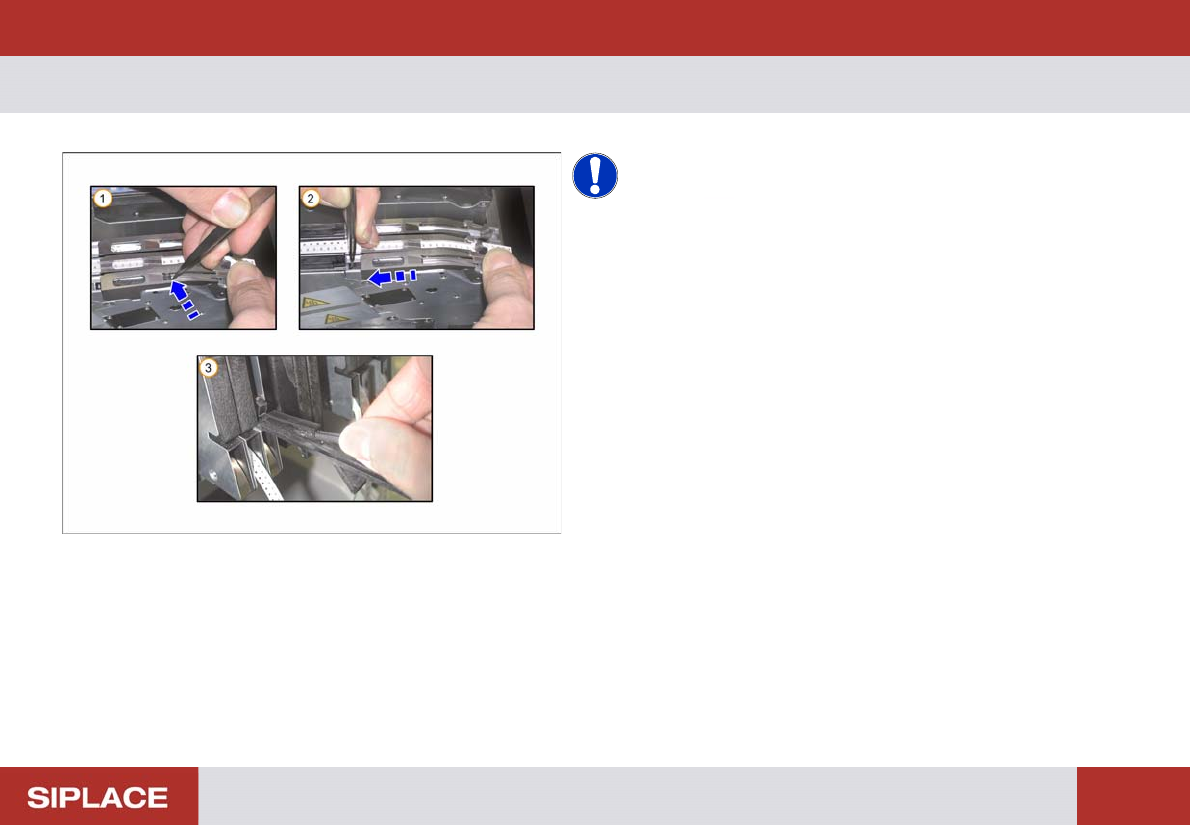
Setting Up X-Feeders - Preparing the Feeder - Removing the spacer (Tape Support) :
49
Preparing the Feeder - Removing the spacer (Tape Support)
NOTICE! The lock mechanism prevents the
spacer from moving.
1. Open the pick-up window, use tweezers or a
screwdriver to lift the spacer locating pin out of the
hole.
2. Push the spacer backwards
3. The spacer can be stored in the foil disposal flap
when not in use
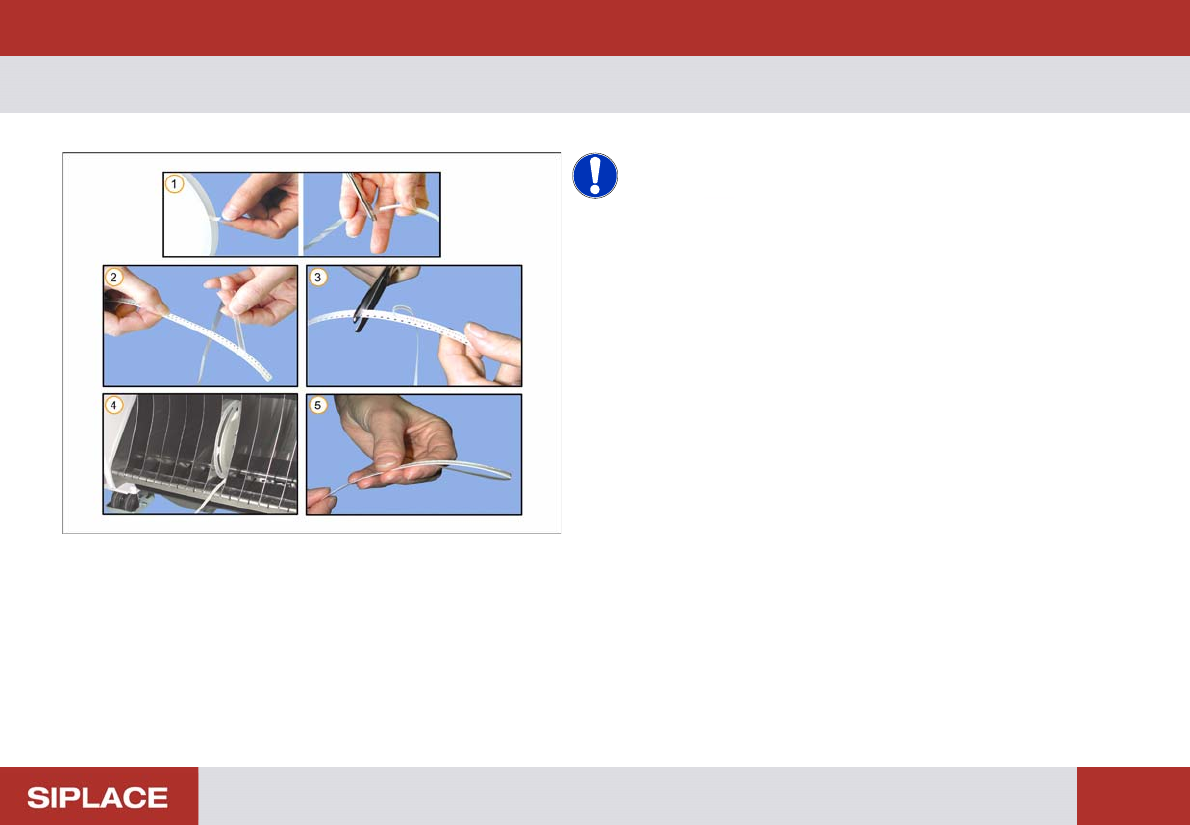
Setting Up X-Feeders - Loading Feeders - Preparation of the tape :
50
Loading F eeders - Pr eparation of the tape
NOTICE! The cover tape should be minimum
300mm longer than the carrier tape.
1. Cut off the adhesive tape
2. Remove access cover tape
3. Cut off empty carrier tape
4. Place the tape reels in the component trolley
5. Fold back the excess cover tape