00196851-02 OG SIPLACE Operation of X and SX-Series with SSC (SW70x) - 第51页
Setting Up X-Feeders - Loading Feeders - In serting the tape : 51 Loading F eeders - Ins erting the tape 1. Slide the tape into the tap e guide channel 2. Fold back excess cover tape 3. Press the lever forwards 4. Slide …
Setting Up X-Feeders - Loading Feeders - Preparation of the tape :
50
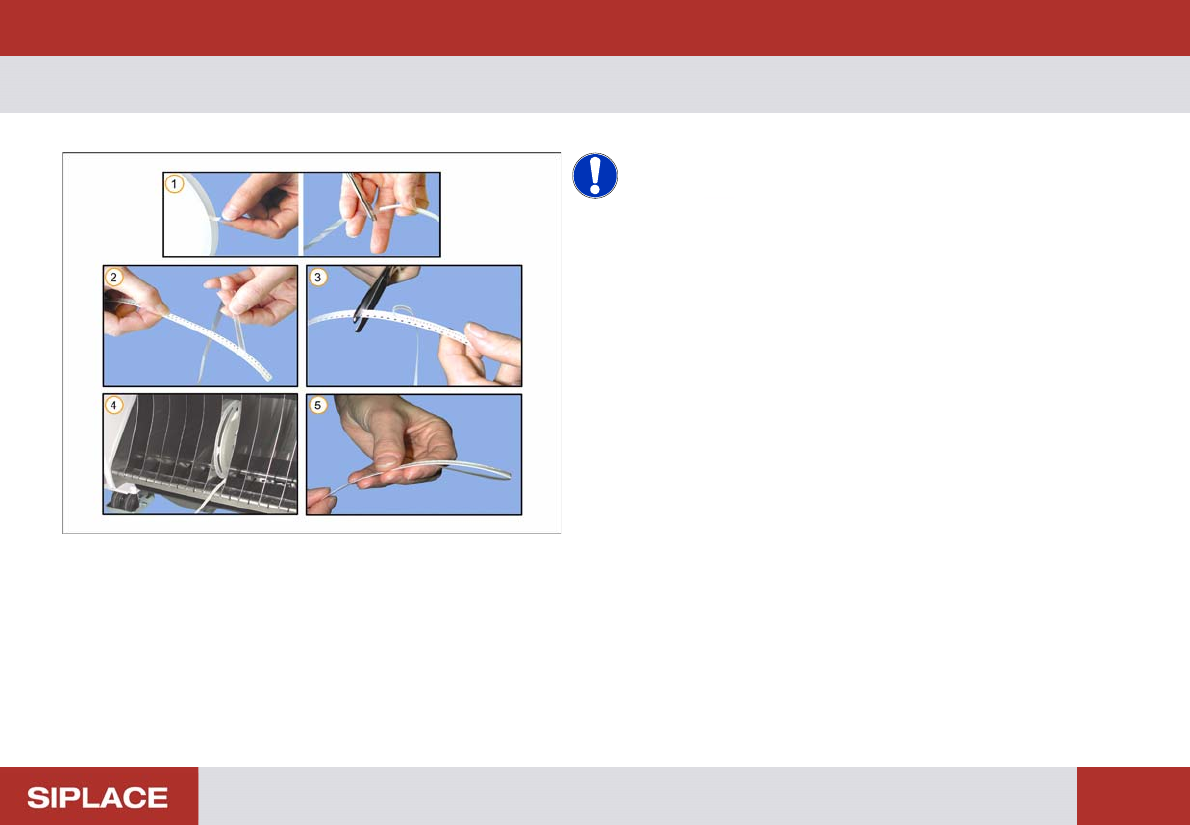
Loading F eeders - Pr eparation of the tape
NOTICE! The cover tape should be minimum
300mm longer than the carrier tape.
1. Cut off the adhesive tape
2. Remove access cover tape
3. Cut off empty carrier tape
4. Place the tape reels in the component trolley
5. Fold back the excess cover tape
Setting Up X-Feeders - Loading Feeders - Inserting the tape :
51
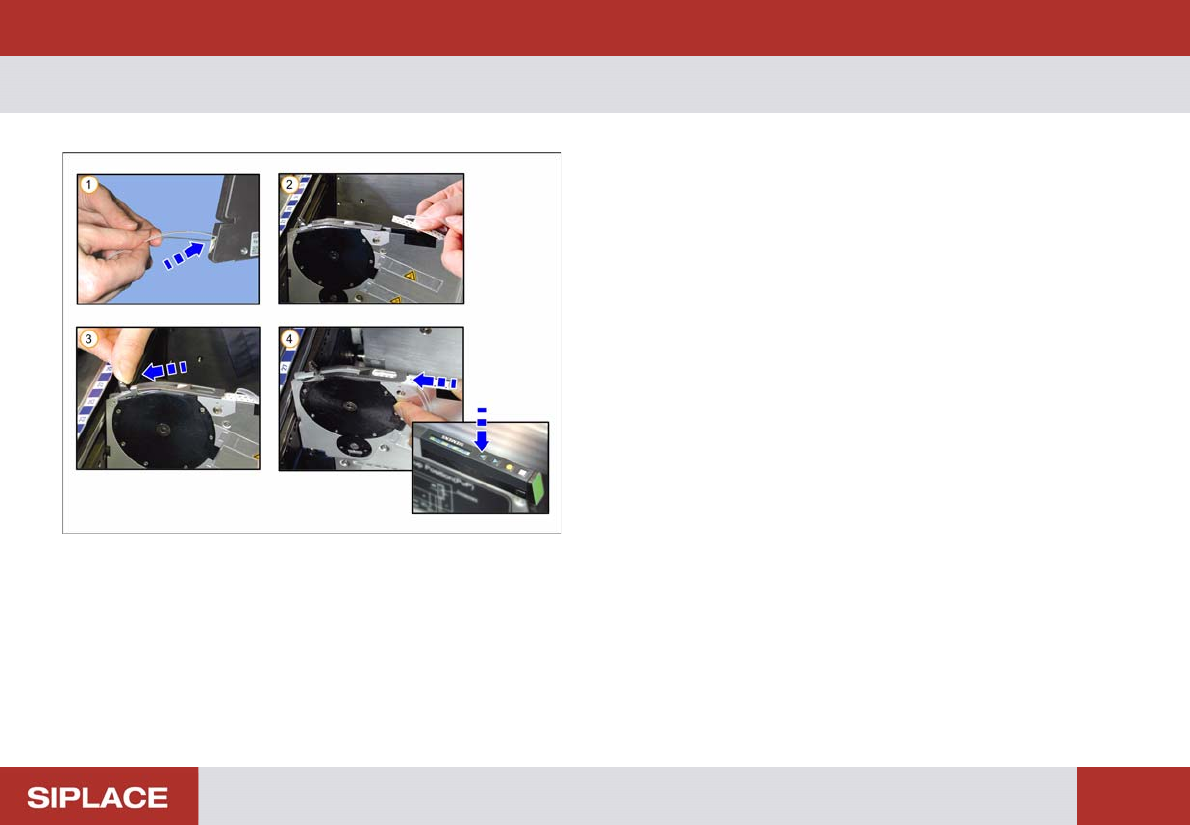
Loading F eeders - Ins erting the tape
1. Slide the tape into the tape guide channel
2. Fold back excess cover tape
3. Press the lever forwards
4. Slide the tape under the pick-up window as far as it
will go and press the Forwards button
Setting Up X-Feeders - Loading Feeders - Inserting the tape :
52
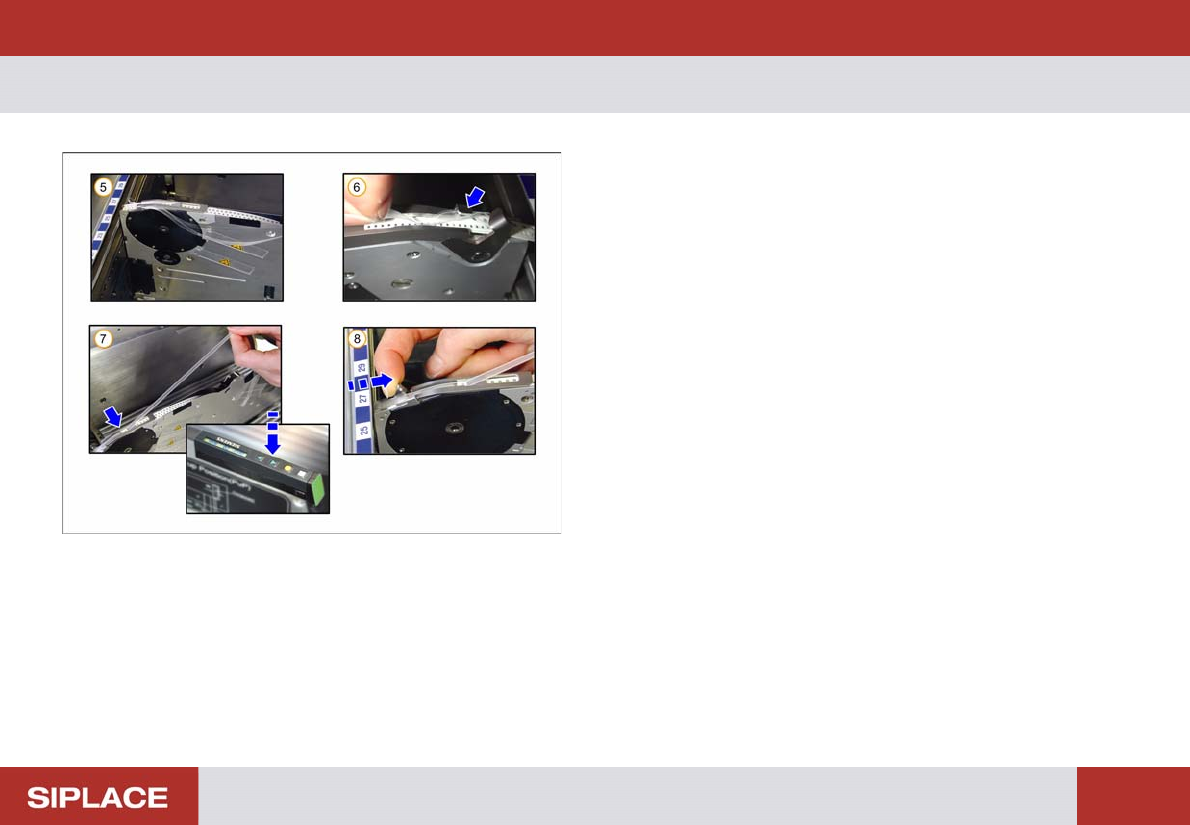
Loading F eeders - Ins erting the tape
5. Slide the cover tape to the side of the pick-up window
6. Guide the cover tape around the tape lift and pick-up
window
7. Press the Backwards button until the cover tape
reaches the removal edge and the first component is at
the correct pick-up position
8. Pull the lever back