00196851-02 OG SIPLACE Operation of X and SX-Series with SSC (SW70x) - 第56页
Setting Up X-Feeders - Co ntro l panel and status display : 56 Control panel and status di splay 1. The status display will illumi nate green if the feeder module is in use and in the correct position 2. When the feeder …
Setting Up X-Feeders - Unloading Feeders - Removing a Feeder :
55
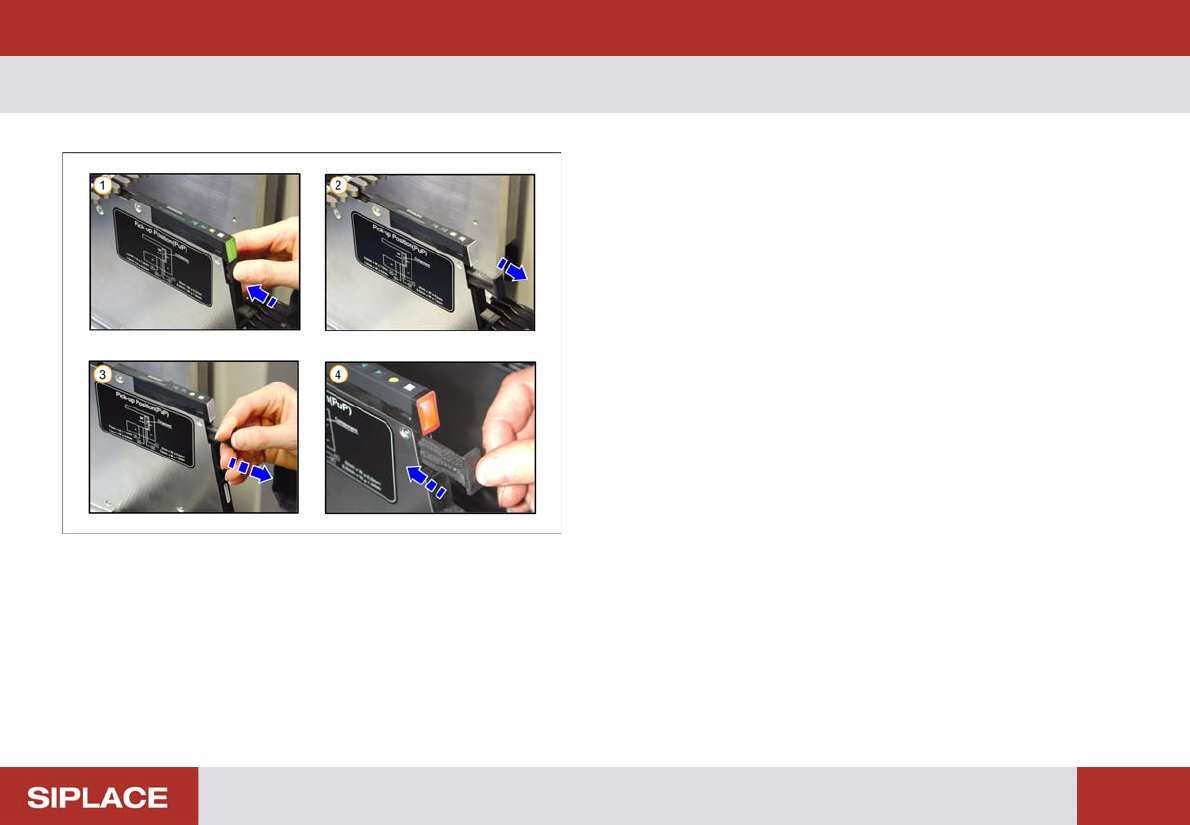
Unloading Feeders - Removing a Feeder
1. Push in the removal handle, the feeder is now
disconnected
2. The status display is not illuminated, the handle
springs out
3. Pull the handle to remove the feeder
4. If delayed the status display will turn red. Push in the
removal handle to reconnect the feeder and then
repeat steps 1 – 3
Setting Up X-Feeders - Control panel and status display :
56
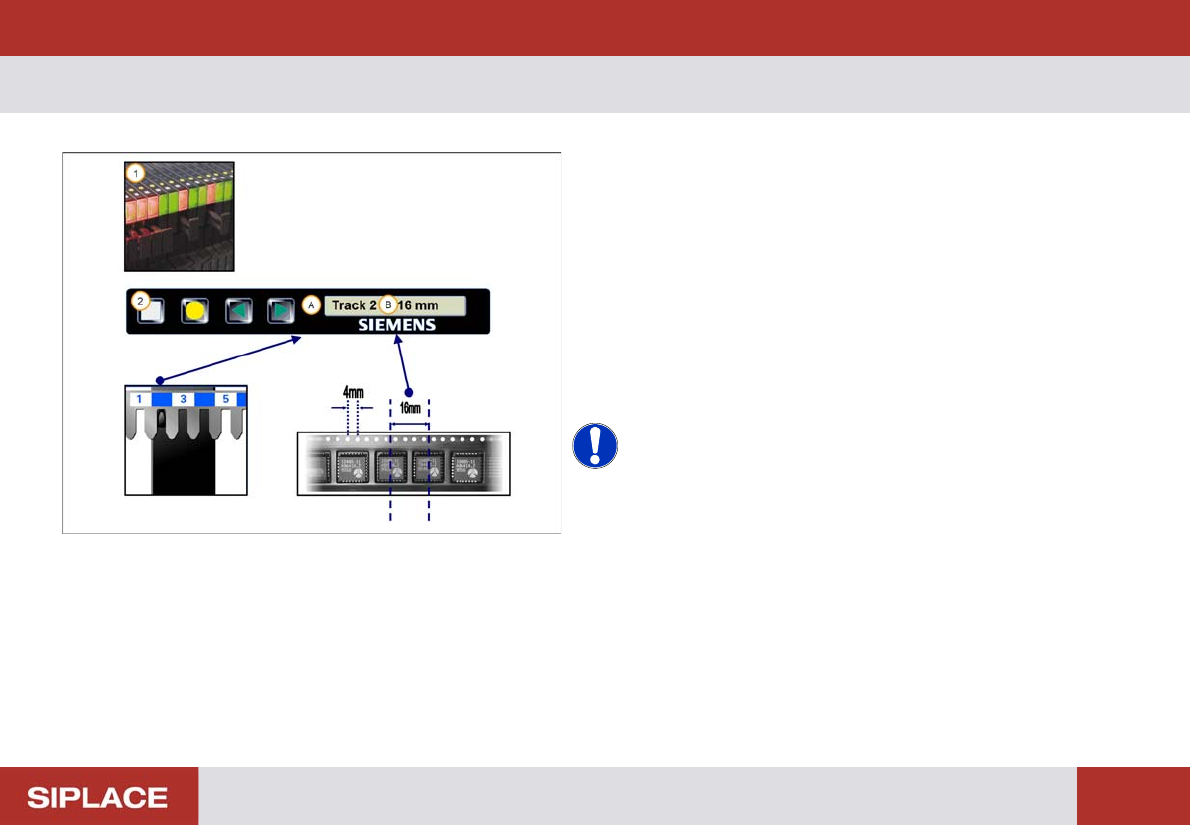
Control panel and status display
1. The status display will illuminate green if the feeder
module is in use and in the correct position
2. When the feeder is registered on the table, the track
and pitch are displayed
(A) Track = where the feeder is located on the table
(B) Pitch = distance between component centers in the
tape
NOTICE! You can determine the distance
between component centers using the holes on the tape.
The distance between each hole = 4mm. So in this case
the pitch = 4x 4 mm = 16mm
Setting Up X-Feeders - 8mm X - Pick-up positions :
57
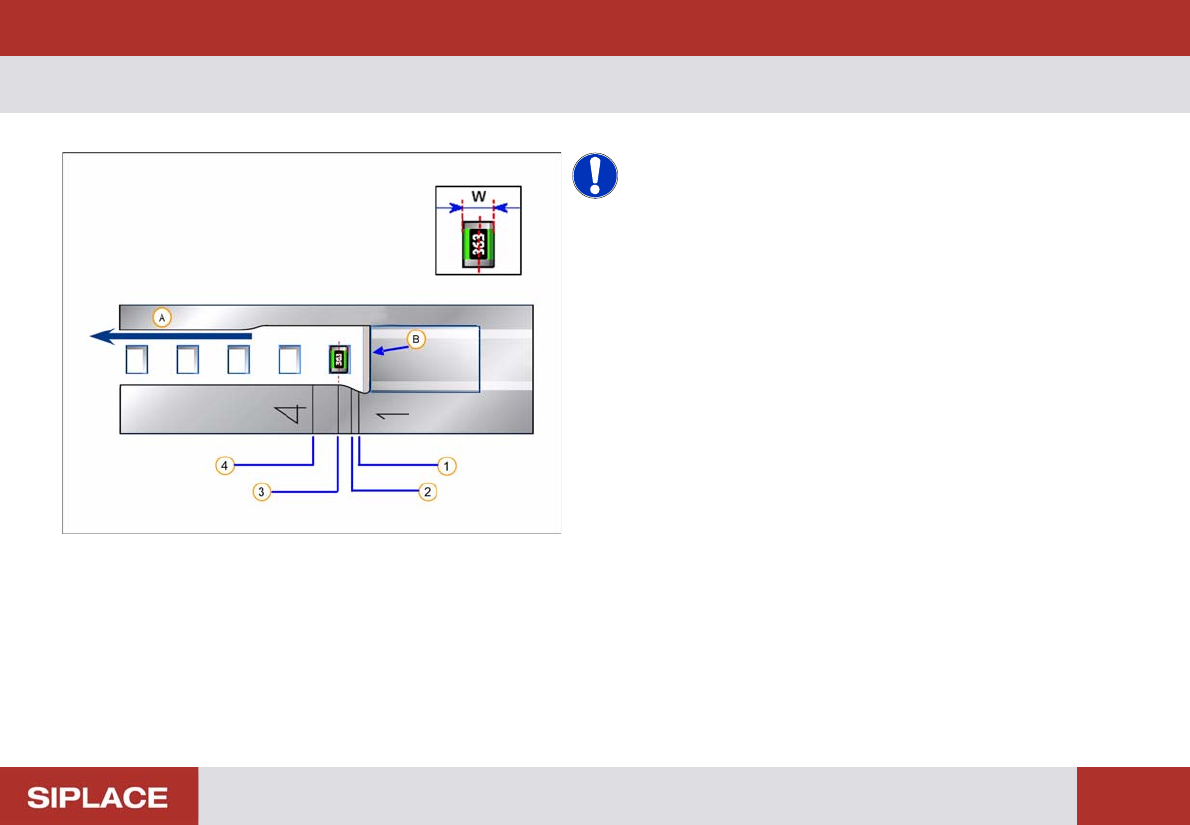
8mm X - Pick-up position s
NOTICE! W = width of component in transport
direction.
(A) Direction of tape movement
(B) Cover tape removal edge
1. Pick-up position 1 –Component width W smaller or
equal to 0.5mm (2mm pitch)
2. Pick-up position 2 - Component width W larger than
0.5 mm and smaller or equal to 1.5mm
3. Pick-up position 3 - Component width W larger than
1.5 mm and smaller or equal to 3.5mm
4. Pick-up position 4 - Component width W larger than
3.5 mm (8mm pitch)