00196851-02 OG SIPLACE Operation of X and SX-Series with SSC (SW70x) - 第57页
Setting Up X-Feeders - 8m m X - Pick-up positions : 57 8mm X - Pick-up position s NOTICE! W = width of component in transport direction. (A) Direction of tape m ovement (B) Cover tape removal edge 1. Pick-up position 1 –…
Setting Up X-Feeders - Control panel and status display :
56
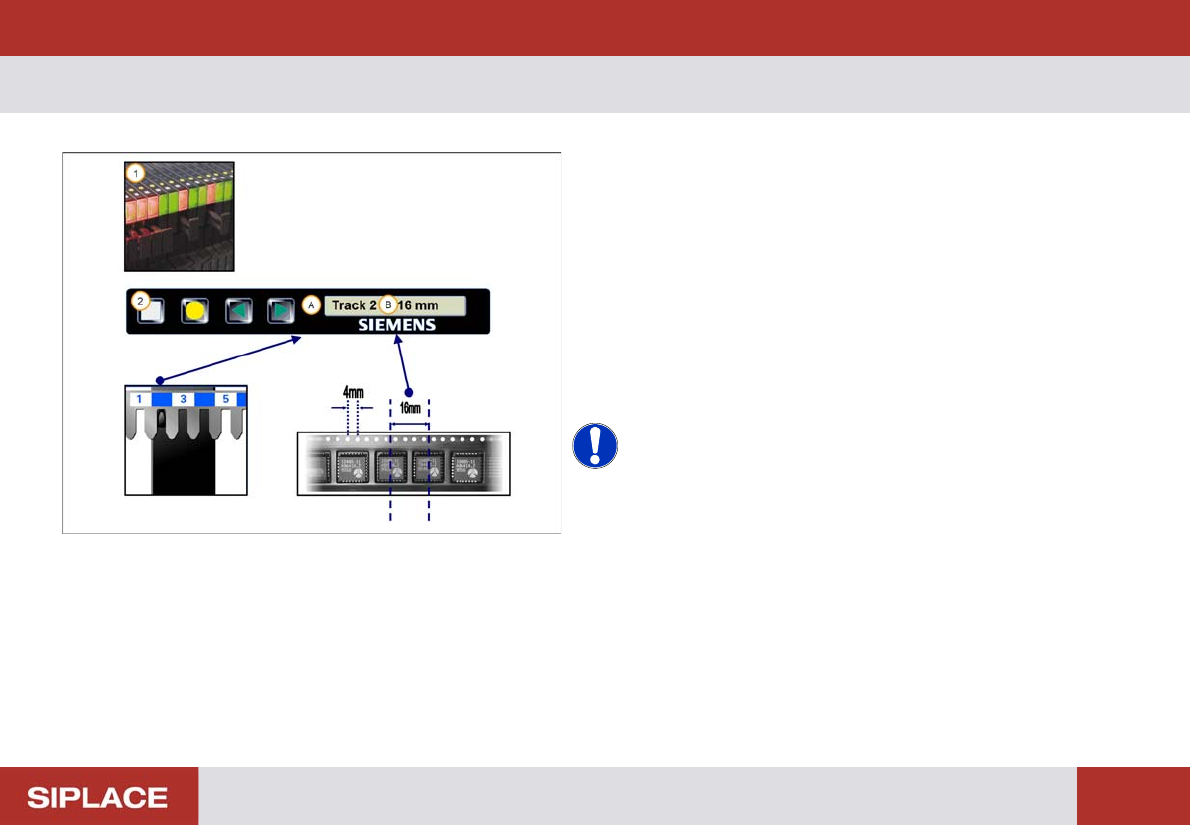
Control panel and status display
1. The status display will illuminate green if the feeder
module is in use and in the correct position
2. When the feeder is registered on the table, the track
and pitch are displayed
(A) Track = where the feeder is located on the table
(B) Pitch = distance between component centers in the
tape
NOTICE! You can determine the distance
between component centers using the holes on the tape.
The distance between each hole = 4mm. So in this case
the pitch = 4x 4 mm = 16mm
Setting Up X-Feeders - 8mm X - Pick-up positions :
57
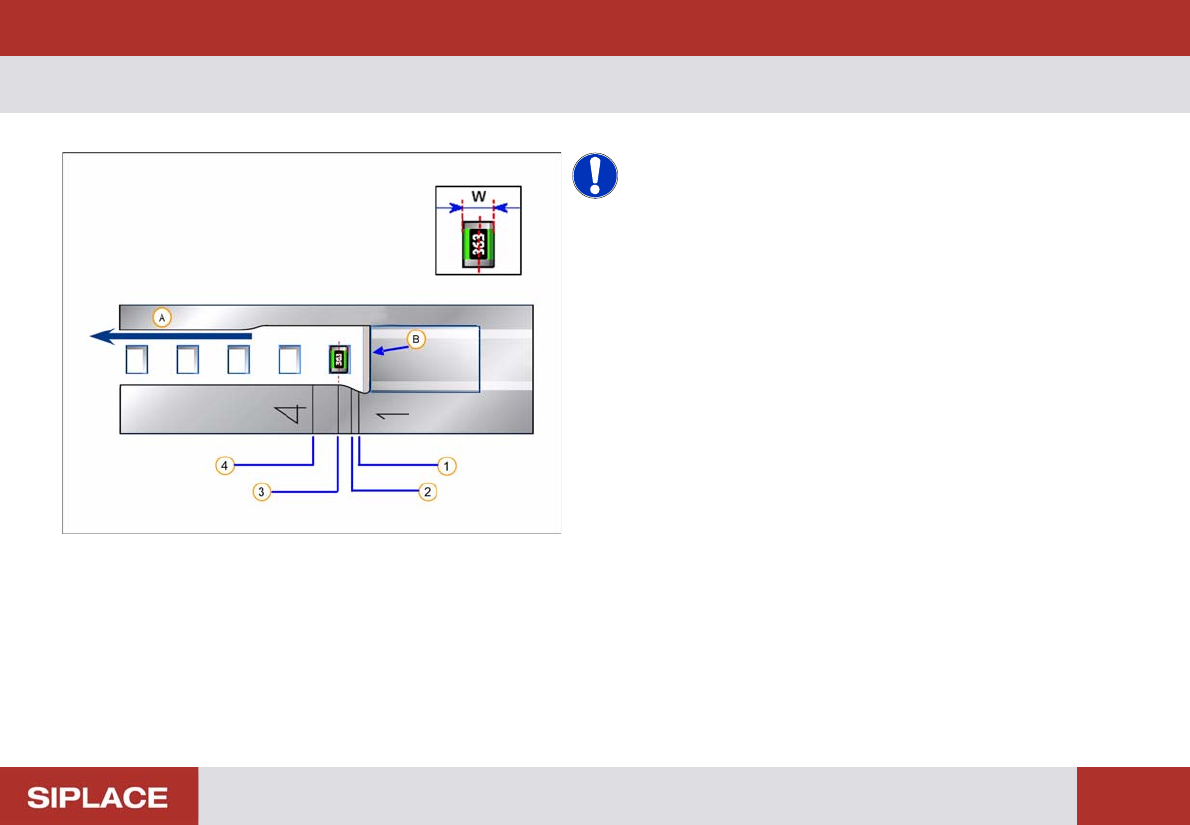
8mm X - Pick-up position s
NOTICE! W = width of component in transport
direction.
(A) Direction of tape movement
(B) Cover tape removal edge
1. Pick-up position 1 –Component width W smaller or
equal to 0.5mm (2mm pitch)
2. Pick-up position 2 - Component width W larger than
0.5 mm and smaller or equal to 1.5mm
3. Pick-up position 3 - Component width W larger than
1.5 mm and smaller or equal to 3.5mm
4. Pick-up position 4 - Component width W larger than
3.5 mm (8mm pitch)
Setting Up X-Feeders - 8mm X - Setting the Pick-up position :
58
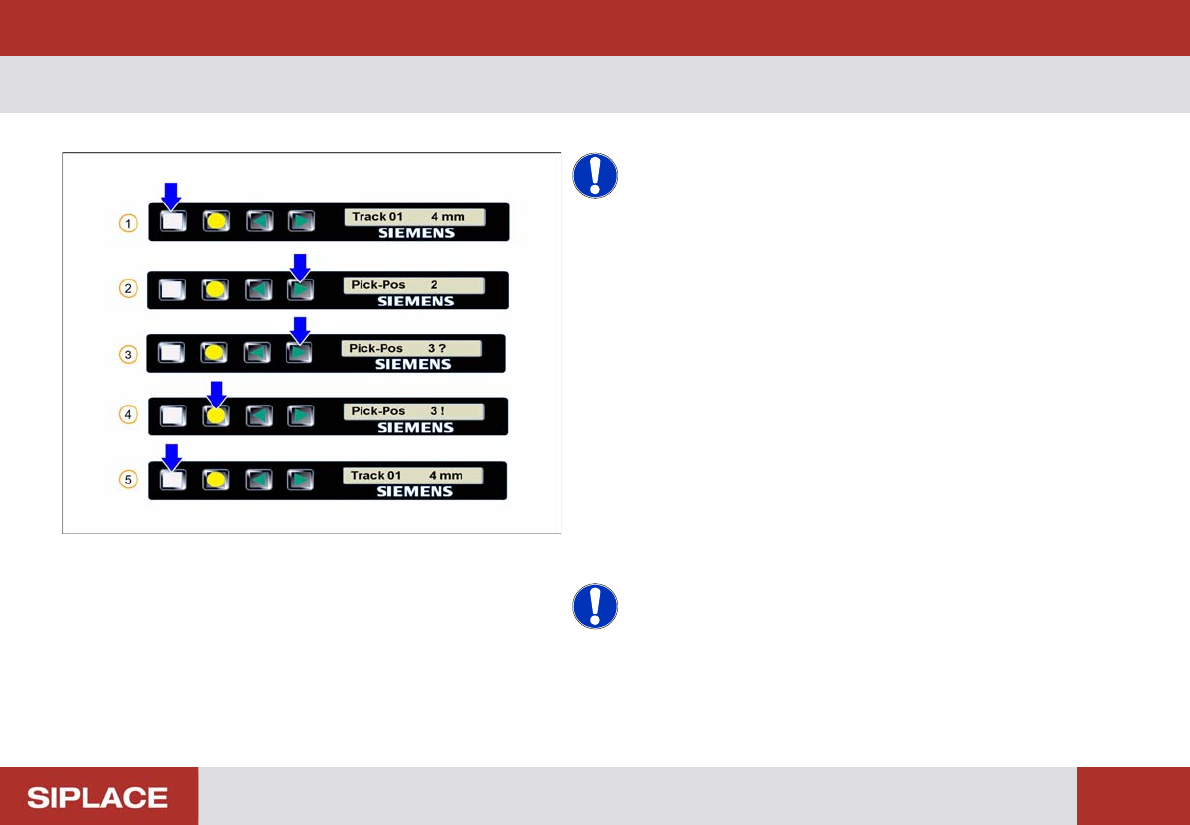
8mm X - S etting the P ick-up position
NOTICE! The settings for a 8mm feeder are set
automatically when the recipe is downloaded to the line.
The settings should be programmed at the SIPLACE Pro
computer.
1. Start screen – press the Set button.
2. Press the Forwards button – the current pick-up
position is displayed
3. Press the Forwards button again to select the correct
position – 2/ 3?/ etc..
4. Set the required pick-up position by pressing the Foil
button. A ! briefly appears until the pick-up position is
reached
5. Repeatedly press the Set button to return to the start
screen
NOTICE! The feeder will also return to the start
screen if no button is pressed for 1 minute.