00196851-02 OG SIPLACE Operation of X and SX-Series with SSC (SW70x) - 第60页
Setting Up X-Feeders - 12mm X - Setting the Pick- up position : 60 12mm X - Sett ing the Pick-up p osition 1. Start screen – press the Set button 2. Press the Forwards button – the ta pe advances in 2mm steps until the c…
Setting Up X-Feeders - 12mm X - Pick-up positions :
59
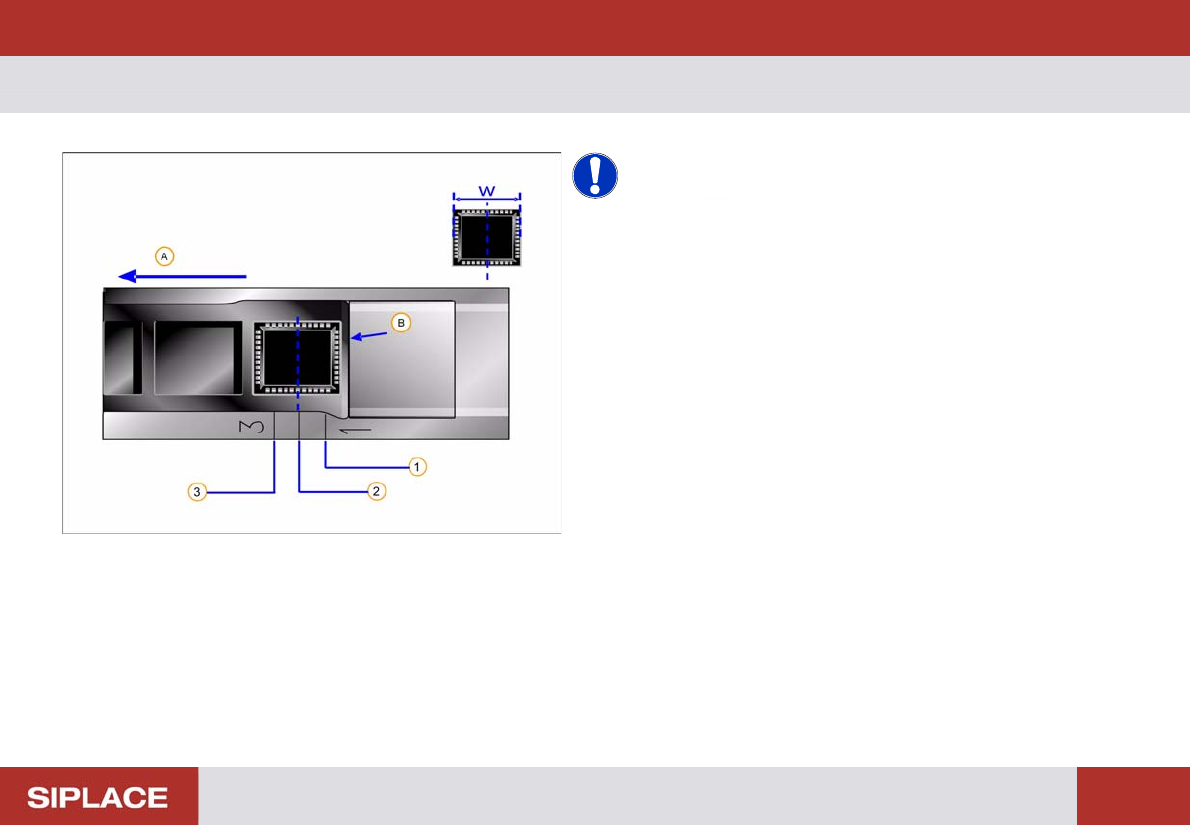
12mm X - Pick-u p positions
NOTICE! W = width of component in transport
direction.
Pick-up position = center of component.
(A) Direction of tape movement
(B) Cover tape removal edge
1. Pick-up position 1 –Component width W smaller or
equal to 3mm
2. Pick-up position 2 - Component width W larger than
3mm and smaller or equal to 7mm
3. Pick-up position 3 - Component width W larger than
7mm and smaller or equal to 11.5mm
Setting Up X-Feeders - 12mm X - Setting the Pick-up position :
60
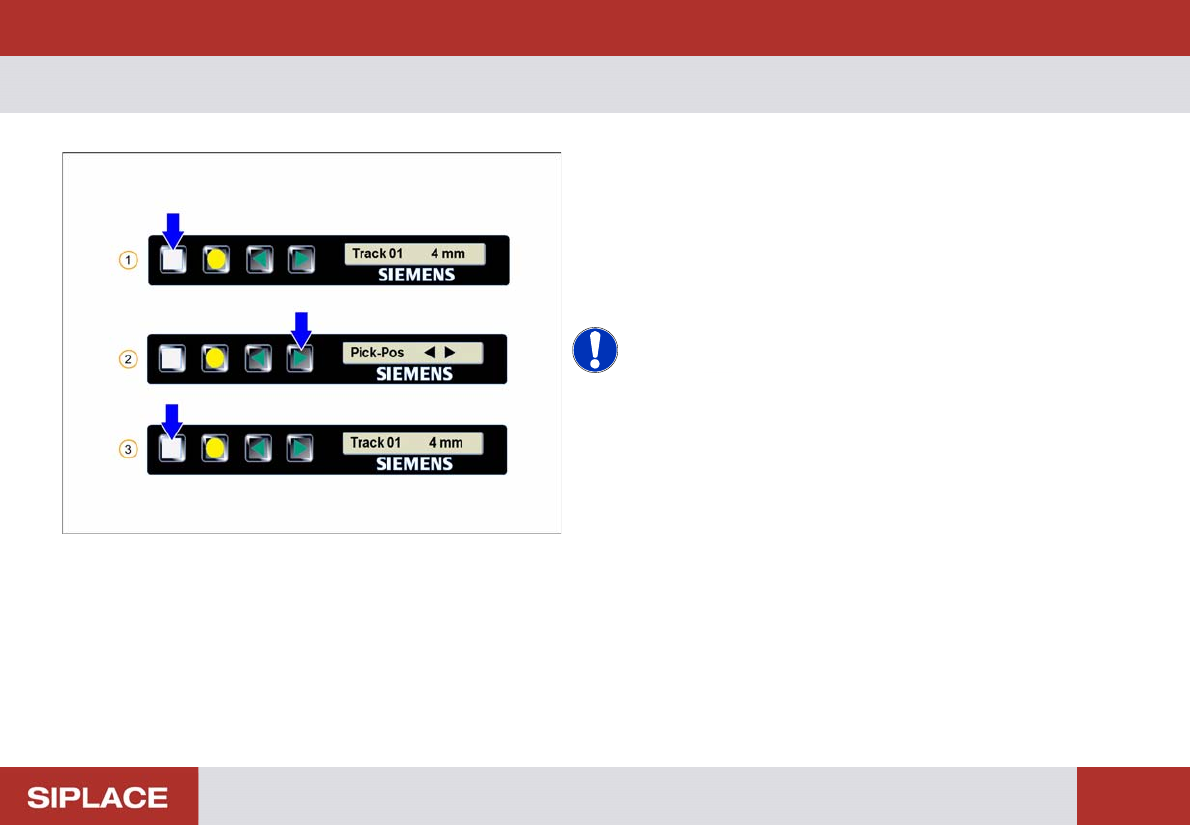
12mm X - Sett ing the Pick-up p osition
1. Start screen – press the Set button
2. Press the Forwards button – the tape advances in
2mm steps until the centre of the component is at the
correct pick-up position
3. Repeatedly press the Set button to return to the start
screen
NOTICE! The feeder will also return to the start
screen if no button is pressed for 1 minute.
Setting Up X-Feeders - 16 - 88mm X - Correct pick-up position and setting :
61
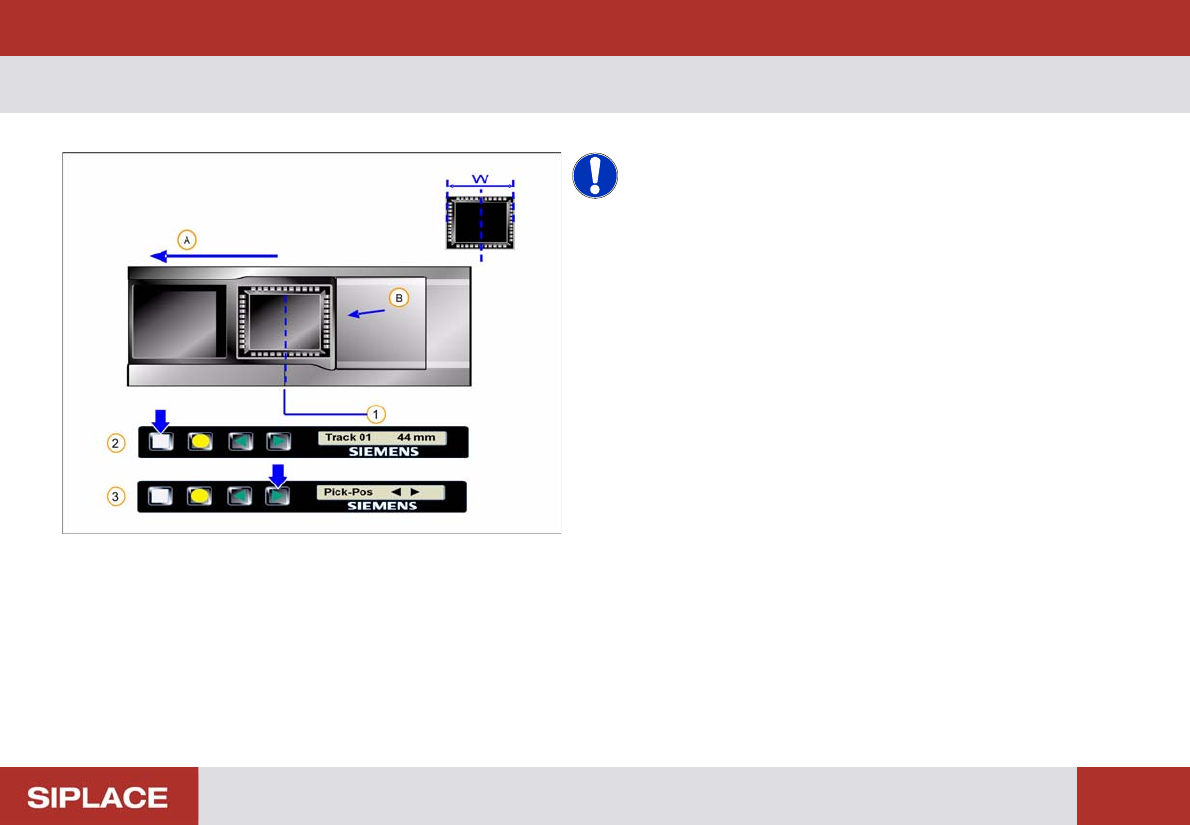
16 - 88mm X - Correct pick-up p osition and s etting
NOTICE! W = width of component in transport
direction.
Pick-up position = center of component.
(A) Direction of tape movement
(B) Cover tape removal edge
1. Pick-up position = center of component
Setting the Pick-up position.
2. Start screen – press the Set button
3. Press the Forwards button – the tape advances in
2mm steps until the centre of the component is at the
correct pick-up position