00196851-02 OG SIPLACE Operation of X and SX-Series with SSC (SW70x) - 第63页
Setting Up X-Feeders - 8 - 88 mm X - Setting the pitch : 63 8 - 88mm X - Setting the pitch 1. Start screen – press the Set button until the pitch is displayed 2. The pitch can be adjusted by pressing the Fo rwards or Bac…
Setting Up X-Feeders - 8 - 88mm X - Possible Pitch settings :
62
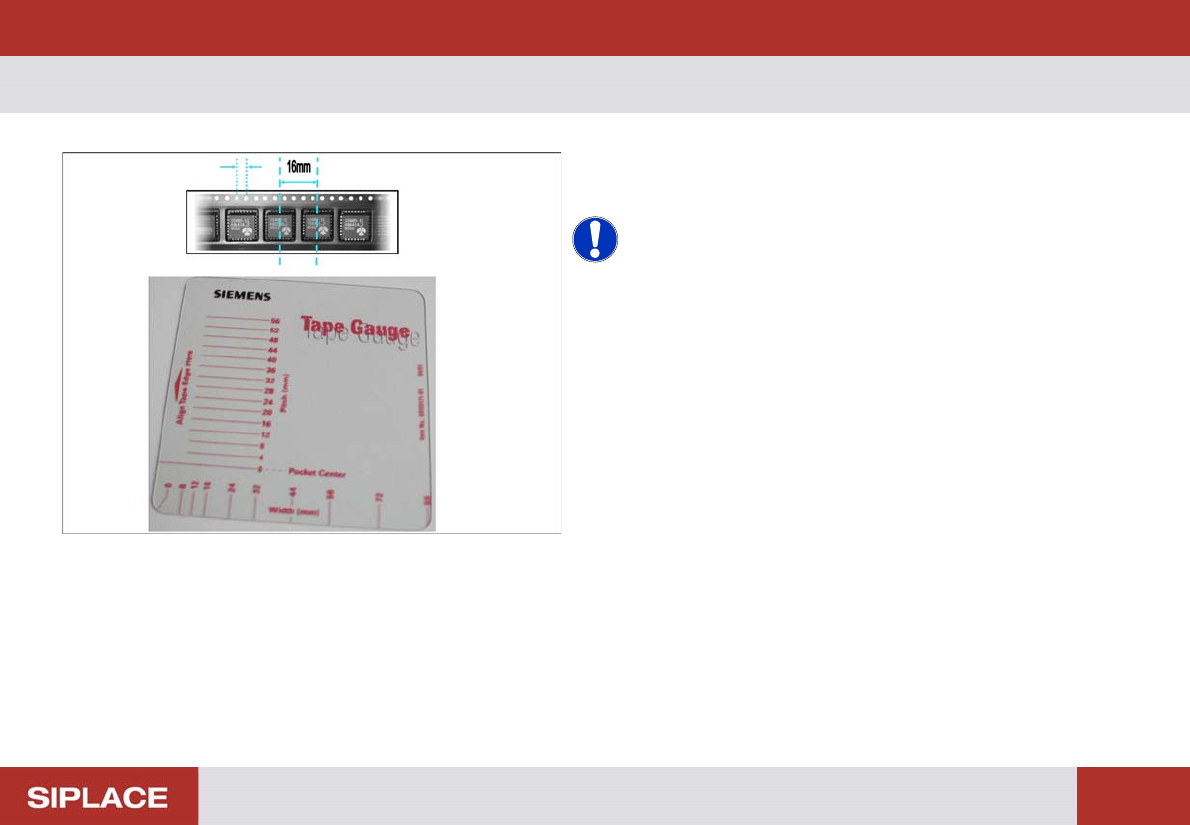
8 - 88mm X - Possible Pitch settings
Pitch = distance between component centers in the tape.
NOTICE! You can determine the distance
between component centers using the holes on the tape.
The distance between each hole = 4mm. So in this case
the pitch = 4x 4 mm = 16mm.
Use the SIPLACE tape gauge (part number 00193171-
01) to help measure the component pitch.
Setting Up X-Feeders - 8 - 88mm X - Setting the pitch :
63
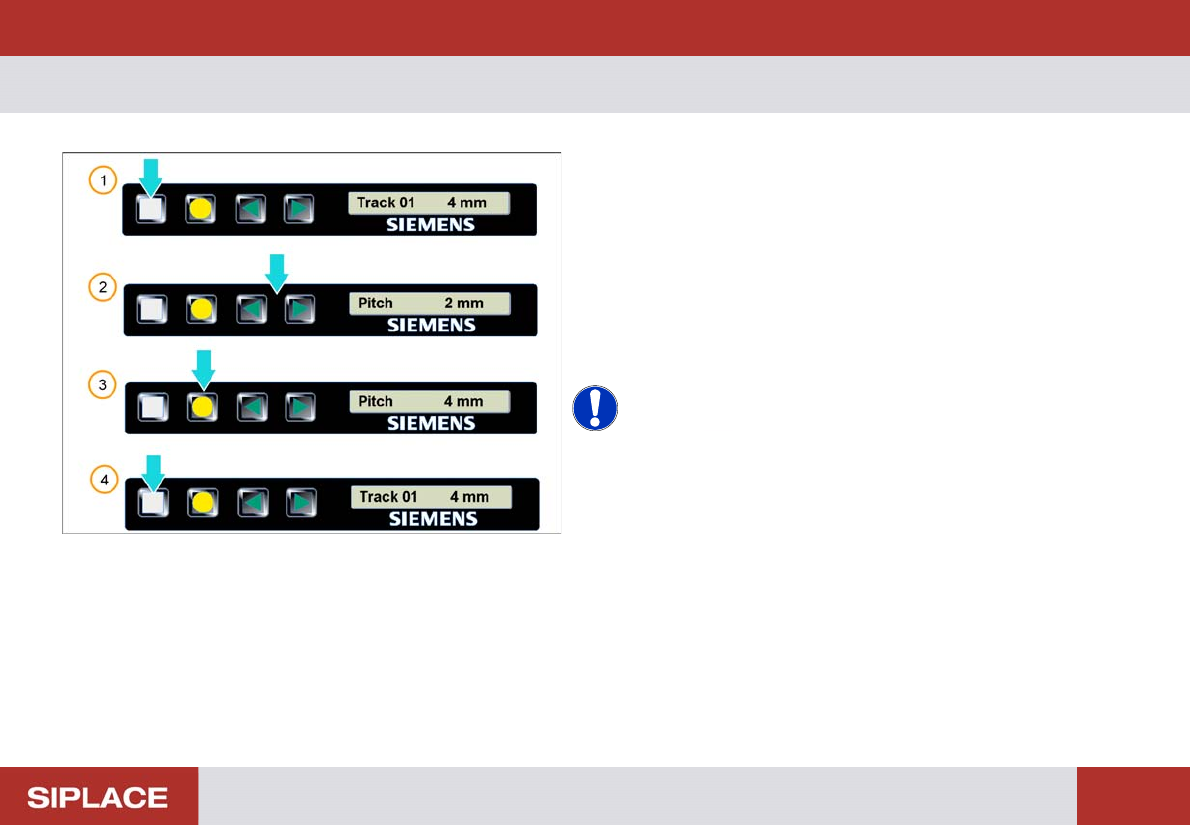
8 - 88mm X - Setting the pitch
1. Start screen – press the Set button until the pitch is
displayed
2. The pitch can be adjusted by pressing the Forwards
or Backwards buttons
3. The press the yellow Foil button to confirm the setting
- required pitch will be displayed
4. Repeatedly press the Set button to return to the start
screen.
NOTICE! The feeder will also return to the start
screen if no button is pressed for 1 minute.
Setting Up X-Feeders - 8 - 88mm X - Setting the transport speed :
64
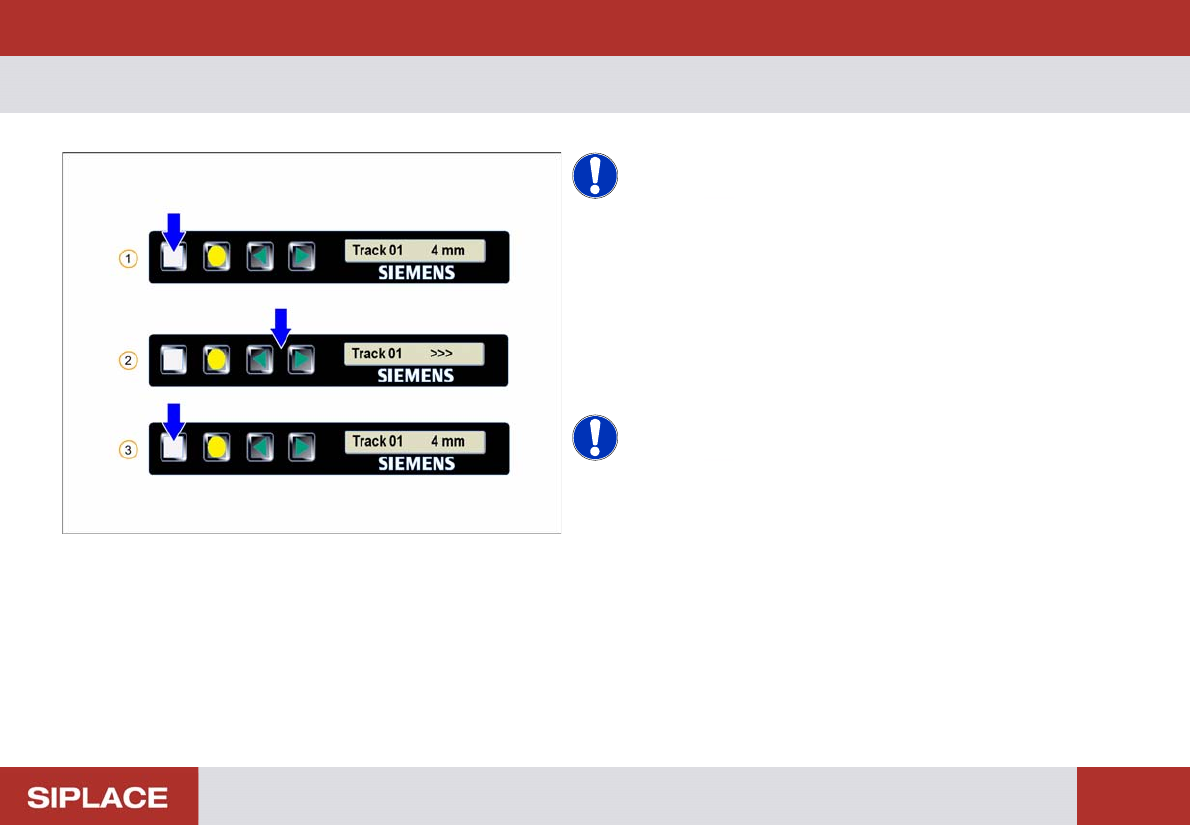
8 - 88mm X - Setting the tr ansport sp eed
NOTICE! Theses settings are set by the
machine automatically.
1. Start screen – press the Set button until the speed is
displayed
2. Set the required speed by pressing the Forwards or
Backwards buttons
3. Repeatedly press the Set button to return to the start
screen
NOTICE! > = very slow
>> = slow
>>> = standard