00196851-02 OG SIPLACE Operation of X and SX-Series with SSC (SW70x) - 第66页
Setting Up X-Feeders - Su ppor ts for heavy component reels : 66 Supports for heavy componen t reels NOTICE! Heavy component reels should be supported using special pins. 1. Insert the pin into the hole in the center of …
Setting Up X-Feeders - Offline Setup Verification :
65
Offline Setup V erification
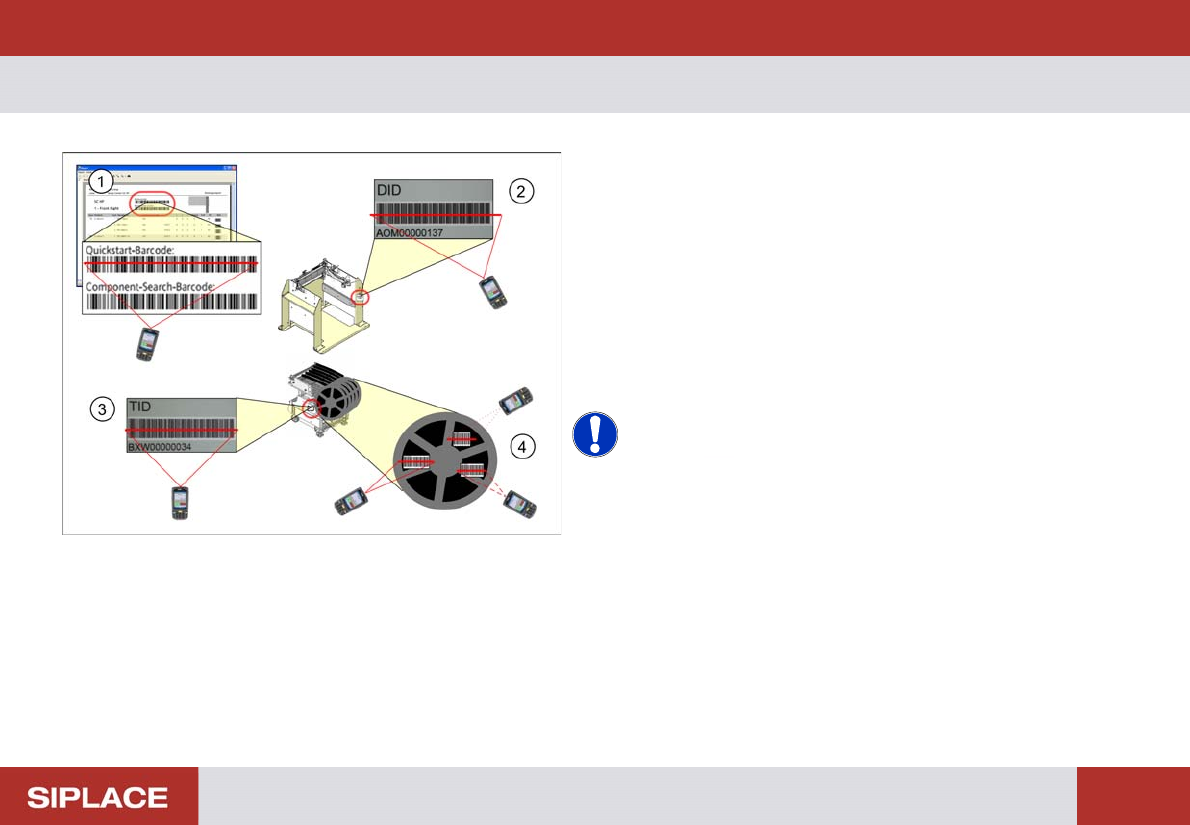
1. Scan the control barcode Quickstart-Barcode of the
location to be verified from setup report.
2. Scan the Docking station barcode. (This step is only
necessary if it concerns a X table.)
3. Scan the COT (change over table) barcode and
watch the barcode reader display.
4. Scan all configured barcodes of the packaging unit.
Repeat step 4 until all the necessary tracks for the
current job are verified.
NOTICE! Depending on the configuration of
Setup Center further steps can be necessary during
offline setup verification. Therefore always watch the
display of the barcode scanner.
e.g. scanning of user or reordering a packaging unit.
Setting Up X-Feeders - Supports for heavy component reels :
66
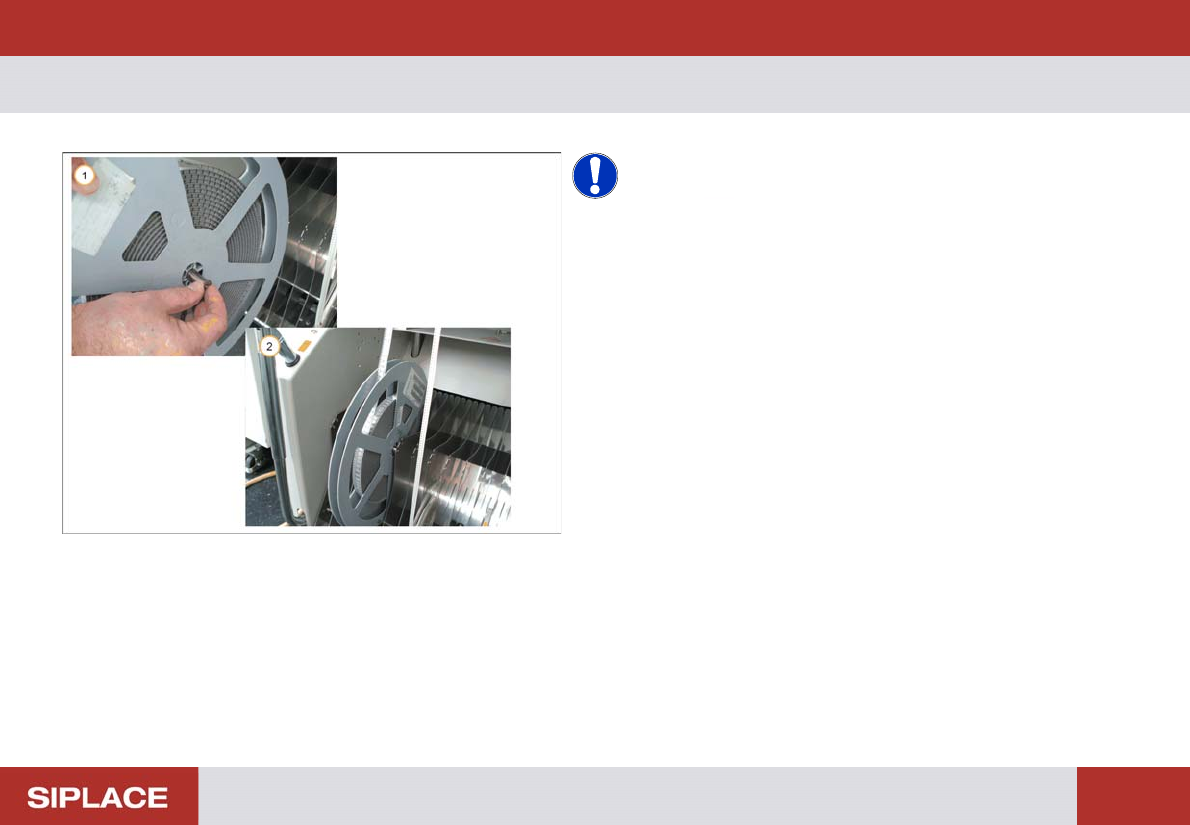
Supports for heavy component reels
NOTICE! Heavy component reels should be
supported using special pins.
1. Insert the pin into the hole in the center of the reel.
2. Fit the pin into the notches of the separator plates so
that the reel is suspended and can move easily.
SW 703 Changing the tables - Changing of Table - Preparation :
67
SW 703 Ch anging the tables
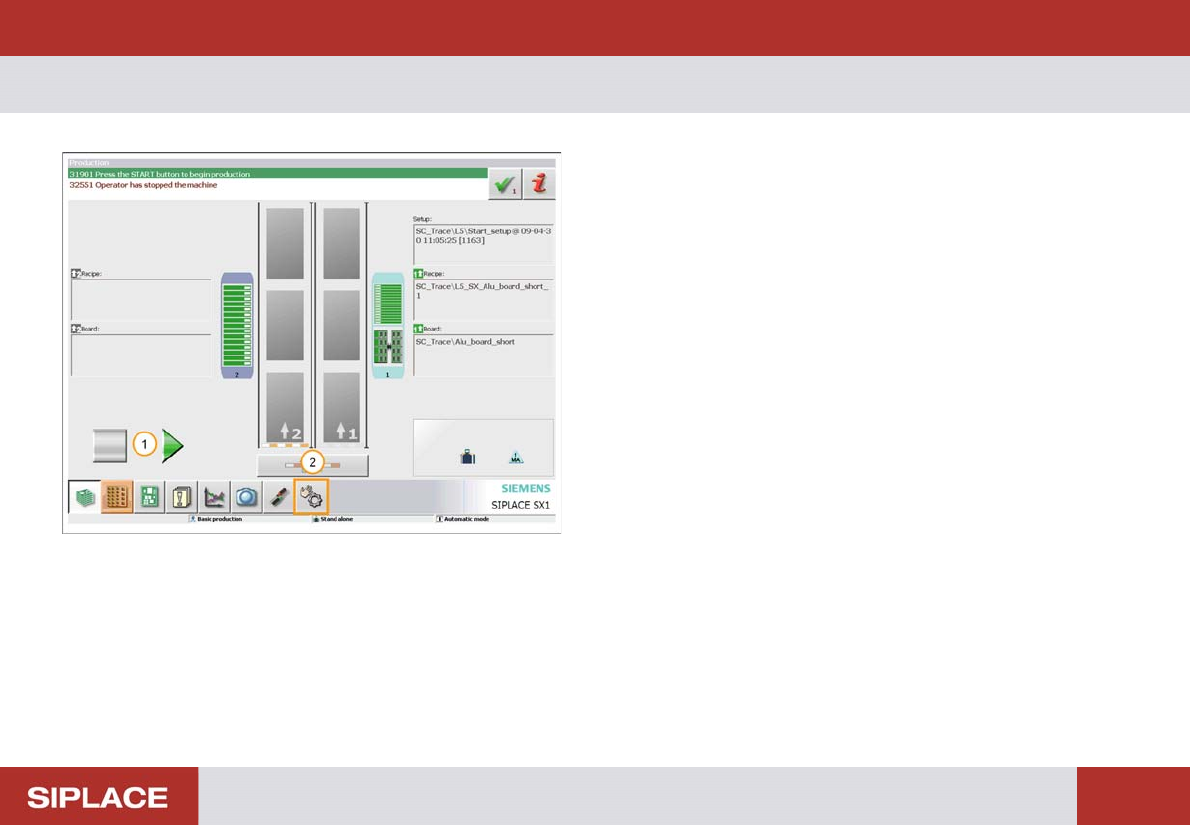
1. Station must be in suspended mode
2. Click on the ‘Manual Operations’ icon.