00196851-02 OG SIPLACE Operation of X and SX-Series with SSC (SW70x) - 第70页
SW 703 Changing the tables - SIPLACE SX – remove table : 70 SIPLACE SX – remove tab le With the S IPLACE SX the fee der tables can be moved i n and out of the machine using the GU I. 1. Select ‘Locations’ w indow. 2. Cli…
SW 703 Changing the tables - Changing of Table – move gantry. :
69
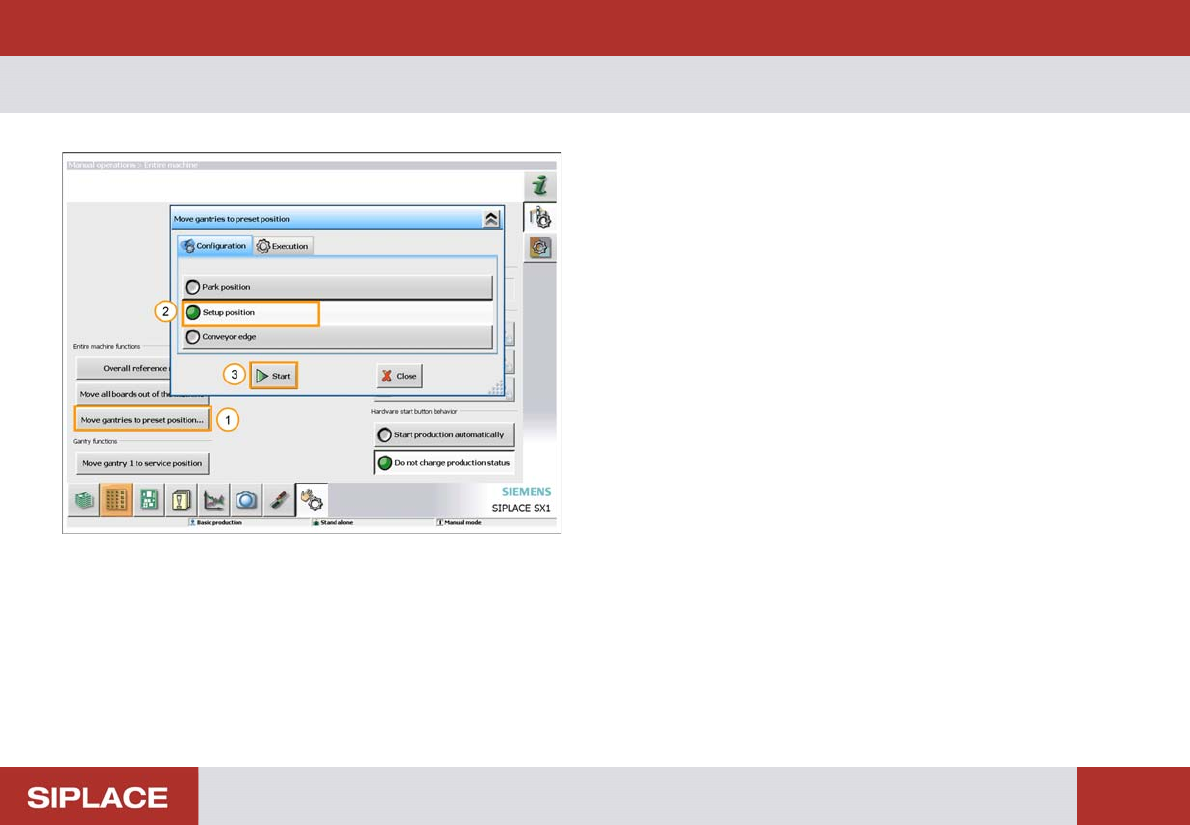
Changing of Table – move gantry.
1. Click ‘Move gantries to preset position…’
2. Click ‘Setup position’.
3. Click ‘Start’.
The gantry will now move to a safe position to allow you
to remove the table.
SW 703 Changing the tables - SIPLACE SX – remove table :
70
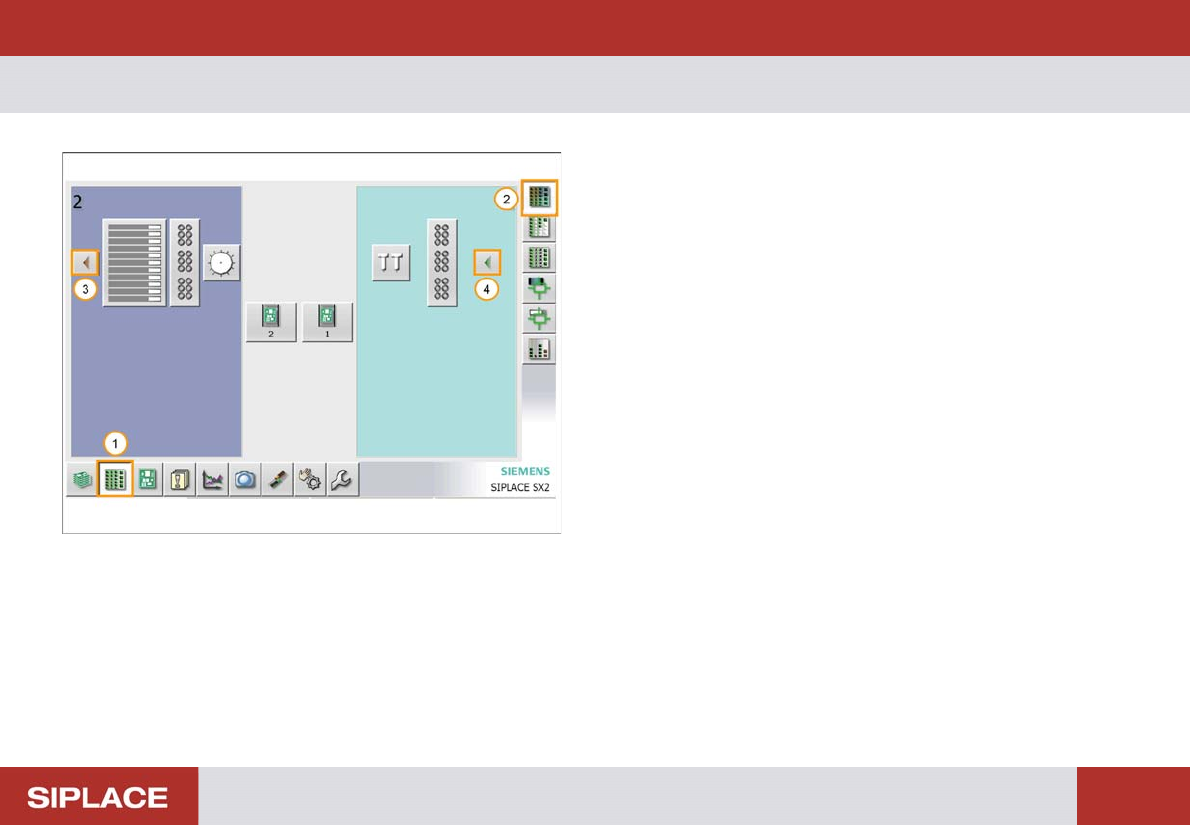
SIPLACE SX – remove tab le
With the SIPLACE SX the feeder tables can be moved in
and out of the machine using the GUI.
1. Select ‘Locations’ window.
2. Click ‘Display Feeders, Components and Nozzles’
3. Click the red icon to remove the table from the
machine.
The table will now undock automatically.
4. Click the green arrow icon to reload the table into the
machine after the table change has been completed.
SW 703 Changing the tables - SIPLACE X – remove table :
71
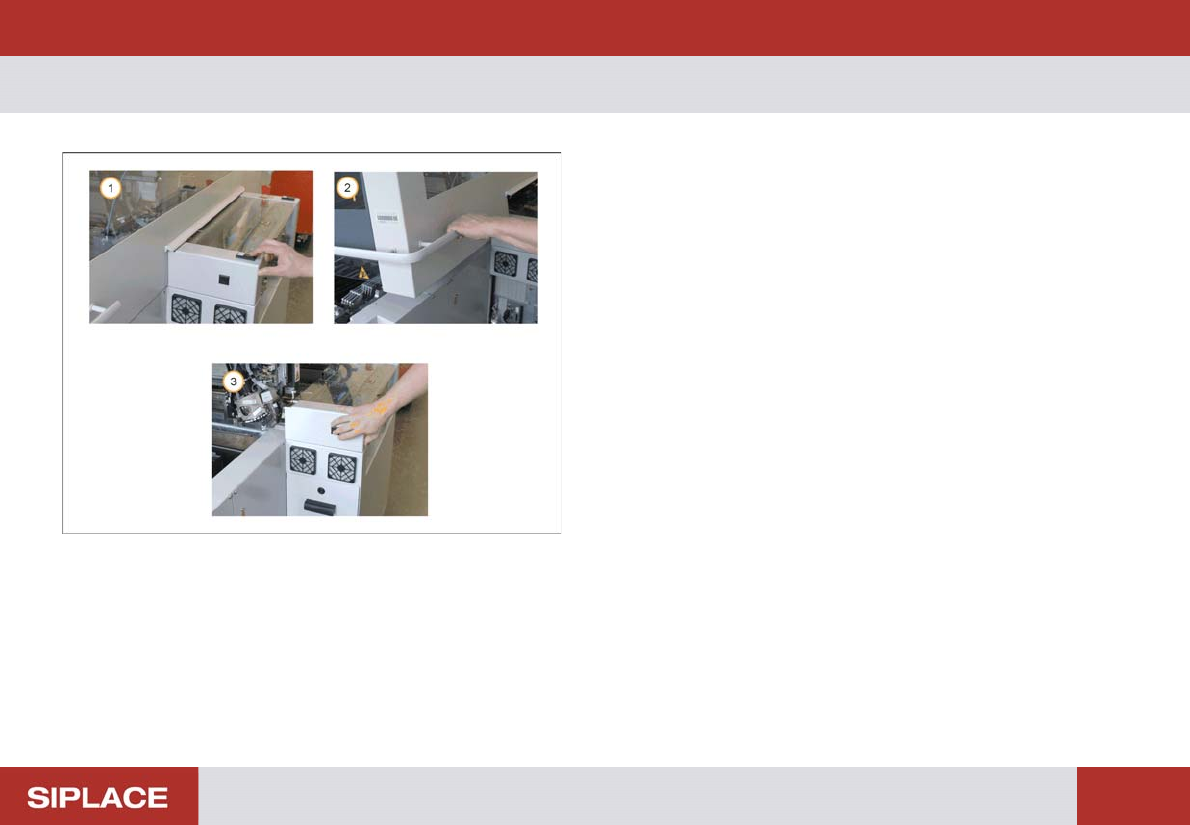
SIPLACE X – remove t able
1. Press the Stop button.
2. Open the safety cover.
3. Press and hold the black button until the table is fully
undocked.