00196851-02 OG SIPLACE Operation of X and SX-Series with SSC (SW70x) - 第74页
SW 703 Changing the tables - S IPLACE X – reload table : 74 SIPLACE X – reload ta ble 1. Make sure that the waste componen t tapes are cut back to the feeders on the new fee der table 2. Move the new fee der ta ble into …
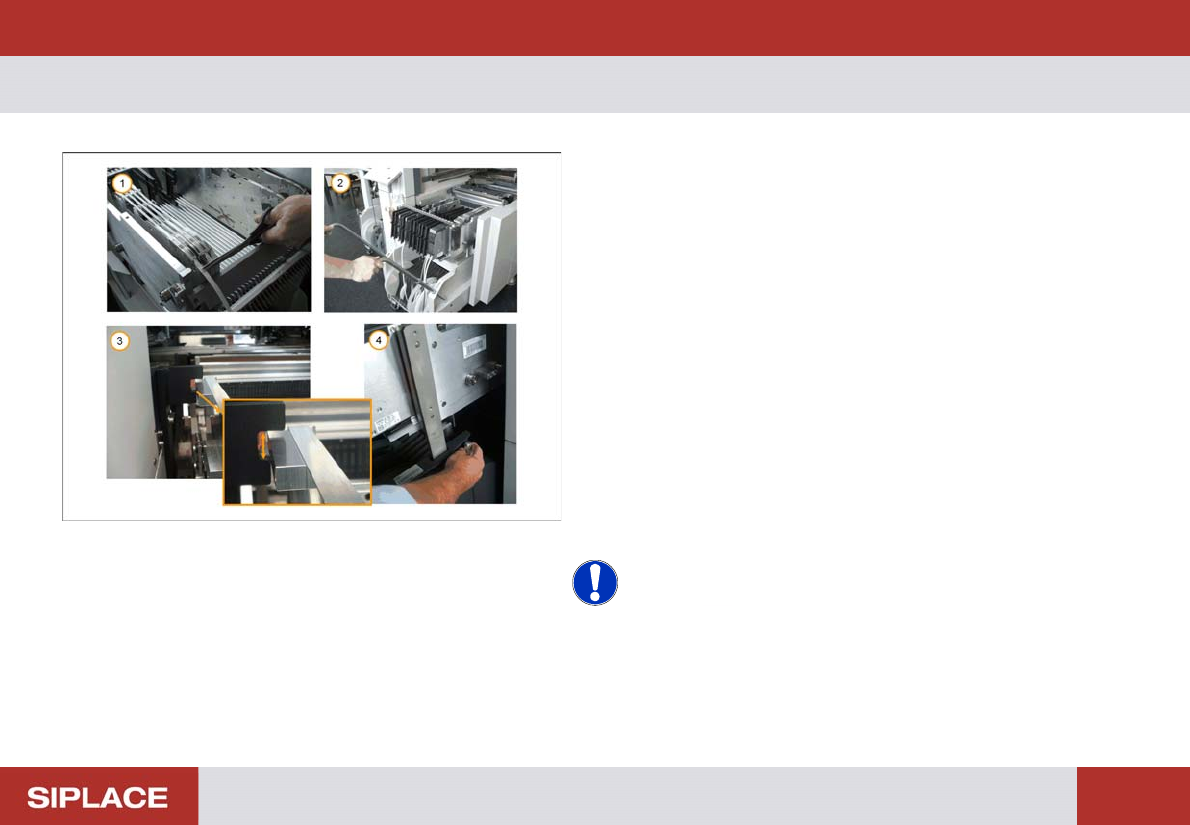
SW 703 Changing the tables - SIPLACE SX – reload table :
73
SIPLACE SX – reload ta ble
1. Make sure that the waste component tapes are cut
back to the feeders on the new feeder table
2. Move the new feeder table into the machine and
lower the handles.
3. Check that the feeder table is at the correct height –
the table should pass through the guide bar on each
side.
4. If required adjust the feeder table height by turning
the handle.
5. Close the safety covers.
6. Use the GUI screen to reload the table into the
machine.
Repeat these operations for all the remaining feeder
tables on each machine.
NOTICE! Do not try to force the feeder table into
the machine if it is at the wrong height.
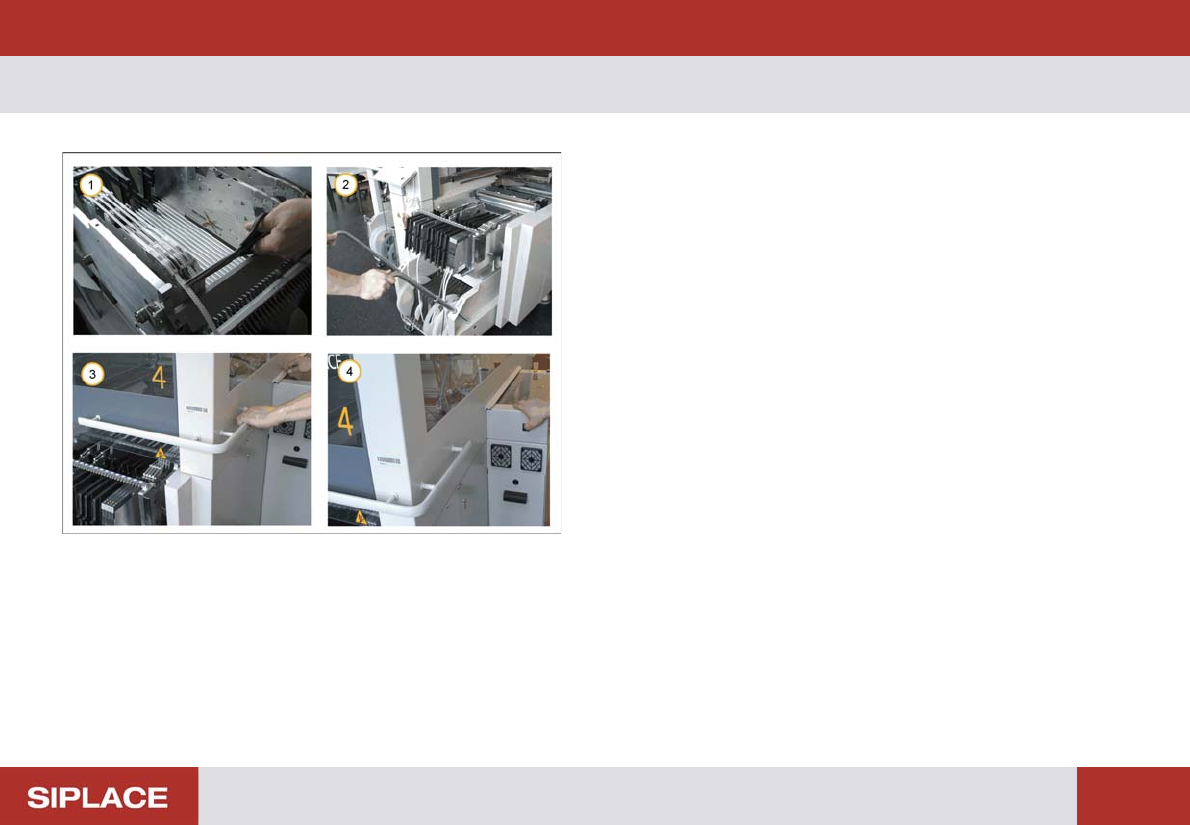
SW 703 Changing the tables - SIPLACE X – reload table :
74
SIPLACE X – reload ta ble
1. Make sure that the waste component tapes are cut
back to the feeders on the new feeder table
2. Move the new feeder table into the machine and
lower the handles.
3. Close the safety cover.
4. Press and hold the black button until the table is
docked into position.
Repeat these operations for all the remaining feeder
tables on each machine.
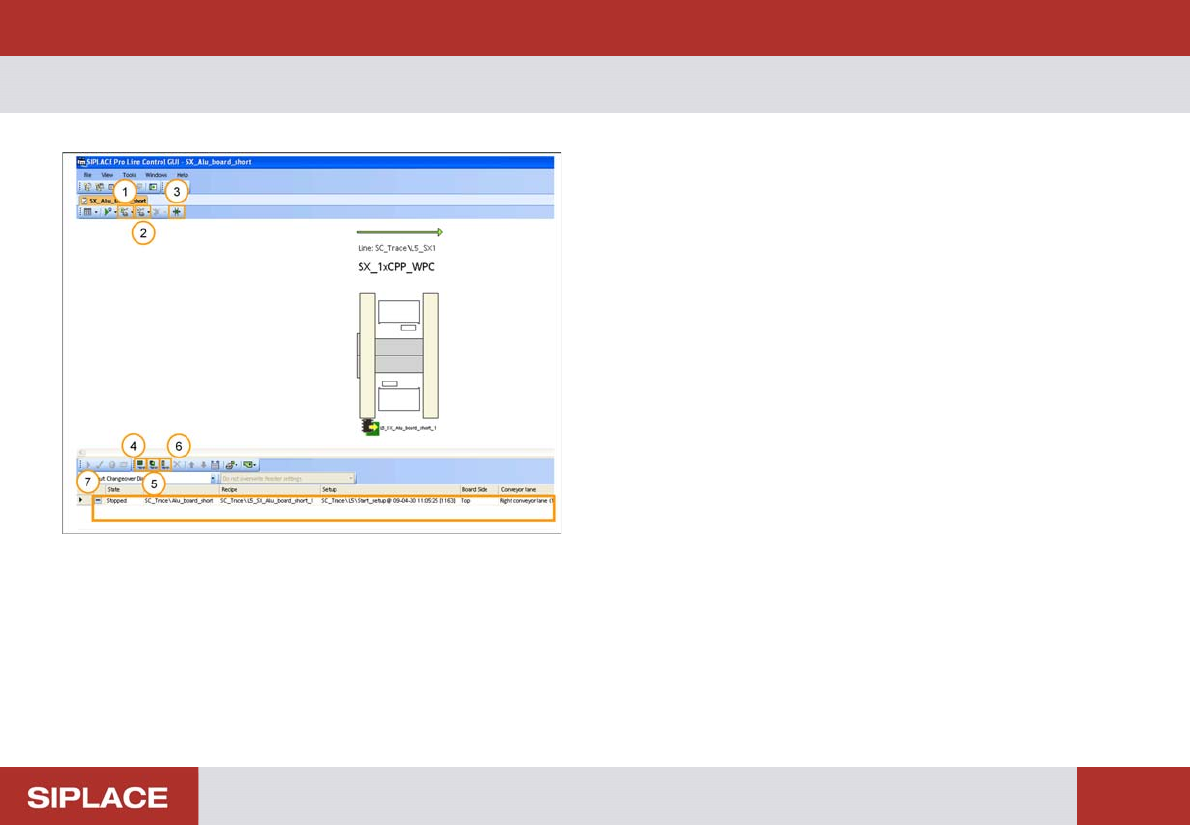
SW 703 Downloading a Recipe - LC GUI – Most Important Buttons :
75
SW 703 Downloading a Recipe
1. Start conveyor of line.
2. Stop conveyor of line.
3. Change conveyor width.
4. Add new board set up.
5. Add new recipe.
6. Add new job.
7. List of Recipes that are available for download to the
Line.