00196851-02 OG SIPLACE Operation of X and SX-Series with SSC (SW70x) - 第75页
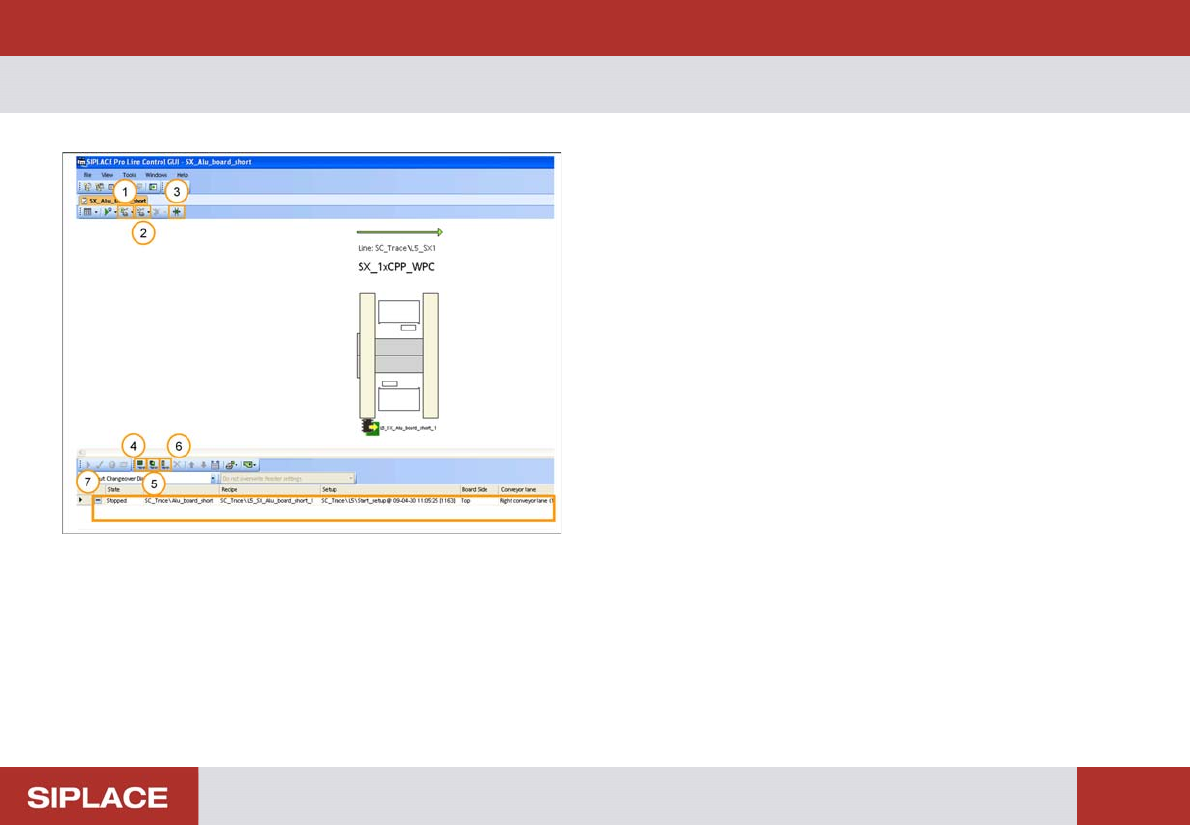
SW 703 Downloading a Recipe - L C GUI – Most Important Buttons : 75 SW 703 D ownloadin g a Recip e 1. Start conveyor of line. 2. Stop conveyor of line. 3. Change conveyor width. 4. Add new board set up. 5. Add ne w recip…
SW 703 Changing the tables - SIPLACE X – reload table :
74
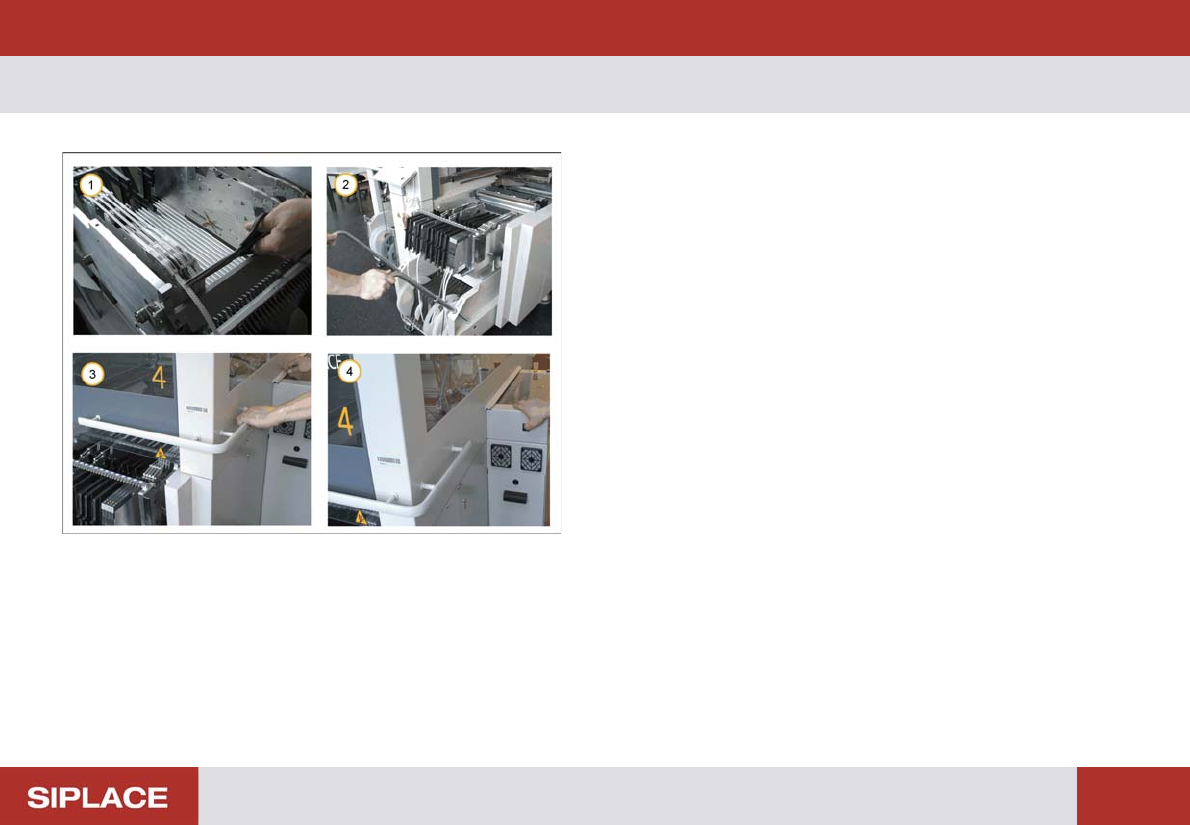
SIPLACE X – reload ta ble
1. Make sure that the waste component tapes are cut
back to the feeders on the new feeder table
2. Move the new feeder table into the machine and
lower the handles.
3. Close the safety cover.
4. Press and hold the black button until the table is
docked into position.
Repeat these operations for all the remaining feeder
tables on each machine.
SW 703 Downloading a Recipe - LC GUI – Most Important Buttons :
75
SW 703 Downloading a Recipe
1. Start conveyor of line.
2. Stop conveyor of line.
3. Change conveyor width.
4. Add new board set up.
5. Add new recipe.
6. Add new job.
7. List of Recipes that are available for download to the
Line.
SW 703 Downloading a Recipe - Download of a Recipe. :
76
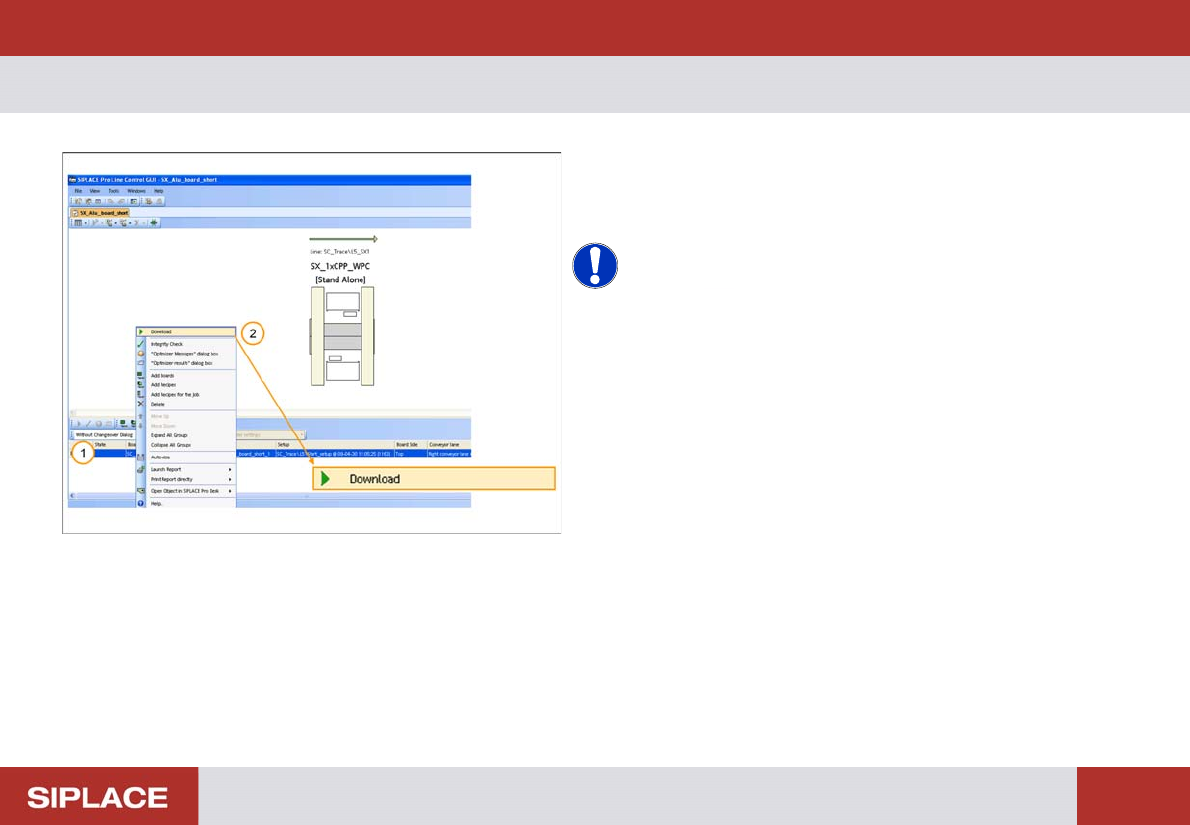
Download of a Recipe.
1. Right click on the Recipe that you want to download
to the line.
2. Click on Download.
NOTICE! If any errors occur with the download
process then contact your supervisor.