00196851-02 OG SIPLACE Operation of X and SX-Series with SSC (SW70x) - 第76页
SW 703 Downloading a Recipe - Download of a Recipe. : 76 Download of a Recipe. 1. Right clic k on the Recipe t hat you want to download to the line. 2. Click on Download. NOTICE! If any errors o ccur with the download pr…
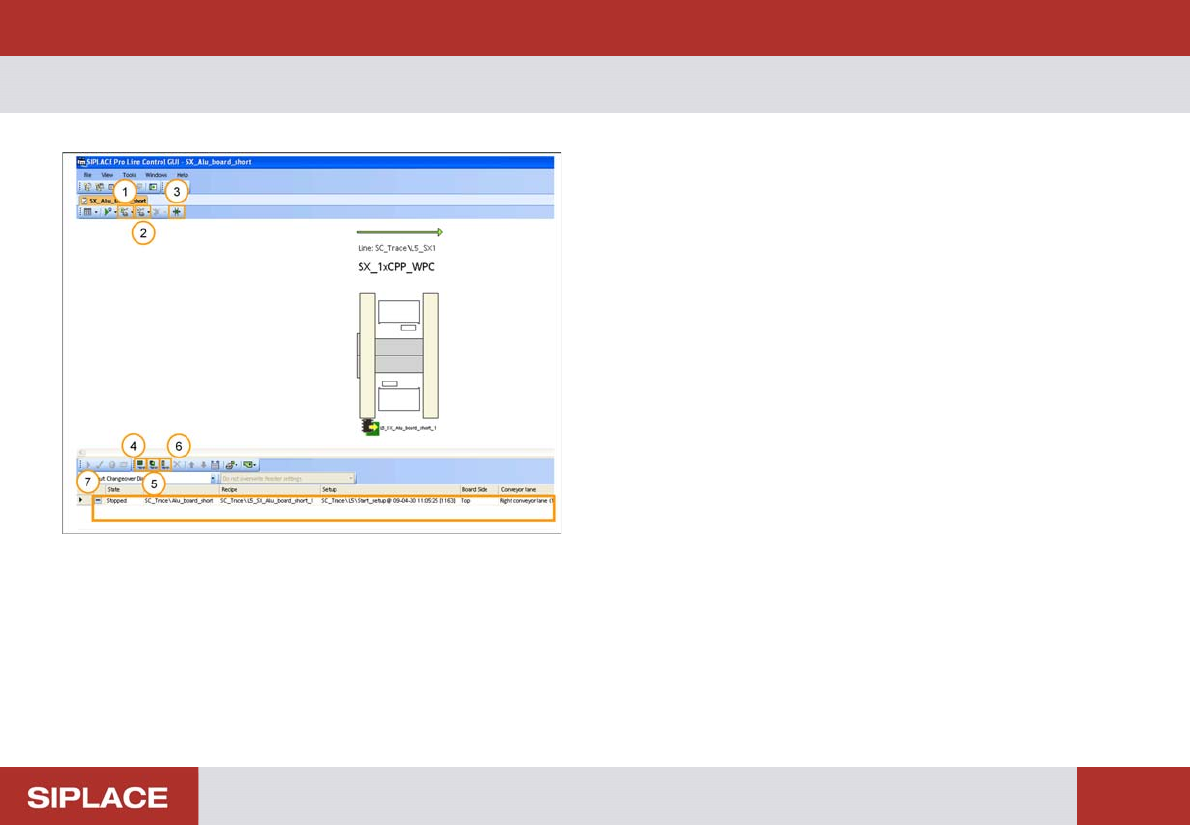
SW 703 Downloading a Recipe - LC GUI – Most Important Buttons :
75
SW 703 Downloading a Recipe
1. Start conveyor of line.
2. Stop conveyor of line.
3. Change conveyor width.
4. Add new board set up.
5. Add new recipe.
6. Add new job.
7. List of Recipes that are available for download to the
Line.
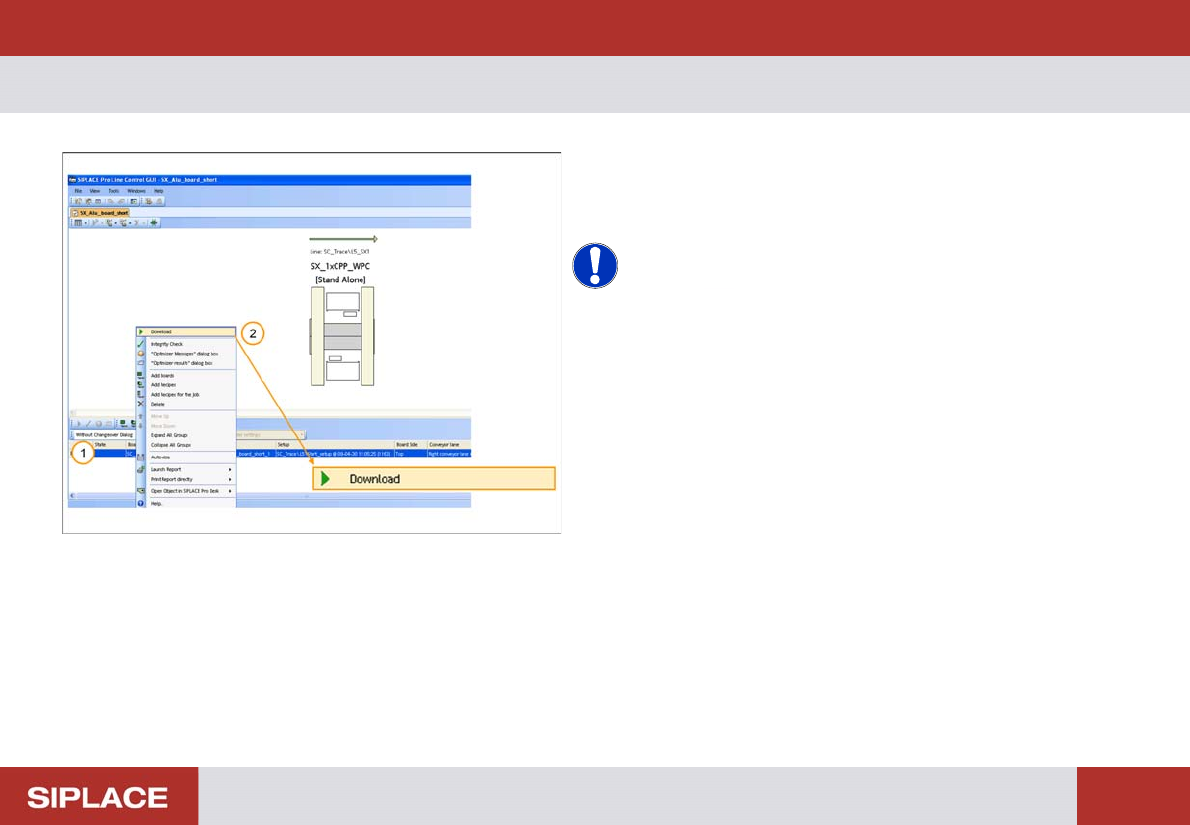
SW 703 Downloading a Recipe - Download of a Recipe. :
76
Download of a Recipe.
1. Right click on the Recipe that you want to download
to the line.
2. Click on Download.
NOTICE! If any errors occur with the download
process then contact your supervisor.
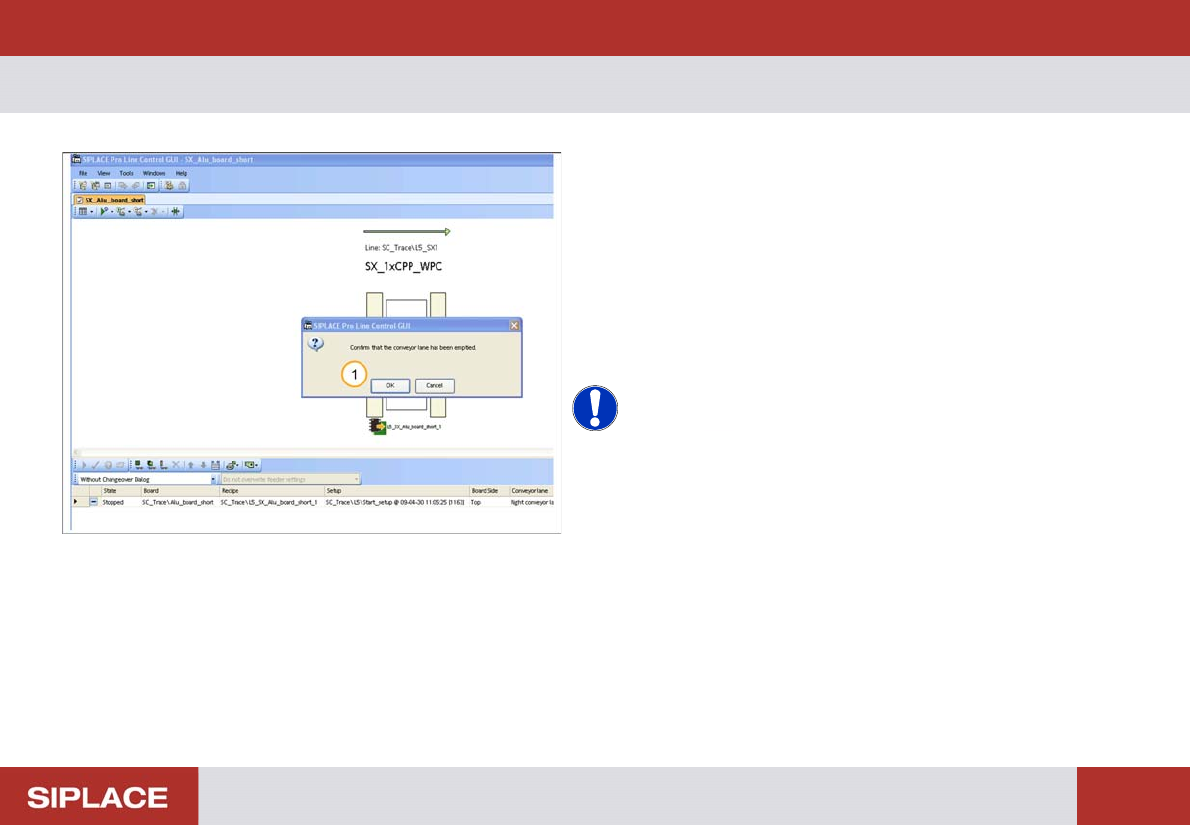
SW 703 Downloading a Recipe - Download Complete. :
77
Download Complete.
1. You have to confirm that the machine transport lane
is clear of PCBs. If it is click ‘OK’.
The data will now be sent to the SIPLACE line, when the
download is complete the Recipe ‘State’ changes to
‘Processing’ and the color changes to green.
The transport lane on the machine image also turns
green.
NOTICE! If any errors occur with the download
process then contact your supervisor.