00196851-02 OG SIPLACE Operation of X and SX-Series with SSC (SW70x) - 第77页
SW 703 Downloading a Reci pe - Download Complete. : 77 Download Complete. 1. You ha ve to confirm th at the machine transport lane is clear of PCBs. If it is click ‘OK’. The data will now be sent to the SIPLAC E line, wh…
SW 703 Downloading a Recipe - Download of a Recipe. :
76
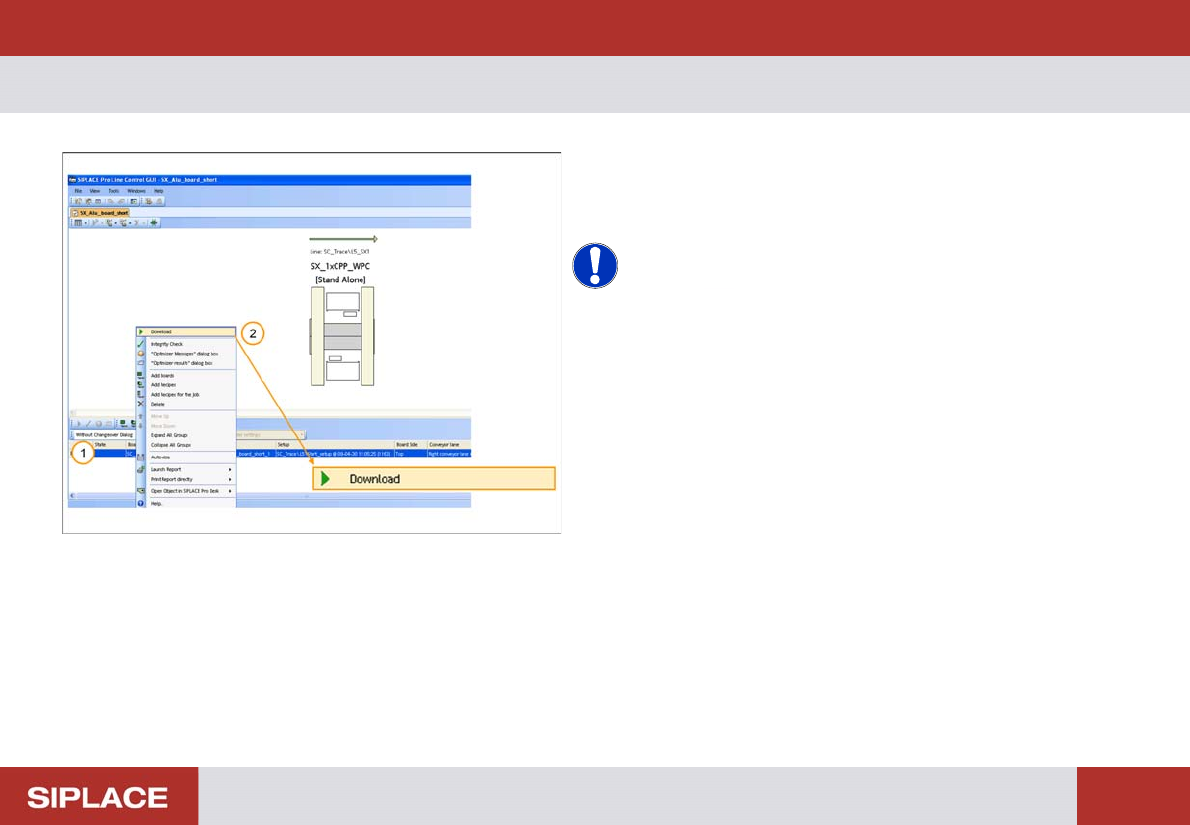
Download of a Recipe.
1. Right click on the Recipe that you want to download
to the line.
2. Click on Download.
NOTICE! If any errors occur with the download
process then contact your supervisor.
SW 703 Downloading a Recipe - Download Complete. :
77
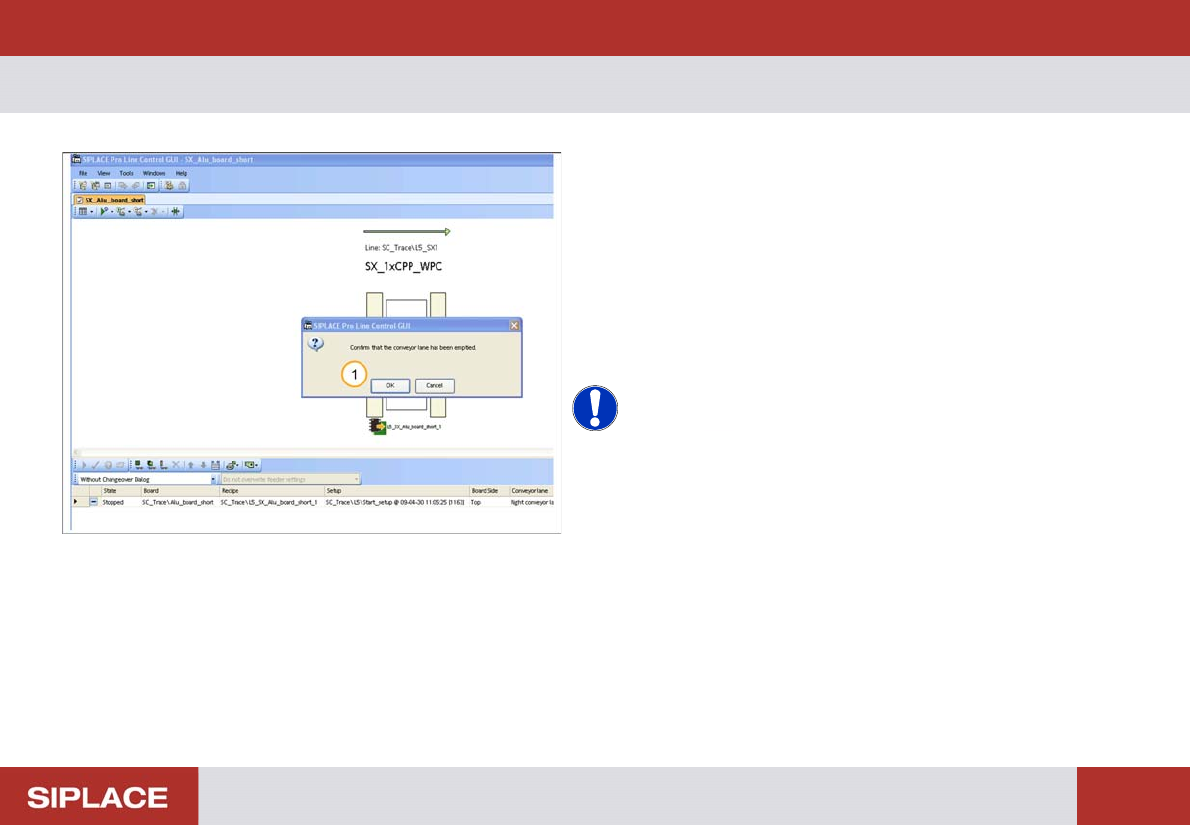
Download Complete.
1. You have to confirm that the machine transport lane
is clear of PCBs. If it is click ‘OK’.
The data will now be sent to the SIPLACE line, when the
download is complete the Recipe ‘State’ changes to
‘Processing’ and the color changes to green.
The transport lane on the machine image also turns
green.
NOTICE! If any errors occur with the download
process then contact your supervisor.
SW 703 Downloading a Recipe - Change conveyor width – remove support pins. :
78
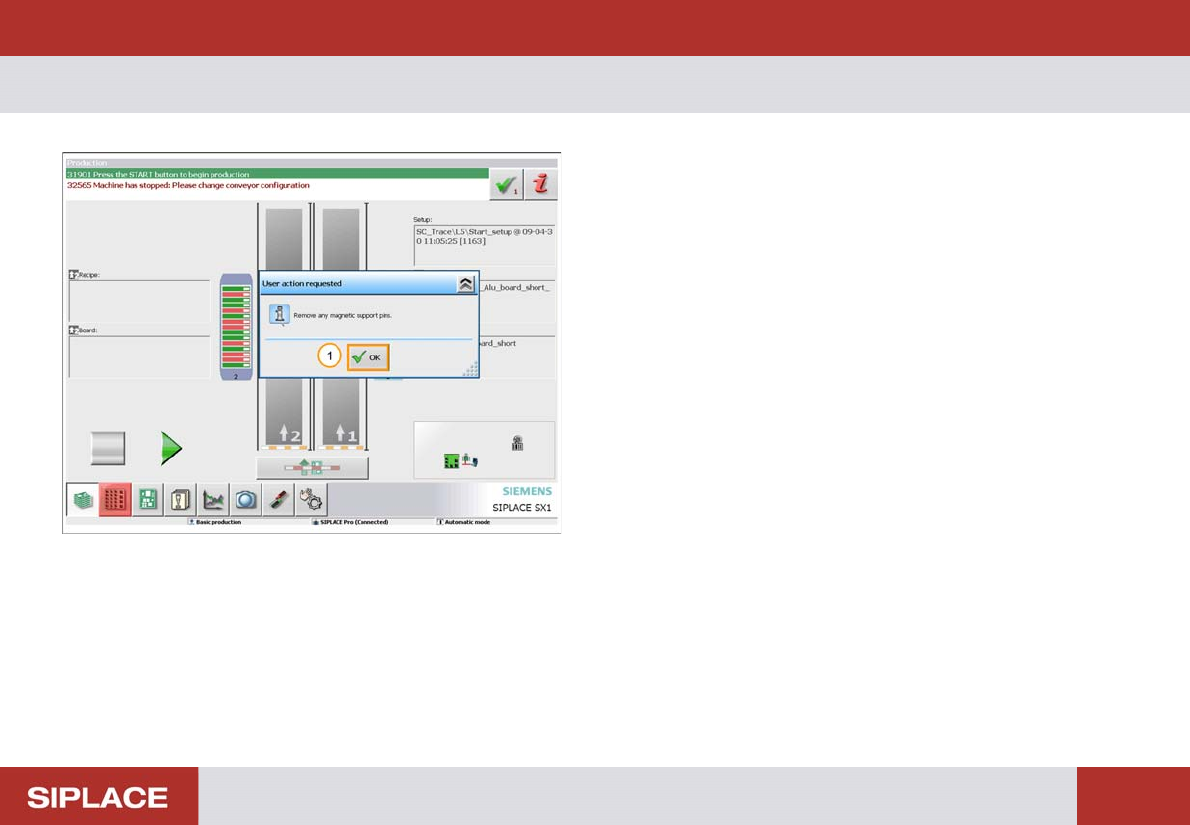
Change conveyor width – remove support pins.
If required the machine PCB conveyors will automatically
adjust to the correct position for the new PCB. Before
they do this you must remove any magnetic support pins
to prevent damage to the conveyor system.
1. Once you have removed the support pins click ‘OK’.
The conveyors will now move to the correct position.
Replace the support pins in the correct position for the
new PCB.