00196851-02 OG SIPLACE Operation of X and SX-Series with SSC (SW70x) - 第81页
SW 703 Downloading a Recipe - C hanging the nozzle changer setup . : 81 Changing t he nozzle change r setup. 1. Select the ‘Locat ions’ icon. 2. The nozzle c hange icon will be shown in red, click on the icon to enter th…
SW 703 Downloading a Recipe - Unsuccessful Recipe Send :
80
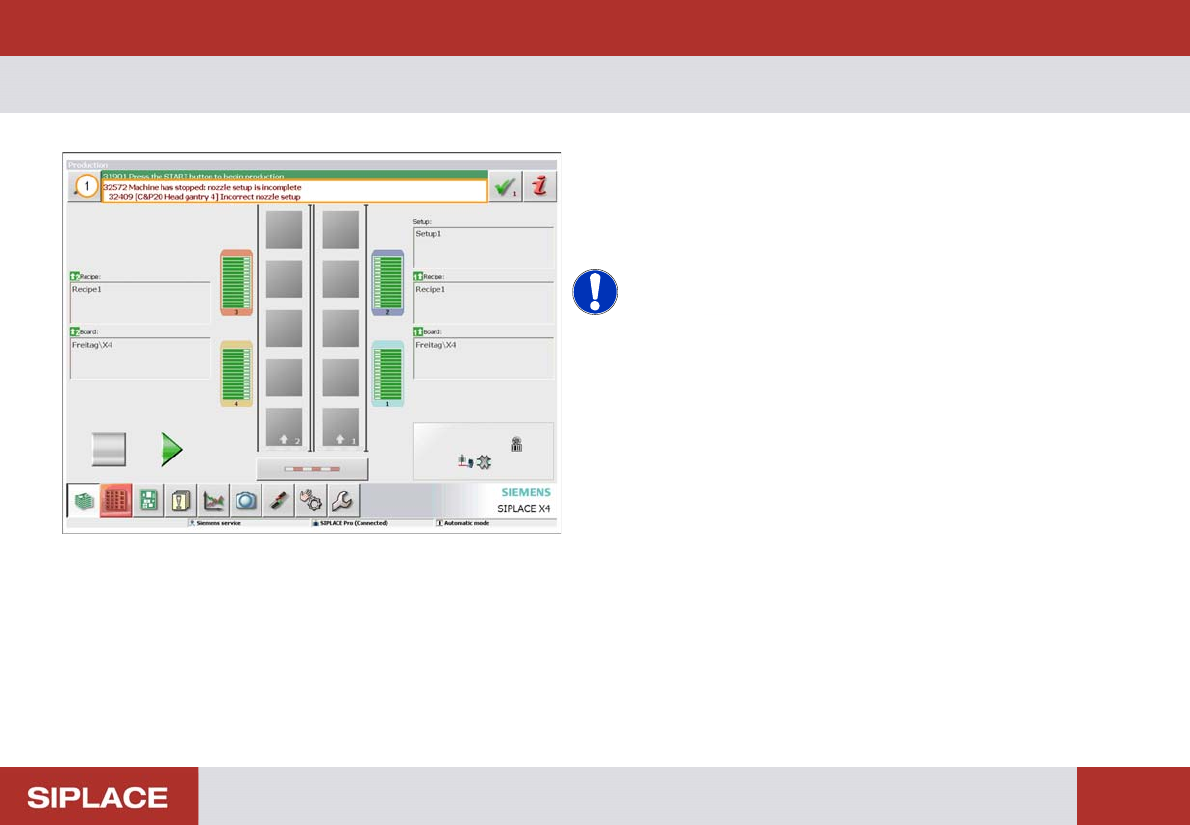
Unsuccess ful Recipe Send
1. If the is any problem with the download a message
will appear to notify you.
The most common reason is that a change is required for
the nozzle changer configuration.
NOTICE! If any other message appears then
notify your supervisor.
SW 703 Downloading a Recipe - Changing the nozzle changer setup. :
81
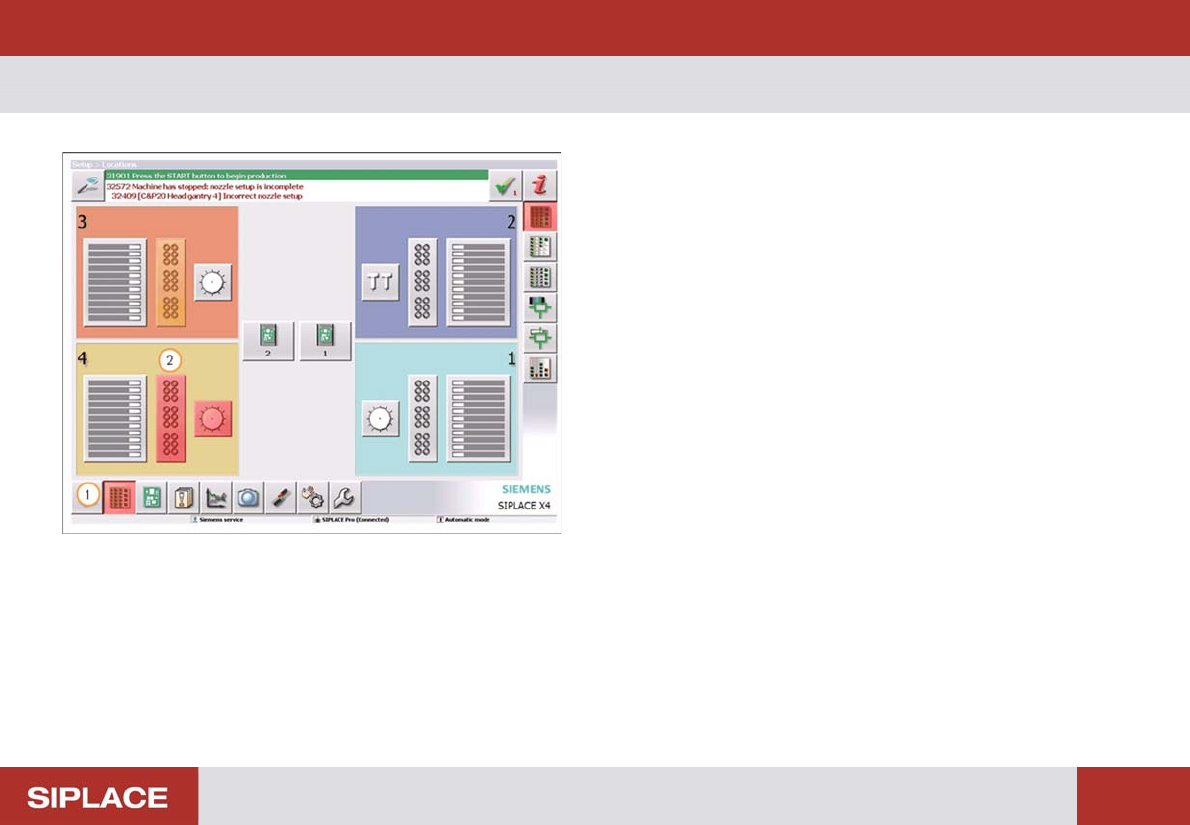
Changing t he nozzle change r setup.
1. Select the ‘Locations’ icon.
2. The nozzle change icon will be shown in red, click on
the icon to enter the menu.
SW 703 Downloading a Recipe - Changing the nozzle changer configuration. :
82
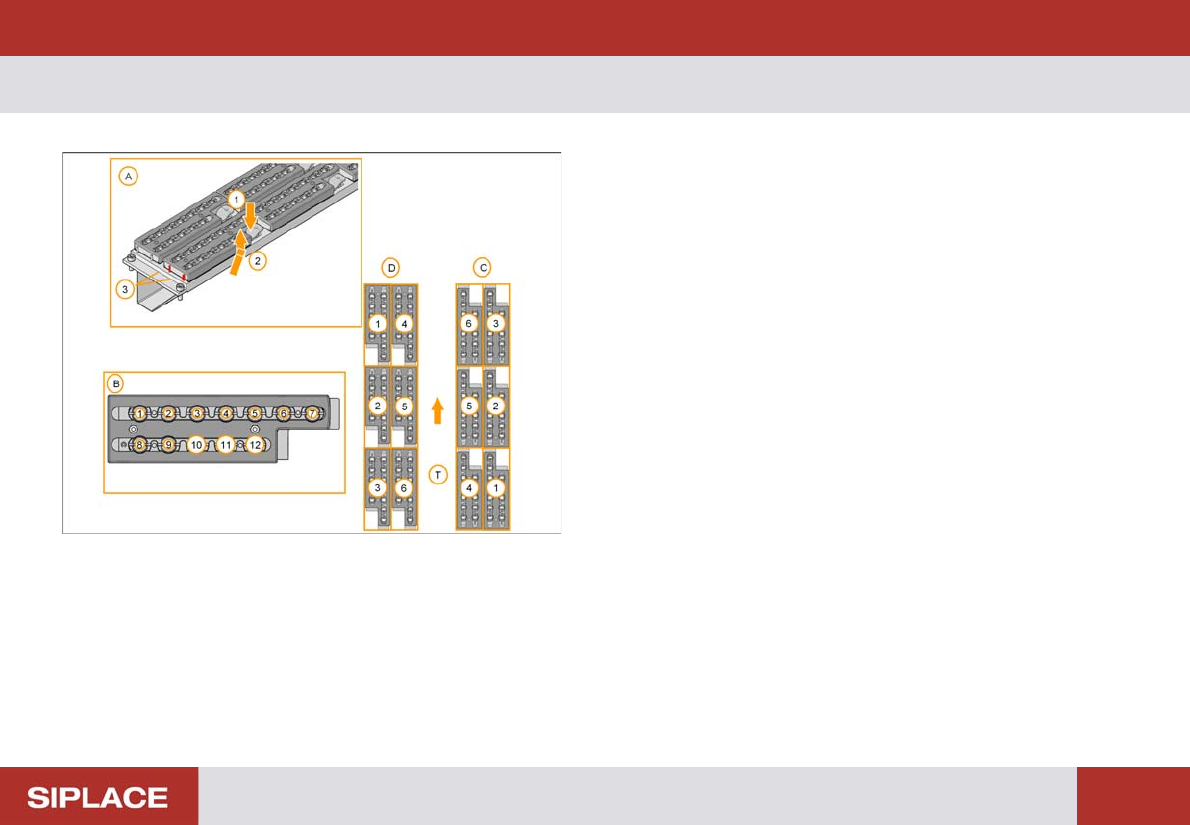
Changing t he nozzle change r configuration.
(A) Magazine Exchange Procedure.
1. To remove – push the sprung lever down to release
the magazine.
2. Tilt the magazine back and lift up.
3. To replace – slot the back of the magazine against
the rear pins.
4. Push the magazine down until it clicks in place.
(B) Magazine garage numbering.
(C) Magazine numbers – locations 1 & 2.
(D) Magazine numbers – locations 3 & 4.
(T) Transport direction.