182050 User manual.pdf - 第170页
semi automatic +286(.((3,1 * )($785(/,& (16,1* 6.16 User Manual Software Ve rsion 07SP02 5. Select Ye s , the followi ng window is displayed: 6. Select Proceed , a request is wri tten to the file indicated in the w…
semi automatic
+286(.((3,1*
)($785(/,&(16,1*
Software Version 07SP02 User Manual 6.15
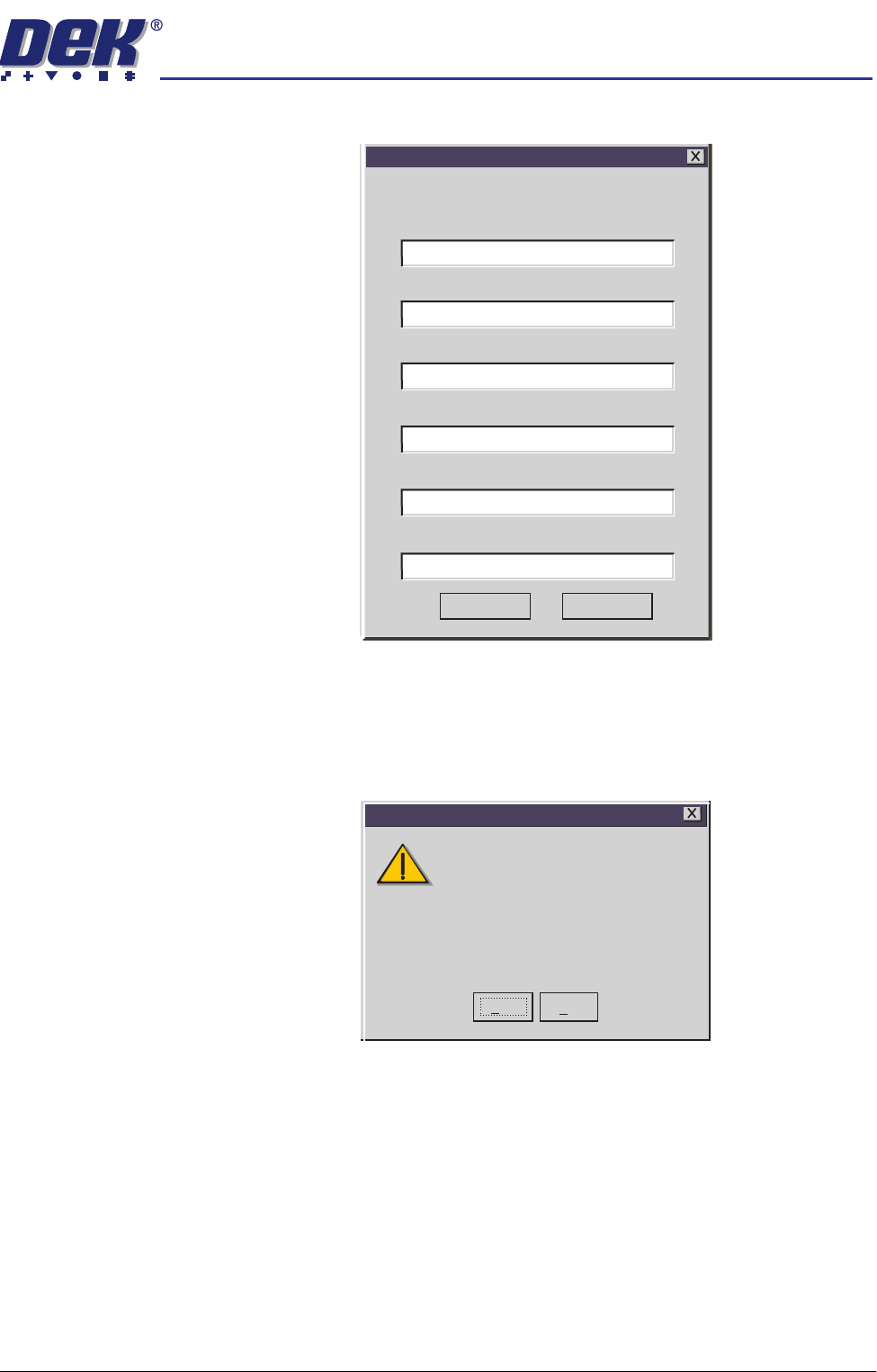
2. Select Customer Info. The following window is displayed:
3. Enter the information required and select Save. The information is written
to a ‘customer.txt’ file and attached to all licence request files, the window is
closed.
4. Scroll down the menu for the feature required. Select the feature, the
following window is displayed:
Customer's Own Information
Company
Contact
Company Purchase Order Number
Another Company
1234567
01305 123456
01305 234567
Craig
Phone
Fax
Email
craig@another.com
Save
Cancel
Yes
No
Do you want to obtain a licence to use
112731
on
Basic Board Insp.
Feature Licensing
semi automatic
+286(.((3,1*
)($785(/,&(16,1*
6.16 User Manual Software Version 07SP02
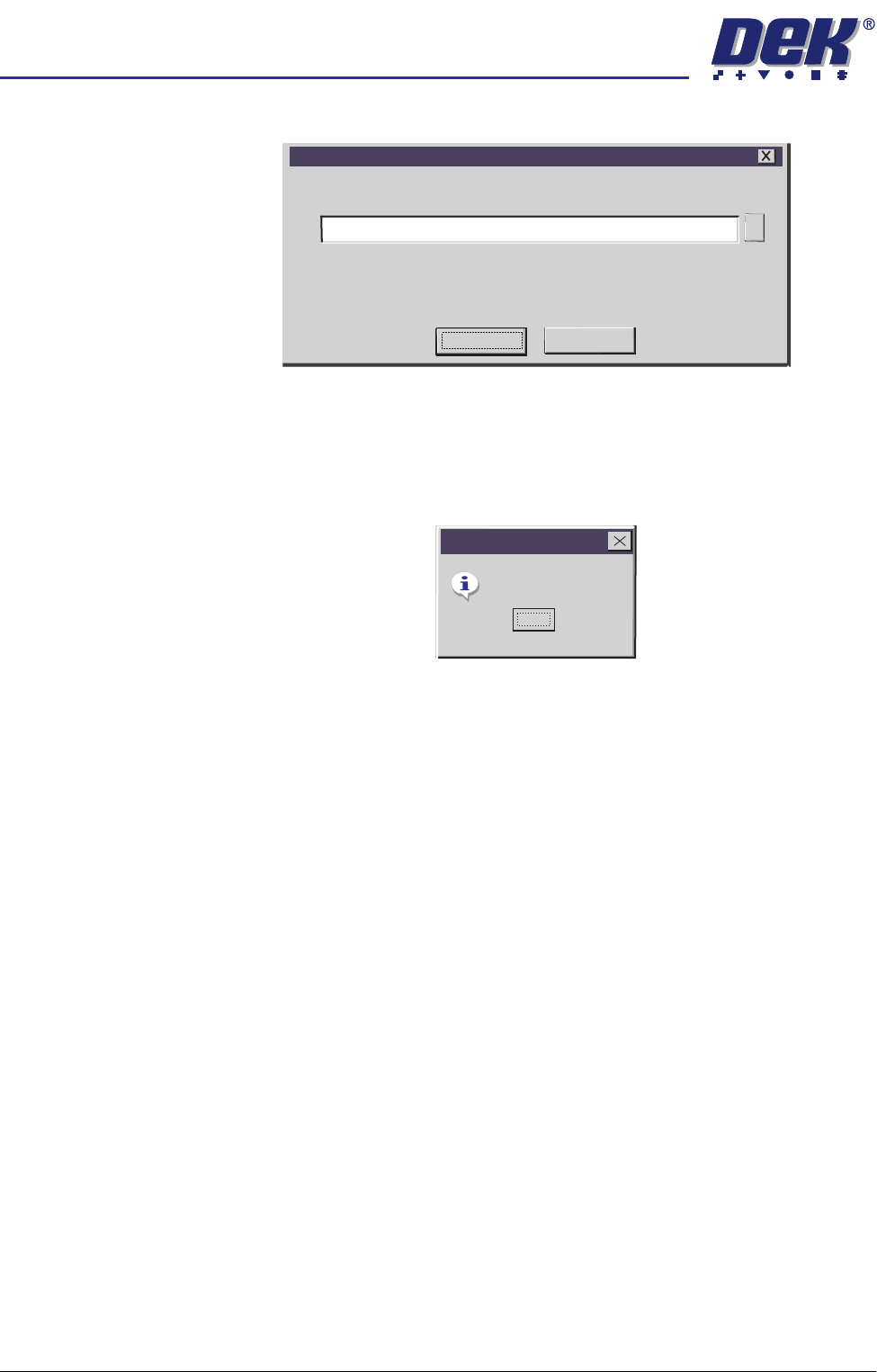
5. Select Yes, the following window is displayed:
6. Select Proceed, a request is written to the file indicated in the window. If
successful, the following window is displayed:
NOTE
Carry out Steps 4 - 6 if the source of the licence is file.
Carry out Steps 7 - 9 if the source of the licence is keyboard.
7. The licence request.txt file can now be forwarded to your local DEK agent
for processing.
Feature Licence Request
Feature Licence Request
A request to licence the feature you have selected
will be written/appended to the above file.
A:\Request.txt
Proceed
Cancel
...
Request Generated
Feature Licensing
OK
semi automatic
+286(.((3,1*
)($785(/,&(16,1*
Software Version 07SP02 User Manual 6.17
Licence
Installation
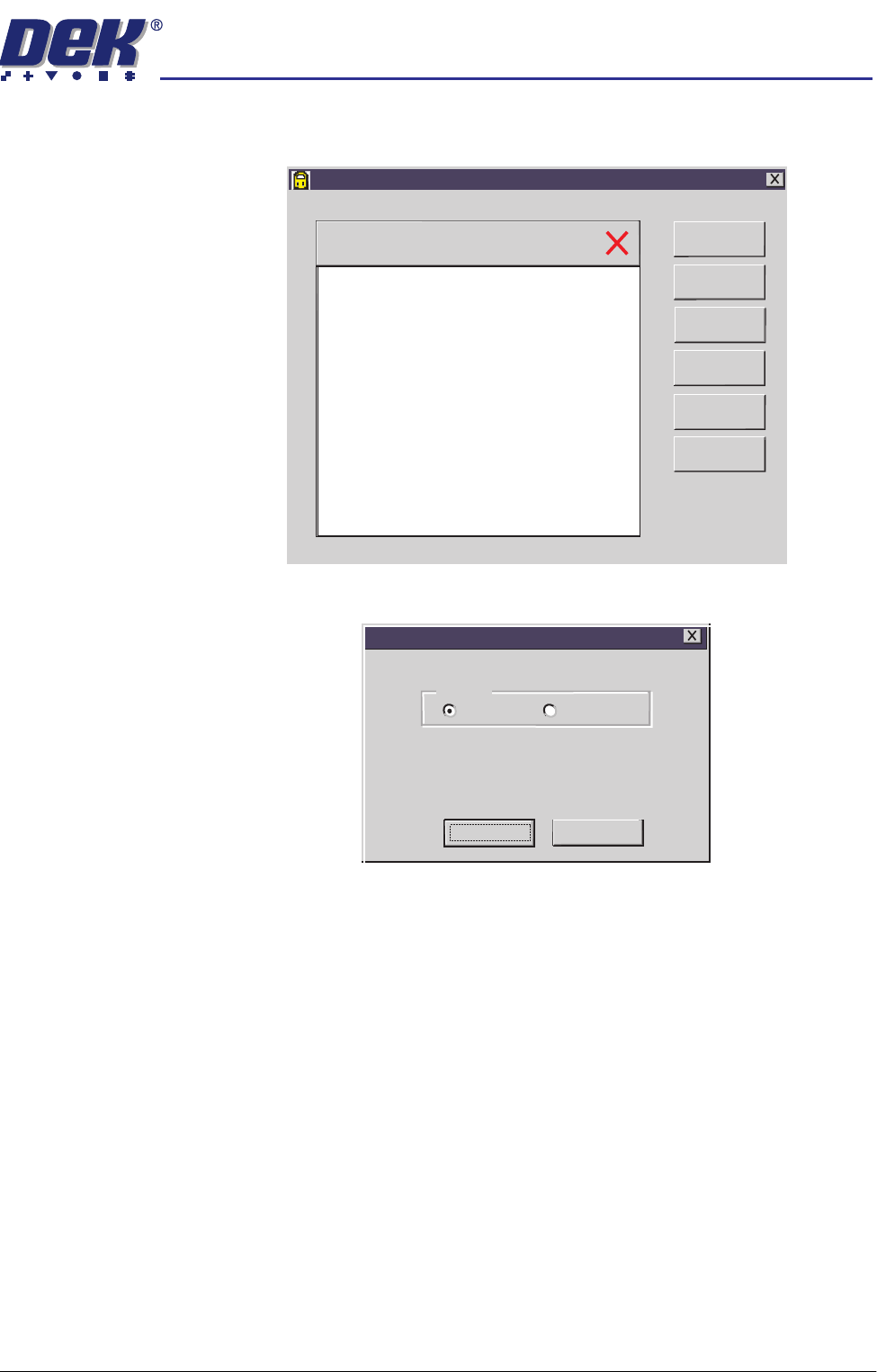
1. Select Start on the taskbar, Programs and Feature License. The following
(typical) window is displayed:
2. Select Install Licence. The following window is displayed:
3. Using the radio buttons, select the source of the feature licence and select
Proceed.
NOTE
Carry out Steps 4 - 6 if the source of the licence is file.
Carry out Steps 7 - 9 if the source of the licence is keyboard.
Feature License
Version 01. 02
Serial Number 113375
Basic Board Insp.
PC Type 1
PC Type 2
Customer Info
Print Features
Print Request
Install Licence
Refresh
Exit
feature licence installation instruction
Please select the source of the
Feature Licence Installation on 112731
Source
File Keyboard
Proceed
Cancel