182050 User manual.pdf - 第199页
semi automatic ',163(& 7,21 ',163(&7,2 16(7 83 Software Version 07SP02 User Manual 7.25 8. Select Edit Site . 9. Select Light Set up . 10. Adjust the light ing paramete rs to improve the lighti ng …
semi automatic
',163(&7,21
',163(&7,216(783
7.24 User Manual Software Version 07SP02
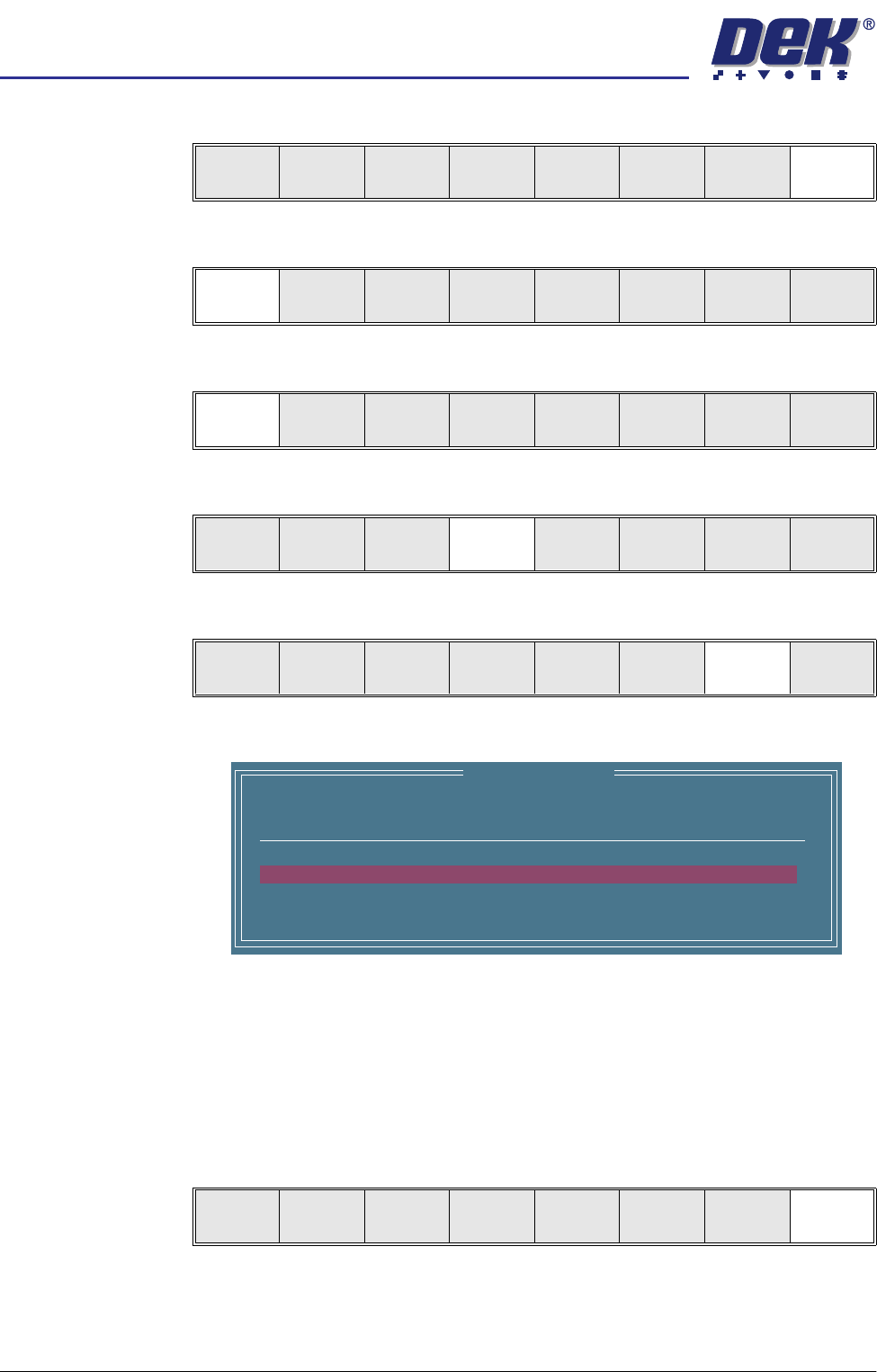
Inspect 1. Select Exit.
2. Select Step until board is printed.
3. Select Step until the Inspect Setup menu button is displayed.
4. Select Inspect Setup.
5. Select Inspect Site.
The following window is displayed:
NOTE
A reliable paste present reading is made only when the lighting is set
correctly.
6. Ensure that the inspection results are consistent with the amount of paste
on the pad. If this is correct go to Step 19. If this is incorrect continue with
Step 7.
7. Select Exit.
Edit
Global
Edit
Limits
Delete
Site
Edit
Site
Inspect
Site
Exit
Step
Inspect
Setup
Single Exit
Step Single Exit
Step
Inspect
Setup
Single Exit
Edit
Global
Edit
Limits
Delete
Site
Edit
Site
Inspect
Site
Exit
SITE NAME
Minimum Paste
SITE001
80%
Inspection Results
ALARM
No. Paste Present
1 94%
2 98%
Auto
Scale
Next Previous Exit
semi automatic
',163(&7,21
',163(&7,216(783
Software Version 07SP02 User Manual 7.25
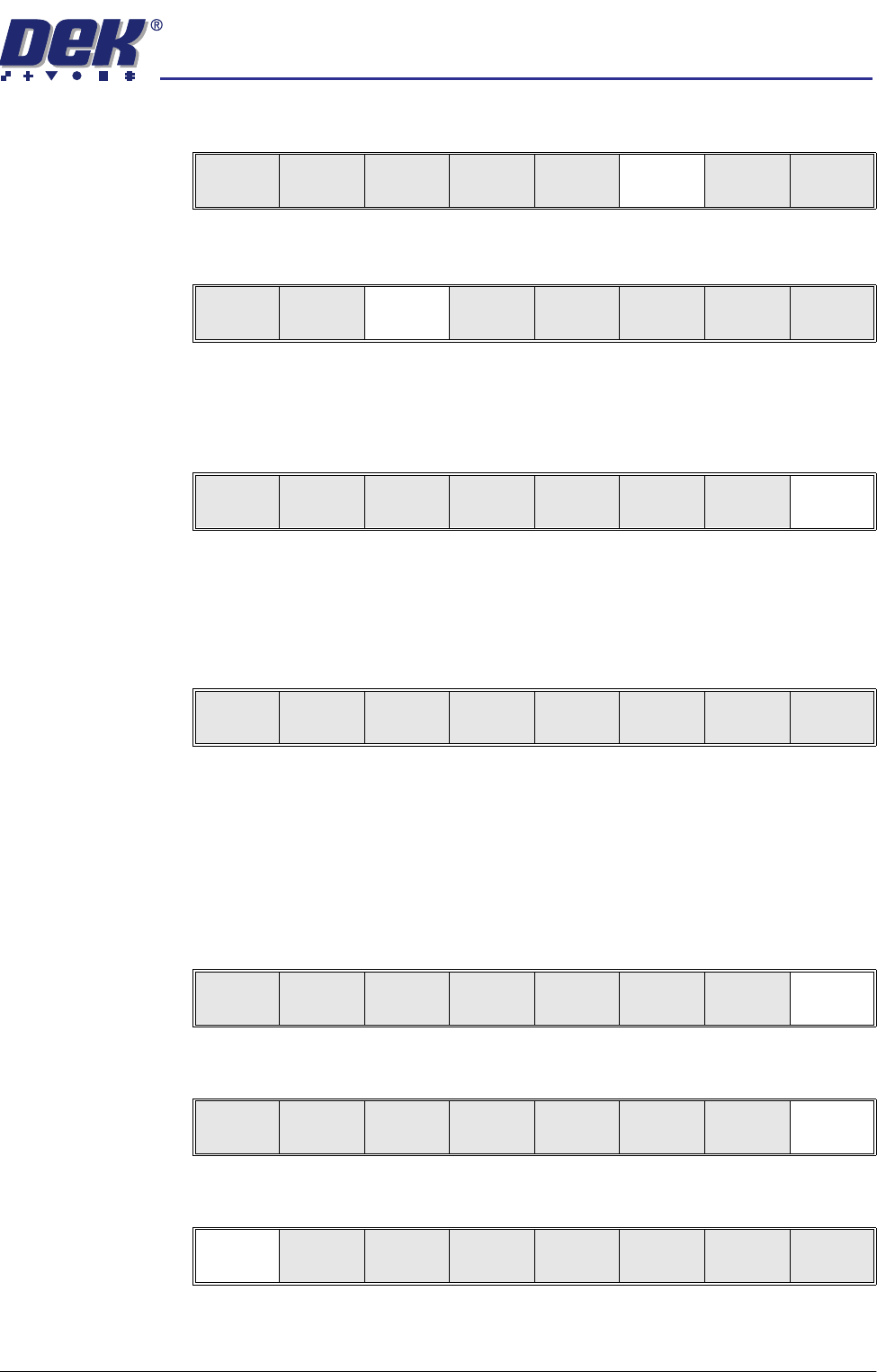
8. Select Edit Site.
9. Select Light Setup.
10. Adjust the lighting parameters to improve the lighting conditions in the
suspect areas.
11. Select Exit.
NOTE
Record Image button is displayed if Image Recording is enabled in Set
Preferences.
12. If lighting is changed the following menu bar is displayed:
Select the following button to adopt the changes to:
• ‘Apply to Full Set’ - to update only this device
• ‘Apply to All ’ - all learnt sites
• ‘Exit’ - just the current site
13. Select Exit.
14. Select Exit.
15. Select Step to step through inspection routine.
Edit
Global
Edit
Limits
Delete
Site
Edit
Site
Inspect
Site
Exit
Light
Setup
Next Previous Incr. Decr. Exit
Record
Image
Next Previous Incr. Decr. Exit
Apply to
Full Set
Apply to
All
Exit
Light
Setup
Next Previous Incr. Decr. Exit
Edit
Global
Edit
Limits
Delete
Site
Edit
Site
Inspect
Site
Exit
Step
Inspect
Setup
Single Exit
semi automatic
',163(&7,21
',163(&7,216(783
7.26 User Manual Software Version 07SP02
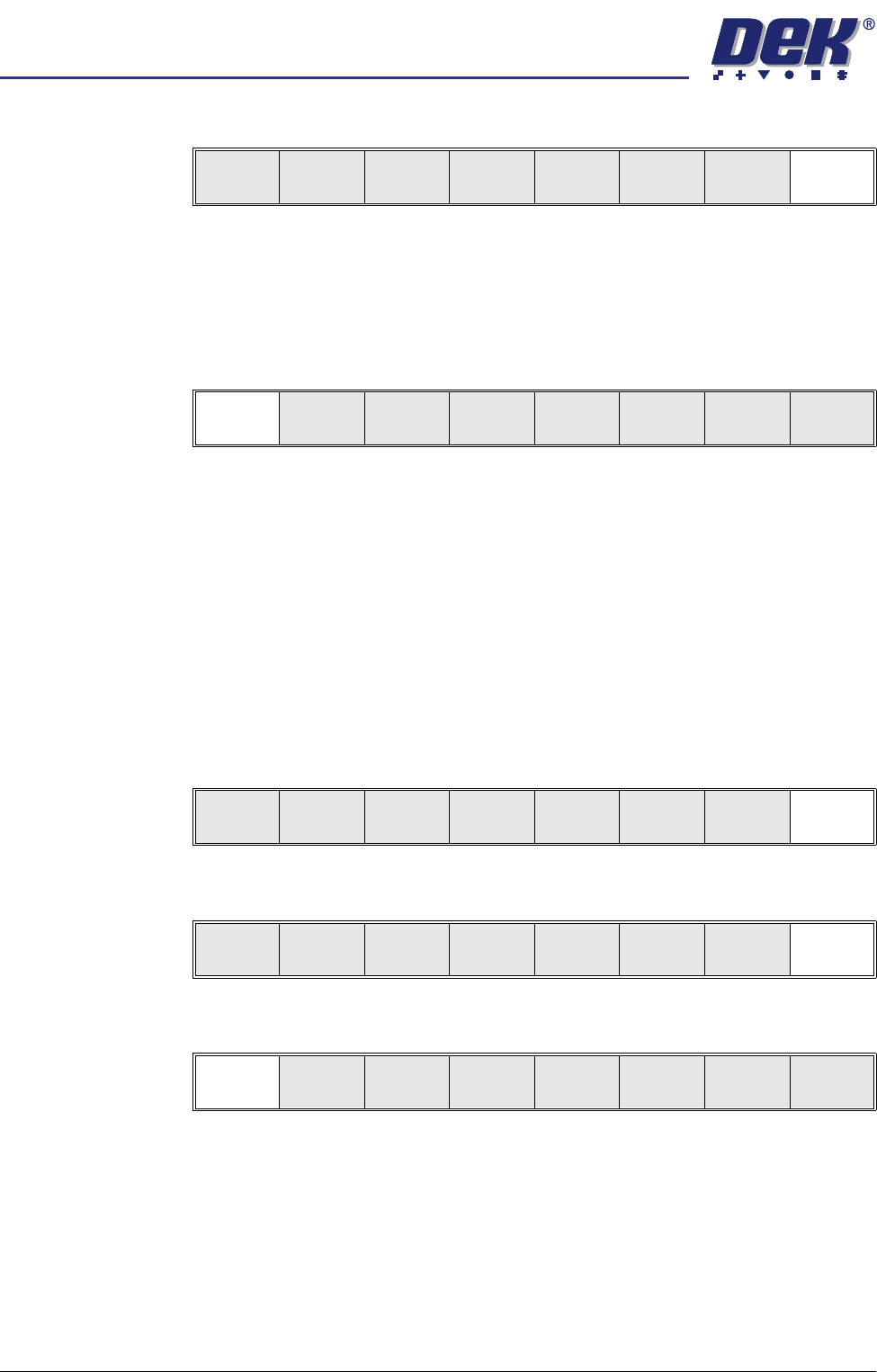
16. Select Exit to remove board from machine.
17. Place a clean board onto the machine rails and clean the stencil (Clean
Screen).
18. Repeat Steps 4 - 8.
19. Select appropriate pad that is considered to be closest to 100% coverage
and select Auto Scale (if required).
Selecting auto scale automatically adjusts the paste scaling value for the
current site, to cause the value of paste present, on the pad currently
selected in the inspection result list, to be reported as 100%. The inspection
results window is updated accordingly. If the calculated value for paste
scaling falls outside the range of allowable values, an error window is
displayed and the paste scaling value is set to the limit nearest the calcu-
lated value. However, if the currently selected paste present value is zero,
no adjustment of the paste scaling value takes place and an error window
is displayed. A prompt is displayed giving the new scaling factor value each
time it is changed. The auto scale button is only present if board inspection
is being performed.
20. Select Exit.
21. Select Exit.
22. Select Step to remove the board from the machine.
23. Clean the board and stencil.
24. Carry out Section How to Add a Site and create all required sites, using the
same lighting parameters as before.
25. On completion carry out Section Inspect.
26. Set required 2D inspect rate and the Min site/cycle parameters in edit global.
27. This completes the 2Di setup. Commence print run in auto mode.
Edit
Global
Edit
Limits
Delete
Site
Edit
Site
Inspect
Site
Exit
Auto
Scale
Next Previous
Save
Image
Exit
Auto
Scale
Next Previous
Save
Image
Exit
Edit
Global
Edit
Limits
Delete
Site
Edit
Site
Inspect
Site
Exit
Step
Inspect
Setup
Single Exit