182050 User manual.pdf - 第237页
semi automatic &21680$ %/(5( 3/(1,6+0 (176 9257(;3/8 681' (56&5 ((1&/($1 (5 Software Version 07SP02 User Manual 8.29 5. Repeat S teps 3 and 4 for all remaini ng parameters . 6. Press Save (F2) o n co…
semi automatic
&21680$%/(5(3/(1,6+0(176
9257(;3/8681'(56&5((1&/($1(5
8.28 User Manual Software Version 07SP02
Vortex Vacuum
Period
This parameter sets the period for which vacuum is applied.
Dry Clean Speed This parameter sets the speed of the screen clean return stroke.
1. Press Setup (F6).
2. Press Edit Data (F3).
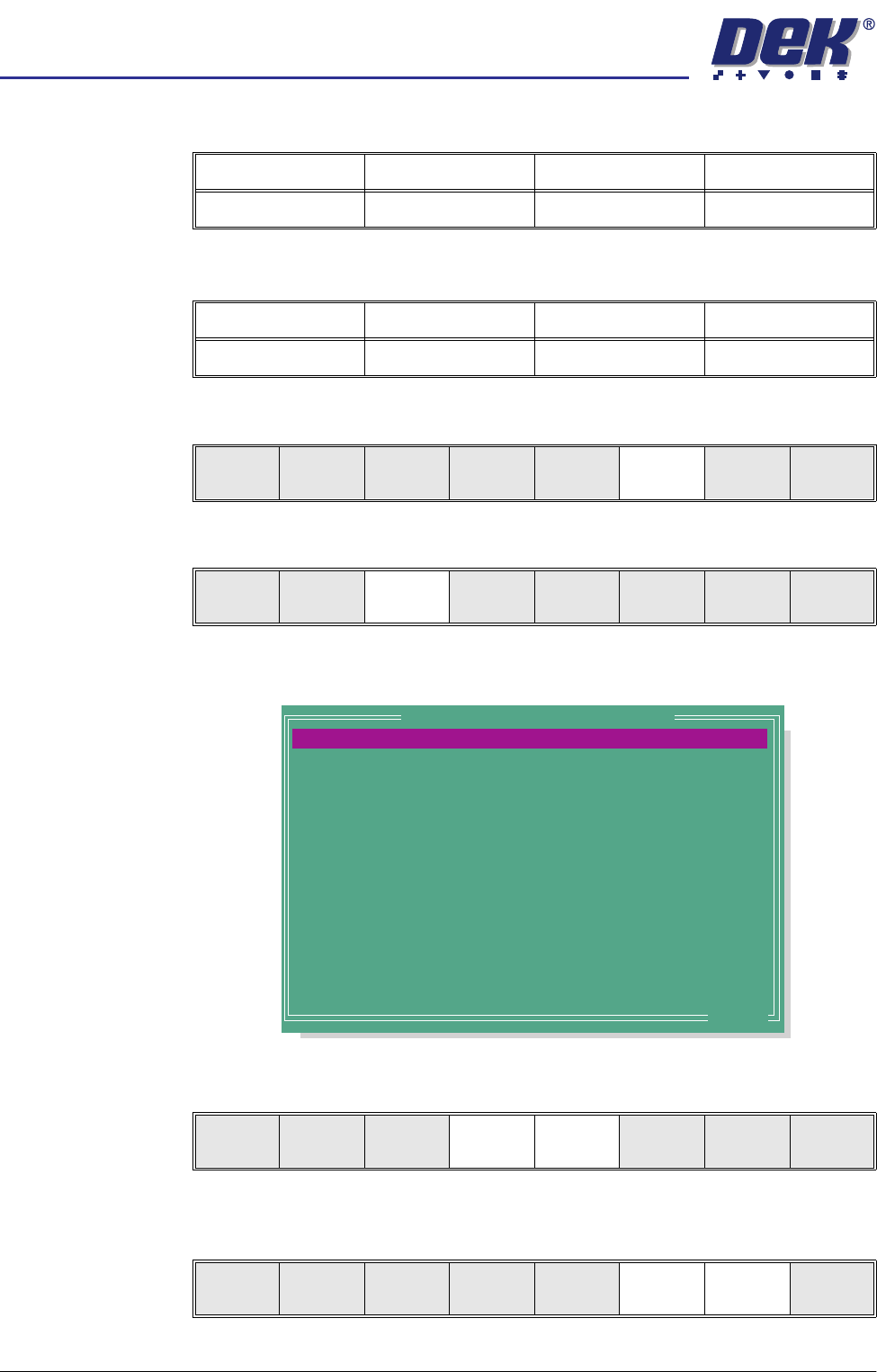
The following window is displayed:
3. Use the Next and Previous keys (F4 - F5) to highlight the required param-
eter.
4. Use the Incr. and Decr. keys (F6 -F7) to set the required value of the
selected parameter.
Minimum Maximum Increment Default
1 sec 10 secs 1 sec 5 secs
Minimum Maximum Increment Default
10mm/sec 120mm/sec 1mm/sec 30mm/sec
Run
Open
Cover
Paste
Load
Clean
Screen
Setup Monitor Maint.
Mode
Load
Data
Edit
Data
Setup
Squeegee
Change
Screen
Change
Tooling
Change
Language
Exit
PRINT DEPOSITS
PASTE DISPENSE
PASTE DISPENSE SPEED
DRY CLEAN SPEED
VORTEX CASSETTE LIFE
VORTEX CLEAN RATE
VORTEX SOLVENT RATE
VORTEX VAC START
VORTEX VAC STOP
VORTEX VACUUM RATE
VORTEX VACUUM PERIOD
FRONT START OFFSET
REAR START OFFSET
BOARD 1 FID. TYPE
1
0
30
30
1
0
1
0
0
1
5.0
30
30
CIRCLE
Prts
mm/s
mm/s
Srokes
cycles
cycles
mm
mm
cycles
secs
mm
mm
.. more
Edit Current Process Parameters
Save Next Previous Incr. Decr. Exit
Save Next Previous Incr. Decr. Exit

semi automatic
&21680$%/(5(3/(1,6+0(176
9257(;3/8681'(56&5((1&/($1(5
Software Version 07SP02 User Manual 8.29
5. Repeat Steps 3 and 4 for all remaining parameters.
6. Press Save (F2) on completion of parameter setup.
7. Press Exit (F8).
8. Press Exit (F8).
Save Next Previous Incr. Decr. Exit
Save Next Previous Incr. Decr. Exit
Mode
Load
Data
Edit
Data
Setup
Squeegee
Change
Screen
Change
Tooling
Change
Language
Exit
semi automatic
&21680$%/(5(3/(1,6+0(176
9257(;3/8681'(56&5((1&/($1(5
8.30 User Manual Software Version 07SP02
Cleaning Cassette
and Solvent
Replenishment
The cleaning cassette and solvent replenishment can take place with the
cleaner unit in the printer. When the cleaning cassette or solvent needs
replenishment a warning window is automatically displayed on the monitor. The
warning window varies, depending on the setting of the consumable action
option in set preferences. The message in the warning window depends on
whether the cleaning cassette or solvent or both require replenishment.
If the set preference is set to warn, continue with Step 1. If the set preference
is set to pause or suspend go to Step 4.
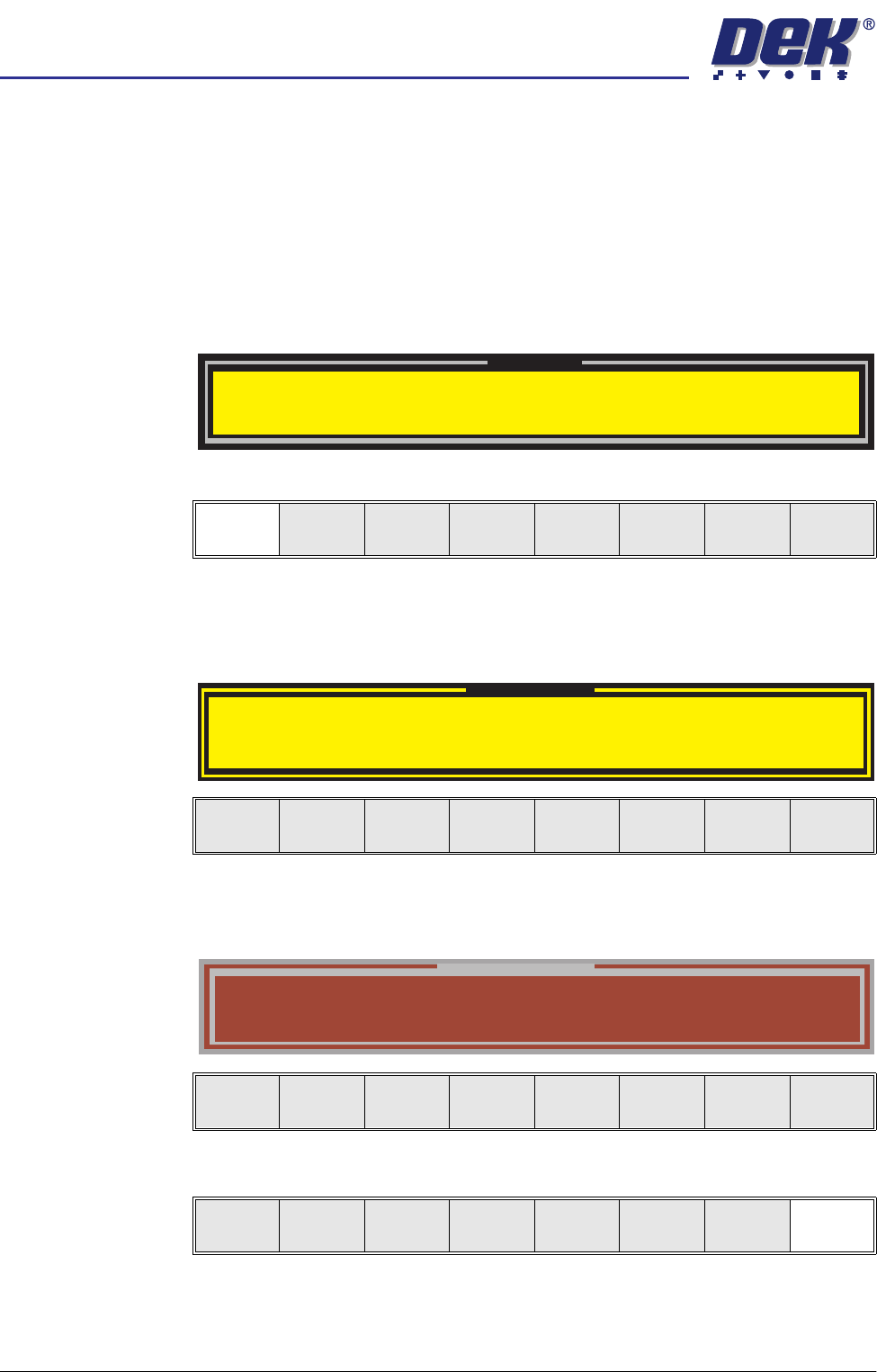
1. If the set preference is set to warn, the following window is displayed:
2. Select Confirm (F1).
3. Go to Step 7.
4. If the set preference is set to pause, the following window and menu bar is
displayed:
If the set preference is set to suspend, the following window and menu bar
is displayed:
5. Select Cancel (F8).
Warning
Cleaner Solvent Low. Please Refill.
Vortex cleaning cassette expired. Please replace
Confirm
Pause on Warning
Cleaner Solvent Low. Please Refill.
Vortex cleaning cassette expired. Please replace
Cancel
Suspend on Warning
Cleaner Solvent Low. Please Refill.
Vortex cleaning cassette expired. Please replace
Cancel
Cancel