182050 User manual.pdf - 第50页
semi automatic 0$&+,1( 352*5$ 00,1* 67$*(( )250 )/(;722 /,1* 1.40 User Manual Software Ve rsion 07SP02 21. Select Cont act Heig ht (F3). The following windo w and menu bar is displ ayed: 22. Select Continue (F…
semi automatic
0$&+,1(352*5$00,1*
67$*(()250)/(;722/,1*
Software Version 07SP02 User Manual 1.39
14. Select Auto Board (F1).
15. Select Open Cover (F7).
16. Raise the printhead cover.
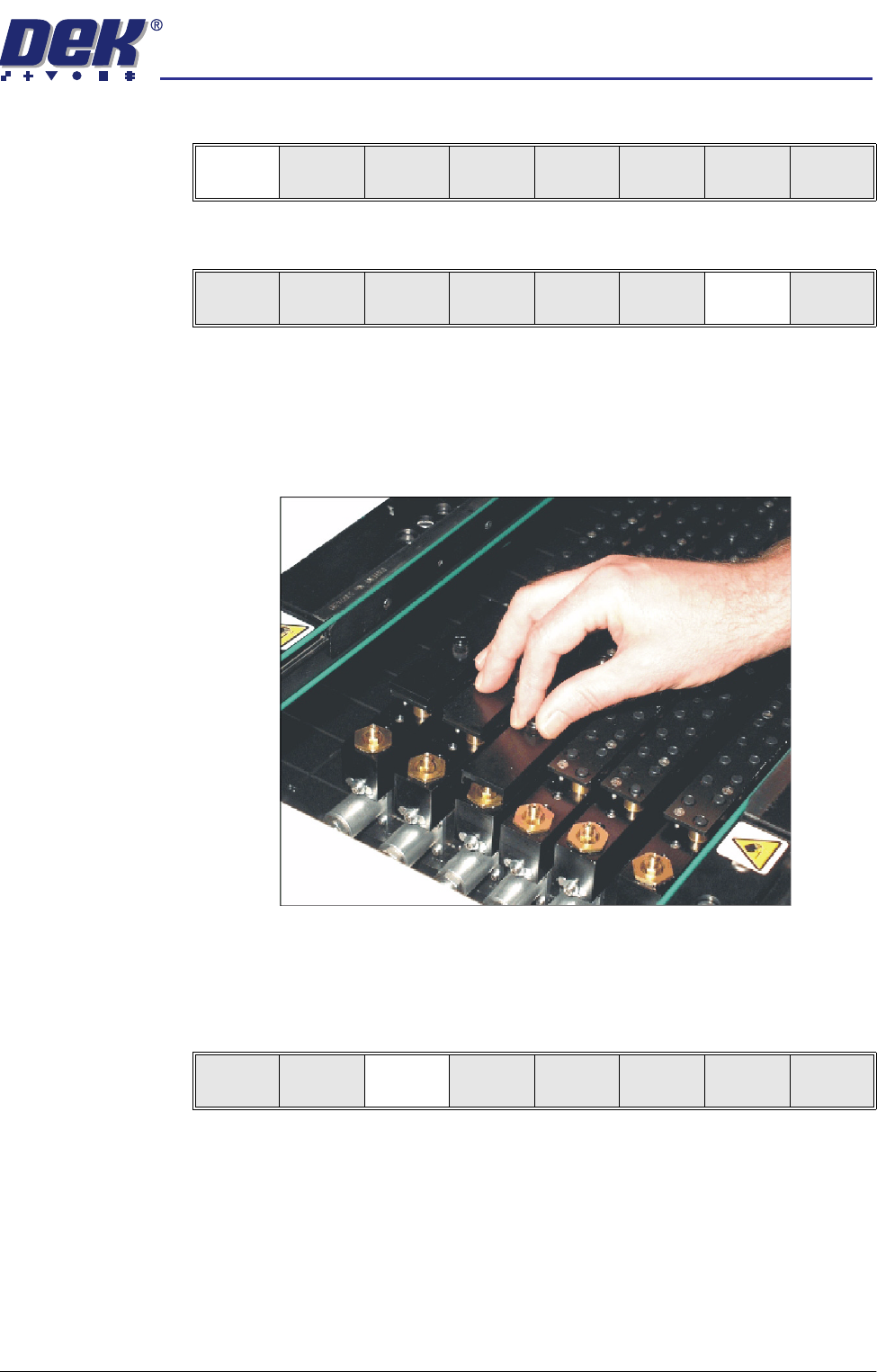
17. Using the board on the rails as a template, slide the appropriate size and
number of FormFlex blanking plates on to the tooling modules outside the
area of the squeegees/ProFlow transfer head. Secure the plates using the
thumbscrews.
18. Lower the printhead cover.
19. Press the System button.
20. Select Vision Height (F3). The message ‘Table at Vision Height. Check
Tooling Clearance’ is displayed.
Auto
Board
Manual
Board
Unload
Vision
Height
Home
Height
Board
Clamps
Change
Screen
Open
Cove
r
Exit
Unload
Vision
Height
Home
Height
Board
Clamps
Change
Screen
Open
Cover
Exit
semi automatic
0$&+,1(352*5$00,1*
67$*(()250)/(;722/,1*
1.40 User Manual Software Version 07SP02
21. Select Contact Height (F3).
The following window and menu bar is displayed:
22. Select Continue (F1). The message ‘Table at Contact Height. Check
Tooling Clearance’ is displayed.
23. Select Open Cover (F7).
24. Raise the printhead cover.
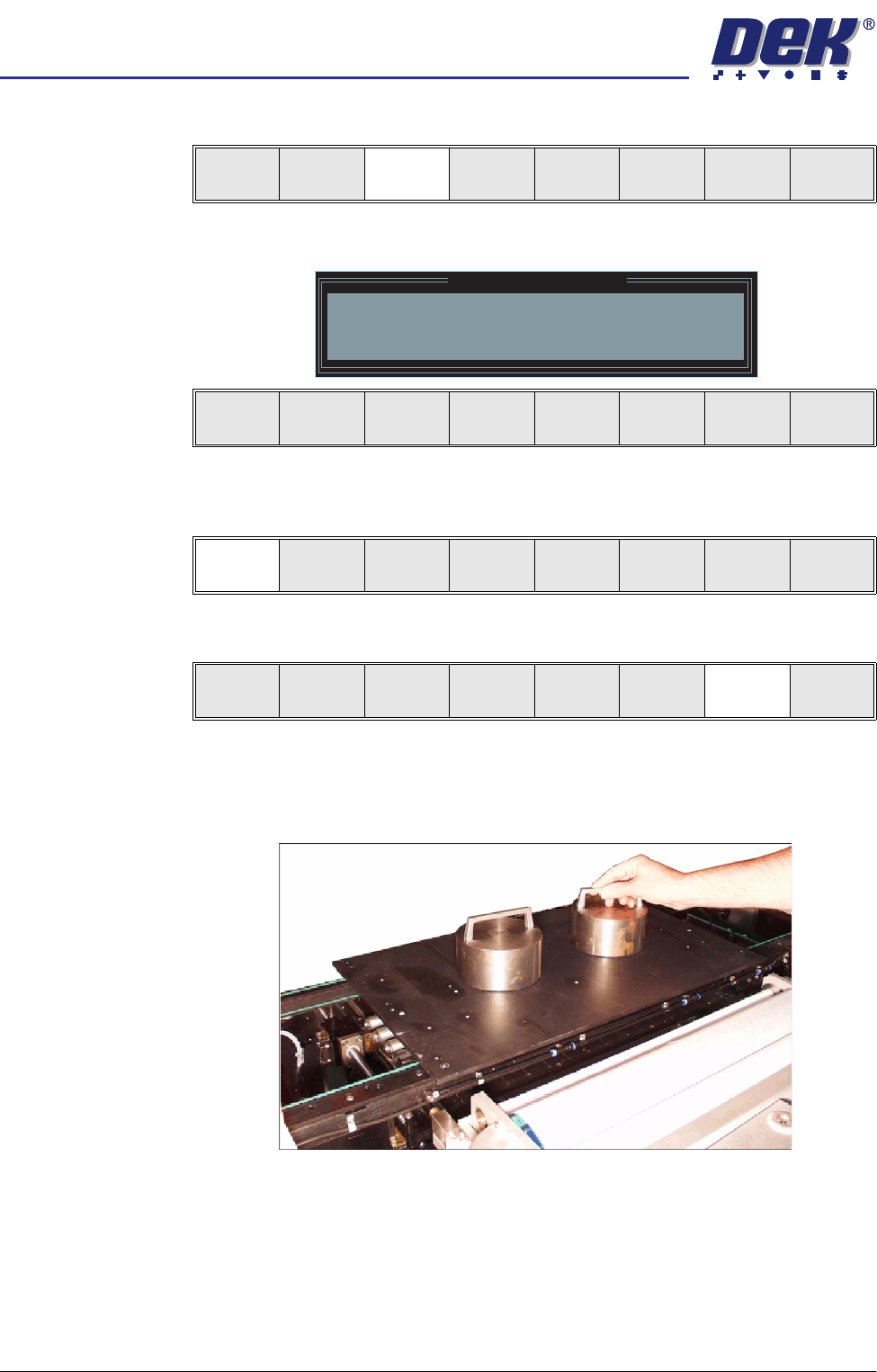
25. Place the FormFlex setup plate centrally over the tooling modules and rails
and place the weights on top of the setup plate.
Contact
Height
Transprt
Height
Change
Screen
Open
Cover
Exit
Contact Height Warning
WARNING Check for obstructions between
the Rails and the Screen
Continue
Open
Cover
Exit
Continue
Open
Cover
Exit
Vision
Height
Open
Cover
Exit
semi automatic
0$&+,1(352*5$00,1*
67$*(()250)/(;722/,1*
Software Version 07SP02 User Manual 1.41
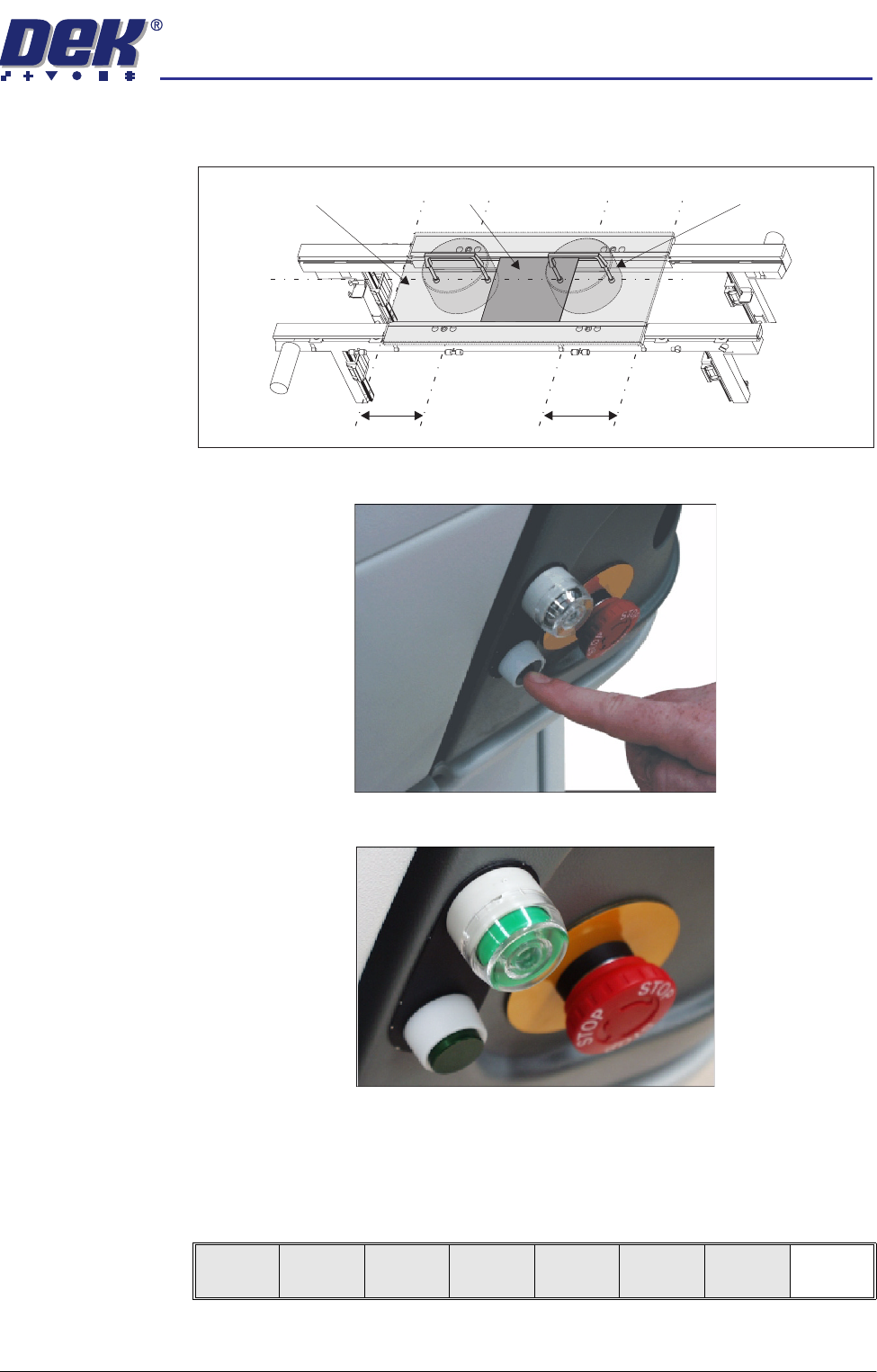
26. Align the weights along the centre line in the Y axis and one third of the plate
length in the X axis.
27. Press the operator switch on the front of the machine covers.
28. Wait until the pneumatic indicator on the front cover displays green.
29. Remove the weights and the FormFlex setup plate from the tooling area.
30. Lower the printhead cover.
31. Press the System button.
32. Select Exit (F8).
Board
Setup Plate
Weight (in 2 positions)
C/L
1/3
1/3
Exit