182050 User manual.pdf - 第60页
semi automatic 0$&+,1( 352*5$ 00,1* 67$*(( )250 )/(;722 /,1* 1.50 User Manual Software Ve rsion 07SP02 32. Select Exit (F8). 33. Select Change Screen (F5) . 34. Select Vision Hei ght (F3). The message ‘ T able…
semi automatic
0$&+,1(352*5$00,1*
67$*(()250)/(;722/,1*
Software Version 07SP02 User Manual 1.49
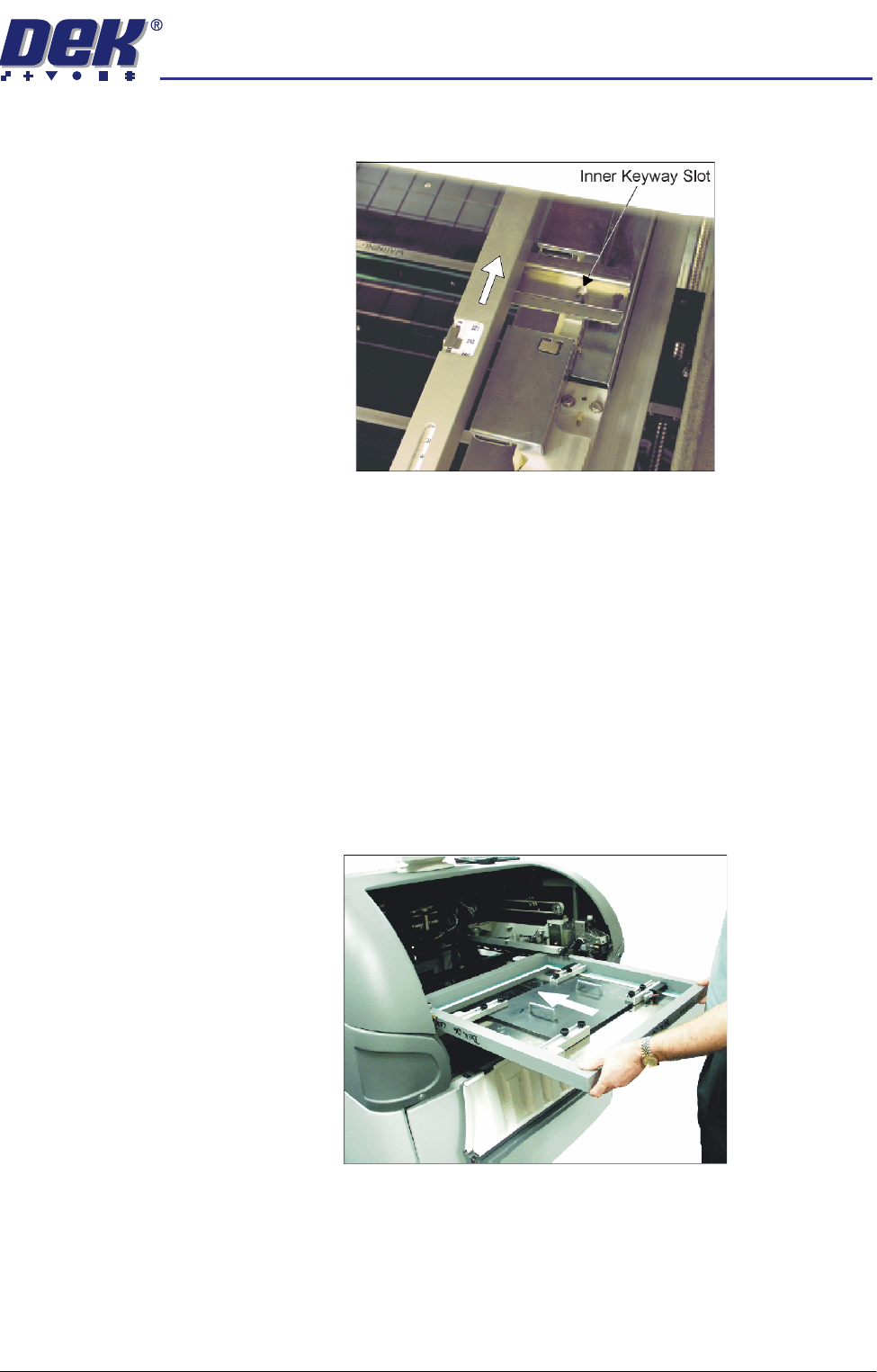
c. Using the inner pair of keyway slots locate the adjuster on the chase and
slide the adjuster to the rear of the machine to lock in place.
27. To adjust the screen depth adjuster for the product carry out one of the
following:
a. ASM, centre or front justified stencil - Set the screen depth adjuster to
Distance to Image. (Distance to Image = the measurement from the rear
face of the stencil frame to the front edge of the board image.)
b. Standard chase, centre justified stencil - Set the screen depth adjuster to
Board Width. (Board Width = the measurement from the rear face of the
stencil frame to the front edge of the board image.)
Standard chase, front justified - Set the screen depth adjuster to 508mm
(20″).
28. Ensuring for the correct orientation of the stencil, load the stencil against the
left hand chase rail and insert until the stencil is fully against the screen
depth adjuster.
29. Toggle screen clamp switch to down position (On) (standard chase only).
30. Lower the printhead cover.
31. Press the System button.
semi automatic
0$&+,1(352*5$00,1*
67$*(()250)/(;722/,1*
1.50 User Manual Software Version 07SP02
32. Select Exit (F8).
33. Select Change Screen (F5).
34. Select Vision Height (F3). The message ‘Table at Vision Height. Check
Tooling Clearance’ is displayed.
35. Select Contact Height (F3).
The following window and menu bar are displayed:
36. Select Continue (F1). The message ‘Table at Contact Height. Check
Tooling Clearance.’ is displayed.
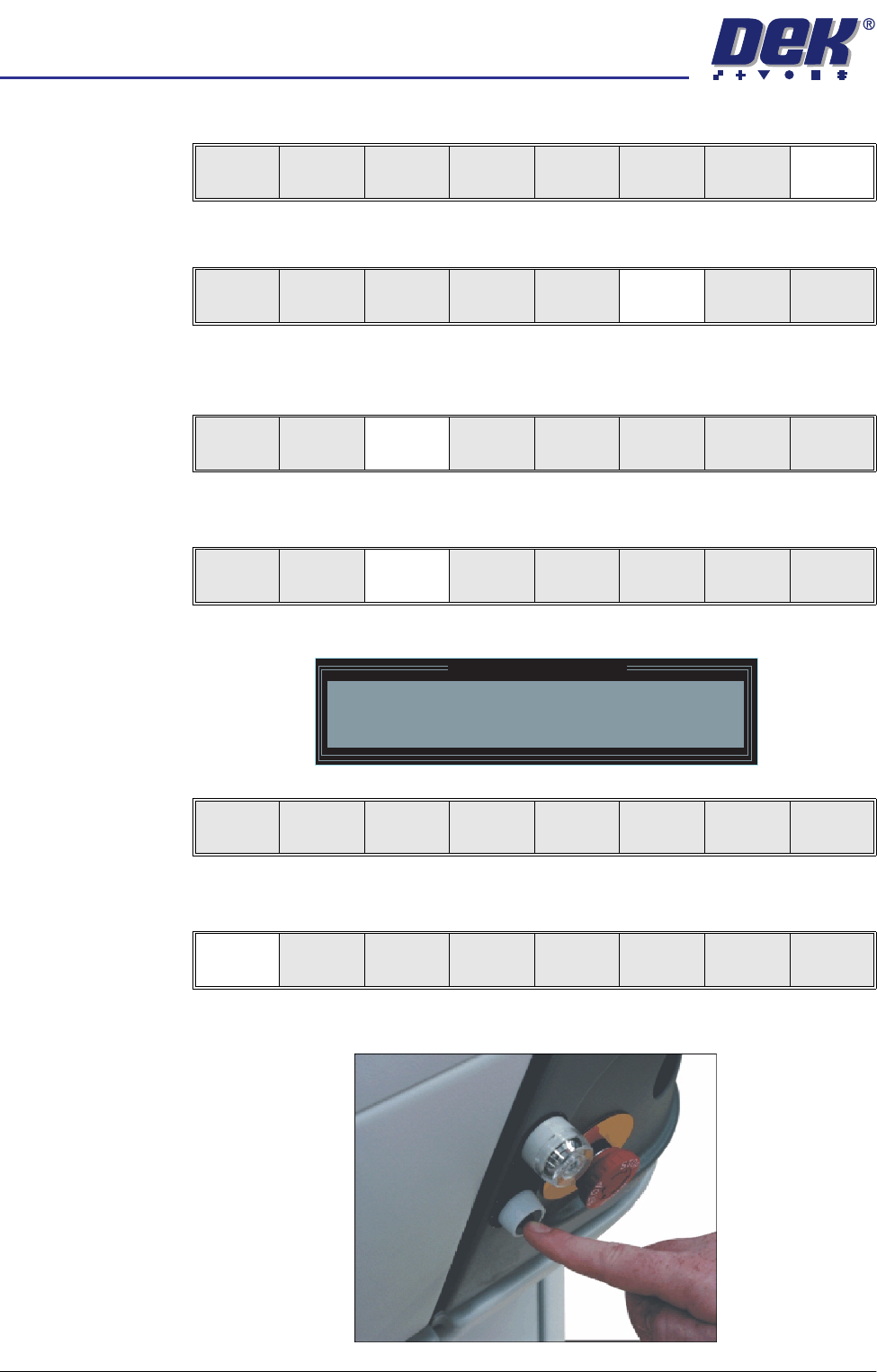
37. Press the operator switch on the front of the machine covers.
Board
Clamps
Exit
Unload
Vision
Height
Home
Height
Board
Clamps
Change
Screen
Open
Cover
Exit
Unload
Vision
Height
Home
Height
Board
Clamps
Change
Screen
Open
Cover
Exit
Contact
Height
Transprt
Height
Change
Screen
Open
Cover
Exit
Contact Height Warning
WARNING Check for obstructions between
the Rails and the Screen
Continue
Open
Cover
Exit
Continue
Open
Cover
Exit
semi automatic
0$&+,1(352*5$00,1*
67$*(()250)/(;722/,1*
Software Version 07SP02 User Manual 1.51
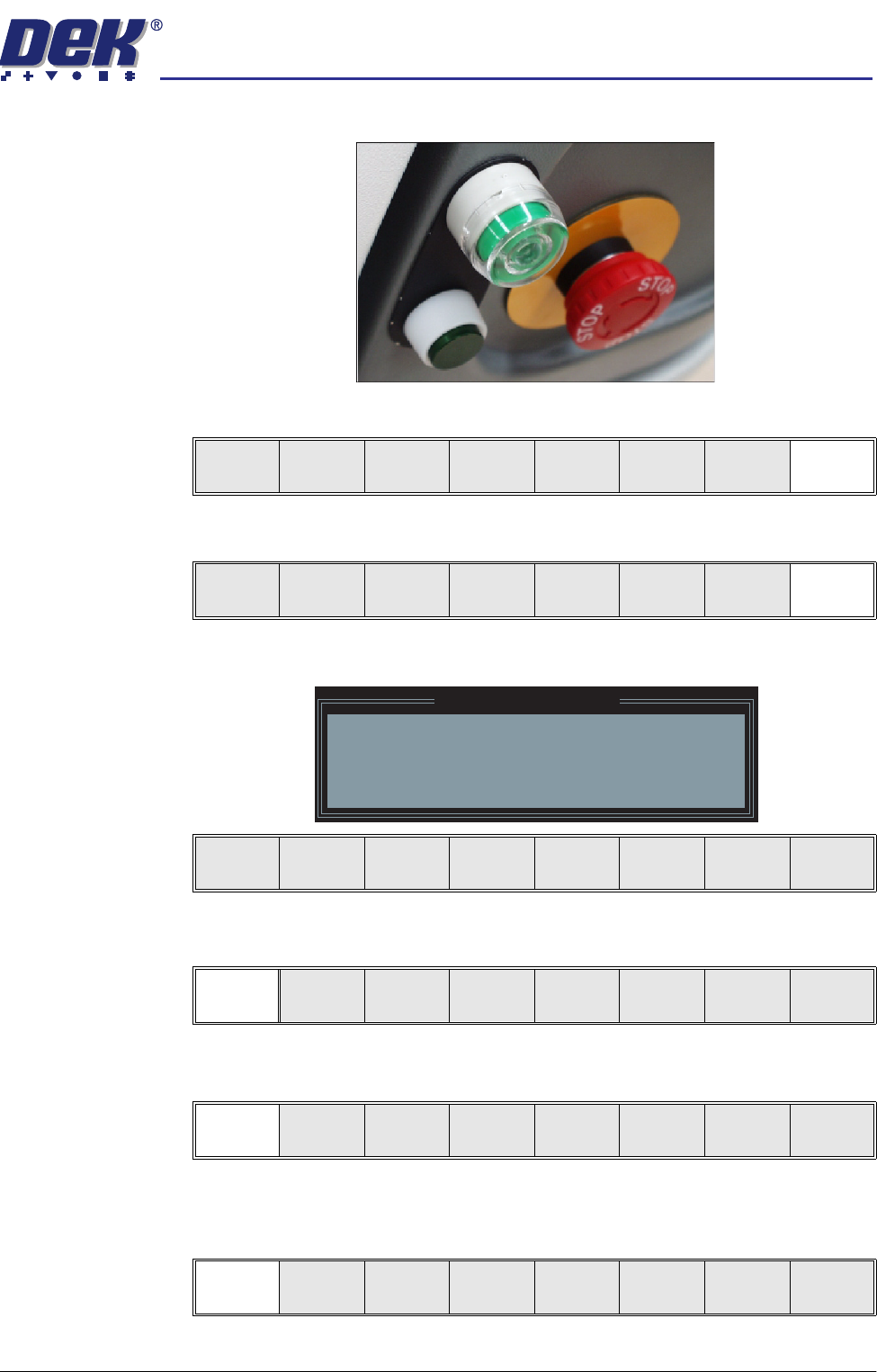
38. Wait until the pneumatic indicator on the front cover displays green.
39. Select Exit (F8).
40. Select Exit (F8).
The following window and menu bar is displayed:
41. Select Continue (F1).
42. Select Auto Board (F1). The message ‘Board on rails, remove and
continue’ is displayed.
43. Remove the board from the rails.
44. Select Continue (F1).
Exit
Vision
Height
Open
Cover
Exit
Leaving Generic Tooling
WARNING You are about to return
to the Setup Page
Clear all tooling setup
equipment before proceeding
Continue Cancel
Continue Cancel
Auto
Board
Manual
Board
Continue
Open
Cover