182050 User manual.pdf - 第63页
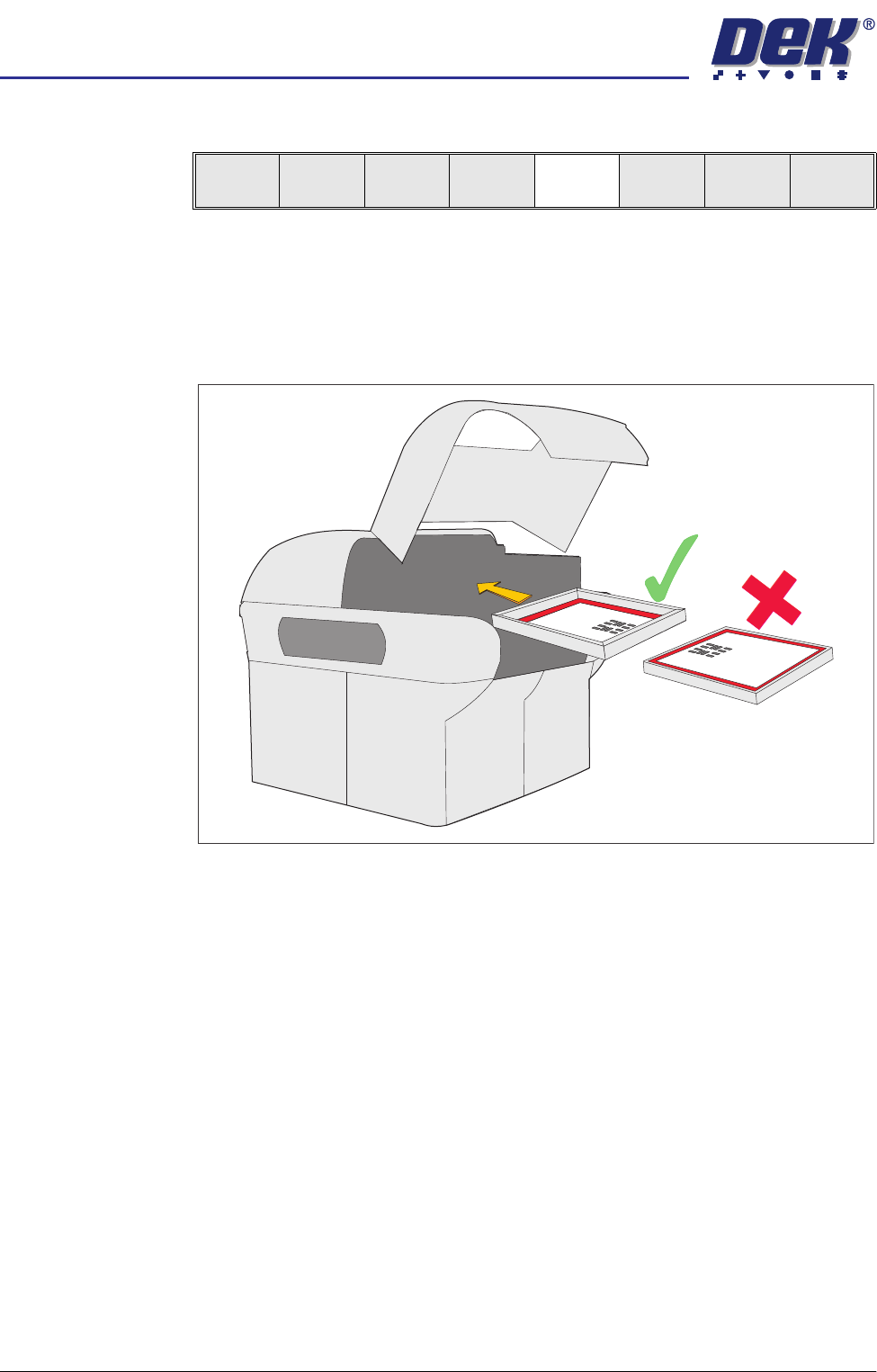
semi automatic 0$&+,1 (352*5 $00,1 * 67$*( 6&5 ((1/2$ ' Software Version 07SP02 User Manual 1.53 ST AGE 7 - SCREEN LOAD 1. Raise t he printhead cov er . 2. If ASM i s fitted c ontinue with S tep 3. If…
semi automatic
0$&+,1(352*5$00,1*
67$*(()250)/(;722/,1*
1.52 User Manual Software Version 07SP02
45. Select Change Screen (F5).
46. Raise the printhead cover.
47. Toggle screen clamp switch to the up position (Off) (standard chase only).
48. Remove the screen from the printer and release the universal set plate from
the screen.
49. Ensuring correct orientation, refit the screen.
50. Toggle screen clamp switch position to down position (On) (standard chase
only).
51. Lower the printhead cover.
52. Press the System button.
53. Go to Stage 8.
Mode
Load
Data
Edit
Data
Setup
Squeegee
Change
Screen
Change
Tooling
Change
Language
Exit
semi automatic
0$&+,1(352*5$00,1*
67$*(6&5((1/2$'
Software Version 07SP02 User Manual 1.53
STAGE 7 - SCREEN LOAD
1. Raise the printhead cover.
2. If ASM is fitted continue with Step 3. If the standard chase is fitted go to Step
5b.
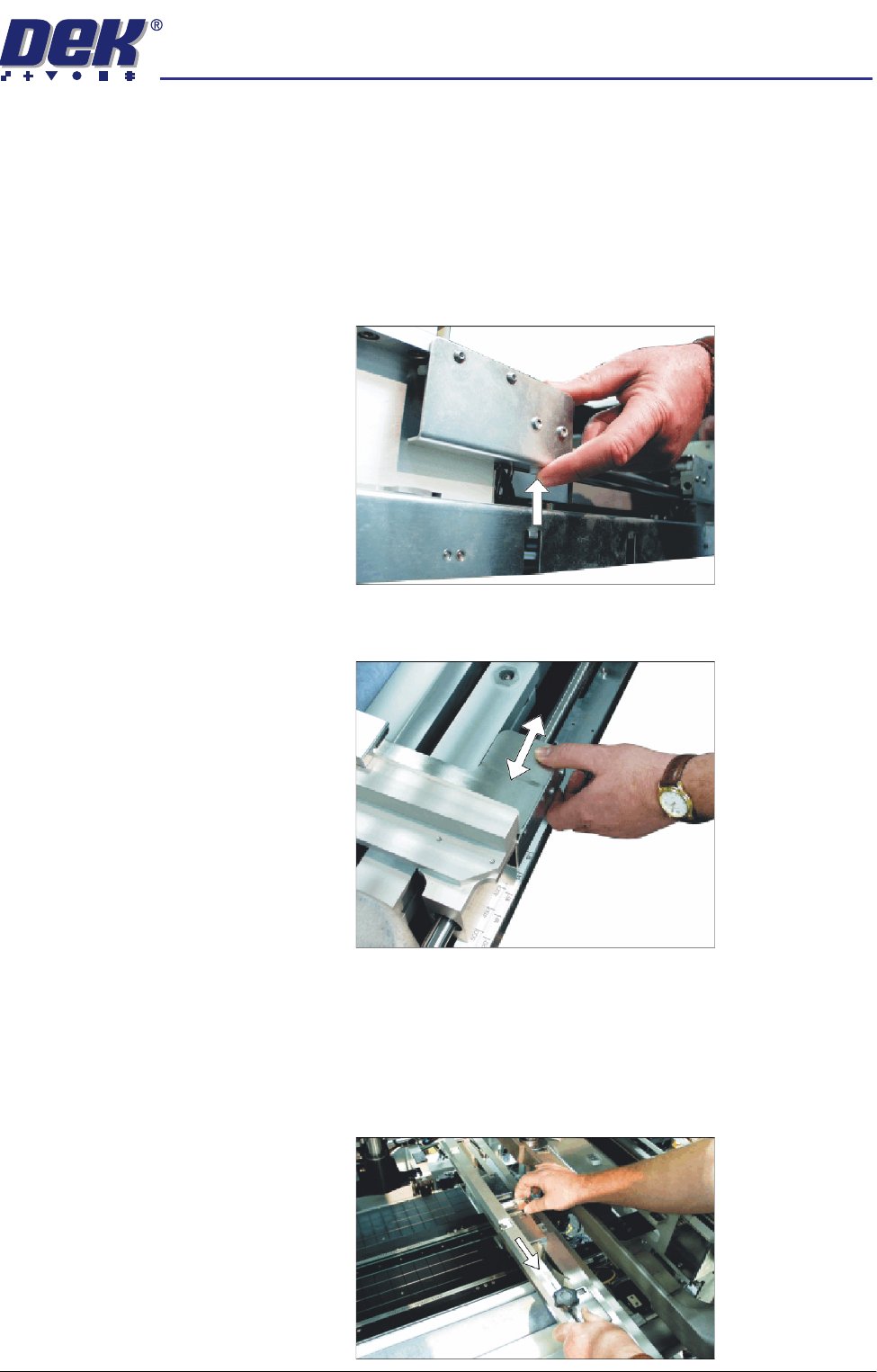
3. To adjust the width of the chase rails to accommodate the stencil for the
product file loaded, carry out the following:
a. Press and hold the left hand chase rail push button valve.
b. Slide the left hand chase rail to the desired position indicated on the
graduated scale.
c. Release the push button valve.
d. Repeat the procedure for the right hand chase rail.
4. If the stencil size is less than 29″ x 29″ the screen depth adjuster position is
to be adjusted as follows:
a. Slide the screen depth adjuster towards the front of the machine.
semi automatic
0$&+,1(352*5$00,1*
67$*(6&5((1/2$'
1.54 User Manual Software Version 07SP02
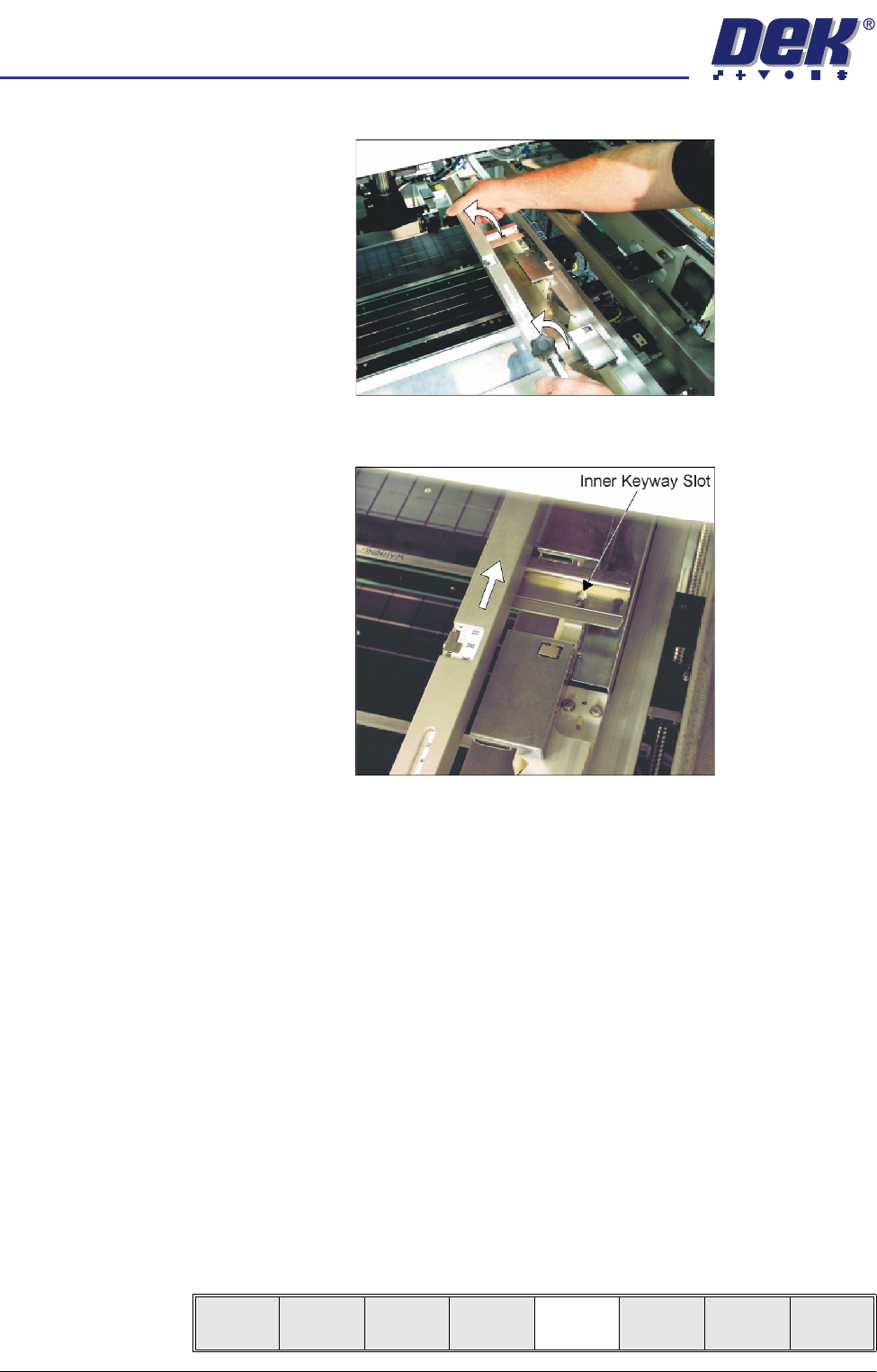
b. Lift the adjuster clear of the two locating screws.
c. Using the inner pair of keyway slots locate the adjuster on the chase and
slide the adjuster to the rear of the machine to lock in place.
5. To adjust the screen depth adjuster for the product carry out one of the
following:
a. ASM, centre or front justified stencil - Set the screen depth adjuster to
Distance to Image. (Distance to Image = the measurement from the rear
face of the stencil frame to the front edge of the board image.)
b. Standard chase, centre justified stencil - Set the screen depth adjuster to
Board Width. (Board Width = the measurement from the rear face of the
stencil frame to the front edge of the board image.)
Standard chase, front justified - Set the screen depth adjuster to 508mm
(20″).
6. Ensuring for the correct orientation of the stencil, load the stencil against the
left hand chase rail and insert until the stencil is fully against the screen
depth adjuster.
7. Toggle screen clamp switch to down position (On) (standard chase only).
8. Lower the printhead cover.
9. Press the System button.
10. Select Change Screen (F5).
Mode
Load
Data
Edit
Data
Setup
Squeegee
Change
Screen
Change
Tooling
Change
Language
Exit