182050 User manual.pdf - 第65页
semi automatic 0$&+,1 (352*5 $00,1 * 67$*( 9,6 ,216<6 7(06 (783 Software Version 07SP02 User Manual 1.55 ST AGE 8 - VISION SYSTEM SETUP Introduct ion The print er uses a vision syst em to carr y out the fo…
semi automatic
0$&+,1(352*5$00,1*
67$*(6&5((1/2$'
1.54 User Manual Software Version 07SP02
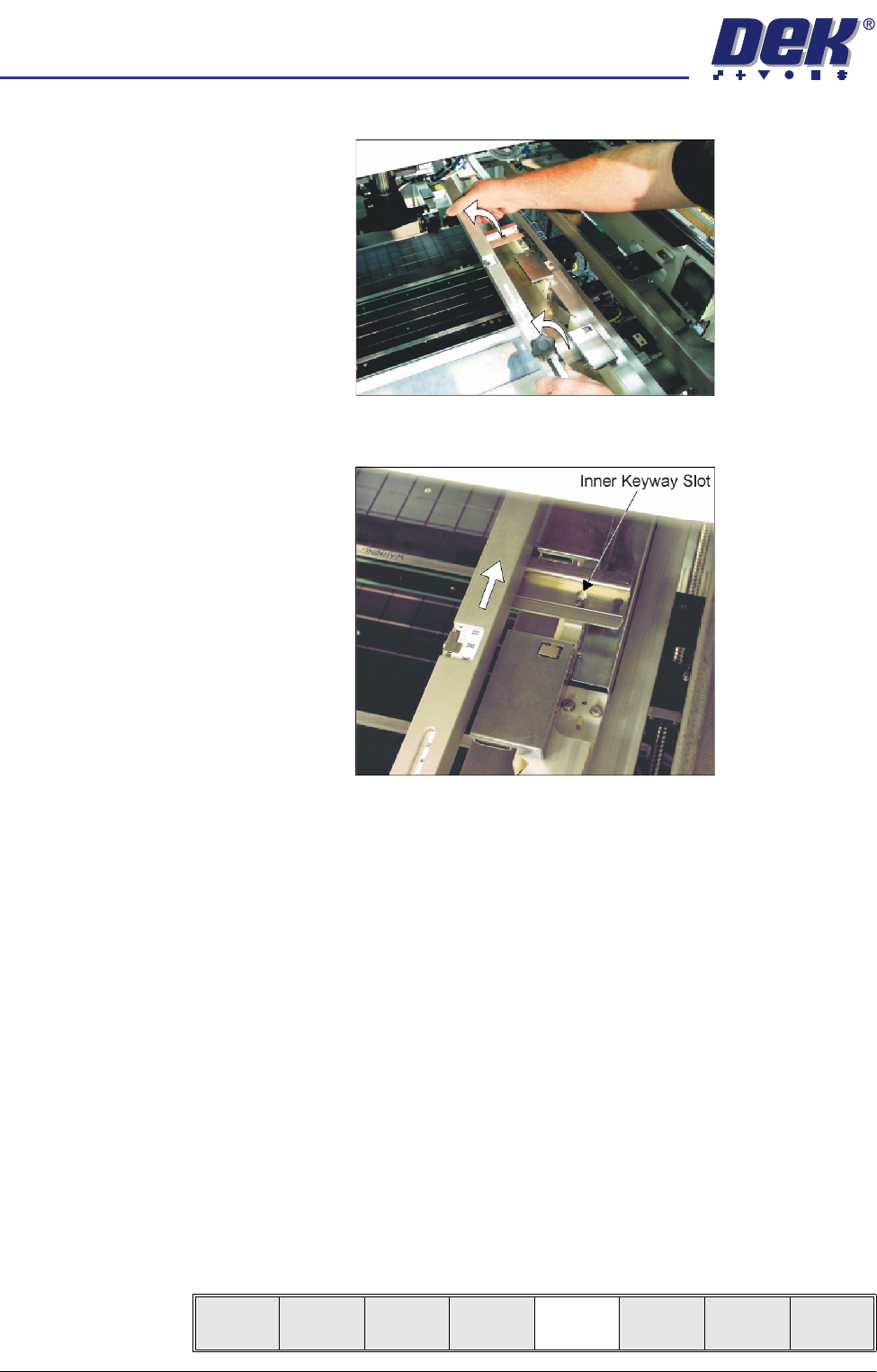
b. Lift the adjuster clear of the two locating screws.
c. Using the inner pair of keyway slots locate the adjuster on the chase and
slide the adjuster to the rear of the machine to lock in place.
5. To adjust the screen depth adjuster for the product carry out one of the
following:
a. ASM, centre or front justified stencil - Set the screen depth adjuster to
Distance to Image. (Distance to Image = the measurement from the rear
face of the stencil frame to the front edge of the board image.)
b. Standard chase, centre justified stencil - Set the screen depth adjuster to
Board Width. (Board Width = the measurement from the rear face of the
stencil frame to the front edge of the board image.)
Standard chase, front justified - Set the screen depth adjuster to 508mm
(20″).
6. Ensuring for the correct orientation of the stencil, load the stencil against the
left hand chase rail and insert until the stencil is fully against the screen
depth adjuster.
7. Toggle screen clamp switch to down position (On) (standard chase only).
8. Lower the printhead cover.
9. Press the System button.
10. Select Change Screen (F5).
Mode
Load
Data
Edit
Data
Setup
Squeegee
Change
Screen
Change
Tooling
Change
Language
Exit
semi automatic
0$&+,1(352*5$00,1*
67$*(9,6,216<67(06(783
Software Version 07SP02 User Manual 1.55
STAGE 8 - VISION SYSTEM SETUP
Introduction The printer uses a vision system to carry out the following:
• Stencil/Board Alignment
• 2D Inspection (optional)
After the board is fed into the machine to the board stop position, the camera
moves into position to view the relative board and stencil features. The
information from these camera images is used by the vision system to calculate
the stencil correction needed. The camera and vision system is also used for
2D Inspection (if enabled), for further information refer to the 2Di chapter in this
manual.
Fiducials A fiducial is an alignment mark which is produced as a part of the artwork of the
board and the stencil. There are normally several of these marks on each
board, some of which are used for board alignment and some for alignment
when placing components on the board. These marks, therefore, should be in
the same relative position on both board and stencil.
The vision system has a library of synthetic fiducials of the most commonly
found shapes. The dimensions of these fiducials can be tailored by the operator
to fit the fiducials on the board and stencil. After the vision system has been
taught these fiducial parameters, it is able to search the field of view of the
camera and recognize any features which resemble these fiducials. The centre
of the fiducial is calculated and used as the point of location.
The vision system conducts a search in the field of view of the camera looking
for any shape that resembles the programmed fiducial. After finding a shape it
is assigned a score comparing its shape and size to the shape and size of the
fiducial in the vision system memory. This score is set between 1 and 999, the
better the fit the higher the score.
NOTE
However, this does not mean that a fiducial score of 999 for example aligns
more accurately than a fiducials score of 700 for example.
This score is used, in conjunction with acceptance parameters set by the
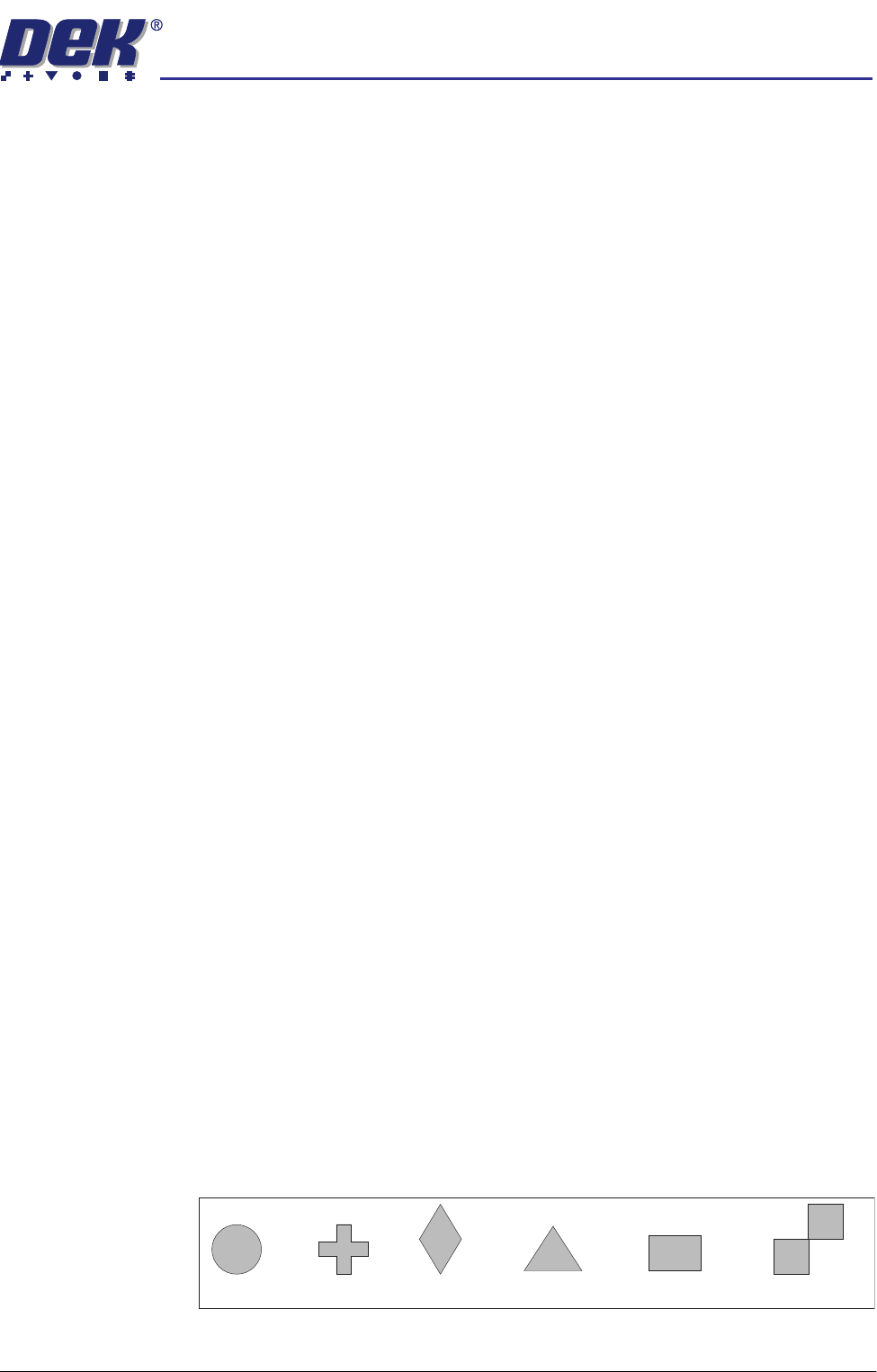
operator, to recognize the fiducial. The available fiducial shapes are:
•Circle
•Cross
• Diamond
• Triangle
• Rectangle
• Double Square
Circle Cross Diamond Triangle Rectangle Double square
semi automatic
0$&+,1(352*5$00,1*
67$*(9,6,216<67(06(783
1.56 User Manual Software Version 07SP02
Fiducial Parameters
There are a number of parameter values which need to be adjusted when
setting up a fiducial.
Fiducial Type This refers to the shape and dimensions of the fiducial.
Background The vision system needs to know if the fiducial is surrounded by a dark or light
background compared to the fiducial colour.
Acceptance Score After the vision system has located a stencil or board fiducial, it assigns a level
of match of that fiducial compared to the fiducial programmed in the vision
system. This is given a score, the better the match the higher the score. The
acceptance score is the minimum level, set by the operator, above which the
vision system accepts the recognition of the fiducial.
Minimum 0
Maximum 999
Increment 10
Default 700
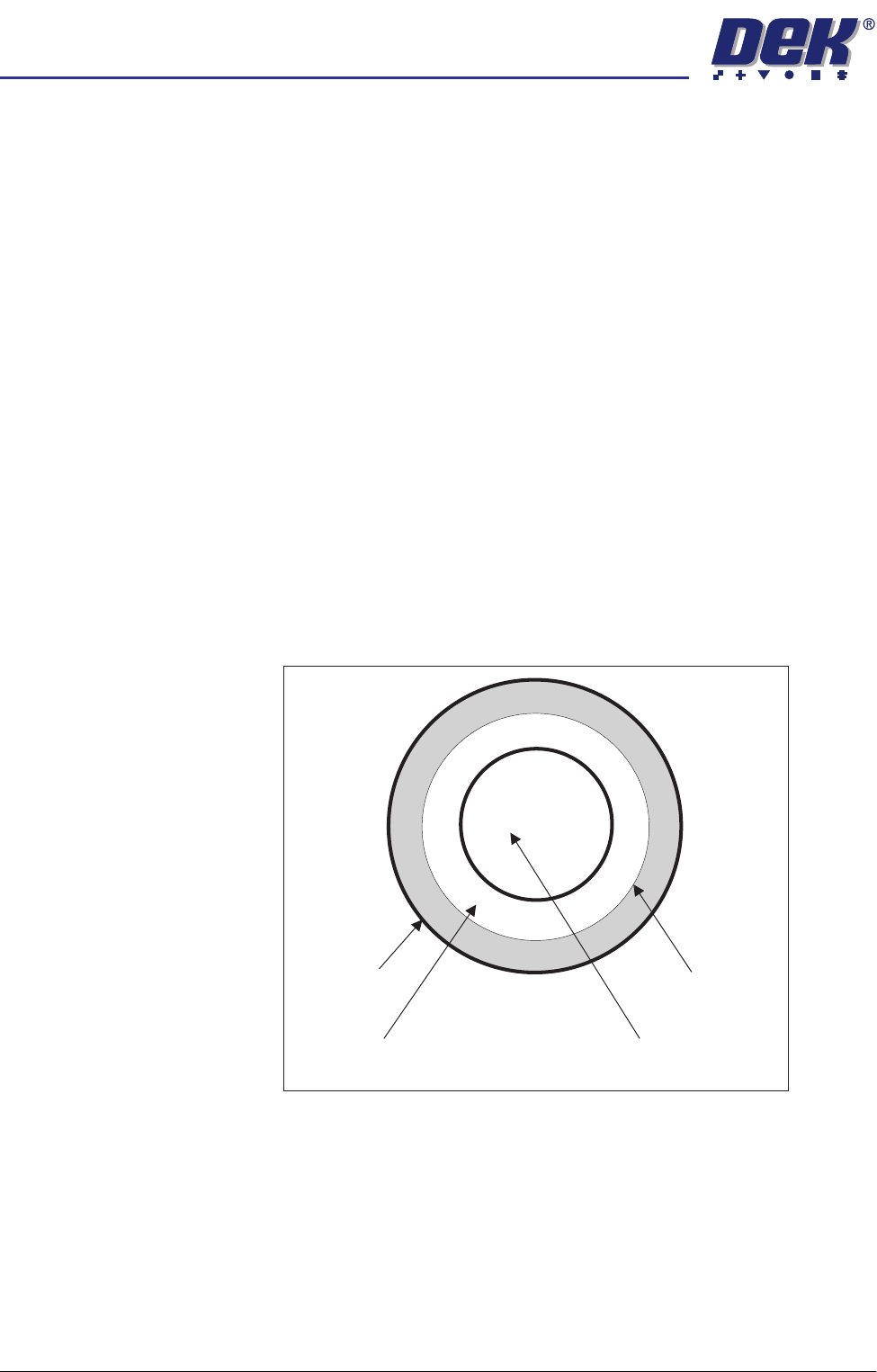
There are various dimensions of each fiducial shape which have to be set by
the operator. As an example, here, the circular fiducial is described.
Fiducial Diameter This needs to be set to the exact diameter of the fiducial to achieve a satisfac-
tory score.
Inner and Outer
Contours
These are set to eliminate any defects that may occur in the surface of either
the fiducial or the background. The vision system ignores anything inside the
inner contour and outside the outer contour. Increasing the distance between
the inner and outer contour can, if the fiducial and background surfaces are
variable, drastically affect the score level.
Outer Contour
Inner Contour
Geometric Centre
(used as a location point)
Fiducial Diameter